weDocs Lifetime Deal: AI WordPress Docs, FAQs and Changelogs
weDocs is a WordPress plugin made by weDevs. It helps you create and manage product guides, FAQs, glossaries, and changelogs on your own website.
You can group your docs into sections and control who can view them. Live search helps visitors find answers fast. You can also write docs with AI and design pages using Gutenberg or Elementor.
All your docs stay on your WordPress site. This gives you full control over your content and makes it easy to manage everything in one place.
KEY Features of weDocs
weDocs helps you create and manage docs on WordPress. Here are its key features and how they work.
Create and Organize Documentation
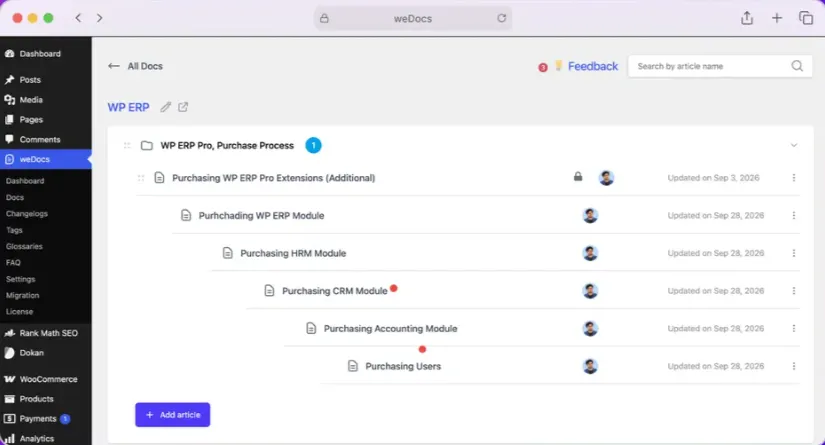
weDocs helps you create and manage docs in WordPress. You can group articles into sections with up to seven levels.
To start, go to weDocs → Docs and click + New doc. Add a title, then create sections and articles. You can save them as drafts or publish them.
You can also drag and drop docs to change their order. The built-in copy tool lets you reuse existing docs. This saves you from starting over.
Manage Document Access and Permissions
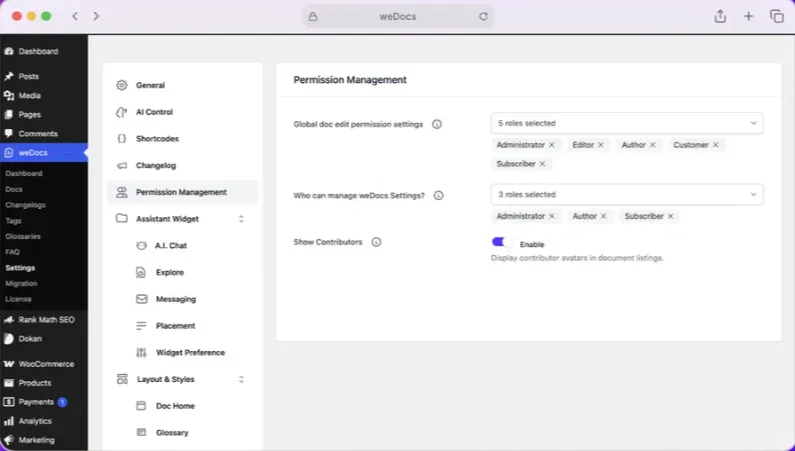
weDocs lets you choose who can view or edit your docs. You can make docs public, private, or open to certain user roles.
To set this up, go to weDocs → Settings → Permission Management. Choose which users can edit docs or change settings.
You can also set access rules for each doc. Open its settings, select Public or Private, and set who can edit it. Then save your changes.
This lets you keep help guides public and team docs private on one site.
Help Visitors Find Answers
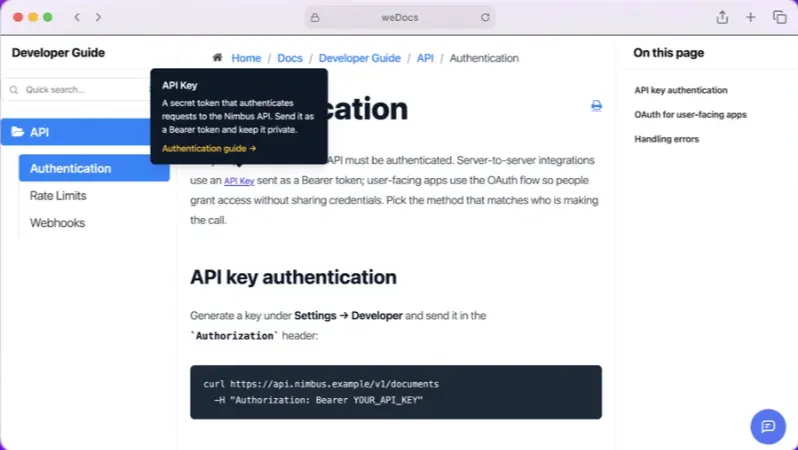
weDocs helps visitors find answers on their own. Live search shows matching docs as they type. This helps them find the right guide fast.
To search, open a doc page and click the search box. You can also press Ctrl + K on Windows or Command + K on Mac. Type a word to see matching results.
You can also add FAQs for common questions and glossary tips for hard words. The Assistant Widget shows popular docs and a contact form. Visitors can find help or send a message from there.
Write and Design Docs with AI
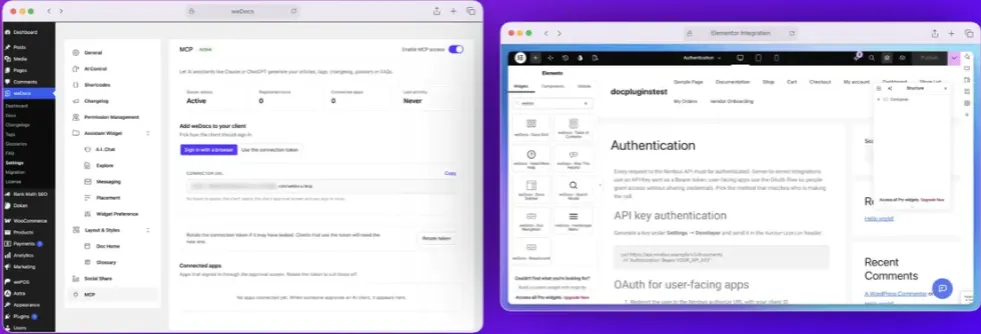
weDocs helps you write and design docs with AI. You can make drafts from a prompt, product details, or a screenshot.
To start, go to weDocs → Settings → AI Control. Set up your AI model and API key. Then open a doc and choose AI Doc Writer from the three-dot menu. Add a title and prompt, then click Generate Content. Check the draft and add it to your doc.
You can also link Claude or ChatGPT through MCP to create and update docs. Use Gutenberg blocks or Elementor widgets to design pages without code.
weDocs Pros and Cons
weDocs has some useful benefits, but it also has a few limits. Here are the main pros and cons to help you decide.
Pros
- Faster Answers for Visitors.
- Fewer Support Questions.
- Easier Content Management.
- Full Control Over Your Docs.
- Better Privacy for Team Docs.
- Consistent Brand Design.
Cons
- WordPress Only.
- AI Chatbot Costs Extra.
- AI Writer Needs API Key.
- Limited Free Settings.
Who Is weDocs Best For?
- WordPress Product Owners: Create setup guides, help docs, and user guides for your products.
- WooCommerce Store Owners: Keep product details, shipping rules, return policies, and FAQs in one place.
- Customer Support Teams: Help users find answers without asking your support team.
- Team Knowledge Managers: Keep team guides private and share them with the right people.
- Documentation Writers: Use AI to write, edit, and manage help articles.
weDocs AppSumo Pricing Plan
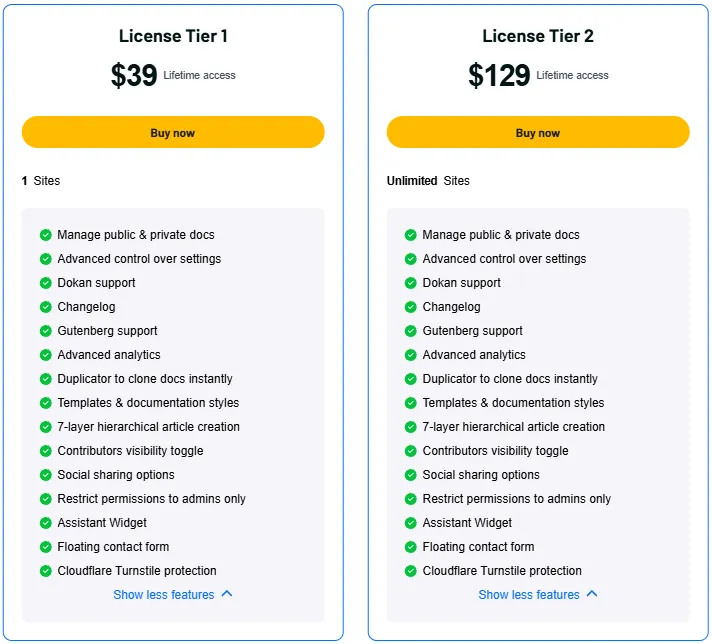
License Tier 1 – $39
1 Website
Features:
- Public and private docs
- Advanced settings control
- Dokan vendor support
- Built-in changelog
- Gutenberg support
- Advanced doc analytics
- One-click doc duplication
- Doc templates and styles
- Up to 7 doc levels
- Show or hide contributors
- Social sharing
- Admin-only permission controls
- Assistant Widget
- Floating contact form
- Cloudflare spam protection
License Tier 2 – $129
Unlimited Websites
Features:
- Includes everything in License Tier 1
- Unlimited website licenses
Final Thoughts – weDocs Review 2026
weDocs keeps product guides, FAQs, and help docs in one place. You can manage them right from WordPress without much effort.
Its AI tools help you write docs faster. Live search helps visitors find answers with ease. You can also change the design and keep full control of your content.
With its useful tools and one-time lifetime deal, weDocs is worth a look for your WordPress help center.