GoBrunch Lifetime Deal – No More Boring Zoom Calls
I was tired of boring Zoom calls. Same grid. Same boxes. Same wall. Nobody was engaged — not even me.
Then I tried GoBrunch. No download. No setup. I just opened my browser and walked right in. The room looked real. People felt present. Talks flowed. Nobody zoned out.
After testing it, I grabbed the GoBrunch Lifetime Deal on AppSumo. One payment. No monthly fees. Done.
This review covers what GoBrunch does, who it’s best for, and whether the GoBrunch Lifetime Deal is truly worth it.
Features of the GoBrunch Lifetime Deal
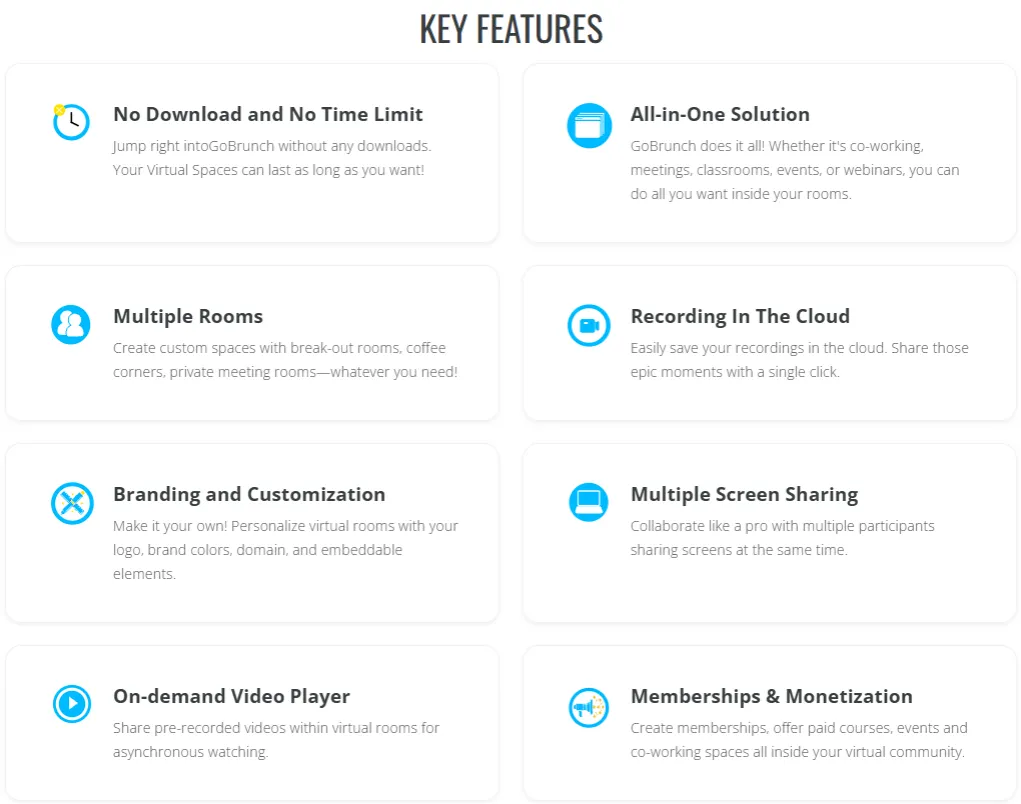
No Download and No Time Limit
GoBrunch works in your browser. No installs needed. Your sessions can run as long as you want.
Virtual Workspace
You can build virtual rooms that stay open all day and night. Your team can enter at any time. You don’t need to be there.
Multiple Rooms
You can create many rooms inside one space. These include breakout rooms, coffee corners, and private rooms.
Branding and Customization
Add your logo, colors, and custom domain to your rooms. You can pick from over 50 room templates or build your own.
Multiple Screen Sharing
More than one person can share their screen at once. Everyone in the room can see all shared screens.
Recording In The Cloud
GoBrunch saves your session to the cloud. You can share the recording with one click.
On-demand Video Player
Upload pre-recorded videos to your rooms. People can watch them any time. No live host needed.
Live and On-Demand Trainings
You can run live sessions and share recorded content in the same space. People join live or watch later on their own time.
Memberships & Monetization
You can charge for courses, events, and co-working spaces. Payments go through Stripe inside your community.
Mic and Cam Controls
The host can turn off any participant’s mic or camera. This helps keep large sessions clean and focused.
Engaging Environment
GoBrunch has avatars, reactions, and virtual seats. These make people feel like they are in a real shared space.
Pros of GoBrunch
- No Setup Stress: Anyone can join right away. No downloads. No tech headaches.
- Always-Open Space: Your rooms stay open all day and night. Your team can drop in any time they need.
- Meetings on Your Brand: Your space looks like yours, not a generic tool. That builds trust with your audience.
- Earn from Your Space: Charge people for courses, events, or co-working rooms. No extra payment tool needed.
- Content Runs Without You: People watch your videos any time. Your content keeps working even when you are offline.
- Cleaner, Focused Sessions: Hosts control every mic and camera. Big sessions stay quiet and on track.
- Stronger Community Feel: People feel like they are in the same room. Talks feel natural. Connections feel real.
Cons of GoBrunch
- Audio and Video Drops: Audio can freeze, and video can lag during live sessions. Some users get dropped from the room without warning.
- Very Slow Room Loading: Some rooms take a very long time to load. This can interrupt a session before it even starts.
- Broken Recording in Chrome: A Chrome permissions box pops up during recording. It warps the screen layout and ruins the video quality, making the recording unusable.
- Poor Mobile Experience: There is no native mobile app. The browser version on phones is limited. Some users could not log in or change room settings from their phone at all.
- Incomplete White-Label: GoBrunch is sold as a white-label tool. But the GoBrunch logo still shows up in some places, even after you connect your own domain.
Who is GoBrunch best for?
- Online Course Creators: You teach live classes or share recorded lessons. GoBrunch gives you a virtual classroom where students can join live or watch content on their own time.
- Community Builders: You run an online community. GoBrunch keeps your rooms open all day and night so members can meet, co-work, or connect — even when you are not there.
- Coaches and Trainers: You run one-on-one sessions or group workshops. GoBrunch lets you build a branded space that feels like yours, not a generic video call.
- Event Organizers: You host webinars or virtual events. GoBrunch lets you run many rooms at once with different hosts in each room.
- Small Business Remote Teams: Your team works from different places. GoBrunch gives you a virtual office that stays open all day so your team can drop in, meet, or work together anytime.
GoBrunch AppSumo Pricing Plan
License Tier 1 — $89 (One-Time)
- Up to 200 participants per live session
- 40 GB video storage / 2 GB file storage
- Up to 8 organizers, 5 presenter cams
- Up to 15 breakout rooms per event
- Up to 50 community members (4% transaction fee)
- Screen share, collaboration tools, Picture-in-Picture
- Custom room layouts, backgrounds, and branding
- Paid community launch, on-demand MP4 upload
- Mic and cam controls, registration API, session history
- Permanent event links, 180-day file storage
- Desktop notifications, option to hide rooms
License Tier 2 — $199 (One-Time)
- Everything in Tier 1, plus:
- Up to 400 participants, 80 GB video / 5 GB file storage
- Up to 16 organizers, 10 presenter cams
- Up to 35 breakout rooms per event
- Up to 500 community members (2% fee)
- 35 sub-accounts, 1 custom subdomain
- Attendance reports unlocked
License Tier 3 — $269 (One-Time)
- Everything in Tier 2, plus:
- Up to 600 participants, 120 GB video / 10 GB file storage
- Unlimited organizers, 10 presenter cams
- Up to 50 breakout rooms per event
- Unlimited community members (1% fee)
- 50 sub-accounts, 7 custom subdomains
5 Best GoBrunch Alternatives (Comparison)
GoBrunch vs Zoom
Zoom is the most used video meeting tool in the world. It has desktop and mobile apps. It works well on slow connections and is very stable.
- Free plan available (40-minute limit on group calls)
- Paid plans start from $13.99/month
- Breakout rooms, screen sharing, and webinars included
- Native apps for desktop, iOS, and Android
- Best for: Teams that need simple, stable video meetings
GoBrunch vs Airmeet
Airmeet is built for virtual events and online communities. It feels more like a real conference than a video call. You can run live sessions and networking at the same time.
- Virtual tables and lounges for attendee networking
- Backstage controls for speakers and hosts
- Breakout rooms, live Q&A, and polls
- Paid plans start at $199/month
- Best for: Organizers running large professional events
GoBrunch vs Remo
Remo uses a visual floor plan. People move between tables and talk in small groups. A shuffle feature moves people to new tables at set times. This keeps networking going the whole session.
- Table-based layout with proximity video
- Auto-shuffle for structured networking
- Live streaming and event analytics included
- Paid plans start at $299/month
- Best for: Networking events and professional mixers
GoBrunch vs Gather
Gather builds pixel-art virtual spaces. People move avatars around a custom map. When two avatars get close, they can see and hear each other. No need to click “join”; it just happens.
- Pixel-art maps with walk-around avatars
- Proximity-based audio and video
- Custom spaces for offices, events, and classrooms
- $15/user/month or $12/user/month (annual)
- Best for: Remote teams that want a daily virtual office
GoBrunch vs Hopin (RingCentral Events)
Hopin is now called RingCentral Events. It is built for large organizations. It has a main stage, session rooms, networking areas, and sponsor booths — all in one place.
- Main stage, sessions, expo, and networking in one platform
- Runs virtual and hybrid events at the same time
- Sponsor booth tools and lead capture included
- Custom pricing for enterprise buyers
- Best for: Large teams running full-scale conferences
Final Thoughts – GoBrunch Review 2026
Want more than a basic video call? GoBrunch gives you that. Branded rooms, 24/7 open spaces, cloud recordings, breakout rooms, and paid community tools — no monthly fee needed. The GoBrunch Lifetime Deal means one payment, lifetime access. For coaches, teachers, and community builders who want a real virtual space — this is a smart buy.