WebAbility Lifetime Deal – Fix Common WCAG Issues
Making a website easy for everyone to use takes work. Images may lack text that explains what they show. Poor color contrast can make words hard to see. Some pages are hard to use with a keyboard.
That is what caught my eye about WebAbility. Its AI finds website access issues. It can fix some of them on its own. It also shows what still needs a human review.
The WebAbility Lifetime Deal starts at $59 for two sites. But how much can it help? In this review, I’ll cover its tools, price, benefits, and limits. You can then decide if it’s worth buying.
Features of WebAbility Lifetime Deal
Accessibility Enhancer
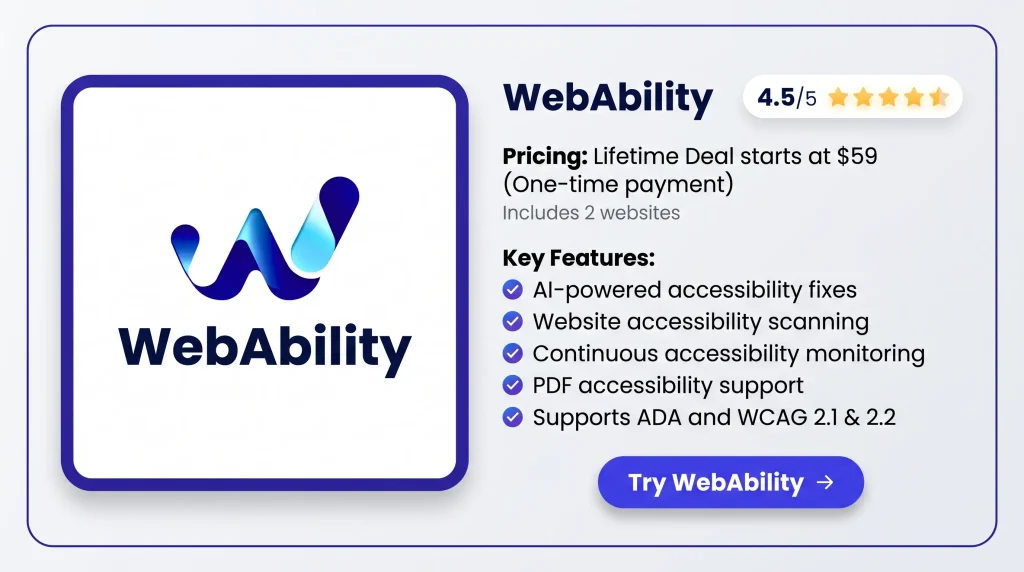
WebAbility uses AI to add missing ARIA labels, fix contrast, and add skip links. Its widget also lets visitors change text size, colors, reading settings, and access profiles.
Free Website Accessibility Checker
This tool checks web pages against 50+ WCAG 2.2 rules. It shows a score, found issues, how serious they are, and where they appear.
Continuous Accessibility Monitoring
WebAbility checks your site as you add or change content. Its dashboard shows new issues, where they occur, and how to fix them.
PDF Accessibility
WebAbility checks PDF files and creates an accessible view in your browser. It also offers tagged PDF/UA files and reports, but PDF fixes are still in beta.
MCP server for your IDE
Developers can use WebAbility inside Cursor, Claude Code, and VS Code. They can scan pages, make code fixes, and check if each fix works.
Seamless Integration
WebAbility works with WordPress, Shopify, Wix, Webflow, and other platforms. You can add it with a code snippet or its WordPress plugin.
Pros of WebAbility
- Better User Experience: People with disabilities can use your site with fewer problems. They can read content, move through pages, and use site tools more easily. This also helps you reach more visitors.
- Less Manual Work: WebAbility fixes some common access issues without manual coding. Your team can spend less time on basic fixes and focus on problems that need human review.
- Lower Legal RISK: Fixing access issues can help your site meet ADA and WCAG rules. This may lower the risk of legal complaints and lawsuits, but it does not promise full compliance.
- Clearer Fix Priorities: WebAbility shows which access issues need attention first. Your team can focus on serious problems before working on smaller ones. This makes the work easier to plan.
- Long-Term Accessibility: New pages, plugins, and site updates can cause access issues. Regular checks help you spot new problems and track what still needs to be fixed.
- Lower Setup Effort: You can add WebAbility to your current website without a full redesign. It works with common website platforms, so you don’t need to rebuild your site.
Cons of WebAbility
- Limited Scan Coverage: Auto scans find only about 30–40% of access issues, so some problems may be missed.
- Manual Fixes Required: Some issues, like keyboard traps and complex forms, still need people to test and fix them.
- No Compliance Guarantee: The widget and auto-fixes alone cannot promise full ADA or WCAG compliance.
- PDF Remediation Limits: PDF fixes are still in beta and may struggle with scanned pages, complex tables, and odd layouts.
Who is WebAbility best for?
- Small Business Owners: They can fix common website access issues without hiring a developer for every change.
- E-commerce Store Owners: They can make product pages, forms, and checkout steps easier for shoppers with disabilities.
- Web Design Agencies: They can check client sites, track issues, and share reports on what needs fixing.
- Government Website Teams: They can check public websites, online forms, and PDFs to help meet ADA and WCAG rules.
- Web Developers: They can find, fix, and test access issues in Cursor, Claude Code, and VS Code.
WebAbility AppSumo Pricing Plan
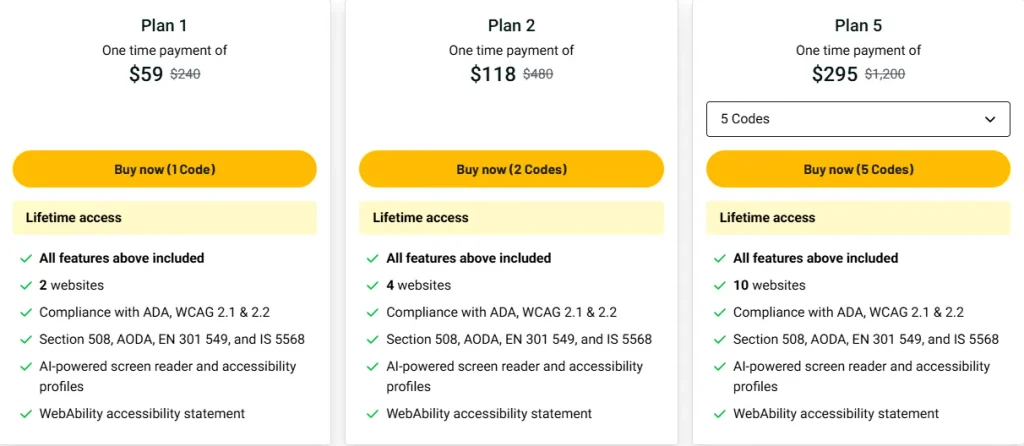
License Tier 1 — $59
Features:
- Use on 2 websites
- Supports ADA and WCAG 2.1 & 2.2 rules
- Covers Section 508, AODA, EN 301 549, and IS 5568
- AI tools for screen readers and accessibility profiles
- WebAbility website accessibility statement
- 2 PDF repair credits each month (beta)
- Future updates to the Small plan
License Tier 2 — $118
Features:
- Includes everything in License Tier 1
- Use on 4 websites
- 4 PDF repair credits each month
License Tier 3 — $177 (3 Codes)
Features:
- Includes everything in License Tier 2
- Use on 6 websites
- 6 PDF repair credits each month
License Tier 4 — $236
Features:
- Includes everything in License Tier 3
- Use on 8 websites
- 8 PDF repair credits each month
License Tier 5 — $295
Features:
- Includes everything in License Tier 4
- Use on 10 websites
- 10 PDF repair credits each month
Final Thoughts – WebAbility Review 2026
What I like about WebAbility is its simple setup and AI-powered fixes. It helps find and fix common access issues while keeping track of new ones.
The WebAbility Lifetime Deal starts at just $59 for two websites. With lifetime access and no monthly fees, I think it’s worth considering for long-term website accessibility.