Garmingo Voice Lifetime Deal – Private Voice Dictation 2026
Typing emails and taking meeting notes can take time. Noise in the background can also make calls hard. That’s why Garmingo Voice caught my eye. It puts voice typing, meeting notes, and mic tools in one desktop app.
What I like most is its focus on privacy. You can turn speech into text and record meetings. You can also search past talks. By default, your audio stays on your device. It works offline, too, so you don’t always need the internet.
The Garmingo Voice Lifetime Deal starts at just $39 on AppSumo. But is it worth the price? In this review, I’ll cover its features, pricing, benefits, and limits. This will help you decide if it’s right for you.
KEY Features of Garmingo Voice
Voice enhancement.
Garmingo Voice removes noise, echo, and harsh sounds from your mic. It works in real time. You can also use its five-band equalizer and compressor to adjust sound and volume.
System-wide dictation.
You can turn speech into text in any app. Just press a custom hotkey and start speaking. It supports 99+ languages and lets you add names and special terms.
Composer
Composer turns your speech into clear, well-formatted text. It removes filler words and adds punctuation. It also adjusts the text style and layout based on where you write.
Meeting transcripts.
Garmingo Voice records meetings and turns speech into text. Each transcript shows who spoke and when. You can also export the text for later use.
Ask your transcript.
You can ask AI questions about any saved recording. It reads the transcript and finds key points, quotes, decisions, and action items.
On-device by default
Garmingo Voice runs AI on your computer by default. Your audio stays on your device during local processing. You can also use dictation and transcription offline. EU cloud processing is available if you choose to use it.
Pros of Garmingo Voice
- Faster Writing: You can speak to write emails, notes, and other text. This can be much faster than typing each word. You can also focus more on what you want to say.
- Clearer Voice on Calls: Noise and echo can make calls hard to follow. Garmingo Voice helps cut these sounds, so others can hear you more clearly.
- Easier Meeting Reviews: You can focus on meetings instead of taking notes. Later, you can find key points, tasks, and decisions without replaying the whole meeting.
- Better Data Privacy: Your audio stays on your computer when you use local processing. This gives you more control over private notes, calls, and recordings.
- Fewer Writing Errors: Names and work terms can be hard for voice typing tools. You can add your own words to help spell them right. This means fewer errors to fix later.
- Work Without Internet: You can still turn speech into text without internet access. This helps when your connection is slow or down. The app needs a quick license check after several days.
Cons of Garmingo Voice
- AI Text Needs Review: Composer may miss names, skip details, or change your words. You need to check the text before using it.
- Limited Platform Support: Garmingo Voice only works on Windows and Mac. You can’t use the desktop app on Linux or mobile devices.
- Limited Cloud Credits: Each AppSumo lifetime plan comes with a set amount of cloud credits. This limits how much cloud AI you can use.
- Extra AI Model Costs: Some future AI models may cost extra, even with a lifetime license.
Who is Garmingo Voice best for?
- Developers: Developers can dictate code updates, project docs, and review comments right from their code editor.
- Legal Professionals: Lawyers and legal teams can write private notes by speaking. Their voice data stays on their computer.
- Customer Support Teams: Support agents can write replies and emails with their voice instead of typing each word.
- Sales Professionals: Sales teams can draft emails and update customer records by speaking in their daily apps.
- Remote Teams: Remote teams can record online meetings and find key points, tasks, and decisions without replaying full calls.
Garmingo Voice AppSumo Pricing Plan
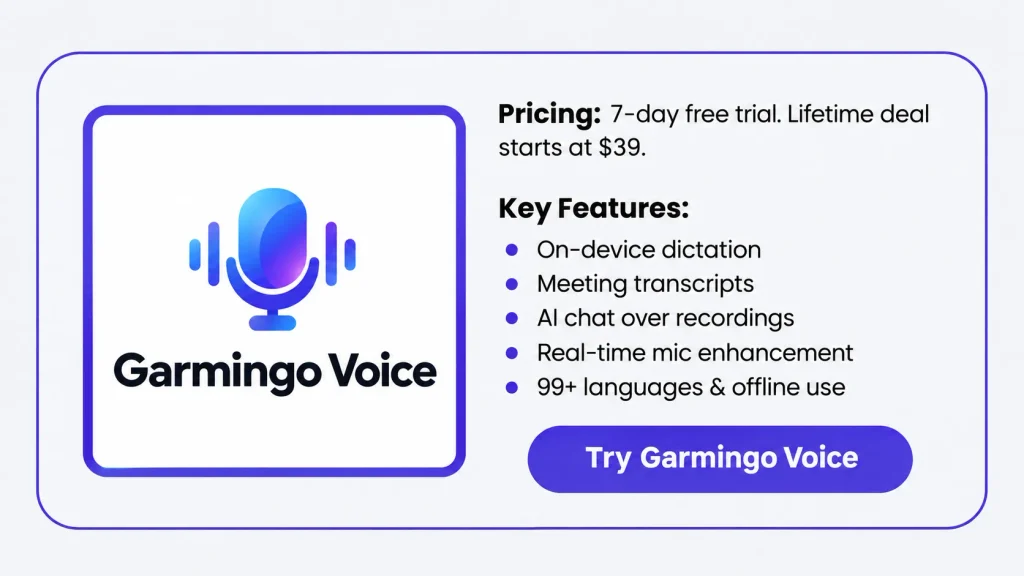
License Tier 1 – $39
Features:
- 1 device
- 24,000 cloud credits
- Unlimited local speech-to-text
- Works on Mac and Windows 10/11
- AI runs on your device
- Supports CPU, GPU, and cloud processing
- Around 72ms response time
- Removes mic noise and echo in real time
- Voice typing with a custom hotkey
- Meeting transcripts with speaker names
- AI chat for saved recordings
- Search past recordings
- 99+ languages with accent detection
- Turns speech into text with tone changes
- Add custom names and work terms
- Formats text based on what you’re writing
- Works fully offline
License Tier 2 – $119
Features:
- Includes everything in License Tier 1
- 3 devices
- 60,000 cloud credits
License Tier 3 – $249
Features:
- Includes everything in License Tier 2
- 6 devices
- 150,000 cloud credits
License Tier 4 – $399
Features:
- Includes everything in License Tier 3
- 15 devices
- 250,000 cloud credits
License Tier 5 – $499
Features:
- Includes everything in License Tier 4
- 30 devices
- 350,000 cloud credits
Final Thoughts – Garmingo Voice Review 2026
What I like most about Garmingo Voice is having everything in one app. You can write with your voice, get clear sound on calls, and review past meetings. Your voice data stays on your device by default, too. That’s one thing I like about its focus on privacy.
The Garmingo Voice Lifetime Deal starts at just $39 on AppSumo. I also like that you can pay once instead of paying each month.
Overall, I think Garmingo Voice is worth a look. Its voice tools, local AI, and lifetime access make it a good choice.