VideoMule Lifetime Deal – AI Tutorials from Screen Clips
Making software tutorials takes more than screen recording. You need a script, a voiceover, and good timing.
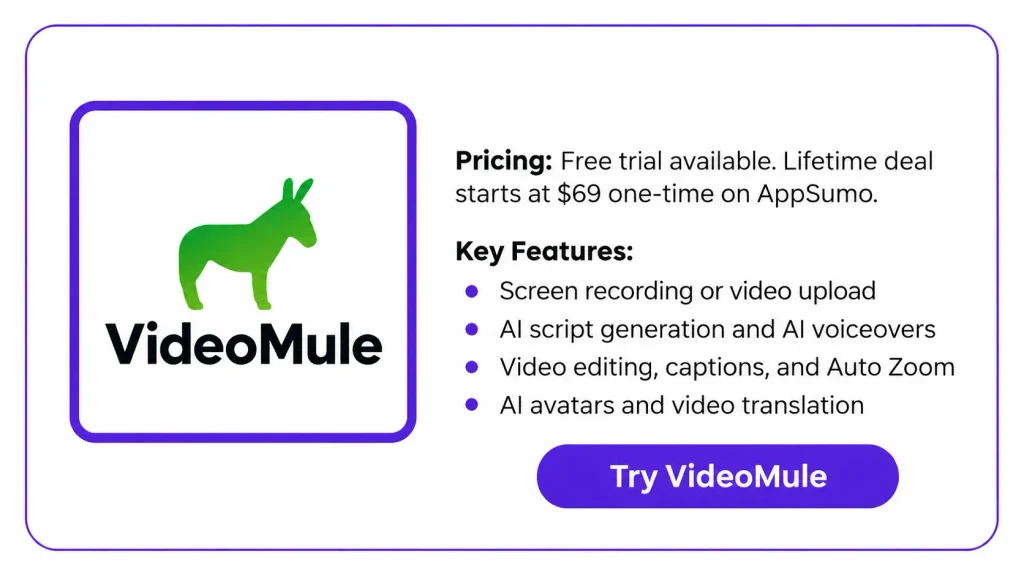
VideoMule uses AI to write scripts and add voiceovers. You can edit scripts before making the voiceover. It also offers video editing, captions, zoom effects, and AI avatars. You can even translate videos into other languages.
The VideoMule Lifetime Deal starts at $69 on AppSumo. But some credits are only given once. This review covers its features, pros, cons, and pricing to help you decide if it’s worth buying.
KEY Features of VideoMule
Record or Upload Instantly
You can record your screen with VideoMule or its Chrome extension. You can also upload a video to start a project.
AI Video Script Generator
VideoMule watches your recording and writes a step-by-step script. You can edit the text or choose a script template before making the voiceover.
AI Voiceover Generator
Choose from over 100 AI voices across various languages and accents. VideoMule will read your script aloud using your selected voice.
Perfect Auto-Sync Technology
VideoMule matches the voiceover with each action on screen. It can hold a frame when the voice needs more time.
AI Video Editor
Edit video, sound, and captions on separate tracks. You can trim clips, change timing, add text, and edit captions.
Zoom & Focus Animations
VideoMule can zoom in on clicks from your recording. You can also add or change zoom effects in the editor.
AI Video Translator
VideoMule can translate videos into over 70 languages. Each version gets its own script, voiceover, captions, and video file.
AI Avatar Integration
Pick a stock AI presenter or create your own avatar. It can appear at the start, end, or between sections.
Pros of VideoMule
- Faster Video Creation: Spend less time writing scripts and recording voiceovers. VideoMule also matches the sound with your video.
- No Microphone Needed: Create videos with spoken guides without using your own voice. You can record in noisy places without repeated takes.
- Clearer Video Instructions: Clear voices and visual guides explain each step. This makes tutorials and training videos easier to follow.
- Easier Content Updates: Change spoken lines without recording the whole video again. This helps when software features or training steps change.
- Wider Audience Reach: Share videos with people who speak different languages. Create new language versions without recording the same steps again.
- More Accessible Videos: Captions help people who prefer to read along. They can also follow the video with the sound off.
Cons of VideoMule
- One-Time Video Analysis: Video analysis minutes do not renew on the lifetime deal. Users with silent screen recordings may need extra credits.
- Limited Avatar and Translation Credits: AI avatar creation, training, and video translation use one-time credits. These credits can run out with regular use.
- No Direct Video Sharing: You cannot share videos through a direct link yet. You must export and share the video files.
- Video Length Limits: Videos can be 15 to 25 minutes long, based on your plan. This may limit longer tutorials and training videos.
Who is VideoMule best for?
- SaaS Product Teams: Teams can show customers how to use their software, step by step.
- Content Creators: YouTubers can turn screen recordings into videos with voiceovers and captions.
- Customer Support Teams: Support teams can make video guides to answer common questions and help users.
- Teachers and Course Creators: Teachers can make video lessons that show each step on screen.
- Workplace Trainers: Trainers can make video guides to teach staff new tools and tasks.
VideoMule AppSumo Pricing Plan
License Tier 1 — $69 (One-Time)
Features:
- 1 user
- 15 minutes of uploads per month
- 30 video analysis minutes (one-time)
- Up to 15 minutes per video
- 5 AI avatar credits (one-time)
- 5 cloud renders per month
- 5 GB of storage
- 1 photo avatar training (one-time)
- 5 video translations (one-time)
- Unlimited local video renders
- Unlimited AI script creation
- Unlimited standard AI voiceovers with 100+ voices in 35+ languages
- Use AI avatars with your own HeyGen account
- Link your ElevenLabs account for premium voices, voice cloning, and dubbing, with no extra VideoMule usage limits
License Tier 2 — $149 (One-Time)
Includes everything in License Tier 1, plus:
- 30 minutes of uploads per month
- 60 video analysis minutes (one-time)
- 12 AI avatar credits (one-time)
- 10 cloud renders per month
- 10 GB of storage
- 1 digital twin avatar training (one-time)
- 2 photo avatar trainings (one-time)
- 15 video translations (one-time)
License Tier 3 — $279 (One-Time)
Includes everything in License Tier 2, plus:
- 3 users
- 60 minutes of uploads per month
- 120 video analysis minutes (one-time)
- Up to 20 minutes per video
- 25 AI avatar credits (one-time)
- 20 cloud renders per month
- 15 GB of storage
- 2 digital twin avatar trainings (one-time)
- 4 photo avatar trainings (one-time)
- 30 video translations (one-time)
License Tier 4 — $449 (One-Time)
Includes everything in License Tier 3, plus:
- 5 users
- 90 minutes of uploads per month
- 240 video analysis minutes (one-time)
- 45 AI avatar credits (one-time)
- 30 cloud renders per month
- 25 GB of storage
- 3 digital twin avatar trainings (one-time)
- 6 photo avatar trainings (one-time)
- 60 video translations (one-time)
License Tier 5 — $699 (One-Time)
Includes everything in License Tier 4, plus:
- 10 users
- 120 minutes of uploads per month
- 400 video analysis minutes (one-time)
- Up to 25 minutes per video
- 70 AI avatar credits (one-time)
- 40 cloud renders per month
- 40 GB of storage
- 4 digital twin avatar trainings (one-time)
- 10 photo avatar trainings (one-time)
- 100 video translations (one-time)
5 Best VideoMule Alternatives in 2026
Looking for a VideoMule alternative? These five tools will help you create tutorials, product demos, and training videos.
1. Trupeer AI
Trupeer AI turns screen recordings into videos and written guides. It uses AI for scripts, voiceovers, zoom effects, and editing. You can also share your videos.
- Starting Price: $40/month (billed yearly) or $49/month.
- Pros: AI scripts, voiceovers, video editing, and written guides.
- Cons: Pro limits recordings to 10 minutes. Translation needs the Scale plan.
- Key Difference: Creates both video tutorials and written guides.
Best For: SaaS teams, software creators, and trainers.
2. Clueso
Clueso turns screen recordings into videos and step-by-step guides. It supports AI voices, script editing, zoom effects, and translations.
- Starting Price: Free plan; Solo starts at $40/month (billed yearly).
- Pros: AI voices, video editing, captions, and written guides.
- Cons: Solo allows 1 user and 3 hours of video exports per year.
- Key Difference: Makes videos and help articles from one recording.
Best For: SaaS companies and customer training teams.
3. Guidde
Guidde turns recorded tasks into step-by-step video guides. It writes each step, adds AI voices, and lets you edit and share guides.
- Starting Price: Free plan; Pro starts at $19/month (billed yearly).
- Pros: Auto-made steps, AI voices, and easy sharing.
- Cons: Free plan allows 25 guides. Translation needs Enterprise.
- Key Difference: Focuses on step-by-step guides, not full video editing.
Best For: Support teams, teachers, and workplace trainers.
4. WowTo
WowTo makes how-to videos from recordings, text, images, and slides. It supports AI voices, captions, translations, and video help centers.
- Starting Price: Free plan; Plus starts at $25/month.
- Pros: AI voices, translation, and video help centers.
- Cons: Free plan allows 3 projects. Plus limits videos to 10 minutes.
- Key Difference: Focuses on sharing support videos through help centers.
Best For: Customer support teams and SaaS businesses.
5. Synthesia
Synthesia makes training videos with AI presenters and voiceovers. It also supports screen recording, video templates, editing, and translations.
- Starting Price: Free plan; Starter begins at $29/month.
- Pros: AI avatars, voiceovers, templates, and translations.
- Cons: AI tasks share credits based on your plan.
- Key Difference: Focuses on AI presenters instead of screen recordings.
Best For: Teachers, company trainers, and businesses.
Final Thoughts – VideoMule Review 20216
What I like most about VideoMule is how it puts key video tools in one place. It writes scripts, adds AI voiceovers, and syncs sound with video. You can also edit clips and add captions.
VideoMule lets you edit scripts, add zoom effects, use AI avatars, and translate videos. The VideoMule Lifetime Deal starts at $69 on AppSumo. It’s worth a look if you want to make videos with less manual work.