
FuseBase Lifetime Deal – Branded Client Portals 2026
Client work can get messy. Files are in one app, tasks in another, and updates get lost.
FuseBase keeps your work in one place. You can manage projects, share files, and work with your team and clients.
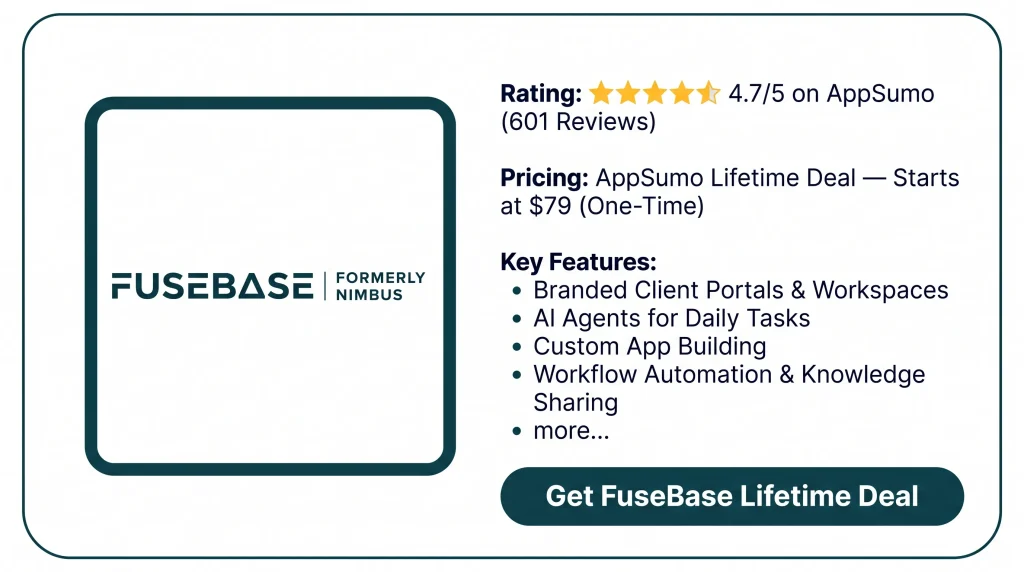
The FuseBase Lifetime Deal gives you these tools for a one-time price. You also get client portals and AI agents. Plus, you can build custom apps and automate daily tasks.
But FuseBase takes time to learn. Some features also require higher plans. In this review, I’ll cover what you get, what could be better, and if it’s worth the price.
Features of FuseBase Lifetime Deal
Client Portal / Branded Client Portals
Create a space for each client’s files, tasks, and updates. Add forms, chat with clients, and set access rules.
Internal Workspace
Keep your team’s files, notes, and tasks in one place. Members can create pages, manage folders, and work together.
FuseBase Apps
Build custom apps with AI tools like Claude Code and Codex. Link them to your data and use them in portals or on their own.
AI Agents
Create AI agents that use your files, notes, and data. They can answer questions, write content, review files, and handle tasks.
FuseBase MCP
Connect AI tools like Claude, Codex, and Cursor to FuseBase. Set what each tool can view, create, or change.
Dashboard/CRM
View your workspaces, client portals, and clients in one dashboard. Add custom fields to store client details and track deals.
Automations
Set up tasks that run when an event takes place. Link other apps to add records, invite clients, or send updates.
White Label Portals
Add your logo, brand colors, and domain to client portals. Change the layout and choose who can view each part.
FuseBase Work
Give AI coworkers roles, tasks, and access to your data. They can handle assigned work while your team checks the results.
Pros of FuseBase
- Less Tool Switching: Keep your files, tasks, notes, and updates in one place. You won’t need to open lots of apps to find your work.
- Easier Client Communication: Clients can check updates, ask questions, and share feedback. This cuts down on long emails and repeat messages.
- Better Team Coordination: Team members can see their tasks and due dates. They also know who’s doing what and what’s left to do.
- Less Manual Work: Let FuseBase handle repeat tasks like client invites and follow-ups. This leaves more time for work that needs your team.
- Faster Client Onboarding: New clients can find forms, files, and key details in one place. They can also see what to do next without having to ask.
- Consistent Brand Experience: Add your logo and brand colors to each client space. This keeps your business looking the same across all client projects.
- More Control Over Sharing: Keep private team files away from client areas. Choose who can view or edit each page or file.
Cons of FuseBase
- Steep Learning Curve: Some users find the new design and app setup hard to learn, mainly if they lack tech skills.
- MCP Connection Issues: Some users say FuseBase fails to link with other AI tools at times.
- Slow Performance: Some users report slow loading, lag, and apps that freeze during use.
- Outdated Documentation: Some help guides don’t cover the latest changes, which can make setup harder for new users.
Who Is FuseBase Best For?
- Marketing Agencies: Manage client campaigns, share files, track tasks, and get feedback or approvals.
- Consultants and Coaches: Share plans and files with clients while tracking their goals and next steps.
- Sales Teams: Share proposals, track deals, check client activity, and follow up with leads.
- IT Service Providers: Handle client support requests, share tech guides, and track work across projects.
- Training Providers: Share learning materials, welcome new students, track progress, and manage training programs.
FuseBase Lifetime Deal Pricing
The FuseBase Lifetime Deal starts at $79 on AppSumo. There are 10 plans to choose from. Higher plans give you more users, storage, and AI limits.
License Tier 1 — $79
- 1 user
- 50 workspaces
- 1 client portal
- 5 client accounts
- 5 frontend apps
- 1 active full-stack app
- 50 GB storage
- 1,500 OCR records
- 5 AI agents
- 5 hours of AI audio/video transcription per month
- 1,000 AI automation credits per month
- 1,000 AI requests per month
- FuseBase extensions
License Tier 2 — $158
Includes everything in License Tier 1, with higher limits:
- 3 users
- 100 workspaces
- 5 client portals
- 25 client accounts
- 10 frontend apps
- 2 active full-stack apps
- 100 GB storage
- 3,000 OCR records
- 8 AI agents
- 10 transcription hours per month
- 5,000 AI automation credits per month
- 2,500 AI requests per month
License Tier 3 — $237
Includes everything in License Tier 2, plus:
- 10 users
- 200 workspaces
- 15 client portals
- 75 client accounts
- 15 frontend apps
- 3 active full-stack apps
- 400 GB storage
- 6,000 OCR records
- 20 AI agents
- 25 transcription hours per month
- 15,000 AI automation credits per month
- 10,000 AI requests per month
- FuseBase MCP
License Tier 4 — $316
Includes everything in License Tier 3, with higher limits:
- 12 users
- 250 workspaces
- 20 client portals
- 100 client accounts
- 20 frontend apps
- 4 active full-stack apps
- 450 GB storage
- 7,000 OCR records
- 25 AI agents
- 30 transcription hours per month
- 20,000 AI automation credits per month
- 15,000 AI requests per month
More License Tiers (5–10)
FuseBase also has License Tiers 5 to 10. Prices range from $395 to $790 for lifetime access.
These plans give you more users, client portals, storage, and AI limits. Some higher tiers also unlock new features.
You can see all plans and their limits on AppSumo.
5 Best FuseBase Alternatives 2026
SuiteDash, Moxo, Clinked, Assembly, and Plutio are five alternatives to FuseBase. Each of them assists teams in managing client work in various ways.
1. SuiteDash — Best for Client Management
SuiteDash helps agencies manage clients, projects, bills, and daily tasks in one place.
- Starting Price: $19/month.
- Key Benefits: Branded client portals, CRM, project tracking, invoices, and file sharing.
- Limitations: Full automation tools need the $99/month Pinnacle plan.
- Difference: SuiteDash focuses on client work and billing. FuseBase focuses more on AI and team workspaces.
2. Moxo — Best for Client Workflows
Moxo helps teams onboard clients, request files, review work, and manage approvals step by step.
- Starting Price: $5,000/year.
- Key Benefits: Workflows, file requests, approvals, forms, and AI tools.
- Limitations: The Team plan allows 100 flows per year. Branded portals need the Scale plan.
- Difference: Moxo focuses on tasks and approvals. FuseBase covers more types of team and client work.
3. Clinked — Best for Secure File Sharing
Clinked helps teams share private files, track tasks, and work with clients in a secure space.
- Starting Price: $11 per user/month.
- Key Benefits: Client portals, file sharing, chat, tasks, and file approvals.
- Limitations: The Start Up plan has 2 GB storage and no custom portal URL.
- Difference: Clinked focuses on safe file sharing. FuseBase also has AI agents and custom apps.
4. Assembly — Best for Custom Client Apps
Assembly helps service firms manage clients, payments, messages, and custom apps in one place.
- Starting Price: Free plan; paid plans start at $29/month, billed yearly.
- Key Benefits: Client CRM, branded portals, payments, chat, and AI app building.
- Limitations: The free plan allows 5 active contacts, 1 team user, and 3 apps.
- Difference: Assembly focuses on client records and billing. FuseBase also has knowledge bases and AI agents.
5. Plutio — Best for Freelancers
Plutio helps freelancers manage projects, client tasks, contracts, and payments in one place.
- Starting Price: $19/month.
- Key Benefits: Client portals, projects, proposals, invoices, and time tracking.
- Limitations: The Core plan allows 9 active clients and no team members.
- Difference: Plutio focuses on projects and billing. FuseBase focuses more on AI and shared knowledge.
Final Thoughts – FuseBase Review 2026
FuseBase brings your work into one place. You can manage projects, share files, and build branded client portals. AI agents help with daily tasks, while custom apps let you work your way.
The best part is how these tools work together. They help you stay on track and switch between fewer apps.
The FuseBase Lifetime Deal gives you lifetime access for a one-time payment. If you want more control over your work, FuseBase is worth a look.


