ClearCrowds Lifetime Deal: Remove People and Objects with AI
ClearCrowds is an AI photo editor that helps you fix and improve photos with ease. You can remove unwanted people, objects, shadows, and reflections. It also lets you change text in images, make blurry photos clearer, and edit many photos at once.
Using ClearCrowds is easy. Just upload a photo and choose an editing tool. You can also type what you want to change. The AI will edit your photo, and you can check the result before saving it.
ClearCrowds works on the web, iOS, and Android. You can use it for travel photos, product images, real estate listings, and everyday pictures.
KEY Features of ClearCrowds
ClearCrowds has AI tools that make photo editing easy. Here are its main features and how to use them.
Remove Unwanted People and Objects from Photos
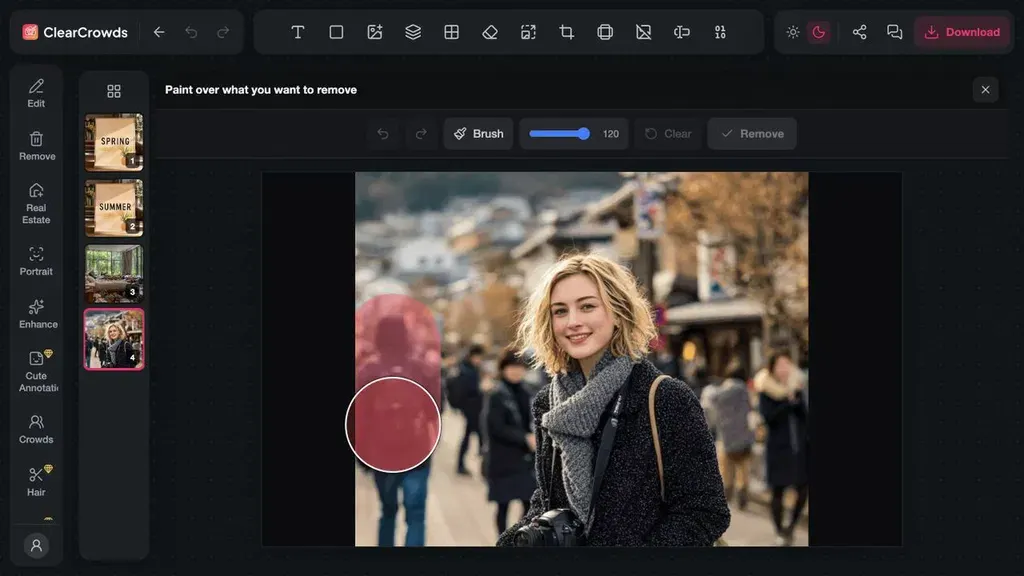
ClearCrowds helps you remove unwanted people, objects, clutter, and shadows from photos. You can erase strangers from travel photos or clean up messy product images.
To use it, upload your photo and choose a removal tool. Then, brush over the person or object you want to erase. ClearCrowds uses AI to remove it and fill in the missing background.
You can compare the new photo with the original. If the result looks good, download your edited photo.
Edit Text, Numbers, and Dates in Images
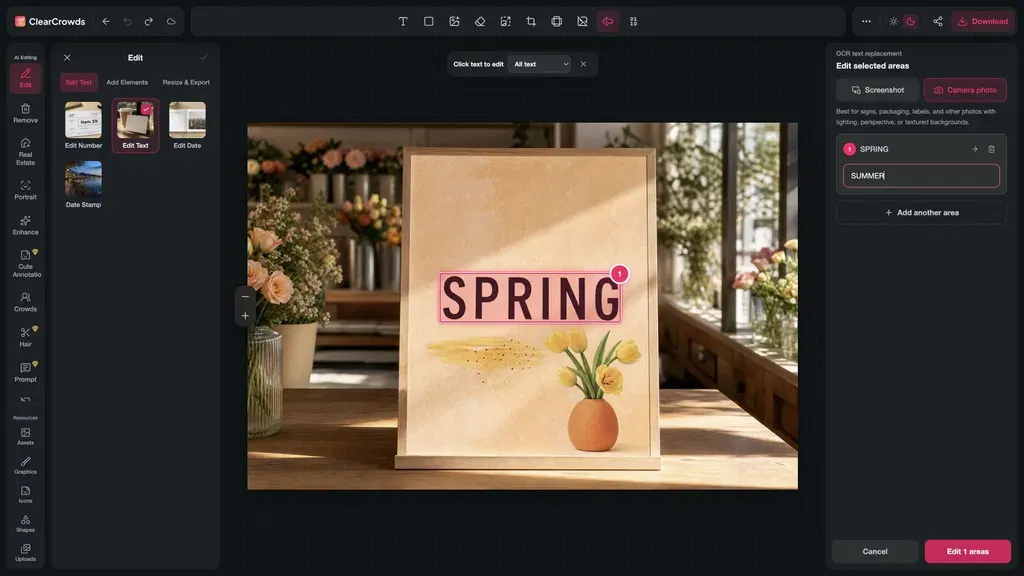
ClearCrowds lets you change words, numbers, and dates in photos. You don’t need to make a new design. For example, you can fix a date on a poster, change a menu price, or update text on a product image.
To use it, upload your image and choose an editing tool. The AI finds the text in your photo. Select the part you want to change and type the new text.
ClearCrowds adds the new text while keeping the rest of the design in place. Check the words, style, and nearby details before saving.
Edit Photos with AI and Templates
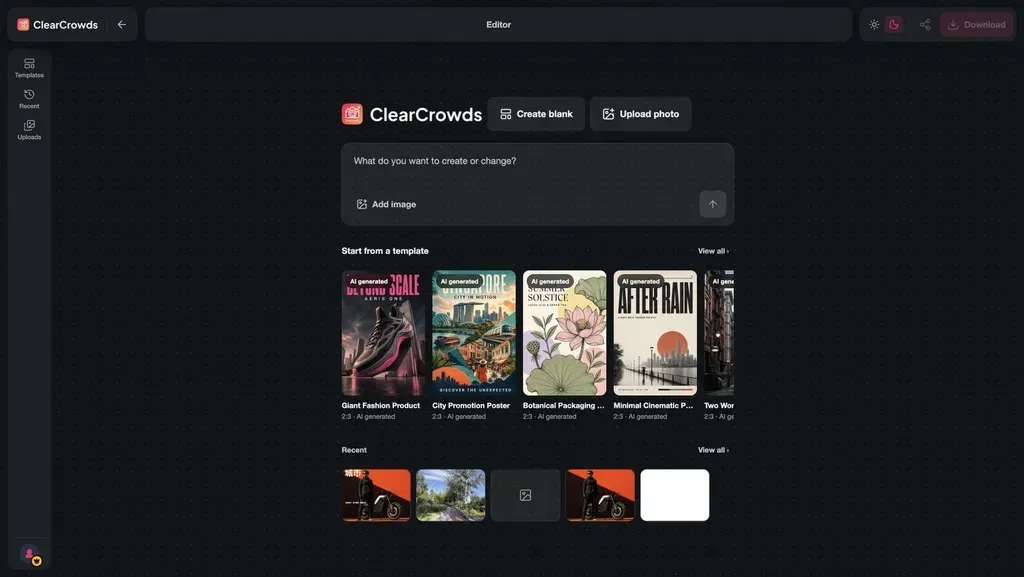
ClearCrowds helps you edit photos with AI and ready-made templates. You can fix photos, make posters, and create designs for your business or social media.
To start, upload a photo or pick a template. You can also type what you want to change. ClearCrowds uses AI to edit the image based on your request.
You can add photos, change text, and adjust the design. Once it looks good, you can save your image in HD.
Edit Multiple Photos at Once
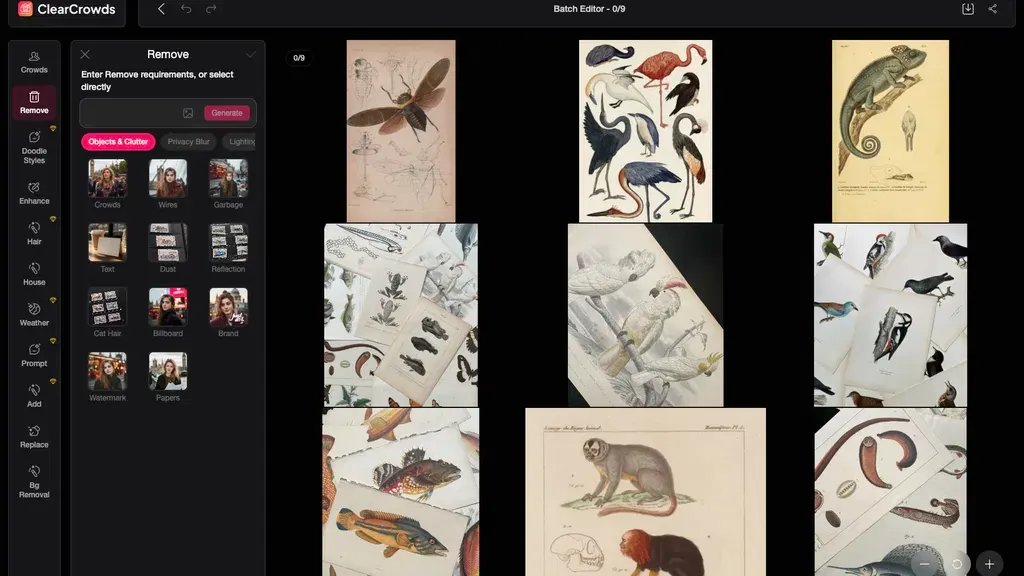
ClearCrowds lets you edit up to 10 photos at once. You can remove crowds, clear clutter, and fix product or real estate photos without editing each one by hand.
To start, upload your photos to the batch editor. Then, choose a cleanup tool or type what you want to change. ClearCrowds uses AI to edit the photos in one workspace.
You can check each photo and compare it with the original. Once you’re happy with the results, download your photos. This feature is available in License Tier 2 and above.
ClearCrowds Pros and Cons
ClearCrowds has some useful benefits, but it also has a few limits. Here are its main pros and cons to help you decide.
Pros
- Clean and Better-Looking Photos.
- Save Time on Photo Editing.
- Edit Multiple Photos at Once.
- Update Text Without Redesigning.
- Improve Product and Property Photos.
- HD Downloads Without Watermarks.
Cons
- AI Results May Vary.
- Limited Text Editing Accuracy.
- Limited Advanced Editing.
- Monthly Point Limits.
- Batch Editing Requires Tier 2+.
Who Is ClearCrowds Best For?
- Travel Photographers: Remove strangers, tourists, and clutter from travel photos while keeping the main scene.
- Ecommerce Sellers: Clean up product photos and remove unwanted objects before posting them online.
- Real Estate Agents: Make rooms look clean, improve lighting, and add furniture to empty spaces.
- Content Creators: Edit photos, change text, and make posters or social media graphics with ease.
- Small Business Owners: Change prices, dates, and contact details on menus, posters, and other business images.
ClearCrowds AppSumo Pricing Plan
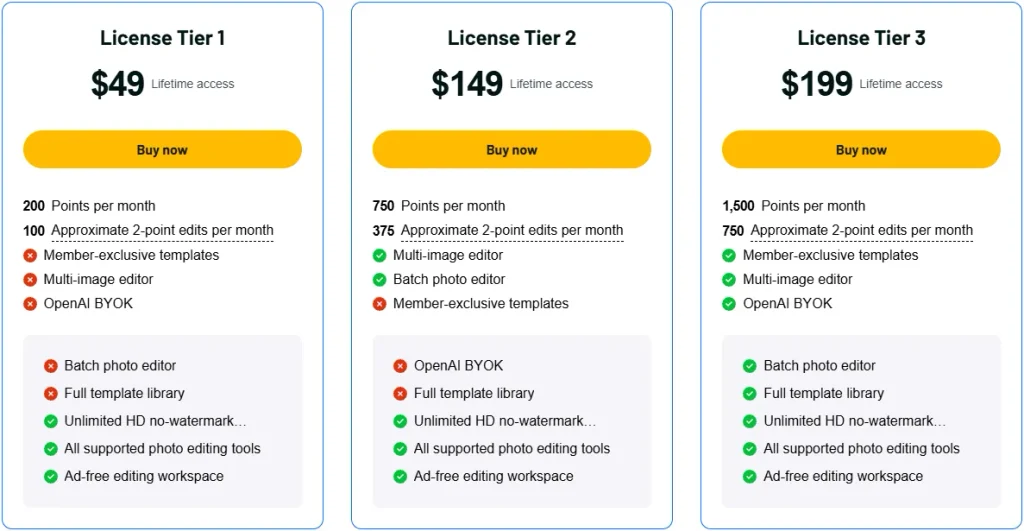
License Tier 1 – $49
Features:
- 200 points/month
- Up to 100 edits/month (2 points each)
- All supported photo editing tools
- Unlimited HD downloads, no watermark
- Ad-free editor
License Tier 2 – $149
Features:
- Everything in License Tier 1
- 750 points/month
- Up to 375 edits/month (2 points each)
- Multi-image editor
- Batch photo editor
License Tier 3 – $199
Features:
- Everything in License Tier 2
- 1,500 points/month
- Up to 750 edits/month (2 points each)
- Full template library
- Member-only templates
- OpenAI BYOK support
Final Thoughts – ClearCrowds Review 2026
ClearCrowds makes photo editing simple with its AI tools. You can remove unwanted objects, change text, and improve photo quality. You can also edit many photos in one place without using complex software.
The ready-made templates and batch editor make photo editing easier. You can also save HD images with no watermarks. With an AppSumo lifetime deal starting at just $49, ClearCrowds is worth a look if you want simple photo editing with no monthly subscription.