
OpenGraph Lifetime Deal – Auto OG Images for Every Page
Have you ever shared a link and the preview looked wrong? Maybe the image was cut off. Or maybe it didn’t say anything useful. I had the same problem, so I tried OpenGraph.
First, I pasted my link into its free scanner. It showed how my link looks on Facebook, X, LinkedIn, WhatsApp, and Discord. It also checked my tags and gave me a clear list of problems. My image size was wrong, and my description was too long.
Then it did something I didn’t expect. It suggested a new preview image. My logo, tagline, and text were already in it. I only changed the button text and the colors, and it was ready.
Next, I let the AI build a template from my website. After a few minutes, I had a design that matched my brand. Now I can use it on every page.
Right now, you can get the OpenGraph Lifetime Deal on AppSumo. You pay once, starting at $59. In this review, I’ll show you its features, pricing, and who it’s best for.
Features of the OpenGraph Lifetime Deal
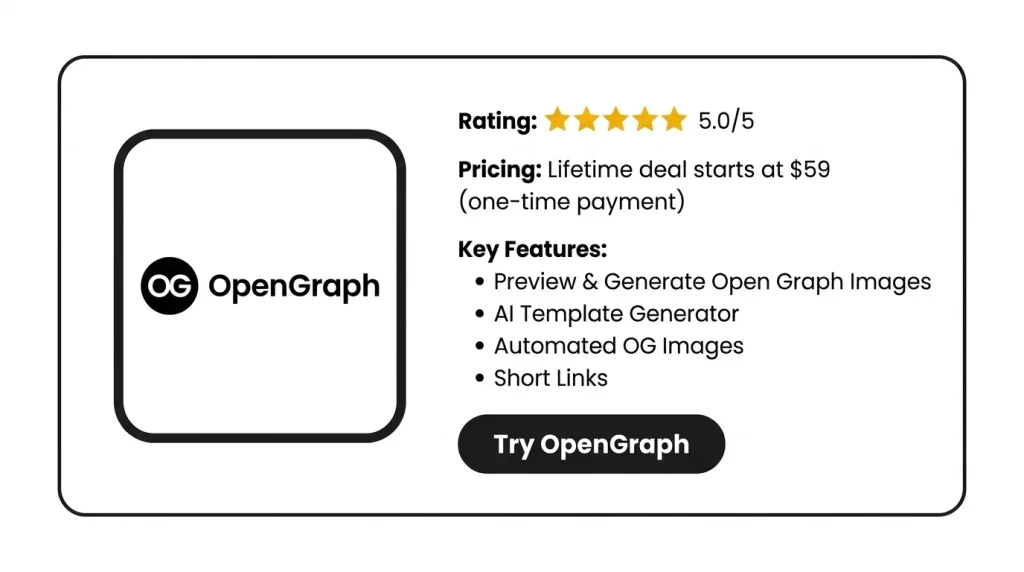
Preview & Generate Open Graph Images
Paste any public link into the free scanner. It shows how your link looks on Facebook, X, LinkedIn, WhatsApp, and Discord. It also flags missing or broken Open Graph data. Then you can make a new OG image from a ready-made template.
AI Template Generator
Enter your website link. You can also add notes on the style, layout, or tone you want. The AI reads your site’s colors, fonts, and logo. Then it builds a template in your brand style. You can edit it any time.
Automated OG Images
Make one template and add fields like title, image, or price. Each page fills in its own details through a special image link. So every page gets its own OG image in the same design.
Short Links
Create a short link with its own title, text, and image. It still takes people to the page you chose. You can use your own domain. You can also track clicks by country, device, browser, and source.
Metadata Site Audit
It checks your whole site for missing Open Graph tags. It also looks for missing metadata and alt text. Then it gives you clear steps to fix each problem. It spots broken links and weak metadata, too.
AI Alt Text Generator
This tool uses AI to describe the images on your website. It adds each description to the image’s alt text.
Pros of OpenGraph
- No Design Work Per Page: Set up one template, and new pages get their own preview images. You do not have to design each one.
- Same Look Everywhere: Your links show the same brand colors, fonts, and style every time.
- Spot Problems Before Sharing: See how a link will look before you share it. That way, you can catch a broken or missing image before others do.
- Better Previews Without Site Changes: Fix how a link looks when shared, even for a page you can’t edit.
- Know Where Clicks Come From: See which countries, devices, and sites send you clicks. Then you know where your readers are.
- Find the Preview That Works: Share a few versions of the same link. Then compare their clicks to see which one people like more.
Cons of OpenGraph
- No Public API: The API key only links the WordPress plugin. So you can’t run OpenGraph from your own apps yet.
- Code Needed Outside WordPress: If your site isn’t on WordPress, you must add the image link to each page’s code. It also has to be there when the page first loads.
- One Template on Tier 1: The $59 plan gives you just one template. So every kind of page on your site shares the same design.
- Slow Preview Updates: When you change a preview, sites like Facebook may still show the old one for a while. OpenGraph can’t clear their saved copy for you.
Who is OpenGraph best for?
- WordPress Bloggers: Do you post new articles often? The plugin uses each post’s title and main image for its preview. So you don’t have to make a new image each time.
- Online Store Owners: Does your store have lots of product pages? One template can show each product’s photo, name, and price in its own image.
- Listing Site Owners: Do you run a real estate or directory site with lots of pages? Each listing can get its own preview in the same design.
- Marketing Agencies: Do you run sites for many clients? You can make a template that fits each client’s brand. You can also share links from their own domains.
- Social Media Marketers: Do you share links for a campaign? You can test a few previews for the same page. Then you can see which one gets clicks and where they come from.
OpenGraph AppSumo Pricing Plan
License Tier 1 – $59 (one-time, regular price $360)
- 10 AI templates per month
- 500 OG images
- 1 image template
- 25 short links per month
- 1 custom domain
- Unlimited link analytics and bandwidth
License Tier 2 – $159 (one-time, regular price $720)
Includes License Tier 1, plus:
- 30 AI templates per month
- 5,000 OG images
- 5 image templates
- 100 short links per month
- 5 custom domains
License Tier 3 – $299 (one-time, regular price $2,400)
Includes License Tier 2, plus:
- 100 AI templates per month
- 25,000 OG images
- 25 image templates
- 500 short links per month
- 25 custom domains
4 BEST OpenGraph Alternatives 2026
OpenGraph vs Bannerbear
Bannerbear turns your design templates into an API. It then makes new versions of your images for you. It can make OG images. It can also make other marketing images, videos, and PDFs.
- Price: Plans start at $49 for 1,000 credits. You pay $149 for 10,000. Enterprise starts at $299 for 50,000.
- Limits:
- You can make 30 images for free.
- You can’t go past your monthly credits. If you need more, you must upgrade.
- If you cancel, your projects, templates, and images get deleted.
- Best for: Teams that want one API for OG images and other visuals. It also links with Zapier, Make, and Airtable.
OpenGraph vs Placid
Placid makes images, PDFs, and videos from your own templates. Its editor feels a lot like Canva or Figma. Its free tool lets you make OG images by hand. Its API and add-ons can also make them for you.
- Price: Basic costs $19 for 500 credits a month. Pro costs $39 for 2,500 credits a month.
- Limits:
- Most images cost 1 credit. Big images can cost more.
- Credits you don’t use roll over to next month. You can save up to twice your monthly amount.
- Best for: Marketers who use Webflow, WordPress, Ghost, Airtable, or Zapier.
OpenGraph vs MightyShare
MightyShare is a WordPress plugin. It uses your post’s title and main image to make a share image. You can add your brand colors and logo to its templates.
- Price: You get 50 images a month for free. Paid plans start at $5.
- Limits:
- It only works on WordPress.
- It works with SEO plugins like Yoast SEO, RankMath, All in One SEO, and SEOPress.
- Best for: WordPress bloggers who want cheap, automatic share images with no code.
OpenGraph vs Linkshot
Linkshot takes a picture of your live page for you. It uses TailwindCSS, so you don’t open an editor for each post.
- Price: $9 a month. You get a 7-day free trial, and no credit card is needed.
- Limits:
- It works by taking page screenshots, not with a design editor.
- It has no AI template maker or short link tracking.
- Best for: Coders using Tailwind who want one meta tag for every page.
Final Thoughts – OpenGraph Review 2026
With OpenGraph, I don’t worry about my link previews anymore. I check them and fix any problems in a few clicks.
The AI template was my favorite part. It picked up my colors, fonts, and logo, and after a few small edits, it was ready.
One template then covered every page, and each page got its own matching preview. Short links also show me where my clicks come from.
The OpenGraph Lifetime Deal starts at a one-time payment of $59. With AppSumo’s 60-day refund, you can try it on your own site first.


