
MarkupGo Lifetime Deal – HTML to PDF & Image API
Making a clean PDF from a web page is hard. Browser print breaks your layout. Free tools mess up your fonts. And you can’t do it by hand a hundred times a month.
MarkupGo fixes this. It is an API. It turns HTML, Markdown, a saved template, or a live link into an image or a PDF. Then it sends back a file link.
Templates are the best part. You design one layout once. Then you feed new data into it each time. Same invoice look, new customer name. There is also a “Magic URL” option. It needs no code at all.
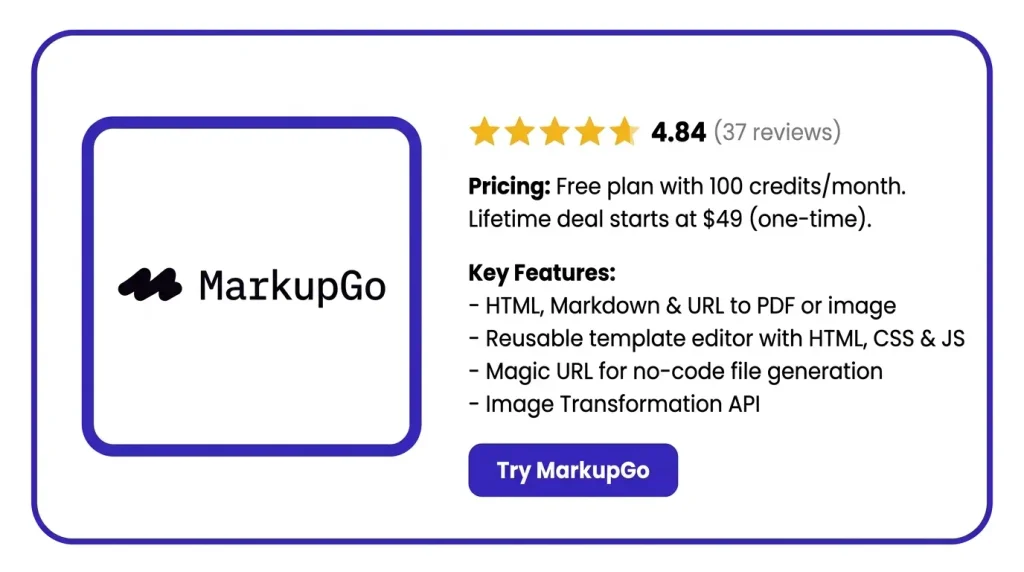
Right now it is on AppSumo as a MarkupGo Lifetime Deal. It starts at $49, one-time. The normal plan costs $29 each month.
However, this is primarily a tool for coders. This aspect is more important than the price. Let’s see what it does and who it is suitable for.
Features of the MarkupGo Lifetime Deal
Templates
You build one template. Then you use it again and again. You set the design with HTML, CSS, and JavaScript. You can pick your own size and format too.
API
This is how you send your content in. MarkupGo sends a file back. You can send HTML, Markdown, a template, or a link. You get an image or a PDF. There is a Node.js client library as well.
Magic Template URL
First, turn Magic URL on for a saved template. Then just open a link to get your file. Your data sits inside the link. You write no code.
This runs the PDF side of the tool. You can set your own headers, footers, and margins. You can add metadata. It works with SVG and emoji. There is a setting for PDF Universal Access.
Image Transformation API
This changes an image after MarkupGo makes it. You add settings to the image link. You can resize, rotate, blur, sharpen, or change quality. You can draw a watermark on top.
Analytics
This shows what your account uses. You can see tasks made, downloads, views, and bandwidth. You can build your own reports.
Office to PDF (BETA)
This turns office files into PDFs. It works with over 130 types, like .docx, .xlsx, and .pptx. You can merge many files into one PDF.
Pros of MarkupGo
- No manual file making: You set up one layout. After that, each invoice or certificate builds itself. No one has to make it by hand.
- Files that look right: Your PDF looks just like your template. Fonts, emoji, and SVG graphics all stay in place.
- No code needed: Your teammate may not write code. They can still open a link and get a finished image or PDF.
- Works with no-code tools: Maybe you use Make, Zapier, or n8n. You can add this to your flows. You do not need to build a new one.
- Clear view of usage: You can see how many files you made. You can see your bandwidth too. Nothing is a guess.
- Low risk to try: You can get a refund for 60 days. There is also a free plan. It gives you 100 credits a month.
Cons of MarkupGo
- Coding Knowledge Required: This is a tool for coders. You must send an HTTP request or paste in HTML. If you cannot, you will get stuck.
- No Drag-and-Drop Builder: There is no visual editor here. The founder says HTML from Canva or Mobirise does not work well.
- Existing Images Not Supported: The Image Transformation API works on MarkupGo images only. You cannot upload your own photos to resize them.
- Known Single-Page PDF Issue: The docs list an open bug. It affects PDFs when you turn singlePage on. Anyone who wants one long page will feel it.
MarkupGo Use Cases
- Invoices and receipts: You save one invoice layout. Then you pass in the name, items, and total. You get a finished PDF for each order.
- Business reports: You write your report in HTML. MarkupGo turns it into a PDF. It keeps your brand look, not a plain sheet export.
- Certificates: The site shows one certificate template. It gets reused with new names, courses, dates, and colors.
- OG images for your site: You design one image template. Then each blog post gets its own preview image. A Magic URL in your meta tags does it.
- Social media images: You build one post layout. Then you pass in new text each time. You get a fresh image without opening a design tool.
- Shipping labels: You feed in order and shipping details. You get clean labels back. They come as PDFs or images.
- Personalized quiz reports: The founder confirmed this one. You send quiz answers as JSON. MarkupGo drops them into a template. Each user gets a PDF link.
- Office file conversion: You upload .docx, .xlsx, or .pptx files. You get PDFs back. You can merge many files into one.
MarkupGo AppSumo Pricing Plan
License Tier 1 — $49 (1 code)
- 1,000 credits a month
- Space for 10 templates
- The full API is yours
- Save your work as a PDF
- Your jobs go to the front of the line
- Your past work stays on record
- Templates are in the deal
- Usage reports are built in
License Tier 2 — $98 (2 codes)
Includes License Tier 1, plus:
- Credits go up to 3,000 a month
- Template limit goes up to 30
- The Image transformation API unlocks here
License Tier 3 — $147 (3 codes)
Includes License Tier 2, plus:
- 5,000 credits each month
- Make as many templates as you like
5 BEST MarkupGo Alternatives 2026
MarkupGo vs APITemplate.io
This one is the closest match to MarkupGo. It makes PDFs and images. It takes templates, raw HTML, or a live link. It has a drag-and-drop editor, so you skip the HTML. It also works with Zapier, Make, n8n, Airtable, and Bubble.
- Price: Free plan with 50 renders a month. Starter is $29 a month on yearly billing. Pay monthly, and it is $35.
- Limits: Starter gives 1,500 renders and 15 templates. Want unlimited templates? You need the $139 plan.
- Best for: People who want what MarkupGo does, but with a visual editor.
MarkupGo vs Bannerbear
Bannerbear began as an image tool. It grew from there. You build a template in your browser. Then you call the API with new data. It makes PDFs and videos too. It has been around since 2019.
- Price: Starts at $49 a month for 1,000 credits. 10,000 credits cost $149 a month.
- Limits: There is no free plan. You get 30 trial credits. One image is one credit. PDFs and videos cost more, and they do not say how much.
- Best for: Marketing teams making lots of social images and banners.
MarkupGo vs PDFShift
PDFShift does one job. HTML or a link goes in. A PDF comes out. No templates. No images. No editor. It runs on headless Chrome, so your page looks the way Chrome shows it.
- Price: Free plan with 50 credits a month. Paid plans start at $9 a month.
- Limits: Credits go by file size. Every 5 MB is one credit. It makes no images at all.
- Best for: People who need PDFs only and want to spend less.
MarkupGo vs Templated
Templated has a drag-and-drop editor and a JSON API. One template can make images, PDFs, and videos. You can even put the editor inside your own app for your users.
- Price: Free plan with 50 credits. Starter is $29 a month on yearly billing, or $39 monthly. Scale is $99. Enterprise is $179.
- Limits: Starter gives 1,000 credits and 15 templates. A PDF costs one credit per page. Long files add up fast.
- Best for: Teams where a designer builds the templates, not a coder.
MarkupGo vs Gotenberg
Gotenberg is free and open source. You run it yourself in a Docker box. It turns HTML, Markdown, links, and Office files into PDFs. That covers most of what MarkupGo does with PDFs.
- Price: Free. MIT license. You just pay for your own server.
- Limits: No dashboard. No template editor. No image tools. No file links. If it goes down at night, you fix it.
- Best for: Coders with high volume or private data who want to host it themselves.
Final Thoughts – MarkupGo Review 2026
Your first file feels a bit like magic. You send some HTML. A clean PDF link comes back. Nothing to install. Nothing to fix later.
Then the templates click. You build one invoice layout. After that, each new invoice is just one call with a new name. One design. Endless files. Magic URL is the quiet winner. Turn it on. Now anyone can open a link and get a finished PDF or image.
There is more under the hood than you expect. Markdown. Office files to PDF. Image editing. Headers and footers. Emoji and SVG. Plus charts that show what you used.
The price is the easy part. The normal plan costs $29 each month. Here, you pay $49 once and keep it. And 37 buyers gave it 4.84 stars.


