Slashspace Lifetime Deal: Research, Write, and Create AI Images
Slashspace is an AI tool that keeps your work on one visual canvas. You can manage chats, notes, files, and ideas in one place. This makes it easy to see how your ideas connect.
You can add PDFs, web pages, and videos to your canvas. Then, link them to AI chats and ask questions. You can also switch between AI models like GPT, Claude, and Gemini without starting over.
Slashspace is useful for students, researchers, content creators, and business owners who work with lots of information. It works on Windows, Mac, and Linux.
KEY Features of Slashspace
Slashspace keeps AI chats, research, and creative tools in one place. Here are its main features and how they work.
Manage Notes, Sources, and AI Chats
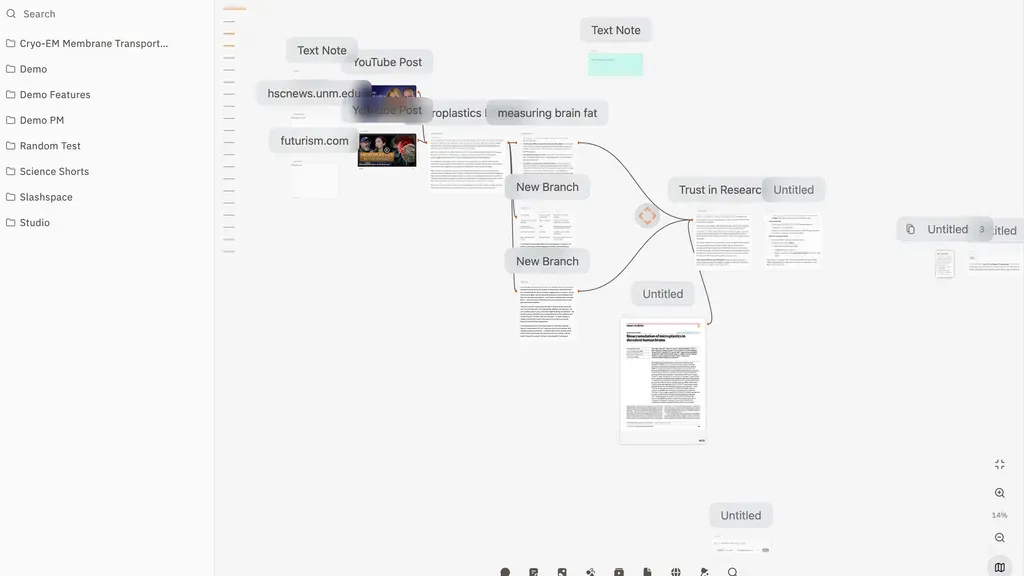
Slashspace lets you keep notes, files, and AI chats on one canvas. You can see everything side by side without switching tabs.
To start, click New Space to make a canvas. Add PDFs, web links, or videos. Press T to add your own notes. Then, link your sources to an AI chat and ask questions.
The AI reads the sources you connect. You can also group notes and chats to keep things neat. This helps you manage big projects and find old ideas with ease.
Switch Between AI Models
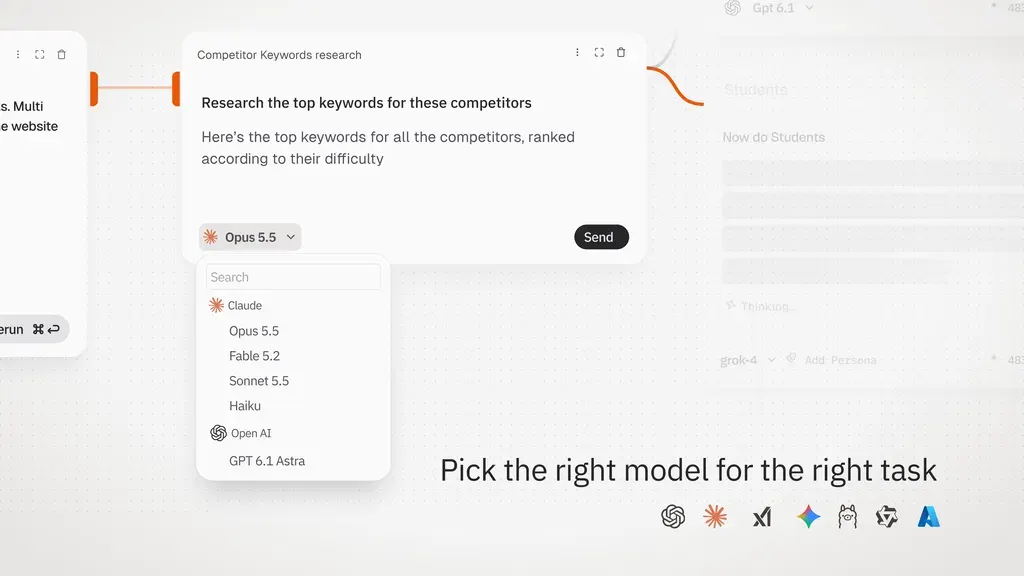
Slashspace lets you use many AI models in one place. You can switch between GPT, Claude, Gemini, and local models without starting over.
To start, open an AI chat and click the model dropdown. Pick the model you want. Press Ctrl+B (Cmd+B on Mac) to open new chat branches. Then, choose a different model for each branch.
Ask each model the same question and compare their answers side by side. Each branch starts with the same chat history and sources. This helps you pick the answer that best fits your needs.
Run Research and Coding, Agents
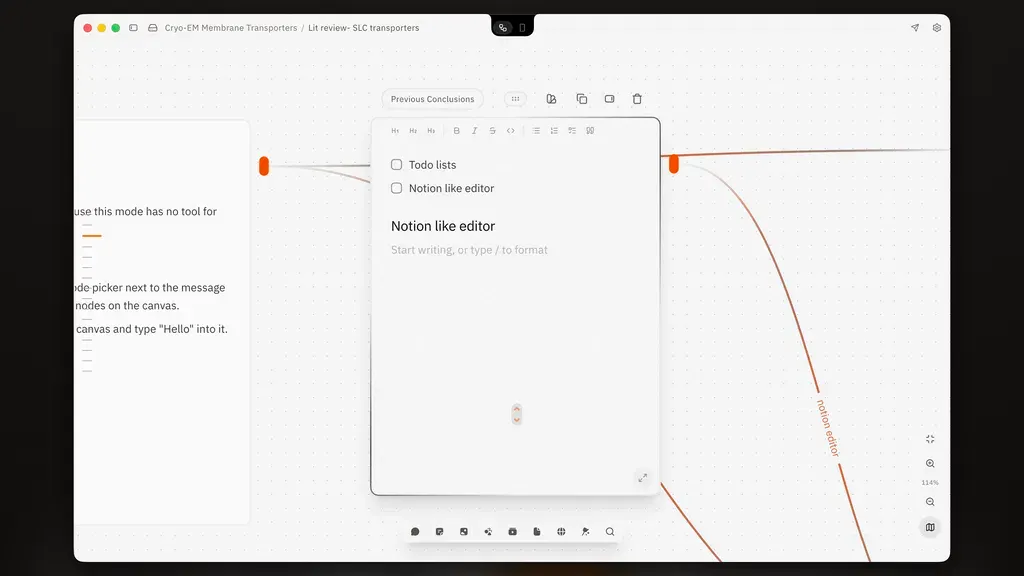
Slashspace lets you use AI agents for research and coding. These agents can work with your notes, files, and linked apps.
To start, open a chat and select Orchestrator mode. Tell it what you want to research. It plans the task, creates linked chats, and sends work to AI agents.
For coding, connect Claude Code or Codex and choose a work folder. You can ask the agent to read files, write code, or make changes with your approval. You can do all this from your canvas.
Quick Chat and Notes Anywhere
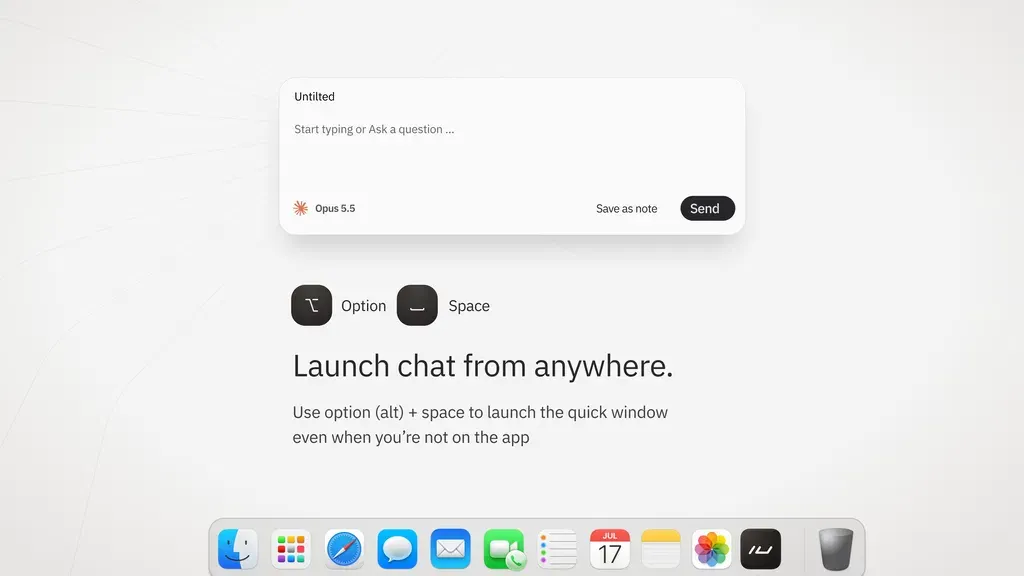
Slashspace lets you chat with AI and take quick notes. You don’t need to open a full canvas. This is useful when you have a question or a new idea.
To start, open the Quick Window and ask AI a question. You can also write a short note and save it to a canvas.
It helps you store new ideas while you are engaged in other tasks.
Slashspace Pros and Cons
Slashspace has some useful benefits, but it also has a few limits. Here are its main pros and cons to help you decide.
Pros
- Find Past Work Faster.
- Keep Research Well Organized.
- Explore Ideas Without Losing Track.
- Compare AI Answers Easily.
- Choose Your Own AI Costs.
- Keep Control of Your Data.
Cons
- Takes Time to Learn.
- No Web or Mobile App.
- No Team Sharing Yet.
- Extra AI Usage Costs.
- No Exact Source Citations.
Who Is Slashspace Best For?
- Researchers and Academics: Great for reading papers, checking sources, and keeping research questions in one place.
- Students and Learners: Good for learning new topics and asking questions about notes, PDFs, and videos.
- Content Creators: Useful for finding content ideas, reviewing videos, and writing posts or scripts with AI.
- Business Owners: Helps with market research, checking competitors, and comparing ideas from different AI models.
- Software Developers: Good for using coding agents, working with project files, and checking code changes.
Slashspace AppSumo Pricing Plan
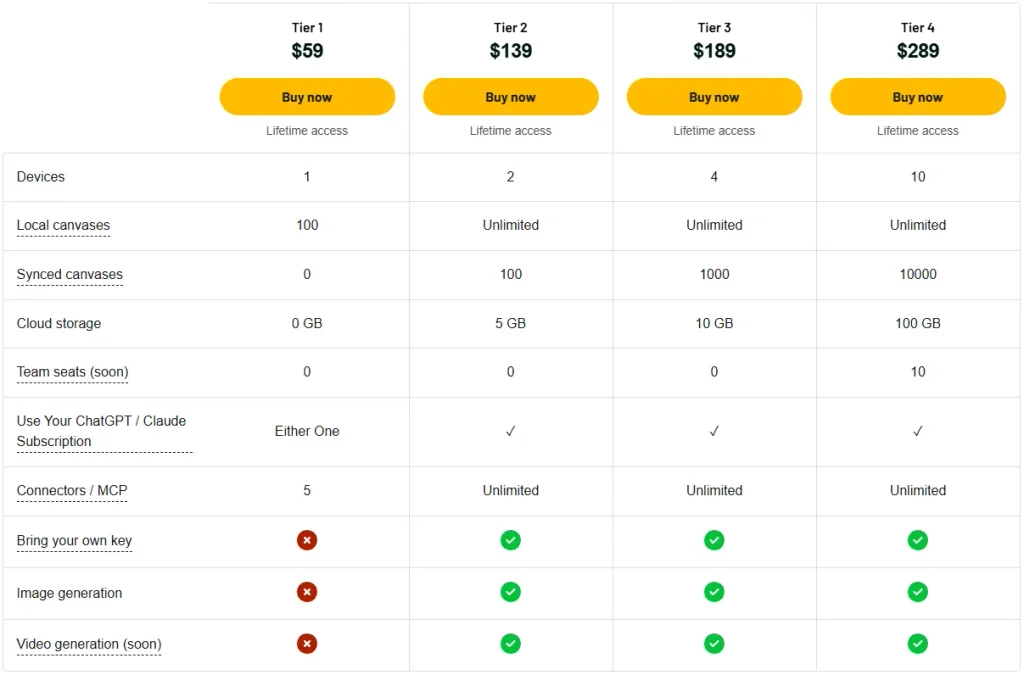
License Tier 1 – $59
Features:
- 1 device
- 100 local canvases
- ChatGPT or Claude subscription
- Local AI models
- 5 app/MCP connections
- All future plan updates
License Tier 2 – $139
Features:
- Includes everything in License Tier 1
- 2 devices
- Unlimited local canvases
- 100 synced canvases
- 5 GB cloud storage
- Both ChatGPT and Claude subscriptions
- Unlimited app/MCP connections
- Bring your own API keys
- AI image generation
- Video generation (coming soon)
License Tier 3 – $189
Features:
- Includes everything in License Tier 2
- 4 devices
- 1,000 synced canvases
- 10 GB cloud storage
License Tier 4 – $289
Features:
- Includes everything in License Tier 3
- 10 devices
- 10,000 synced canvases
- 100 GB cloud storage
- 10 team seats (coming soon)
5 Best Slashspace Alternatives 2026
If Slashspace isn’t right for you, here are five other options. Each has different tools, features, and prices.
1. Flowith
Flowith is a visual AI tool for research and content creation. You can plan ideas, compare AI answers, and use AI agents.
- Starting Price: Free; Pro from $19.90/month.
- Pros: AI canvas, research agents, image and video tools.
- Cons: Limited AI credits; no personal API keys.
- KEY Difference: Flowith focuses on content creation, while Slashspace lets you use your own AI plans.
2. Poppy AI
Poppy AI helps creators and marketers make content. You can study videos, find ideas, and write scripts, ads, and social posts.
- Starting Price: $399/year; 7-day trial for $1.
- Pros: Video research, brand voice, and content tools.
- Cons: Monthly credit limits and yearly billing.
- KEY Difference: Poppy AI focuses on marketing content, while Slashspace handles more types of AI work.
3. Heptabase
Heptabase helps you keep notes and research in one place. You can use visual boards to study papers and link ideas.
- Starting Price: Free for invited guests; Pro from $11.99/month.
- Pros: PDF notes, visual boards, and mobile apps.
- Cons: Pro plan only uses Gemini AI models.
- KEY Difference: Heptabase focuses on notes and study, while Slashspace links AI chats and sources.
4. TypingMind
TypingMind lets you chat with many AI models in one place. You can use your own API keys, save chats, and set up AI agents.
- Starting Price: Free; one-time from $39.
- Pros: Many AI models, custom agents, and plugins.
- Cons: Extra API costs; canvas tools need Premium.
- Key Difference: TypingMind focuses on AI chats, while Slashspace shows ideas on a visual canvas.
5. Msty Studio
Msty Studio lets you use local and online AI models. You can compare answers, work with files, and run AI agents.
- Starting Price: Free; one-time from $349.
- Pros: Local AI models, split chats, and AI agents.
- Cons: Free use is for personal work; web access needs a paid plan.
- KEY Difference: Msty focuses on private AI work, while Slashspace links research and chats on one canvas.
Final Thoughts – Slashspace Review 2026
Slashspace makes AI work simple and easy to manage. You can keep chats, notes, and files on one canvas. It also lets you compare AI models and explore ideas without losing your work.
You can use AI agents and your own AI plans. With the AppSumo lifetime deal starting at $59, Slashspace is worth a look for long-term AI work.