Brainer Lifetime Deal: Build, Market and Sell with AI
Brainer is an AI tool that helps you start and run an online business. You don’t need to use many tools or do everything yourself. Its AI team works together to handle the work.
You start by sharing your business idea. Brainer’s AI CEO studies the market and makes a plan. It then gives tasks to four AI team members. They build websites and apps, write SEO blog posts, create social media content, run ads, and find new customers through email.
The team keeps working even when you’re offline. You can check tasks, track progress, and approve key decisions from one dashboard. Brainer can also help you grow a business you already run.
KEY Features of Brainer
Brainer helps you start, build, and grow your business with AI. Here are its main features and how they work.
Turn Your Business Idea into Reality
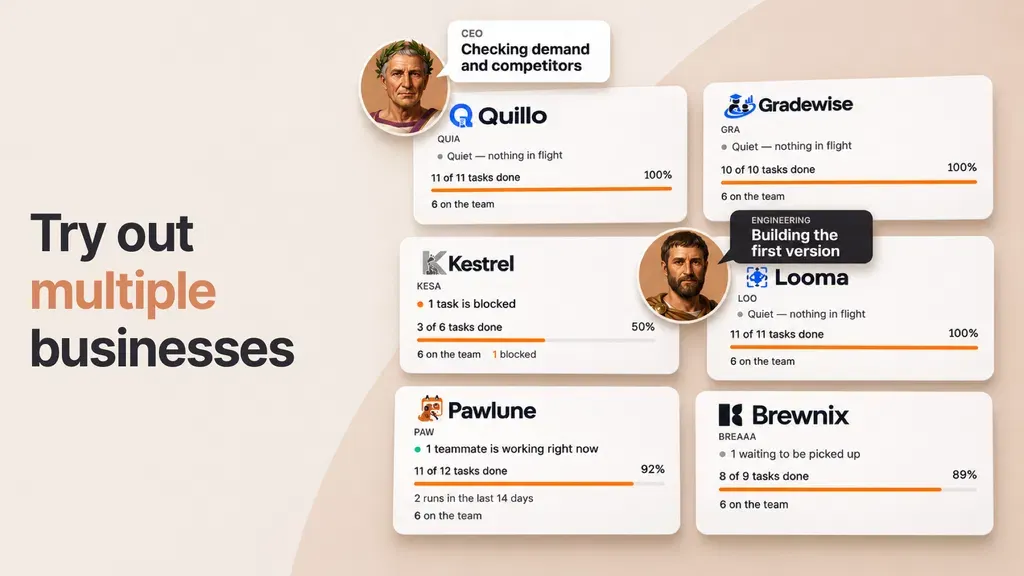
Brainer helps you turn a simple idea into an online business. Its AI CEO studies the market, checks other businesses, and makes a plan. It also helps you choose your customers, prices, and brand style.
To start, sign up, pick a plan, and share your idea. Don’t have one? Click Surprise me to get an idea. Then choose a business name and answer a few questions.
Next, click Launch my business. The AI CEO makes a roadmap and gives tasks to the team. You can check the work and change the plan anytime.
Build and Improve Your Website or App
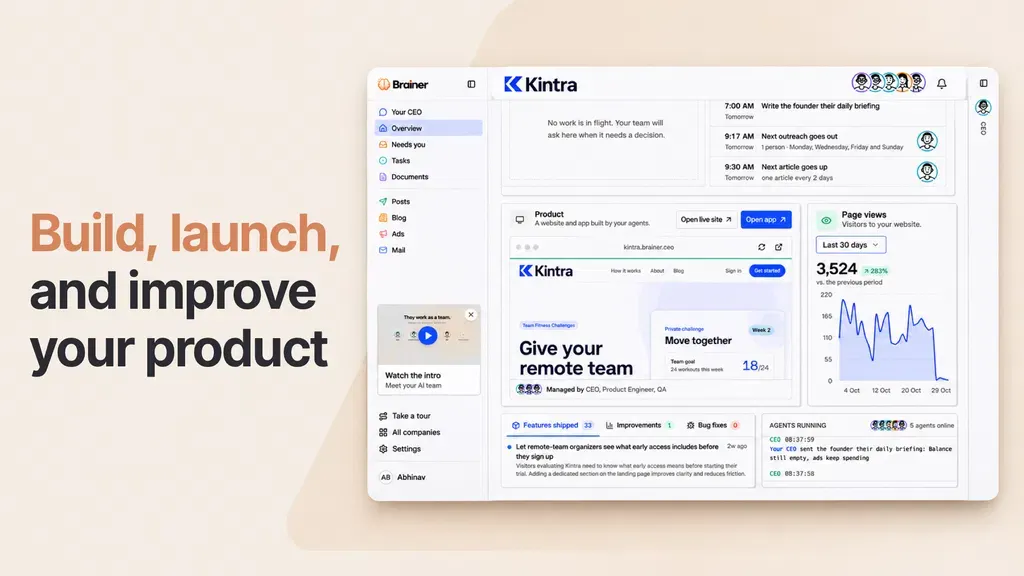
Brainer helps you build and launch a website or app without coding. Its AI Product Engineer makes pages, adds features, fixes bugs, and puts your site online.
To start, share your idea with the AI CEO. It makes a plan and gives tasks to the Product Engineer. The team then builds your site, tests it in a real browser, and puts it live.
Need a change? Ask the CEO to add features or fix issues. The Growth plan also lets you build full apps with user accounts and sign-in. You can track each update from your dashboard.
Market Your Business and Find Customers
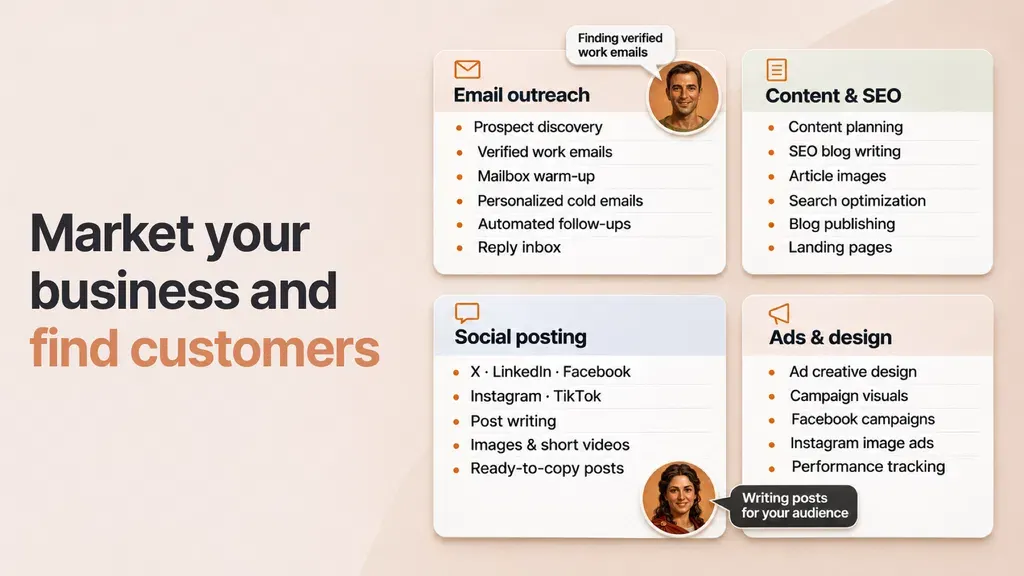
Brainer helps you promote your business and find new customers. Its AI team writes SEO blog posts, makes social media content, runs ads, and finds leads through email.
To start, choose your marketing channels and set a schedule. The AI Marketer makes posts for X, LinkedIn, Facebook, Instagram, and TikTok. The Writer also writes and posts blogs to help people find your site.
The Outreach agent finds leads, checks their work emails, and sends personal emails. You can review posts, emails, and ads before they go live. You can also track results from your dashboard.
Run Your Business with an AI Team
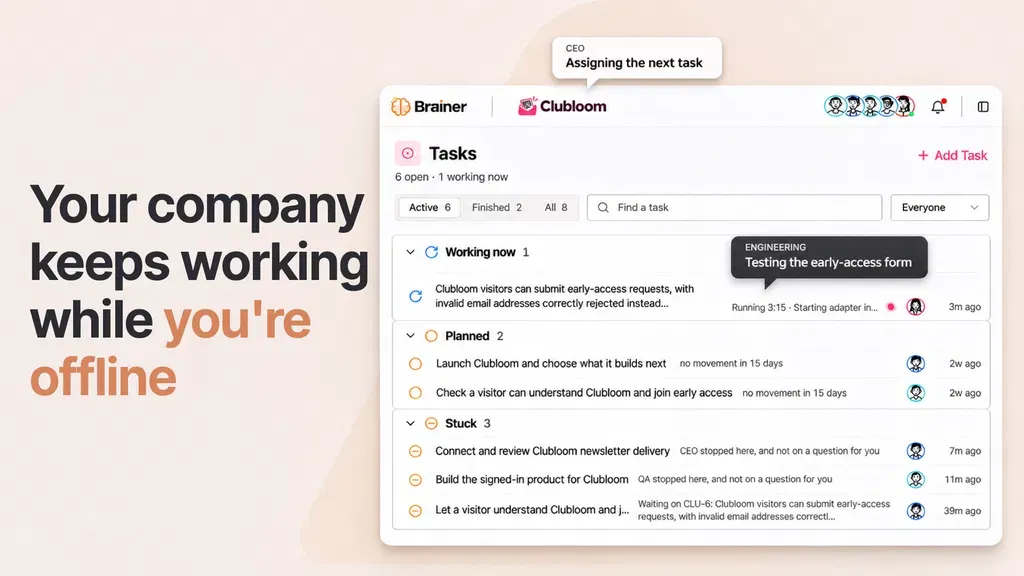
Brainer gives you five AI team members to run your business. They are the CEO, Product Engineer, Writer, Marketer, and Outreach agent. Each has its own tasks, but they work together.
To start, tell the AI CEO what you need. It makes a plan and gives tasks to the right team members. The CEO checks their work every six hours. The team keeps working even when you’re offline.
You can view tasks and read reports from one dashboard. The team asks for your approval on key decisions. You can also pause tasks or change plans anytime.
Brainer Pros and Cons
Brainer has some useful benefits, but it also has a few limits. Here are the key pros and cons to help you decide.
Pros
- Save Time on Daily Tasks.
- Build Without Coding.
- Manage Fewer Tools.
- Work Continues While Offline.
- Stay in Control of Decisions.
- Reach More Potential Customers.
Cons
- Limited AI Credits.
- Key Features Locked by Tier.
- Manual Instagram & TikTok Posting.
- Limited Project Import Support.
- Blog Content Quality Concerns.
Who Is Brainer Best For?
- New Business Owners: People with a business idea can use Brainer to plan, build, and launch it without coding.
- SaaS Founders: People who build software can create apps, add new features, and keep them up to date.
- Agency Owners: Agencies can use Brainer to manage marketing, write content, and find new clients.
- Digital Product Sellers: People who sell ebooks, templates, or other digital products can set up a store and accept payments through Stripe.
- Service Business Owners: Those who run a service business can reach new customers through blogs, social posts, and emails.
Brainer AppSumo Pricing Plan
License Tier 1 (Starter) – $49
Features:
- 2,000 one-time AI credits
- 250 monthly AI credits
- Run 1 business
- Text-only social posts
- AI website builder
- Find leads and emails
- Send cold emails
- Auto email follow-ups
- Track business results
- AI blog writing
- Website SEO tools
- Stripe subscription sales
- Website hosting
- Brainer email mailbox
License Tier 2 (Starter) – $129
Features:
- All License Tier 1 features
- 6,000 one-time AI credits
- 750 monthly AI credits
- Run 3 businesses
- 3 repeat tasks per business
- Text and image social posts
- Auto social publishing
- Build full SaaS apps
- Import existing projects
License Tier 3 (Growth) – $229
Features:
- All License Tier 2 features
- 10,000 one-time AI credits
- 1,250 monthly AI credits
- Run 5 businesses
- 5 repeat tasks per business
- Connect 2 custom domains
- Download project code
- Send from your own email
- Connect 1,500+ apps
- Create and improve Meta ads
License Tier 4 (Growth) – $439
Features:
- All License Tier 3 features
- 20,000 one-time AI credits
- 2,500 monthly AI credits
- Run 10 businesses
- 10 repeat tasks per business
- Connect 5 custom domains
- Text, image, and video posts
- Connect custom tools via MCP
Final Thoughts – Brainer Review 2026
What I like most about Brainer is how its AI team works together. It builds websites, writes content, runs marketing, and helps find new customers. You don’t need to guide every task.
The team also works while you’re offline. You can check all the work from one dashboard. With its AppSumo lifetime deal, Brainer is worth a look if you want AI to handle more of your business tasks.