LeadRocks Lifetime Deal – 100M+ B2B Contacts for $79
Finding good leads by hand takes hours. And half the emails you get bounce anyway. You spend your day hunting for leads. You should be talking to people who might buy from you.
LeadRocks helps you fix that. It’s a big list of business leads. You get emails, phone numbers, and LinkedIn profiles. You pick who you want to reach, like a job title or company. LeadRocks gives you their contact info in a few clicks.
If you’re looking for information on the LeadRocks Lifetime deal and LeadRocks Review, you’ve come to the right place. The LeadRocks Lifetime deal was launched on AppSumo with a significant discount, and in this post, we’ll share all the details of the deal.
In this LeadRocks Review, you’ll see what LeadRocks can do. You’ll read what real users say about it. You’ll learn if it’s worth your money. You’ll also find out who LeadRocks is best for. Then you can tell right away if it fits your work.
By the end of this LeadRocks Review, you’ll have all you need to make a smart choice. Just keep in mind that AppSumo deals can end at any time.
Features of the LeadRocks Lifetime Deal
B2B Contact Database
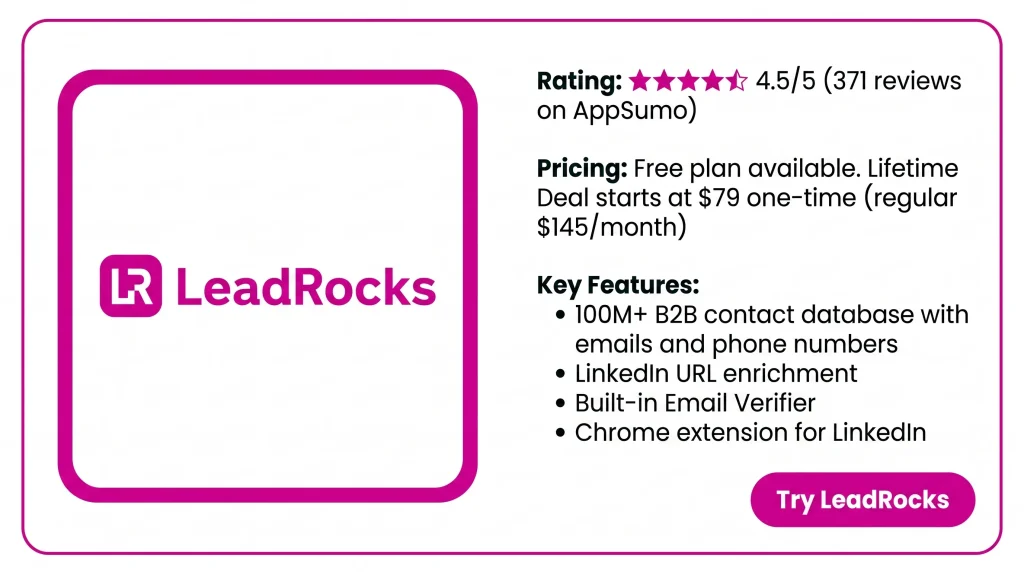
LeadRocks holds a list of business contacts. You get emails, phone numbers, and LinkedIn profiles. You search by job title, company name, location, industry, or team size. One credit opens all the contact info for one person.
Data Enrichment
You upload a file with a list of LinkedIn profile URLs. LeadRocks checks its own data. It returns the emails and phone numbers it has for each profile. You can save them to a list or export them to a CSV.
Email Verifier
You check if email addresses are valid, right inside the LeadRocks dashboard. It also works on emails you found outside LeadRocks. You can do this in bulk or through the API. Then you can download the results as a CSV.
Email Outreach Automation
You connect your Gmail or Outlook account. Then you send email campaigns with follow-ups on a set schedule. Each campaign shows how many emails were sent, opened, clicked, or replied. You can export those numbers to a CSV.
Chrome Extension For LinkedIn
You install the extension and open a LinkedIn profile. You see that person’s email and phone number on the page. You can also download your LinkedIn search results to a CSV. Then you upload it to the Enrichment tab to get contact info in bulk.
Benefits of the LeadRocks Lifetime Deal
- Less manual lead hunting: You don’t have to search for people one by one. You type in a job title or company. Then you get a list of contacts to work with.
- Cleaner email lists: You can check which emails are valid before you send. So fewer of your messages bounce.
- Find and reach out in one place: You can find contacts, check their emails, and send your campaigns in one tool. No need to switch between apps.
- See how your emails perform: For every campaign, you see how many people opened, clicked, or replied. So you know what is working.
- Easy for beginners: The tool is built to be simple. You can get started with little training.
- Works with your other tools: You can export all you find to a CSV. Then you can move your leads into your CRM or any other app you use.
- No per-user fees: Every plan comes with unlimited users. So your whole team can share one account at no extra cost.
- Data from legal sources: LeadRocks says its contact data comes only from official and legal sources. It also follows GDPR rules. So you can prospect with more peace of mind.
Cons of the LeadRocks Lifetime Deal
- Outdated contact data: Many verified buyers found that a large share of emails bounced. Some contacts left the company years ago.
- Weak search filters: Users say they cannot narrow results to a US state or city. The industry list is also too short.
- Email Verifier not reliable: Several buyers said the built-in verifier marked every email as “unknown.” So they had to use a separate tool.
- No CRM or lead API: There is no CRM link yet. The API only covers email checks. So you must export CSV files by hand.
Who is LeadRocks best for?
Below, I will highlight who LeadRocks is specifically designed for.
- Sales teams: Do you send cold emails or make sales calls? You can pull a list of contacts by job title or company. Then you can start reaching out the same day.
- Marketing agencies: Do you run outreach for several clients? You can build a separate lead list for each one. You can also share the account with your whole team.
- Recruiters: Do you look for candidates on LinkedIn? You can get their email or phone number. No need to message them one by one.
- Solo founders and freelancers: Are you just starting out on a small budget? You can build your first list of prospects yourself. No need to hire a lead-gen expert.
- LinkedIn prospectors: Do you already spend your day on LinkedIn? You can grab contact info right from profile pages. You can also upload your search results in bulk to get the rest.
LeadRocks AppSumo Pricing Plan
1 Code – $79 (one-time)
Features:
- 5,000 contact credits each month
- Full B2B contacts database
- Search by variable
- Turn LinkedIn URLs into contact info
- Store your contact data inside LeadRocks
- Download it all as CSV
- Guides and webinars
- Lifetime access, refund within 60 days
2 Codes – $158 (one-time)
Includes 1 Code, plus:
- Credits rise to 10,000 per month
- 1 email marketing seat
- 10,000 email verification credits
- API for email verification
3 Codes – $237 (one-time)
Includes 2 Codes, plus:
- Credits rise to 15,000 per month
- Verification credits rise to 15,000
- Still 1 email marketing seat
4 Codes – $316 (one-time)
Includes 3 Codes, plus:
- Credits rise to 20,000 per month
- Verification credits rise to 20,000
- 2 email marketing seats
5 to 10 Codes – $395 to $790 (one-time)
Includes 4 Codes, plus:
- Each extra code adds 5,000 contact credits per month
- It also adds 5,000 verification credits
- At 10 codes, you get 50,000 of each
- Email seats grow step by step: 2 at 5 codes, 3 at 6–7 codes, 4 at 8–9 codes, 5 at 10 codes
5 Best LeadRocks Alternatives (Comparison)
The best LeadRocks alternatives are Apollo.io, Lusha, Hunter.io, Snov.io, and RocketReach. Each one fixes a gap LeadRocks users complain about. Think old data or no CRM link. None are lifetime deals. So you trade a one-time price for better data or more features.
LeadRocks vs Apollo.io – Best all-in-one alternative to LeadRocks
Apollo.io gives you a big contact database, email sequences, calling, and CRM links in one tool. Pick it if you want to skip separate apps for finding and reaching leads.
- Price: Free plan. Basic is $59 per user per month ($49 on annual billing). Professional is $99 ($79 annual). Organization is $149 ($119 annual)
- Limits: Credit-based. Each phone reveal costs 8 mobile credits. Basic gives 75 mobile credits per month. So phone-heavy users run out fast
- Best for: Sales teams that want data, outreach, and CRM sync in one place
LeadRocks vs Lusha – Best LeadRocks alternative for phone numbers
Lusha is built for reps who call. Like LeadRocks, it has a Chrome extension. But it also plugs into your CRM. The free plan gives you 40 credits per month. An email costs 1 credit. A phone number costs 5 credits.
- Price: Free plan (40 credits/month). Paid plans start at $29.90 per user per month
- Limits: Per-user pricing. Phone numbers burn credits five times faster than emails
- Best for: Sales reps who need direct dials, not just emails
LeadRocks vs Hunter.io – Best LeadRocks alternative for clean emails
Hunter works from company domains. You type in a website. It shows the email addresses used there. It has a built-in verifier and simple campaigns. Every plan has unlimited team seats on one shared credit pool.
- Price: Free plan with 50 credits per month. Starter is $49/month ($34 annually). Growth is $149 ($104). Scale is $299 ($209)
- Limits: Hunter finds emails for domains you already know. It is not a database you can mine by persona
- Best for: People who already have a target company list and want emails that do not bounce
LeadRocks vs Snov.io – Cheapest all-in-one subscription
Snov.io does what LeadRocks tries to do. You find, verify, and send from one dashboard. Every paid plan has unlimited seats, sender accounts, and campaigns. That is rare in this category.
- Price: Paid plans run $39/mo (Starter, 1,000 credits) to $738/mo (Ultra, 100,000 credits). Annual billing takes about 25% off. A free Trial plan renews 50 credits and 100 campaign recipients every 30 days
- Limits: LinkedIn automation is a $69/mo add-on. Starter locks out A/B testing
- Best for: Solo founders and small teams who want cold email and lead finding on one bill
LeadRocks vs RocketReach – Best for senior contacts
RocketReach has one of the largest databases in the space. It covers senior people well. It suits one-at-a-time lookups more than bulk list building.
- Price: $27 per month for Essentials, $69 for Pro, and $142 for Ultimate. Each is billed annually at $329, $829, and $1,699 per year. Essentials is email-only. Phone numbers start at Pro
- Limits: On annual billing, lookups are unlimited. Exports are capped at 1,200, 3,600, and 20,000 per year
- Best for: Recruiters and researchers who look up specific people
Final Thoughts – LeadRocks Review 2026
Tired of spending hours hunting for business contacts? LeadRocks puts a big B2B database, LinkedIn enrichment, and easy CSV export in one simple tool. Your whole team can share it. Just plan to check your emails before you send. At a one-time cost of $79, the LeadRocks Lifetime Deal is a low-risk way to build your first lead lists. A 60-day refund policy backs it up.