Utobo Email Lifetime Deal: Marketing, Outreach and Automation
Using separate tools for newsletters, cold emails, and follow-ups gets messy. The Utobo Email Lifetime Deal caught my eye because it puts them all in one place.
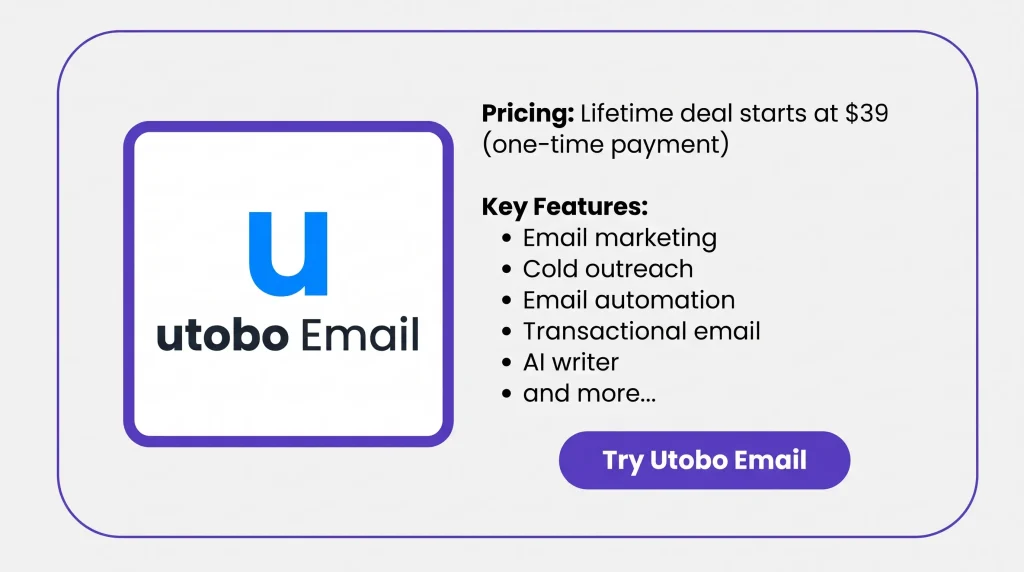
You can write emails with AI, set up follow-ups, find B2B leads, and manage replies. It can also send order confirmations. Lifetime access starts at just $39, with no monthly fee.
KEY Features of Utobo Email
Marketing
Create newsletters, product offers, and email campaigns with ready-made templates. You can also use the drag-and-drop editor. Add your content, choose your contacts, and send now or later.
AI Email Editor
Just tell Google Gemini what you want to write. It creates email subjects, body text, and call-to-action buttons. You can edit, shorten, or rewrite the text before sending.
Automations
Want to send welcome emails to new customers? Set up a series of emails with your own timing. You can also send different follow-ups based on opens, clicks, or replies.
Cold outreach
Connect Gmail, Outlook, or IMAP mailboxes to send cold emails. You can send from several mailboxes and set up follow-ups. The follow-ups stop when someone replies.
Lead Finder
Tell Lead Finder what kind of businesses you need. It searches the web for matching companies and public email addresses. You can then add those leads to your contact list.
Email Warm-up
Turn on email warm-up for each connected mailbox. Utobo sends and receives warm-up emails each day. It slowly raises the daily email count and tracks inbox placement.
Unibox
Replies from all your connected mailboxes appear in one inbox. You can read and reply to each message there. No need to open each email account.
Transactional
Send order receipts, password resets, and order updates from your website or app. Connect your domain using the REST API or SMTP relay. You can then check each email’s status in the delivery logs.
Draper · AI employee
Draper checks your contacts, campaigns, and email delivery data. It can suggest what to send next and draft emails. You can review, edit, or approve each action before it runs.
Pros of Utobo Email
- Everything in One Place: You don’t need separate tools for newsletters, cold emails, and customer messages. You can handle them all from one dashboard, making daily email tasks easier.
- Less Time Writing Emails: Writing emails from scratch can take a lot of time. AI creates the first draft for you. Just check the text, make changes, and get it ready to send.
- Easier Customer Follow-Ups: You don’t need to send each follow-up by hand. Set your schedule, and the emails go out on time. The next message can also change based on opens, clicks, or replies.
- Simpler Lead Management: Finding leads and tracking replies can get messy. Utobo helps you find B2B leads and keep all replies in one inbox, even when you use several mailboxes.
- Better Sending Control: You can check spam risks, failed emails, and bounce reports. This helps you spot issues and fix them before sending more emails.
- No Monthly Subscription: With the AppSumo lifetime deal, you pay just once. You keep your chosen plan’s features and limits without paying a monthly fee.
Cons of Utobo Email
- Shared Email Limits: All emails count toward your monthly limit. This includes marketing, cold outreach, follow-ups, and API emails. Plans allow 5,000 to 25,000 emails per month.
- Cold Sequence Restrictions: Automated cold emails go through Utobo using your verified domain. They don’t go straight from your linked Gmail or Outlook inbox.
- Unclear Warm-up Limits: AppSumo plans support 3 to 25 mailboxes. But Utobo’s website lists only 2 warm-up mailboxes for lifetime users.
- More Integrations Needed: One verified AppSumo buyer wants more integrations. Utobo already works with Shopify, Zapier, and Claude.
Who is Utobo Email Best For?
- Startup Founders: Great for founders who want to manage email campaigns, customer messages, and follow-ups from one place without using many tools.
- Email Marketers: Good for marketers who send newsletters, promote products, manage email lists, and create campaigns with AI.
- Sales Outreach Teams: Useful for sales teams that find B2B leads, send cold emails, set up follow-ups, and track replies.
- App Developers: A good choice for developers who send password resets, order receipts, and account emails through an API or SMTP.
- Online Store Owners: Helpful for store owners who send order updates, share new products, and reach out to past customers.
Utobo Email AppSumo Pricing Plan
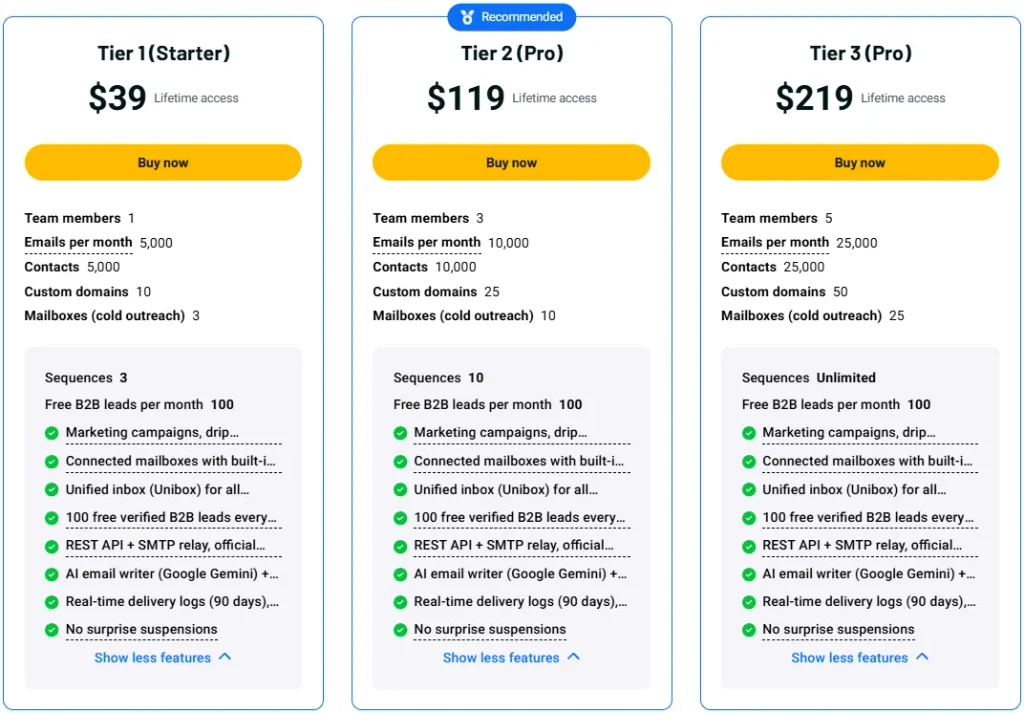
License Tier 1 (Starter) – $39
- 1 team member
- 5,000 emails/month
- 5,000 contacts
- 10 custom domains
- 3 mailboxes and 3 sequences
- 100 verified B2B leads/month
- Marketing, cold outreach, and email automation
- Transactional email with API, SMTP, and SDKs
- Gemini AI writer and email templates
- Email warm-up and Unibox
- 90-day logs, bounce control, and reduced-capacity sending
License Tier 2 (Pro) – $119
- All License Tier 1 features
- 3 team members
- 10,000 emails/month
- 10,000 contacts
- 25 custom domains
- 10 mailboxes and 10 sequences
License Tier 3 (Pro) – $219
- All License Tier 2 features
- 5 team members
- 25,000 emails/month
- 25,000 contacts
- 50 custom domains
- 25 mailboxes
- Unlimited sequences
5 Best Utobo Email Alternatives 2026
The top Utobo Email alternatives are Brevo, ActiveCampaign, Mailchimp, Resend, and Instantly. Each focuses on different email needs.
1. Brevo
Brevo is a close alternative to Utobo Email. It handles newsletters, email automation, and transactional emails, plus SMS marketing and customer management.
- Starting Price: Free plan; paid from $9/month.
- Pros: Email and SMS marketing, automation, CRM, and transactional emails.
- Cons: The Starter plan has sending and contact limits; some tools need higher plans.
- Key Difference: Brevo focuses on customer marketing, while Utobo also handles cold outreach.
2. ActiveCampaign
ActiveCampaign is worth a look if you need detailed email automation. It lets you build customer journeys based on how people interact with your emails.
- Starting Price: $15/month, billed yearly.
- Pros: Detailed automation, AI tools, CRM, and customer tracking.
- Cons: The Starter plan allows only 5 actions per automation; transactional email costs extra.
- Key Difference: ActiveCampaign focuses more on complex automation, while Utobo keeps several email tasks together.
3. Mailchimp
Mailchimp is a good choice for newsletters and product emails. You can manage contacts, design campaigns, and set up customer follow-ups.
- Starting Price: Free plan; paid from $13/month.
- Pros: Email templates, audience tools, automation, and integrations.
- Cons: Costs rise as contacts grow; the transactional API needs a paid add-on.
- Key Difference: Mailchimp focuses on marketing, while Utobo also covers cold outreach and app emails.
4. Resend
Resend makes sense if you mainly send emails from an app or website. It handles receipts, password resets, newsletters, and email automation.
- Starting Price: Free plan; paid from $20/month.
- Pros: REST API, SMTP, SDKs, and delivery tracking.
- Cons: Marketing and transactional emails have separate usage and pricing.
- Key Difference: Resend focuses on developer email tools, while Utobo also handles cold outreach and lead finding.
5. Instantly
Instantly is worth considering if cold outreach is your main task. It helps you send cold emails, warm up accounts, and manage follow-ups.
- Starting Price: $47/month; free trial available.
- Pros: Unlimited email accounts, warm-up, outreach sequences, and reply tracking.
- Cons: Lead finding uses separate credits, and outreach plans have sending limits.
- Key Difference: Instantly focuses on cold outreach, while Utobo also supports marketing campaigns and transactional emails.
Final Thoughts – Utobo Email Review 2026
What I like most about Utobo Email is having so many tools in one place. You can write emails with AI, find B2B leads, set up follow-ups, and manage replies from one dashboard.
The Utobo Email Lifetime Deal starts at just $39 on AppSumo. You pay once and get email marketing, cold outreach, automation, and transactional emails in one tool. That is why this deal is worth taking a look at.