Formaloo Lifetime Deal: AI Forms, Client Portals and Apps
Formaloo is an AI-powered tool that helps you build forms, surveys, client portals, and business apps. You don’t need to know how to code.
It does more than collect answers. You can view replies, send emails, create PDFs, and manage your data in one place.
For example, you can make a form to collect client details. You can then use those details to create a proposal. You can start with a template or let AI build the form for you.
Build Forms with AI Agents

Formaloo helps you build forms with AI. You don’t need to add each question by hand. Just tell the Form Creation Agent what you need.
For example, you can ask AI to build a client intake form. It can include names, emails, project details, and file uploads. You can edit the questions, change the design, and add rules with the Logic Agent. You can also use an Agent Field to check answers, score leads, or sum up replies.
How to use it: Open Formaloo and select Form Creation Agent. Tell AI what kind of form you want. Check the form, make any changes, and publish it.
Create Smart MemoryForms
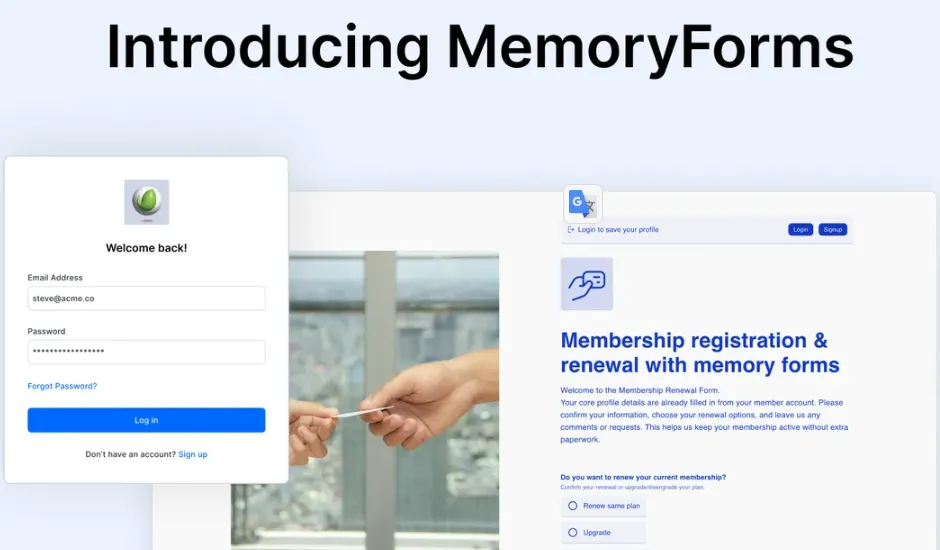
Formaloo MemoryForms save details from users who log in. When they return, the form fills in saved details like names and emails. They don’t need to type them again.
For example, you can use MemoryForms for client requests or course sign-ups. Returning users can fill out new forms with less typing. This saves time and makes forms easier to complete.
How to use it: Open Formaloo, click + New, and choose Memory Form. Add your questions and set up a User Directory. Link saved user details to the right fields. Then publish your form.
Build Client Portals and Apps
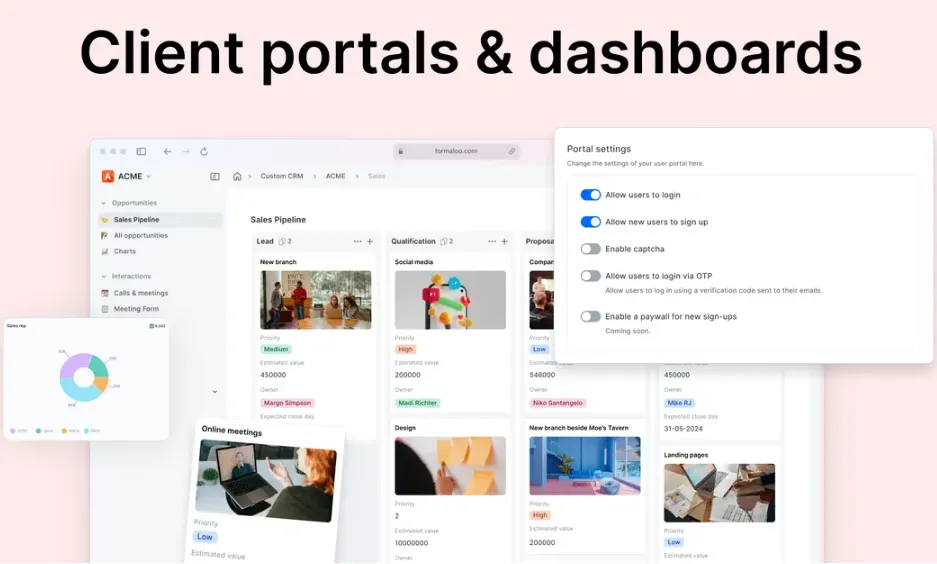
Formaloo helps you build client portals and business apps without coding. You can keep forms, files, and project details in one place. You can also add your logo and brand colors.
For example, an agency can use a portal to manage client projects. Clients can log in, send requests, and check project updates. You can also choose what each client can see or edit.
How to use it: Open Formaloo and click + New. Choose Client Portal or pick a template. Add pages and forms, then set up client access. Choose who can view or edit each page. Once ready, publish and share the link.
Create PDFs and E-Signatures
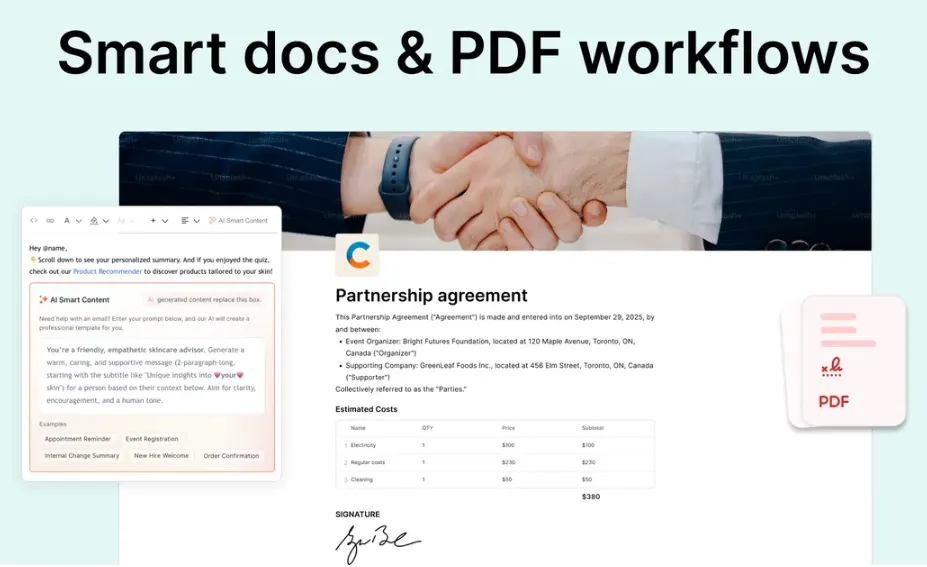
Formaloo lets you make PDF files and get e-signatures online. You can turn form replies into proposals, contracts, or invoices. You can also add your logo and business details.
For example, a client can fill out a form and sign it online. Formaloo saves their details and signature. You can then create a PDF and send it by email.
How to use it: Open your form and add a Signature field. Create a PDF template and link it to the form. Turn on PDF creation in the settings. Then share the form so clients can fill it out and sign.
Formaloo Pros and Cons
Formaloo has many useful tools to help you save time and manage work. Here are its main pros and cons to help you see what works well and what could be better.
Pros
- Build Without Coding.
- Faster Form Setup.
- Less Repeat Typing.
- Easier Client Management.
- Fewer Manual Follow-Ups.
- Faster Document Signing.
- Clearer Data Insights.
Cons
- Limited Form Customization.
- Complex Advanced Setup.
- Occasional Bugs and Slow Loading.
- Inconsistent Customer Support.
Who Is Formaloo Best For?
- Agencies and Consultants: Collect client details, share project updates, and manage requests in one place.
- Sales and Marketing Teams: Collect leads, run surveys, and send emails based on customer replies.
- HR Teams: Collect staff details, manage new hires, and handle requests that need approval.
- Educators and Trainers: Manage course sign-ups, collect student feedback, and create certificates.
- Operations Managers: Track daily tasks, keep records, and help teams stay on track.
Formaloo AppSumo Pricing Plan
Formaloo has six lifetime plans on AppSumo. Prices start at $99 with a one-time payment.
License Tier 1 — $99
Black Friday Price: $89.10 (One-Time)
Features:
- 1 team member
- 1 workspace
- 10 GB storage per member
- 100 external user seats
- 1,000 AI credits
- Unlimited forms and replies
- Unlimited apps and databases
- Unlimited questions and blocks
- MemoryForms to save user details
- Automatic workflows
- Create PDFs and smart documents
- Unlimited e-signatures
- Redirect users after submission
- Accept online payments
- Webhooks, API, and SDK support
- Connect with premium tools
- Manage bookings and reservations
License Tiers 2–6
Formaloo also has five higher plans. They cost $199, $299, $399, $599, and $999. Each plan has all Tier 1 features with higher limits. You get more team members, workspaces, external user seats, and AI credits. Higher plans also add white-label branding, your own AI key (BYOK), smart backup, SSO, and database encryption.
5 Best Formaloo Alternatives 2026
Jotform, Cognito Forms, Zoho Creator, Formstack, and Fillout are five useful Formaloo alternatives. Each works best for different tasks.
1. Jotform — Best Overall Alternative
Jotform helps you create forms, manage approvals, and collect e-signatures without coding.
- Free Plan: 5 forms and 100 submissions/month.
- Starting Price: $39/month.
- Pros: Forms, apps, PDFs, and e-signatures.
- Cons: Limited forms and submissions on the free plan.
- Difference: Jotform focuses more on forms and documents, while Formaloo also handles client portals and business workflows.
2. Cognito Forms — Best for Client Workflows
Cognito Forms helps you collect client details, manage approvals, and handle online documents.
- Free Plan: 100 entries/month.
- Starting Price: $24/month.
- Pros: Client portals, approvals, and e-signatures.
- Cons: Client portals require a higher plan.
- Difference: Cognito Forms focuses on form-based workflows, while Formaloo also builds business apps.
3. Zoho Creator — Best for Business Apps
Zoho Creator helps you build custom apps, manage records, and automate daily business tasks.
- Free Plan: 1 user and 1 app.
- Starting Price: $12/user/month.
- Pros: Custom apps, databases, and automation.
- Cons: The free plan allows only one app.
- Difference: Zoho Creator focuses on custom apps, while Formaloo combines forms, portals, and documents.
4. Formstack — Best for Documents
Formstack helps businesses collect data, create documents, and manage e-signatures.
- Free Plan: No permanent free plan; 14-day trial.
- Starting Price: $99/month for Forms.
- Pros: Forms, document creation, and e-signatures.
- Cons: Full document and signing tools require a higher-priced suite.
- Difference: Formstack focuses on paperwork, while Formaloo also supports client portals and apps.
5. Fillout — Best for Simple Forms
Fillout helps you create forms, collect payments, and connect data with other tools.
- Free Plan: Unlimited forms and 1,000 responses/month.
- Starting Price: $19/month.
- Pros: Easy forms, payments, PDFs, and integrations.
- Cons: Custom domains require a higher plan.
- Difference: Fillout focuses more on forms, while Formaloo handles wider business workflows.
Final Thoughts – Formaloo Review 2026
Formaloo stands out by keeping many tools in one place. You can build forms with AI and manage client data. You can also create client portals, make PDFs, and collect e-signatures. Its smart workflows help you save time on daily tasks.
The best part is that you don’t need coding skills. Formaloo’s AppSumo lifetime deal starts at just $99. It’s worth a look if you want one tool to manage more of your work.