SendFox Lifetime Deal – Email Tool With AI Writer Built-In
Sending emails to your fans should not cost you a big monthly bill. But most email tools charge you more as your list grows. That happens even before you earn any money from it.
SendFox is a simple email tool made for creators. The AppSumo team built it themselves. You can write emails and send them to your subscribers. You can also set up welcome emails that go out on their own. No tech skills needed.
If you’re looking for information on the SendFox Lifetime deal and SendFox Review, you’ve come to the right place. The SendFox Lifetime deal was launched on AppSumo with a significant discount, and in this post, we’ll share all the details of the deal.
In this SendFox review, you’ll see what SendFox can do. You’ll see what it costs and where it falls short. You’ll also find out if the SendFox Lifetime deal is worth your money. And you’ll learn who it’s best for.
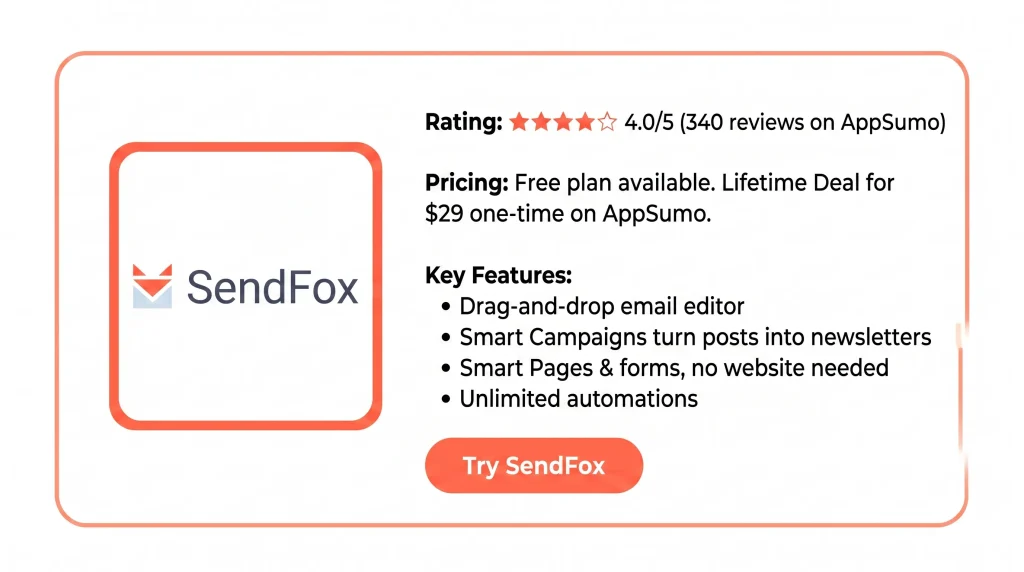
By the end, you’ll know if SendFox is right for you. The SendFox Lifetime deal is only $29 right now. But AppSumo prices can change at any time.
Features of the SendFox Lifetime Deal
Email editor
This is where you write your emails in SendFox. You can drag and drop images and format your text. You can add merge tags, like a subscriber’s first name. Then send a test and pick a time to send it.
Smart Campaigns
You connect your blog or social accounts to SendFox. When you post something new, SendFox pulls it in. It turns the post into a newsletter and schedules it for you.
Smart Pages & Forms
These are landing pages and signup forms that SendFox hosts for you. You do not need your own website. You can pick a color theme. Forms can show as a popup, slide-in, sticky bar, or inline block.
Unlimited automations
Automations send emails on their own when something happens. One example is when a new subscriber joins. You set the steps once, like “wait one day, then send a welcome email.” SendFox runs them for you.
AI email writer
You give SendFox a link to something you posted. Or you just describe an idea. It then drafts the full email inside the editor. It can read your website or past emails first, so the draft sounds like you.
The AI Connection
This links your SendFox account to AI tools like Claude and ChatGPT. You can add contacts and draft campaigns by typing in plain English. You can also build automations and check your email stats the same way.
Benefits of the SendFox Lifetime Deal
- No Growing Monthly Bill: You pay once and keep sending. Your cost does not go up when your list gets bigger.
- No Website Needed: You can start collecting subscribers right away. You do not need a website or a developer.
- Less Writing Work: Your new posts turn into newsletters on their own. You can also get a full draft from a short idea. So you rarely start from a blank page.
- Easy for Beginners: The tool keeps things simple. You can send your first email even if you have never done this before.
- Emails Feel Personal: Your emails look like a normal message, not a flashy ad. One user said this led to more opens and clicks.
- Manage From Your Chat: You can run your list by typing plain English in an AI chat. You do not even need to open SendFox.
Cons of the SendFox Lifetime Deal
- Lifetime Sends Run Out: The $29 plan gives you 300,000 emails in total. Once you hit that limit, your account is paused until you pay for a monthly Pro plan.
- Hard-to-Reach Support: Many users say support emails went unanswered for days or weeks. Some found no proper way to report a bug.
- Limited Design Options: The editor cannot wrap text around images or place them side by side. The Lifetime plan also keeps the SendFox footer.
- Strict Subscriber Rules: Every new contact must confirm through double opt-in. Once someone unsubscribes, they cannot join your list again.
Who is SendFox best for?
- Bloggers: If you write posts on a blog, SendFox can turn each new post into a newsletter. It sends it to your readers for you. You do not have to write a new email every time.
- YouTubers and Podcasters: If you share videos or episodes on a schedule, you can connect your feed. Your subscribers then get an email each time something new goes live.
- Beginners With No Website: If you are just starting out, you may not have a website or a developer. You can build a signup page inside SendFox. Then you can start collecting subscribers right away.
- Solo Small Business Owners: If you run a small business alone, you may only need the basics. That means welcome emails, follow-ups, and a regular newsletter. SendFox gives you these without a crowded dashboard.
- Self-Published Authors: If you write books and want to keep readers updated, SendFox works with author tools like BookFunnel and StoryOrigin. One reviewer said this made it easy to manage their reader list.
SendFox AppSumo Pricing Plan
License Tier 1 — $29 (one-time payment)
Features:
- Send up to 300,000 emails in total, for life
- Store up to 5,000 contacts
- Schedule emails, or let Smart Campaigns build them from your posts
- Make as many signup forms as you want
- No limit on contact lists
- Build as many landing pages as you need
- Set up unlimited triggered automations
- A referral widget so readers can invite friends
- See each contact’s details and activity in one profile
- Full API, plus a link to AI assistants
- Works in 30+ languages
- Email support when you need help
- 60-day money-back guarantee
- All future Lifetime Plan updates are free
- Activate your license within 60 days of buying
- GDPR compliant
SendFox Alternatives
SendFox is not the only choice for creators. You may want a bigger free plan, a paid newsletter, or store tools. If so, one of these five may fit you better.
SendFox vs Kit (formerly ConvertKit)
Kit is made for the same creators as SendFox. Its free plan covers up to 10,000 subscribers. But you only get one automation.
- Price: Free up to 10,000 subscribers; Creator from $39/month
- Limits: One automation on the free plan; paid plans grow with your list
- Best for: Creators who want a big free plan and may sell digital products later
SendFox vs Beehiiv
Beehiiv is a newsletter tool with a website and paid plans built in. It takes 0% of what you earn.
- Price: Free up to 2,500 subscribers; Scale from $49/month; Max from $109/month
- Limits: No automations or paid subscriptions on the free plan
- Best for: Writers who want to run a paid newsletter
SendFox vs Mailchimp
Mailchimp is the most well-known name here. But it costs the most at the same list size. It also bills you for people who unsubscribed.
- Price: Free up to 250 contacts; Essentials from $13/month; Standard from $20/month
- Limits: Free plan has no scheduling or multi-step automation
- Best for: Small businesses already using Mailchimp’s website or store tools
SendFox vs Klaviyo
Klaviyo is made for online stores. You pay by active profiles. So it gets pricey fast.
- Price: Free up to 250 contacts; Email plans from $20/month
- Limits: No annual discounts; free support ends after 60 days
- Best for: Shopify and other online store owners
SendFox vs Systeme.io
Systeme.io gives you email, funnels, and courses in one place. Every plan has unlimited email sends.
- Price: Free; Startup $17/month; Webinar $47/month; Unlimited $97/month
- Limits: One automation rule on the free plan; needs a professional domain email
- Best for: Solo creators who want to sell a course or run a funnel
Final Thoughts – SendFox Review 2026
Tired of paying more each month just to email your audience? SendFox is a simpler choice. You get an easy editor. Your automations run on their own. Your signup pages need no website. The SendFox Lifetime Deal gives you 5,000 contacts and 300,000 sends for $29. If you’re a creator who wants the basics done right, give it a try.