TidyCal Lifetime Deal – Book Clients & Get Paid Fast
Booking clients can feel like a full-time job. You send messages. You wait for replies. And somehow, you still get double-booked.
TidyCal fixes this fast. TidyCal gives you one simple booking page. Clients pick a time. They pay you. It goes straight onto your calendar.
Want the real details on the TidyCal Lifetime deal? Want an honest TidyCal Review? You found the right place. AppSumo launched the TidyCal Lifetime deal with a big discount. This post shares every detail of that deal.
This post covers TidyCal features. It shows if TidyCal is worth buying. It shows who TidyCal is best for. You’ll know exactly what you get before you spend a dollar.
Feel good about reading on. The TidyCal price of $29 won’t stay this low. Grab the details before it’s gone.
Features of the TidyCal Lifetime Deal
Multiple Booking Types for Every Need
You can set up different bookings for different needs. Pick one-on-one calls, group sessions, recurring meetings, paid sessions, or free sessions. Each type works on its own. You are not stuck with just one format.
Real-Time Calendar Sync
TidyCal connects with Google Calendar, Apple iCal, and Microsoft 365 Calendar. It reads your real availability. Your booking page always shows open slots. This helps you avoid double-booking.
Vote-Based Scheduling
Stop emailing back and forth to find a good time. Send a poll instead. People vote on the time that works for them. You pick the best match.
Built-In Payment Collection
Connect Stripe or PayPal to your account. People pay you the moment they book. Payment happens right inside the booking step. You don’t need a separate step to collect money.
Automatic Video Meeting Links
TidyCal can create a Zoom or Google Meet link on its own. This happens the moment someone books a meeting. The link goes straight into the calendar invite. No one has to create it by hand.
Booking Page You Can Place Anywhere
Share your booking page as a simple link. Or place it right on your own website. Just use a small JavaScript snippet. People can book time without leaving your site.
Full Control Over Your Open Hours
Set your regular available hours. Pick specific dates when you are free. Add gap time between meetings. Block out dates you don’t want bookings on.
Easy Switch From Calendly
Switching over from Calendly? TidyCal brings your settings across. Your data comes with you too. You skip setting everything up again.
Pros of the TidyCal Lifetime Deal
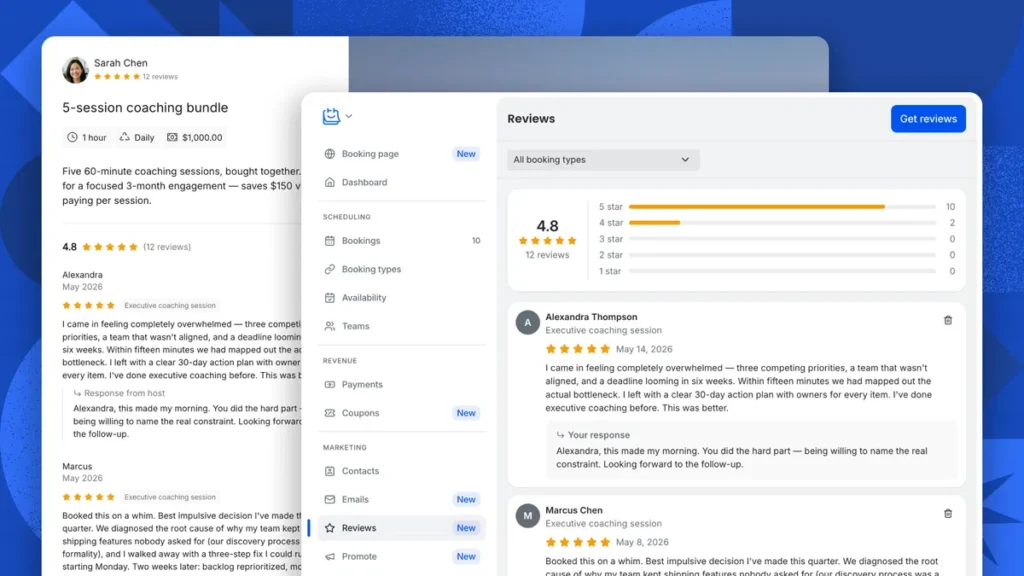
- Fewer Back-and-Forth Messages: Clients pick a time that works. You skip the endless “does this time work?” texts.
- No More Double Booking: Your calendar stays correct across every app. Two people never get booked for the same slot.
- Faster Payment Collection: Clients pay right when they book. You don’t chase invoices or wait for money later.
- One Link for Every Meeting Type: You keep every session and call in one place. No more juggling separate tools.
- Less Manual Meeting Setup: Video call links get made on their own. You don’t build them by hand each time.
- Consistent Client Availability: Your open hours and blocked days stay just how you set them. People only see times that truly work for you.
- Simple Move From Calendly: Switching tools? Your old settings carry over. You skip rebuilding everything from zero.
The Cons of TidyCal Lifetime Deal
- Branding Not Fully Removed: Both paid plans reduce TidyCal branding. They don’t remove it fully from your booking pages.
- Team Features Locked to Higher Tier: The Individual plan has 0 team members. It also skips team pages, collective meetings, and round-robin meetings. You need the Agency plan for any team setup.
- Limited Integrations on Entry Plan: The Individual plan only offers basic integrations. Think Google, Office 365, and iCal. Zoom and Teams integration stay locked to the Agency plan.
- Requests for More Advanced Settings: Some users want more advanced options. This includes custom email reminders and set office hours.
Who is TidyCal best for?
- Online Coaches: They can set up different session types. Think discovery calls and paid coaching sessions. They get paid the moment a client books.
- Freelance Consultants: They share one booking link with clients. No more back-and-forth emails to find a good time.
- Solo Service Providers: They run the whole booking process alone. This covers scheduling and payment, with no team needed.
- Small Business Owners Switching From Calendly: They move their old settings over. They skip setting up a new system from scratch.
- Freelancers On A Budget: They get scheduling and payments in one place. They skip paying for extra features they won’t use.
TidyCal AppSumo Pricing Plan
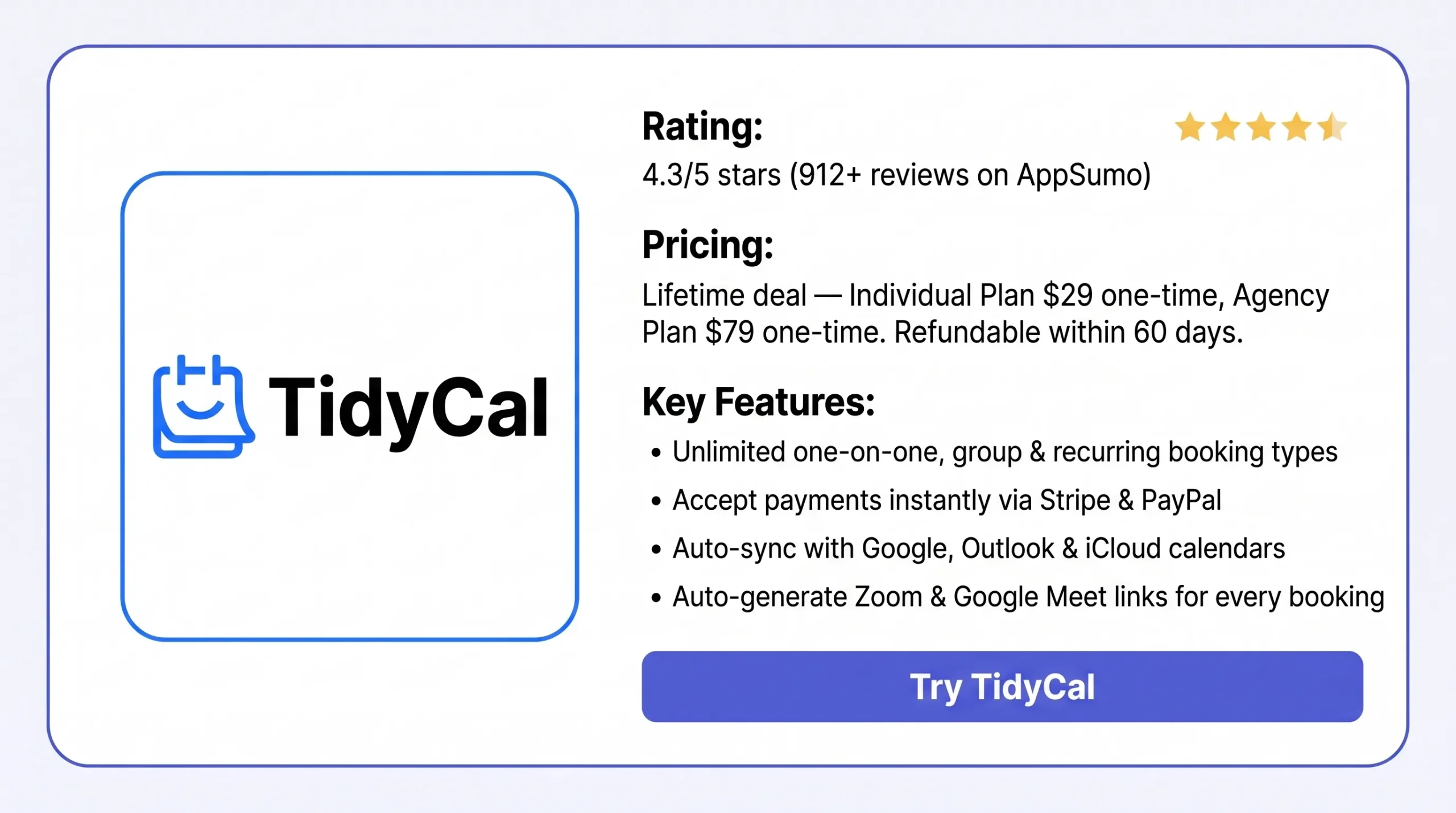
Individual Plan – $29 (Lifetime Deal)
- 10 calendar connections
- Basic sync: Google, Office 365, iCal
- Reduced TidyCal branding
- Unlimited bookings & booking types
- Custom page design + 30+ languages
- Stripe & PayPal payments
- Custom emails + CC on bookings
- AI tools + Google Analytics
- Group bookings supported
- No team members, SMS reminders, or team pages
Agency Plan – $79 (Lifetime Deal, Recommended)
- Everything in Individual, plus:
- 25 calendars + Zoom/Teams sync
- Unlimited team members
- SMS reminders (U.S. & Canada)
- Team pages, collective & round-robin meetings
- Custom reply-to email
TidyCal Alternatives (Comparison)
TidyCal vs Calendly
Calendly is TidyCal’s most recognized alternative. TidyCal’s own listing names it directly. It’s a strong fit for teams. Teams need CRM tools and round-robin scheduling, not just simple one-on-one booking.
- Free plan: 1 event type, 1 calendar connection
- Paid plans: start at $10–12/user/month. Unlocks unlimited event types, Stripe/PayPal payments, and custom branding
- Teams plan: $16–20/user/month. Adds round-robin scheduling and CRM integrations
- Key difference: Calendly bills monthly or yearly. TidyCal is a one-time payment
TidyCal vs Doodle
Doodle is the second alternative on TidyCal’s official listing. It specializes in group polling. Send one link, and everyone votes on a time. The tool picks the best common slot. This makes it ideal for group meetings, not one-on-one paid bookings.
- Free plan: unlimited group polls, one booking page
- Free plan limit: shows ads
- Paid tiers: unlock full calendar sync and custom branding
- Key difference: built for group coordination, not deep one-on-one booking
TidyCal vs Cal.com
Cal.com is an open-source scheduling tool. You can self-host it or use their hosted version. It’s the best fit for developers. They can embed scheduling into their own product through an API. G2 ranks Cal.com as the top TidyCal alternative.
- Free plan: unlimited event types, unlimited calendar connections (1 user)
- Paid team plans: start at $12–15/user/month
- Deployment: self-hosted or hosted
- Key difference: API-first and open-source, built for technical users
TidyCal vs Acuity Scheduling
Squarespace has owned Acuity Scheduling since 2019. It’s built for service businesses. These businesses need detailed client management: intake forms, packages, and memberships. It goes deeper than TidyCal here.
- Free plan: none (7-day trial only)
- Pricing: flat-rate, starts at $16–20/month yearly
- Includes: intake forms, package sales, memberships, checkout payments
- Key difference: more features for service businesses, but costs more and needs a subscription
TidyCal vs YouCanBookMe
YouCanBookMe stands out for its booking-page design. It also offers strong branding options. It works well with Apple iCloud Calendar. This makes it a good pick if you care about how your booking page looks.
- Free plan: free forever, but their branding stays visible
- Paid plans: start at $7–8/month. Adds more calendars, multiple pages, and automation
- Limit: no built-in payment processing (confirmed by multiple review sources)
- Key difference: stronger on page design, weaker on direct payment collection
Final Thoughts – TidyCal Review 2026
Chasing clients over email just to lock in a time gets old fast. TidyCal fixes this. It puts your bookings, payments, and calendar sync on one simple page. You get paid the moment someone books. Your video links get made on their own. Your calendar never double-books you. For $29, solo coaches, consultants, and freelancers get a tool that just works. No extra hassle. No extra apps. If you need simple, paid scheduling, TidyCal is worth adding to your setup today.