Sheetify CRM Lifetime Deal – Manage Sales in Google Sheets
As your business grows, tracking customers, sales, and tasks gets hard. Sheetify CRM makes this easier by turning Google Sheets into a CRM tool.
You can track leads, manage deals, send bulk emails with Gmail, and check sales data in one place.
The $39 AppSumo Lifetime Deal gives you lifetime access with no monthly fees. But is it right for your business? Let’s see what it offers and where it falls short.
What Is Sheetify CRM?
Sheetify CRM is a 12-in-1 tool built in Google Sheets. It helps small businesses track customers, leads, sales, and tasks in one place.
To start, copy the template to your Google Drive. Set it up, then add your data. You can track more than one deal per lead. You can also manage follow-ups and check sales reports.
It works with both free and paid Google accounts. You can even change sales stages and labels to fit your needs.
KEY Features of Sheetify CRM
Contact, Lead & Sales Pipeline Management
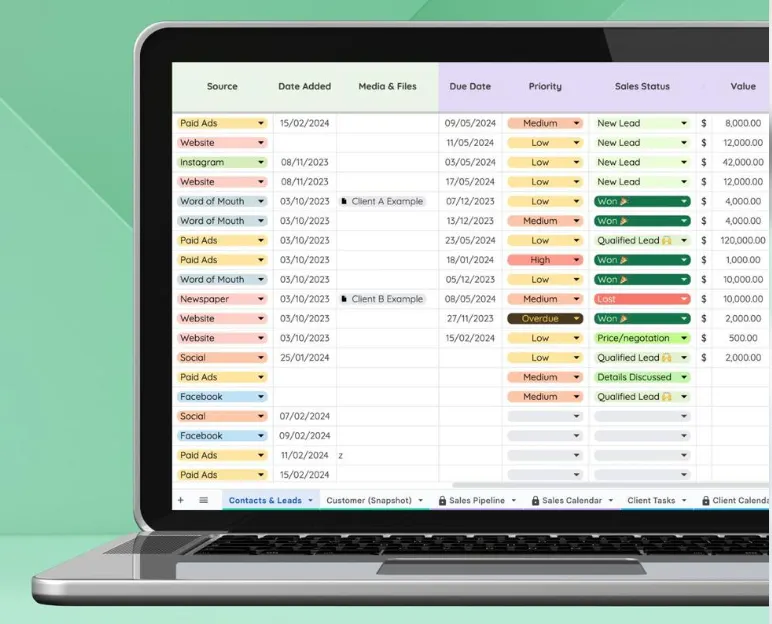
Sheetify CRM keeps your contacts, leads, and sales deals in one place. You can add contact details, lead sources, deal values, and sales stages.
To start, add a lead and set its sales stage. As the deal moves forward, update its stage. The sales pipeline shows which deals are new, active, won, or lost.
You can also track more than one deal per contact. This helps you keep track of each sale.
Built-in Gmail Email Marketing
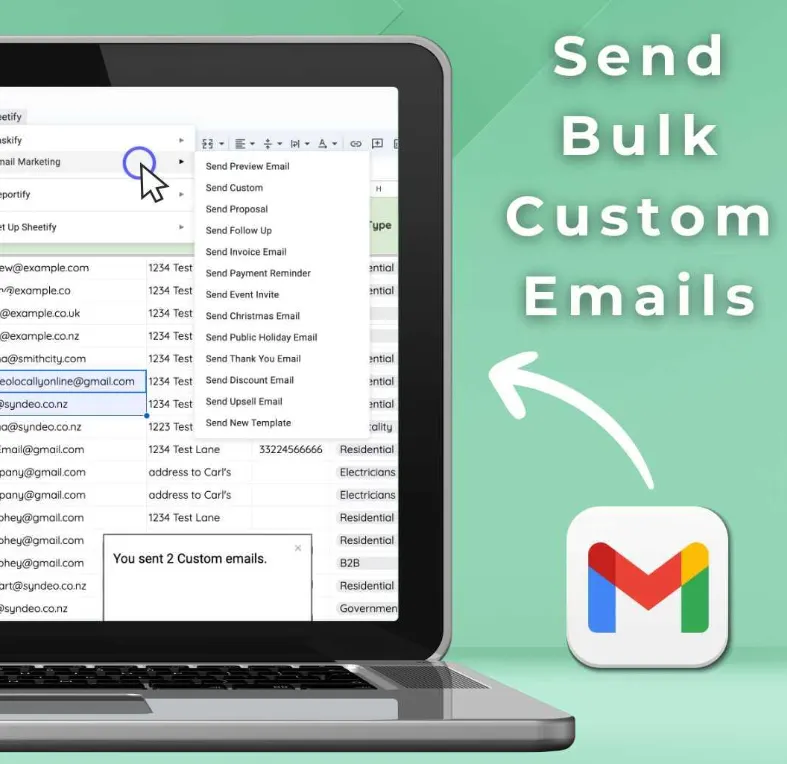
Sheetify CRM lets you send bulk emails from Gmail, right inside Google Sheets. You don’t need a separate email tool.
To start, pick an email template and choose your contacts. Use merge fields to add names and company details. This makes each email feel more personal.
You can also import contacts from Gmail in a few clicks. Just keep in mind that Gmail has daily email limits.
Task Management & Google Tasks Integration
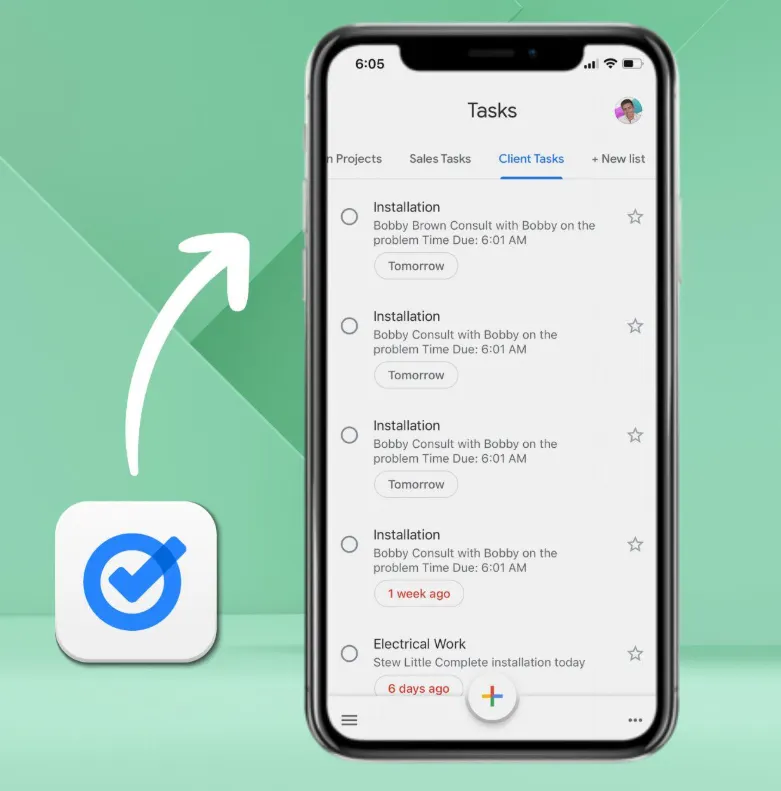
Sheetify CRM helps you track sales and client tasks. You can add tasks, set due dates, pick owners, and check their status.
To start, add a task and fill in its details. You can then sync it with Google Tasks to manage it on your phone or computer.
You can also spot late tasks and get email alerts when a task’s status changes. This helps you keep up with client work.
Sales Performance Dashboard
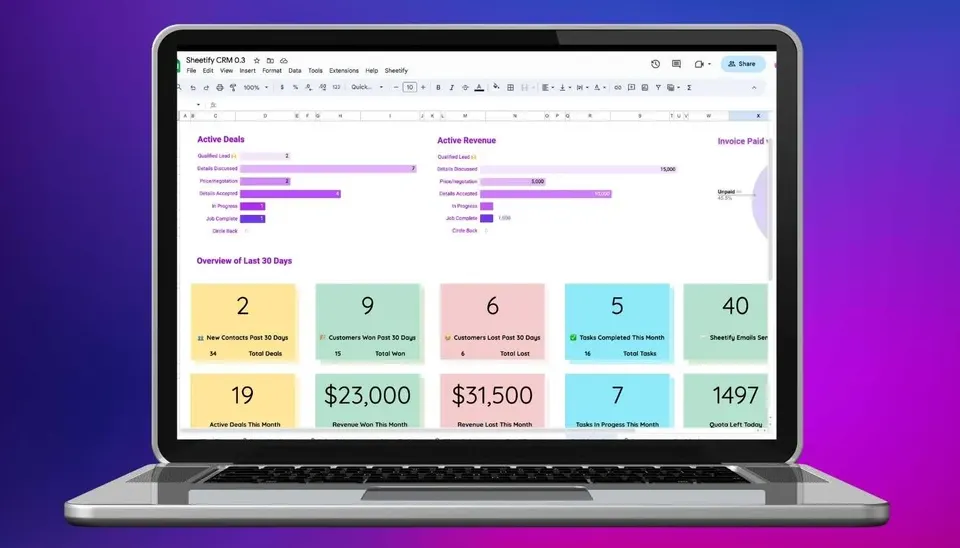
Sheetify CRM has a dashboard to help you track sales. It shows the number of deals and their total value. You can also see the average deal size.
Add your sales data, then open the Performance Dashboard. It shows won and lost deals. You can also check sales at each stage.
The dashboard updates as your sales data changes. This helps you see how your sales are going.
Inventory & Customer Tracking
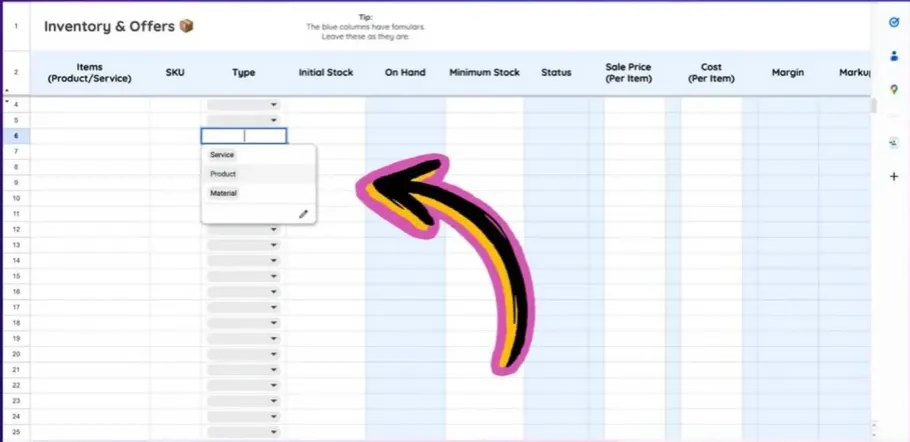
Sheetify CRM helps you track products, services, and customer purchases in one place.
First, add your products or services to the inventory sheet. Then, link them to sales deals to see what each customer buys.
It also shows customer lifetime value, or how much each customer has spent. You can check past sales, purchases, and invoices right inside Google Sheets.
How Does Sheetify CRM Work?
Sheetify CRM works right inside Google Sheets. You don’t need to install any new software.
First, copy the CRM template to your Google Drive. Open the Sheetify menu and allow access. Then, use the Settings sheet to set up your CRM.
Now, add your contacts, sales deals, and tasks. You can track work, send emails with Gmail, and check sales on the dashboard.
Pros of Sheetify CRM
- Lower Ongoing Costs: Pay once for lifetime access and free updates. There are no monthly CRM fees or extra costs for adding team members.
- Less Tool Switching: Manage customers, sales, emails, and daily work in one place. This means less time spent moving between apps.
- Fewer Missed Follow-Ups: Due dates and email alerts help you track client work. You can also see which tasks are late or need your attention.
- Clearer Sales Progress: See which deals are moving forward, won, or lost. This helps you track sales and know which deals need more work.
- More Control Over Data: Your business records stay in your own Google Drive. You can access and manage them without using a separate CRM platform.
Cons of Sheetify CRM
- Limited Customization: Some fields and dashboard layouts are locked. Making major changes may require Google Apps Script skills.
- Gmail Sending Limits: Gmail limits how many emails you can send each day. This can make large email campaigns harder to run.
- Manual Version Updates: To use a new version, you need to move your data from the old template.
- Initial Learning Curve: Some users say it takes time to learn how the different sheets and tools work together.
Who Is Sheetify CRM Best For?
- Freelancers and Consultants: Keep client details, meeting dates, and follow-up tasks in one place.
- Real Estate Agents: Track buyer leads, manage sales deals, and plan follow-ups.
- Small Sales Teams: Assign tasks, track sales, and get email alerts to stay on track.
- Product Sellers: Track products, customer purchases, and sales records in one place.
- Client Support Teams: Track customer issues, manage support requests, and keep records of past chats.
AppSumo Sheetify CRM Pricing Plan
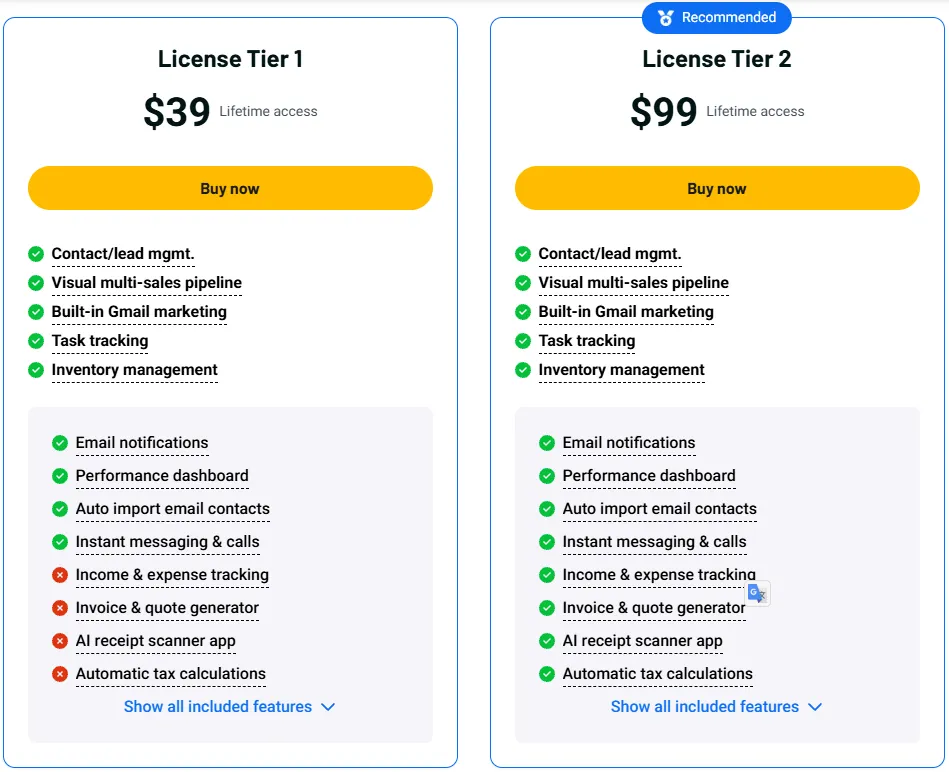
License Tier 1 – $39
Lifetime Access
- Track contacts, leads, and sales deals.
- Send bulk emails and import contacts with Gmail.
- Manage sales and client tasks.
- Track products and stock.
- Get email alerts and view sales reports.
- Call or message contacts from the CRM.
License Tier 2 – $99
All License Tier 1 features, plus:
- Track income and expenses.
- Create invoices and quotes.
- Scan receipts with AI and calculate taxes.
- View 8 financial dashboards, a balance sheet, and profit and loss reports.
- Track accounting tasks and create reports automatically.
- Manage projects with Gantt, calendar, and Kanban views.
- Get team email alerts and send updates.
- Connect Google apps and track team interactions.
Sheetify CRM Alternatives 2026
If Sheetify CRM is not the right fit for you, you might want to consider these five tools.
- Streak CRM: Works right inside Gmail. You can track leads, manage deals, and send bulk emails from your inbox. It’s a good fit if you handle most client work through Gmail.
- Copper CRM: Built for Google Workspace users. It helps you track contacts, sales deals, and follow-ups while using Gmail and Google Calendar.
- Pipedrive: Helps sales teams track leads and deals through a visual pipeline. You also get task reminders and sales reports to stay on track.
- HubSpot CRM: Lets you manage contacts, sales deals, and tasks. It also works with Gmail and has tools for marketing and customer support.
- Zoho CRM: Helps you track leads, manage deals, and plan daily tasks. It also works with Google Workspace and can automate sales tasks.
Final Thoughts – Sheetify CRM Review 2026
What I like most about Sheetify CRM is how much it can do in Google Sheets. You can track leads, manage deals, send emails, and view sales reports. Everything stays in one place, so you can work with fewer tools.
The $39 AppSumo Lifetime Deal makes it even better. You pay once and get lifetime access with free updates. With no monthly CRM fees, Sheetify CRM is a smart way to manage your sales and save money.