Documentation.AI Lifetime Deal – Build Docs With AI
Keeping product docs up to date takes time. New features mean changes to guides and help pages. The Documentation.AI Lifetime Deal helps you manage everything in one place. You can write docs with a web editor or Git.
The AI agent can draft updates from code changes, support tickets, and user feedback. You check each change before it goes live. This way, you stay in control. The AI Assistant also answers questions using your docs. It shows the source of each answer.
Features of the Documentation.AI
AI Documentation Agent
The AI Documentation Agent can create, rewrite, and edit pages using your project details. It can read code, recent changes, and linked sources to draft content for your review.
AI Workflows
AI Workflows can check docs for broken links, writing errors, and outdated details. You can run them by hand, on a schedule, or after a code change is merged.
Web Editor
The Web Editor lets you create and edit docs right in your browser. You can add text, images, tables, and other content using a drag-and-drop editor.
Docs as Code & Git
This feature lets you write docs in Markdown or MDX using your own code editor. You can sync files with Git, track changes, and review updates before publishing.
API Docs & Playground
Documentation.AI can create API reference pages from your OpenAPI files. Readers can view code examples, change request details, and test API endpoints within the docs.
AI Assistant
The AI Assistant answers questions using the content in your docs. Each answer includes links to the source pages so readers can check the details.
Reader MCP Server
The Reader MCP Server lets tools like ChatGPT, Claude, and Cursor search your published docs. It also supports private docs through controlled access.
Pros of Documentation.AI
- Less Manual Work: AI can write drafts and suggest edits as products change. Your team can review these drafts instead of starting from scratch.
- More Up-to-Date Docs: When your product changes, AI can suggest edits to related pages. This helps your guides match the latest product details.
- Easier Team Collaboration: Writers, developers, and support teams can work on the same docs. They can use the web editor or their own code tools. Teams can also review changes and share feedback.
- Quick Access to Answers: Users can ask questions and get answers from your docs. They can check the source or use supported AI tools. This means they may not need to contact support.
- Easier API Learning: Developers can view code samples and test API requests in the docs. They can see how each request works in one place.
- Better Content Insights: You can track page views, search terms, and user feedback. This helps you spot missing details and pages that need work.
Cons of Documentation.AI
- Git Required for Workflows: AI Workflows need a Git connection. Teams using only the web editor cannot run them.
- Git Publishing Issues: One buyer said GitHub edits appeared in the editor but not on the live site.
- Confusing First Setup: Some users found GitHub links and AI context setup hard to understand at first.
- Monthly AI Credit Limits: AI tools stop when your monthly credits run out. You must wait for new credits or buy more.
Who is Documentation.AI best for?
- SaaS Founders: SaaS founders can create help centers with their own branding. They can also keep guides up to date as their products change.
- Software Developers: Developers can write API guides, track edits with Git, and test API requests in one place.
- Technical Writers: Writers can create, edit, and organize docs with a web editor. AI tools can also help them write and update content.
- Customer Support Teams: Support teams can create help centers with answers to common questions. This helps users find answers without sending support tickets.
- Product Managers: Product managers can track page views, search terms, and user feedback. This helps them find pages that need updates.
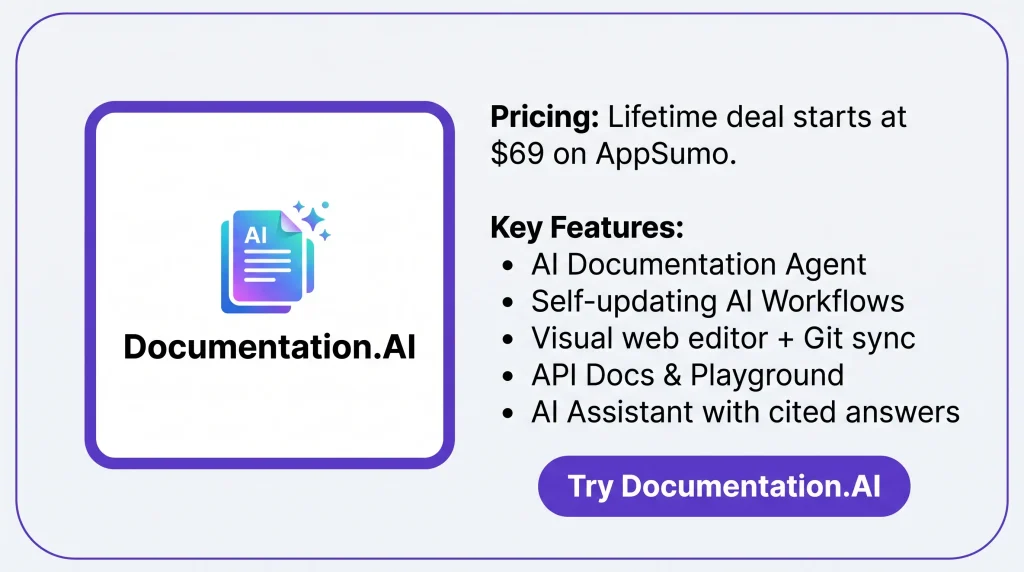
Documentation.AI AppSumo Pricing Plan
License Tier 1 — $69
Features:
- 5 editor seats; 5,000 AI credits per month
- 2 doc sites, 1 organization, and 5 GB storage
- Unlimited pages and readers
- Visual and MDX editors with live preview
- Two-way Git sync and reusable content blocks
- Media library, video uploads, and 30+ components
- Live team editing and multi-language docs
- AI Documentation Agent and AI Workflows
- AI Assistant with source links
- Reader MCP Server
- API testing and OpenAPI-based pages
- Custom domain, subpath hosting, and CSS
- SEO tools and auto-made llms.txt
License Tier 2 — $149
Includes everything in License Tier 1, plus:
- 10 editor seats; 10,000 AI credits per month
- 4 doc sites and 10 GB storage
- Password-protected docs
- Git branches and preview sites
- User roles and detailed analytics
- PDF export and extra sources for AI answers
- AI Assistant widget for websites
- Authoring MCP Server and REST API
License Tier 3 — $269
Includes everything in License Tier 2, plus:
- 20 editor seats
- 20,000 AI credits per month
- 10 doc sites and 20 GB storage
- Private docs with user login
License Tier 4 — $549
Includes everything in License Tier 3, plus:
- Unlimited editor seats
- 40,000 AI credits per month
- 30 doc sites and 50 GB storage
- 4 organizations
- Help with moving your old docs
- Private Slack support channel
5 Best Documentation.AI Alternatives 2026
Documentation.AI vs Mintlify
Mintlify helps developers and software teams create and manage docs. You can write product guides and API docs using Git or a web editor. Paid plans also have AI tools for writing, answering questions, and updating docs.
- Starting Price: Free plan; Pro starts at $450/month.
- Pros: Git sync, API playground, MCP server, AI Agent, and auto updates.
- Cons: AI Assistant and auto updates need a paid plan.
- Key Difference: Mintlify also uses AI to manage docs, but its AI update tools need the Pro plan.
Documentation.AI vs GitBook
GitBook helps teams create product docs, guides, and knowledge bases. You can edit pages, sync with Git, and review changes together. Its AI tools also help write content and answer questions.
- Starting Price: Free plan; paid plans start at $65/site/month, billed yearly, plus user fees.
- Pros: Visual editor, Git sync, team reviews, and AI tools.
- Cons: Team tools need a paid plan, while full AI Chat needs the $249/site/month Ultimate plan.
- Key Difference: GitBook focuses more on team writing and content reviews, with AI tools spread across its plans.
Documentation.AI vs ReadMe
ReadMe is mainly for developers who create API docs. You can add API guides, code samples, and test requests. It also tracks API use and supports editing through Git.
- Starting Price: Free plan; Pro starts at $250/month, billed yearly.
- Pros: API testing, code samples, Git sync, and usage reports.
- Cons: Full Ask AI costs $150/month extra, and team editing needs Pro.
- Key Difference: ReadMe focuses more on API docs and developer tools than general product guides.
Documentation.AI vs Document360
Document360 helps teams create help centers, guides, and knowledge bases. You can review content, manage who sees it, and track reports. Its Eddy AI tools also help write content and find answers.
- Starting Price: Custom pricing based on your needs.
- Pros: Public and private knowledge bases, team reviews, reports, and AI tools.
- Cons: No fixed public price; costs depend on team size, languages, security needs, and AI use.
- Key Difference: Document360 focuses more on team knowledge bases and help centers.
Documentation.AI vs Archbee
Archbee helps teams create product docs, API guides, and knowledge portals. You can make docs public or private and work with teammates. It also supports custom domains and AI tools for writing and answering questions.
- Starting Price: $80/month, with a 14-day free trial.
- Pros: Public and private docs, GitHub sync, API guides, and AI writing tools.
- Cons: AI tools cost extra; versions and languages require the higher Scaling plan.
- Key Difference: Archbee focuses on shared knowledge portals, while Documentation.AI focuses more on AI-based doc updates.
Final Thoughts – Documentation.AI Review 2026
Documentation.AI makes it easy to create, update, and publish docs in one place. Its AI Agent helps keep content fresh, while the AI Assistant gives readers quick answers with source links.
Overall, the Documentation.AI Lifetime Deal is worth considering. It saves time, cuts manual work, and makes docs easier to manage.