BetterClaw Lifetime Deal – No-Code AI Agents, Your Own Key
Do you wish someone could do the small, dull tasks in your day? Things like sorting emails, sending follow-ups, and posting in Slack. I did. That’s why I tried BetterClaw.
BetterClaw lets you build AI agents without writing code. You tell the agent what job to do in plain words. Then it does that job on a schedule. It works in Slack, Telegram, Discord, and Gmail. You don’t need code, a server, or any installs.
My first agent was quick to set up. I picked a template and added my own AI key. Then I linked my apps in a few clicks. I also liked that a new agent can’t just do what it wants. It starts as an “Intern,” so it asks me before it acts.
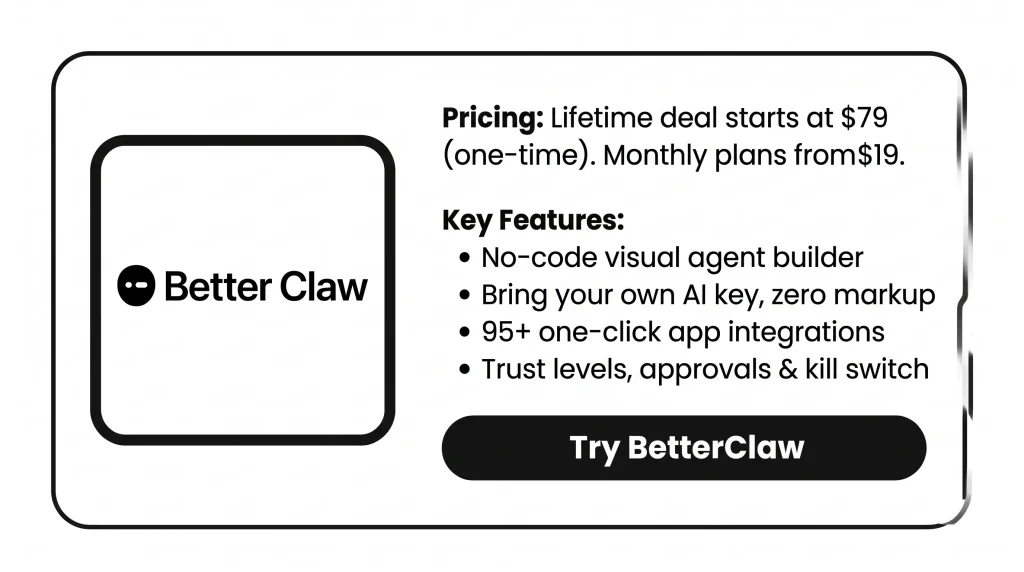
Right now, the BetterClaw Lifetime Deal is live on AppSumo. You pay once, from $79, not every month.
In this BetterClaw Lifetime Deal review, I’ll cover the features, benefits, and pricing. I’ll also share who it’s best for. Then you can decide if it fits your work.
Features of the BetterClaw Lifetime Deal
Visual Agent Builder
You build an agent by pointing and clicking. There’s no code and no config files. Give it a name and start from a template or from scratch. Then pick an AI model, add skills, and connect your channels.
BYOK
You add your own API key from AI providers. These include OpenAI, Anthropic, Gemini, DeepSeek, and Groq. Your provider bills you directly. BetterClaw adds no markup. You can also send different jobs to different models.
95+ one‑click integrations
You link apps like Gmail, Slack, HubSpot, Stripe, Jira, Linear, and Zendesk. Each one connects with a one-click sign-in. You also set what each agent can reach. So it only uses the apps you allow.
Skills Marketplace
The Skills Marketplace has 200+ skills. Each one passed a 4-layer safety check before it was listed. You add a skill to an agent in one click. Its permissions come already set.
Built-in workflows
You can turn on ready-made workflows in one click. Examples include Morning Briefing, Email Triage, and Failed Payment Recovery. Each one runs on a schedule or a trigger. For example, a daily 7 AM digest or every new email.
Heartbeat Scheduling
Your agent wakes up at the time you set. It checks for work and does it. Then it stands down until the next run. You can pick a preset schedule or make your own. For example, every day at 7 AM or every two hours.
Trust Levels
Every agent starts at the Intern level. At this level, it needs your OK before it acts. Later, you can move it up to Specialist. A Specialist works on its own within its area. Or you can make it a Lead. A Lead works fully on its own and flags odd cases.
Action Approval Workflows
You choose which actions the agent can take on its own. You also choose which ones need your OK first. Actions that delete or change things always wait for you. You approve or reject them from a queue.
Kill Switch
The Kill Switch lets you pause or stop any agent right away. You can use it from your browser dashboard or your phone.
Per-Agent Cost Tracking
BetterClaw tracks what each agent spends while it runs. It alerts you when spending looks odd. You can set a spending cap for each agent. If an agent’s costs spike, it gets paused.
Secrets
Secrets is an encrypted vault for your API keys and logins. Keys load only for a task. They clear from the agent’s memory after 5 minutes. Every time an agent uses a key, it shows up in a log.
Pros of BetterClaw
- No Coding Skills Needed: Anyone on your team can set up an agent. Even people with no tech skills can use it.
- Zero Server Upkeep: You never have to update, patch, or fix a server. So your time goes to real work.
- Clear, Controlled AI Costs: You pay your AI provider directly, at their own price. Spend caps help you avoid surprise bills.
- Routine Work Off Your Plate: Repeat jobs get done on time without you. Think of your inbox, follow-ups, and daily briefings.
- Stay in Control: Your agents ask before they act until you trust them. If something looks wrong, you can stop any agent fast.
- Safer Keys and Data: Your API keys stay locked up and safe. Your prompts and chats go right to your AI provider, not to BetterClaw.
- Help Inside Familiar Apps: You can reach your agents in apps you already use. Think Slack, Telegram, Discord, and Gmail. There’s no new place to check.
Cons of BetterClaw
- Few Ready-Made Templates: There are only a few ready-made templates for common business tasks. So new users may set up their first tasks alone.
- Limited Debugging Tools: When a long agent run fails, the logs don’t always say why. So it can take time to find the cause.
- Fewer Native Integrations: Some users want more built-in app links and webhooks. So a tool you use may not connect yet.
- No Custom Approval Rules: Each trust level has fixed rules for when it asks you. You can’t add your own rules yet. For example, “ask before anything leaves the company.”
Who is BetterClaw best for?
- Solo Founders: You run your business alone. Follow-ups, lead replies, and daily updates eat your hours. An agent can take those jobs and run them on a schedule.
- Customer Support Teams: Your team gets the same tickets every day. They come in through Zendesk, Help Scout, Intercom, or a shared inbox. An agent can sort them and draft first replies. Your team then deals with the hard ones.
- Recruiters and HR Teams: You’re hiring and have piles of applications to read. An agent can screen each person and ask them key questions. Then it can set up interviews with the best fits.
- Agencies Managing Clients: You do work for a few clients. You can give each one its own agent, accounts, and keys. That way, each client’s tasks stay apart.
- OpenClaw Self-Hosters: You tried to run AI agents on your own server. Then you got stuck on Docker, config files, and updates. Here, you keep the same kind of agents. But you skip the server work.
BetterClaw AppSumo Pricing Plan
Deal Terms: You pay once and keep it for life. You get a 60-day refund window. You also get all future Pro plan updates. Activate it within 60 days. You can upgrade while the deal is live. But you can only downgrade within 60 days.
License Tier 1 – $79 (regular $450)
- 2 agents, 2,000 credits a month
- 3 connectors (single account)
- 1 team seat, 30-day memory
- Use your own AI key (BYOK)
- Chat with no limits
- Your own dedicated agent
- Skill installer
- Ad-free integration
- App integrations and built-in workflows
- Tasks can run as often as every hour
License Tier 2 – $149 (regular $700)
Includes License Tier 1, plus:
- 4 agents, 6,000 credits a month
- 8 connectors (single account)
- 90-day memory
- Use more than one account
License Tier 3 – $269 (regular $900) · Recommended
Includes License Tier 2, plus:
- 8 agents, 12,000 credits a month
- No limit on connectors
- 2 team seats, 1-year memory
- Set team roles and send invites
- Ad integrations and Slack webhook
License Tier 4 – $399 (regular $1,200)
Includes License Tier 3, plus:
- 15 agents, 20,000 credits a month
- 3 team seats
License Tier 5 – $549 (regular $1,800)
Includes License Tier 4, plus:
- 30 agents, 30,000 credits a month
- 5 team seats, memory with no limit
What Are the Best BetterClaw Alternatives?
The best BetterClaw alternatives are Zapier, Make, OpenClaw, Hermes Agent, and xCloud. Zapier and Make are automation tools with lots of apps. The other three let you run your own AI agent. You host it yourself or pay a host.
1. Zapier: Best for the Biggest App Library
Zapier links more than 9,000 apps. It mostly runs fixed step-by-step flows that you set up first.
- Starting price: Free for 100 tasks and two-step Zaps. Paid plans start at $19.99 a month, billed yearly, for 750 tasks.
- Pros:
- Far more apps than any other tool here
- A free plan to try it
- You can link your own AI account for AI steps
- Cons:
- Each step uses tasks, so your bill grows as you do more
- AI steps use more tasks on stronger models
- Agents and Chatbots may cost extra
- How it differs from BetterClaw: Zapier follows the exact steps you build. BetterClaw agents work from plain words. They ask you before they act.
2. Make: Best for Visual Workflows on a Budget
Make lets you build flows by linking steps on a canvas. It works with 3,000+ apps. Every plan has AI tools, like Make AI Agents.
- Starting price: Free for 1,000 credits a month and two active flows. Core is $9 a month for 10,000 credits.
- Pros:
- Paid plans start low
- Core lets you run as many flows as you want
- Its AI tools also include an MCP server and AI web search
- Cons:
- Make AI Agents are still in beta
- You need a paid plan to use your own AI key
- AI steps use a changing number of credits, and your flows stop when credits run out
- How it differs from BetterClaw: With Make, you draw the flow yourself. With BetterClaw, you describe the job in chat. And every tier lets you use your own AI key.
3. OpenClaw: Best for Full Control
OpenClaw is a free, open-source AI agent. It runs on your own machine. It links to apps like WhatsApp, Telegram, and Discord. Then it takes real actions for you. OpenClaw 2.0 came out on August 30, 2026. It has faster setup and a new look.
- Starting price: The software is free. A basic agent needs a server for about $5 to $20 a month. You also pay your AI provider.
- Pros:
- Free, open code you can read and change
- Your data stays on your own machine
- You can run local models to cut AI bills
- Cons:
- You handle the server, updates, and safety yourself
- You must check every ClawHub skill before you add it
- It has had big security flaws. One, CVE-2026-25253, let attackers take over a machine with one click.
- How it differs from BetterClaw: OpenClaw is a kit you host and guard yourself. BetterClaw does that for you. It has checked skills, trust levels, and a kill switch.
4. Hermes Agent: Best for a Self-Improving Agent
Hermes Agent is an open-source AI agent from Nous Research. It remembers past chats. It runs set tasks in the background. It also writes its own skills from past work.
- Starting price: Free under the MIT license. No plan fee and no usage cap.
- Pros:
- Learns new skills from the work it does
- Works with 40+ AI providers, including Ollama on your own server
- Desktop apps for Mac, Windows, and Linux since June 2026
- Cons:
- Nous says the real cost is about $535 a month. That counts a server, AI use, and upkeep.
- Setting up a server and chat apps takes work
- You must trust the agent with terminal access
- How it differs from BetterClaw: Hermes runs on your own server. It suits builders who like to tinker. BetterClaw runs in the cloud. You just sign in.
5. xCloud: Best for Hosted OpenClaw
xCloud is a host that runs OpenClaw for you. It says your agent is live about 5 minutes after you sign up.
- Starting price: From $9.99 a month. You also pay for your own AI keys, often $20 to $60 a month.
- Pros:
- Sets up the server, OpenClaw, SSL, and settings
- No Docker or command line needed
- Cons:
- You still set up the agent, its skills, and its channels
- Support helps with server issues, not agent problems
- How it differs from BetterClaw: xCloud runs your server. BetterClaw runs both the server and your agents.
Final Thoughts – BetterClaw Review 2026
BetterClaw got my first agent live in minutes. I needed no server, no code, and no config files. Then it ran on time. It sent results right to Slack, Telegram, or Gmail.
I felt comfortable letting it use my real accounts. It asked me before it acted. Its skills were all checked. And a kill switch was one tap away. I also paid my AI provider directly, with zero markup.
The BetterClaw Lifetime Deal starts at a one-time $79. You also get 60 days to ask for a refund. It’s an easy one to try for yourself.