follow.it Lifetime Deal – All Your Updates in One Place
Each morning, I used to check lots of blogs. I also checked YouTube, AppSumo deals, and my site. It took a lot of time. And I still missed things.
follow.it made this much easier. It brings sites, blogs, YouTube, and podcasts into one place. It also tells you when your site goes down. It warns you before your SSL certificate expires.
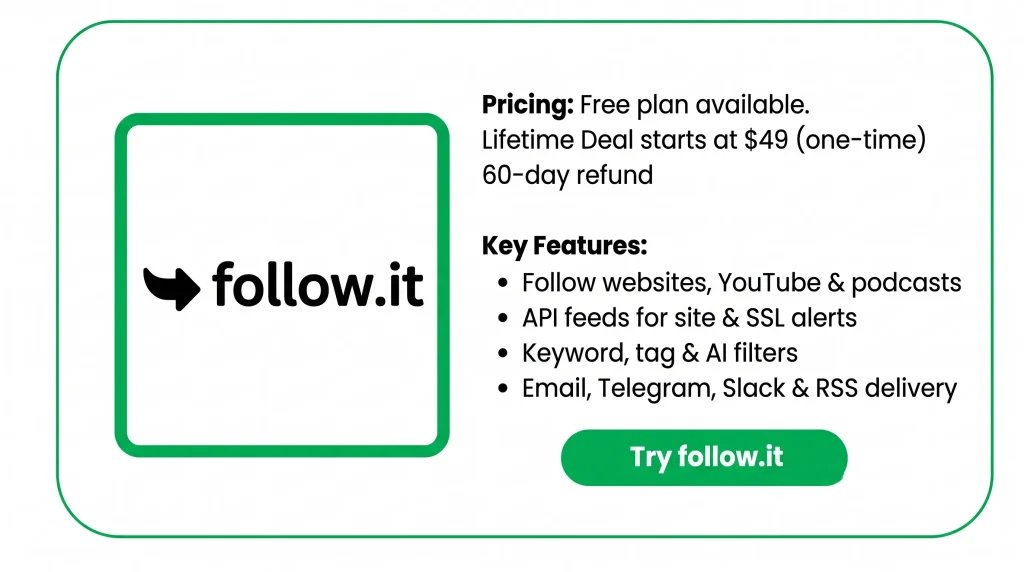
You can filter feeds by keywords, tags, or authors. You can get updates in a daily or weekly email. Or use Telegram, Slack, or RSS.
follow.it has been around for over 10 years. Right now, AppSumo has the follow.it Lifetime Deal. It gives you the premium reader features. You pay just once. Prices start at $49.
In this review, I’ll cover its features and pricing. I’ll also share its benefits and who it’s best for.
Features of the follow.it Lifetime Deal
API feeds
API feeds watch data from other services. They alert you when something changes. Track if your site goes down or your SSL/TLS runs out. You can also track domain changes and service status. Watch exchange rates, prices, and the weather too. Or track topics on X, LinkedIn, or Bluesky.
Diverse sources and feeds
Follow sites, blogs, YouTube, and podcasts from one account. You can also follow date, number, and course feeds. Filter YouTube alerts by keyword or quality level.
Advanced filters and delivery
Filter any feed by keyword, tag, or author. Or use an AI prompt to say what you want. Get updates by email right away. Or get a daily “Newspaper” or weekly “Magazine” email. RSS, Telegram, and Slack work too. So do browser push and mobile alerts.
Clean reading and updates UI
Read updates in your inbox. Or read them on your own news page in follow.it. You can also save stories and send them to Buffer. The Chrome extension works too.
AI summaries
AI summaries use ChatGPT to shorten a story. You get 2 to 3 sentences, no matter how long it is. Just click on a story to get its summary.
Pros of follow.it
- Fewer Places to Check: You see all your updates in one place. No more jumping between tabs, apps, and inboxes.
- A Cleaner Inbox: Only the updates you care about reach you. That keeps your inbox and Slack tidy.
- Updates on Your Schedule: You read the news when it suits you. Choose right away, once a day, or once a week.
- Catch Site Problems Early: You quickly learn when your site goes down. You also know before your SSL certificate expires. Then you can fix problems fast.
- Quick Story Overviews: You get the main point of long stories in a few sentences. Then you can decide if they deserve a full read.
- Easier Social Sharing: You can send good stories straight to Buffer. There, you can line them up for your social pages.
Cons of follow.it
- Limits Even on Lifetime: Every tier has daily and monthly caps. Tier 1 gives you only 5 AI summaries a day. Frequent users may need a higher tier.
- Content Depends on Source: Some websites share only headlines in their feed. Then you get only the headline, not the full story.
- Weaker Tier 1 Emails: Tier 1 emails come at normal speed and show ads. Tier 2 and up are faster and ad-free.
- Some Features Not Ready: A few features are still marked “coming soon.” These include AI feeds and bundle feeds. You also can’t follow companies, people, or topics yet.
Who is follow.it best for?
- Content Creators: Do you follow blogs, YouTube, and podcasts for new ideas? Here, you see them all in one place. You can also send good stories to Buffer for your social pages.
- Marketers: Do you need to know when people mention your brand or a competitor? Or a topic on X, LinkedIn, or Bluesky? You get an alert, so you don’t search each site every day.
- Website Owners: Do you run your own website? You hear right away when it goes down. You also know before your SSL certificate runs out.
- WordPress Freelancers: Do you look after client sites? You can watch for changes in their plugins and themes. And you don’t have to visit each plugin page.
- Developers: Do you work with open-source code? You can follow new GitHub releases and security issues. And you don’t have to check every project yourself.
follow.it AppSumo Pricing Plan
You pay once for any tier. You get lifetime access and a 60-day refund.
License Tier 1: $49 (regular $196)
- 500 regular feeds
- 10 number feeds and 10 course feeds
- Hello plan limits for API feeds
- 5 AI summaries a day
- AI filters check 500 messages a month
- Read content right in your inbox
- Normal email speed and support
License Tier 2: $99 (regular $396)
Includes License Tier 1, plus:
- 1,000 regular feeds
- 25 number feeds and 25 course feeds
- Basic plan limits for API feeds
- 20 AI summaries a day
- AI filters check 2,000 messages a month
- Emails up to 5x faster, with no ads
- Premium support
License Tier 3: $199 (regular $796), Recommended
Includes License Tier 2, plus:
- 3,000 regular feeds
- 50 number feeds and 50 course feeds
- Standard plan limits for API feeds
- 50 AI summaries a day
- AI filters check 5,000 messages a month
- Emails up to 10x faster
License Tier 4: $299 (regular $1,196)
Includes License Tier 3, plus:
- 8,000 regular feeds
- Unlimited number of feeds and 100 course feeds
- Pro plan limits for API feeds
- 100 AI summaries a day
- AI filters check 10,000 messages a month
5 best follow.it Alternatives 2026
The top follow.it alternatives are Feedly, Inoreader, NewsBlur, The Old Reader, and Feedbin. All five let you follow sites and news in one place. But each one differs in price, filters, and extra tools.
1. Feedly: Best for AI-Assisted Reading
Feedly is a well-known news reader. It pulls blogs, news sites, and other sources into one feed. Its top personal plan, Pro+, adds AI Feeds. It also adds an RSS Builder for sites without RSS.
- Starting price: Free. Pro is $6 a month, paid yearly ($72 a year).
- Pros:
- The free plan lets you follow up to 100 sources.
- Pro lets you follow up to 1,000 sources.
- Cons:
- Pro+ costs $99 for the first year only. After that, it renews at $144 a year.
- Key difference: Feedly focuses on reading with AI help. follow.it also gives you ready-made alerts. These include site offline and SSL expiry alerts.
2. Inoreader: Best for Power Users on a Free Plan
Inoreader is a reader packed with features. It handles RSS feeds, newsletters, and sites without RSS. Its Pro plan unlocks feed monitoring, rules, and filters. It also adds AI and API access.
- Starting price: Free. Pro is $7.50 a month, paid yearly ($90 a year). Or pay $9.99 month-to-month.
- Pros:
- The free plan covers 150 RSS feeds. It also covers 20 newsletter feeds and 20 web feeds.
- Pro users get feed updates at least once an hour.
- Cons:
- The free plan shows banner ads. Rules, filters, and AI need Pro.
- Key difference: Inoreader is a monthly or yearly plan. Monitoring comes with Pro. follow.it has a one-time lifetime deal. It also has API feeds for things like exchange rates and weather.
3. NewsBlur: Best for Hands-On Filtering
NewsBlur puts you in charge of what you see. You train it to show or hide stories. You can sort by author, tag, title keyword, full text, URL, or regex.
- Starting price: Free. Premium is $36 a year.
- Pros:
- It’s fully open source. You can even host it yourself with Docker.
- Premium covers up to 1,024 sites for a low yearly price.
- Cons:
- The free plan covers only 64 sites. The Pro plan costs $29 a month.
- Key difference: With NewsBlur, you train filters by hand. With follow.it, AI filters let you say what you want in plain words.
4. The Old Reader: Best for Simple, Low-Cost Reading
The Old Reader is a plain RSS reader with no extras. Premium adds full-text search and room for more feeds.
- Starting price: Free. Premium is about $3 a month.
- Pros:
- The free plan handles up to 100 feeds.
- Premium raises the limit to 500 feeds.
- Cons:
- Premium keeps posts for only one year.
- Key difference: The Old Reader sticks to basic RSS reading. follow.it adds filters and AI summaries. It also sends alerts by email, Telegram, or Slack.
5. Feedbin: Best for a Clean Reading Experience
Feedbin is a paid reader. It covers RSS, email newsletters, podcasts, and YouTube. It focuses on clean design. You can pick custom themes and fonts.
- Starting price: $7 a month or $70 a year. You get a 30-day free trial first.
- Pros:
- Each paid account gets its own email address for newsletters.
- It syncs with iOS, Mac, and Android reading apps.
- Cons:
- There’s no free plan once the trial ends.
- Key difference: Feedbin is built for calm, focused reading. follow.it is built for tracking and alerts. It covers many kinds of sources.
Final Thoughts – follow.it Review 2026
follow.it changed how my mornings start. No more jumping between tabs. My blogs, YouTube channels, and site alerts all arrive in one place.
The filters won me over. I only see what I care about. Urgent alerts come right away. Everything else arrives in one daily digest. AI summaries give me the main point of long stories fast. And if my website goes down or my SSL is about to expire, I know right away.
follow.it has been around for over 10 years, so it feels reliable. With the follow.it Lifetime Deal, you pay once, starting at $49. For me, that made the choice easy.