Vocable AI Lifetime Deal – Plan, Write & Publish in One App
Keeping up with content is hard. The week gets busy, and your content calendar stays empty.
That’s why I tried the Vocable AI Lifetime Deal on AppSumo.
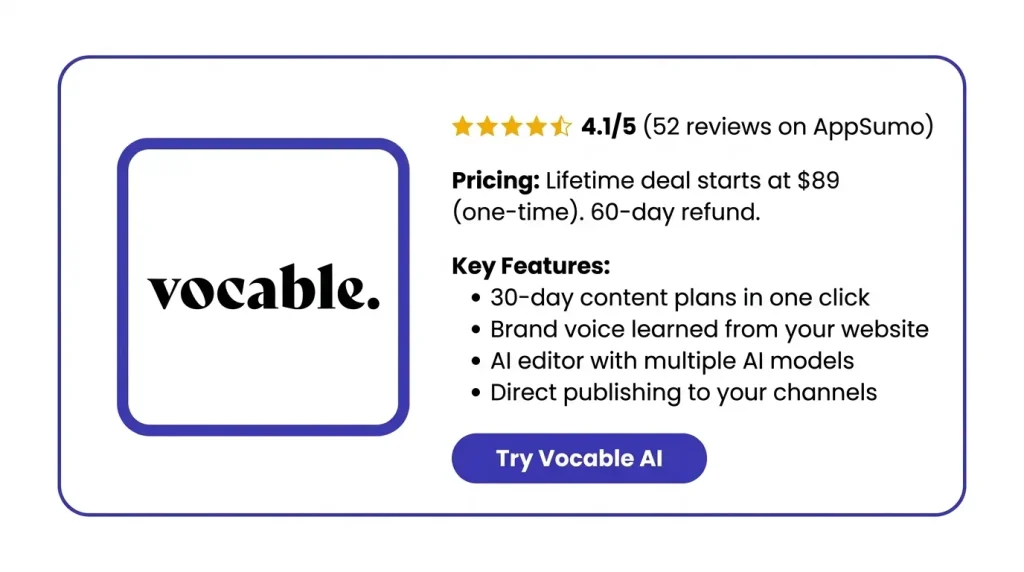
You type in one goal, pick your channels, and it builds a 30-day content plan. It also learns your brand from your website, so the posts sound like you.
The drafts still need a quick edit, but they’re a strong start. Plans start at a one-time $89, with a 60-day refund window.
Let’s see whether the Vocable AI lifetime deal would be beneficial for you.
Features of the Vocable AI Lifetime Deal
Brand Intelligence Hub
It scans your website to find your brand’s tone, message, and audience. It reads your social pages too. Then it builds a Brand DNA profile. Every AI draft uses it.
Instantly Generate Content Plans
You type in your goal or topics. Then you pick one or more channels. Vocable AI maps out a 30-day plan. Each post is made for its channel.
Refine and Improve with Multi-AI Assistance
You can add extra notes to any post with the “customize” brief. The editor suggests fixes as you read. You can also get help from more than one AI model.
Access 30+ High-Converting Templates
This is a set of ready-made templates for many types of content. It covers SEO blog posts, product text, email series, ads, and more.
Publish directly to your channels
You can post straight from Vocable AI. No more copy and paste. It posts to WordPress, Webflow, Wix, LinkedIn, X, Facebook, and RSS.
MCP Connector
This tool links Vocable AI to Claude Chat and Cowork. In the chat, you can plan and draft in your brand voice. You can also manage your library and post your content.
Pros of Vocable AI
- Plenty of Fresh Ideas: You get a full month of post ideas at once. So you rarely wonder what to post next.
- A Head Start on Drafts: You start with a ready draft to edit, not a blank page.
- Posts That Sound Like You: Your content keeps the same tone and message, even when you post a lot.
- Channels That Work Together: Your blog, emails, and social posts all aim for the same goal. Nothing feels random.
- Less Copy and Paste: You spend less time moving content between apps by hand.
- Catch Problems Before Posting: You can spot weak parts or off-brand lines. Then you fix them before your audience sees them.
- Smoother Teamwork: Your team can review, edit, and comment in one place. No need to pass files back and forth.
Cons of Vocable AI
- Made-Up Details: Some users found fake stats, fake case studies, or wrong facts. So you need to check each draft before you post it.
- Language Mix-Ups: Some users wrote in German or UK English. But the text sometimes came back in US English. This happened even when they picked their own language.
- Occasional Bugs: Users have seen error messages, empty plans, and odd post dates. Some tools in the editor don’t always work.
- Text-Only Output: Vocable AI only writes text. So you’ll need a second tool to make images or videos for your posts.
Who is Vocable AI best for?
- Coaches and Consultants: They have lots of know-how to share. Vocable AI turns one core idea into a month of posts, emails, and articles. And it all sounds like them.
- Small Business Owners: They often do their own marketing. A ready 30-day plan helps them post often. They don’t need to hire a writer or an agency.
- Personal Brand Builders: Marketers and creators grow their name on LinkedIn or in a newsletter. They can post on a steady schedule. They don’t have to write each post from scratch.
- Content Teams: These teams plan, write, and review content together. They can share plans, edit at the same time, and leave comments. No more jumping between docs.
- Multi-Brand Agencies: These agencies work with many clients or brands. They can keep each brand’s voice separate. They can switch between brands in one place.
Vocable AI AppSumo Pricing Plan
License Tier 1: $89 (Lifetime Deal)
Features:
- 1 brand voice
- Up to 2 AI-powered campaigns
- No extra team seats
- MCP support
- AI plans your posts for you
- Ready-made AI templates
- AI writes your first drafts
- Keyword research built in
- A health score for each doc
- An editor with AI chat
License Tier 2: $189 (Lifetime Deal)
Includes License Tier 1, plus:
- 5 brand voices
- Up to 5 AI-powered campaigns
- Multimedia prompting
- Tools to work as a team
- Post straight to your channels
- Brand Intelligence Hub
License Tier 3: $399 (Lifetime Deal)
Includes License Tier 2, plus:
- No cap on brand voices
- No cap on AI-powered campaigns
- 3 extra seats for your team
Every plan has a 60-day refund window.
5 Best Vocable AI Alternatives 2026
The best Vocable AI alternatives are Jasper, Copy.ai, Marky, Buffer, and StoryChief. Each one fits a different need.
| Tool | Starting Price | Pricing Type | Best For |
|---|---|---|---|
| Vocable AI | $89 | One-time (AppSumo) | 30-day content campaigns |
| Jasper | $59/month | Yearly billing | Marketing teams |
| Copy.ai | $24/month | Yearly billing | Sales and marketing teams |
| Marky | $39/month | Monthly | Social posts with images |
| Buffer | Free | Per channel | Simple scheduling |
| StoryChief | About $19/user/month | Yearly billing | Blog and social teams |
1. Jasper: Best for Brand-Trained Content With Images
Jasper is an AI tool you can train on your brand.
- Starting Price: $59/month yearly, or $69 monthly.
- Pros:
- The Pro plan gives you 2 Brand Voices, 5 Knowledge assets, and 3 Audiences.
- You can make and edit images.
- Con: There’s no free plan. The 7-day trial needs a card.
- Difference: Jasper makes text and images. Vocable AI only writes text, but it builds a full 30-day plan from one goal.
2. Copy.ai: Best for Sales and Marketing Workflows
Copy.ai is now made for sales and marketing teams. It’s not aimed at solo writers.
- Starting Price: $24/month yearly, or $29 monthly.
- Pros:
- One Chat plan covers up to 5 users.
- You can switch between AI models.
- Con: To run tasks for you, you need the Growth plan. It costs $1,000/month, billed yearly.
- Difference: Copy.ai leans toward sales and marketing tasks. Vocable AI sticks to content plans.
3. Marky: Best for Ready-to-Post Social Media Content
Marky turns your website into a month of social posts.
- Starting Price: $39/month. Growth is $79 and Pro is $229.
- Pros:
- It posts to 7 platforms, like Instagram, TikTok, and Pinterest.
- Agencies can put their own brand on it.
- Con: The Solo plan limits users, workspaces, and channels.
- Difference: Marky designs images in your brand style. Vocable AI only gives you text.
4. Buffer: Best Budget Option for Scheduling
Buffer helps you schedule social posts. It has an AI helper too.
- Starting Price: Free. Essentials is $6 per channel and Team is $12 per channel each month.
- Pros:
- The free plan never ends. It has unlimited AI help for 3 channels.
- It works with 11 networks, like Threads and YouTube.
- Con: You pay per channel, so costs go up with each account.
- Difference: Buffer helps you write and schedule single posts. Vocable AI plans a full month for you. Buffer’s AI can’t make images or videos.
5. StoryChief: Best for Teams Publishing Blogs and Social Posts
StoryChief is a content tool for teams.
- Starting Price: About $19 per user each month, billed yearly.
- Pros:
- You can plan and post to many channels in one click.
- It checks your SEO and how easy your text is to read.
- Con: One user said the SEO tools didn’t work well outside English.
- Difference: StoryChief is built for teamwork and posting. Vocable AI builds the plan for you.
Final Thoughts – Vocable AI Review 2026
Vocable AI turned one idea into a full month of content for me. It took just minutes. It learned my brand from my website, so every post sounded like me from day one.
I planned, wrote, and published from one place. That made my week so much easier.
The Vocable AI Lifetime Deal starts at a one-time $89. You get 60 days to try it risk-free. A month of on-brand content from a single idea? That’s hard to pass up.