Mootion Lifetime Deal: Create AI Videos from Text and Images
Mootion is an AI tool for making videos. It turns ideas, text, images, scripts, and audio into videos. You can add scenes, motion, voices, and subtitles. You don’t need video editing skills.
Mootion 5.0 offers two ways to make videos. Instant Mode helps you create videos fast. Director Mode lets you edit each scene. You can also save and reuse characters in other projects.
Mootion is ideal for content creators, YouTubers, teachers, and marketers. It supports over 17 languages. AppSumo offers five lifetime plans starting at $79. You only pay once.
KEY Features of Mootion
Mootion has AI tools that make video creation easy. Below, I share its KEY features.
Turn Your Ideas into Videos
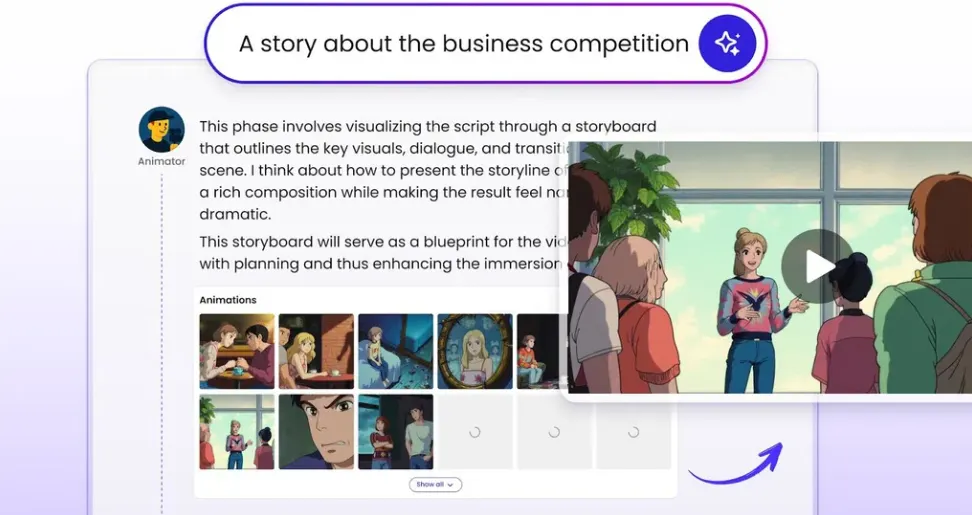
Mootion turns a simple idea into a full video. AI plans your story, creates scenes, adds images, and adds voiceovers. You can also watch the progress as your video takes shape.
Instant Mode helps you make short videos fast. Director Mode lets you control each scene. You can check and edit your storyboard before making the final video.
How to use: Open Mootion and click Generate. Pick Instant Mode or Director Mode. Enter your idea and choose the video length, size, and AI model. Then create your video and check the result.
Create Videos from Existing Content
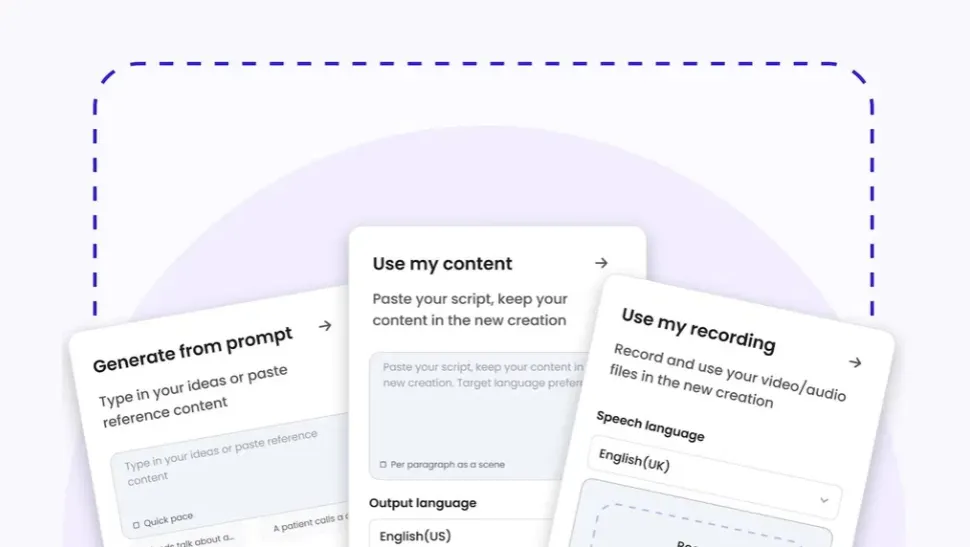
Mootion turns your existing content into videos. You can use text, scripts, images, audio files, and links. AI creates scenes and adds motion and voiceovers.
You can turn blog posts, podcasts, and stories into videos. There’s no need to shoot new footage or start from scratch.
How to use: Open Mootion and pick your content type. Paste your text or upload a file. Choose a visual style and let AI make your video. Check each scene and make changes as needed.
Create Videos with Ready-Made Templates
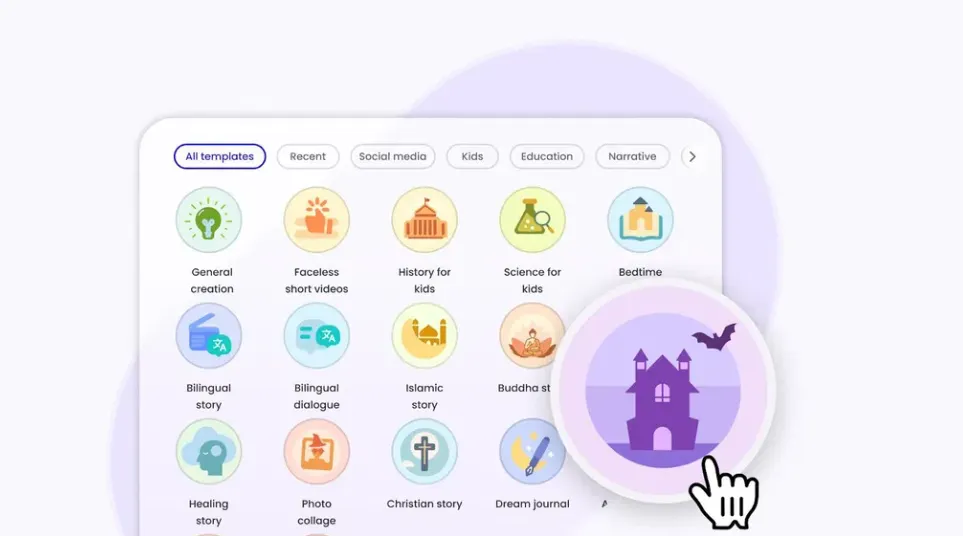
Mootion offers ready-made templates for many types of videos. You can make lessons, social media shorts, marketing videos, bedtime stories, and lessons in two languages.
AI handles the design and layout for you. You can change the text, images, and style to fit your needs.
How to use: Open Mootion and go to Templates. Pick a template that fits your topic. Add your idea or script and choose a style. Let AI make your video. Then check and edit the scenes.
Bring Your Videos to Life with AI Animation
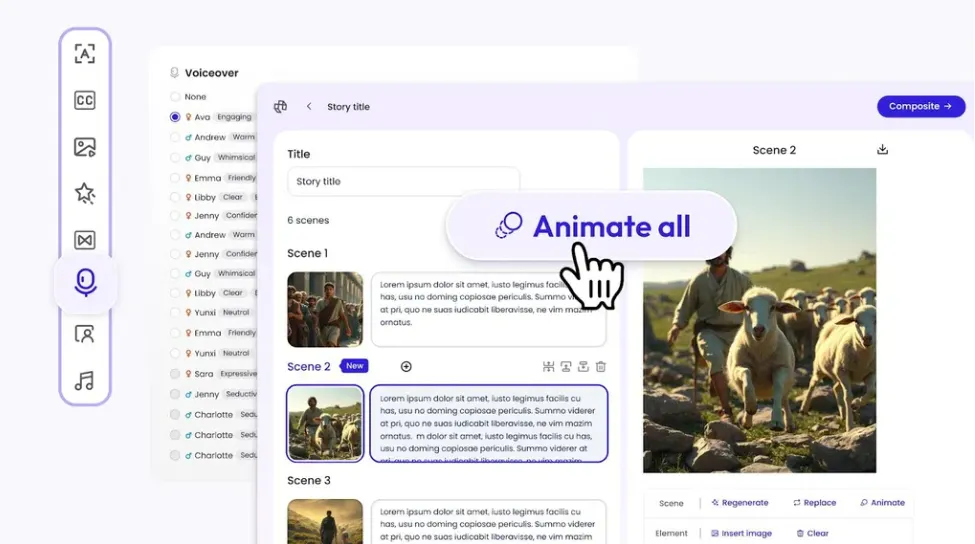
Mootion turns still images into moving scenes. AI can make characters move, show emotions, and create smooth scene changes. You don’t need any animation or editing skills.
You can animate one scene or all scenes at once. Mootion supports AI models like Seedance 2.5 and MiniMax H3. Each model uses a different number of credits.
How to use: Open your video project and pick a scene. Choose an AI model and bring the scene to life. You can also animate all scenes at once. Check the results before creating your final video.
Mootion Pros and Cons
Like any tool, Mootion has its strengths and limits. Below, I share its main pros and cons to help you decide.
Pros
- Save Time on Video Creation.
- No Advanced Editing Skills Needed.
- Create Videos Without Filming.
- Reuse Your Existing Content.
- Control Each Video Scene.
- Maintain Character Consistency.
- Reach Audiences in More Languages.
Cons
- High AI Credit Usage.
- Unused Monthly Credits Expire.
- Daily Usage Limits.
- Slow Video Generation.
- Inconsistent Character Appearance.
- Occasional Voiceover Issues.
Who Is Mootion Best For?
- YouTubers: Make faceless videos, tutorials, and YouTube Shorts without showing your face or spending hours on editing.
- Social Media Creators: Make short videos for TikTok and Instagram Reels to keep your pages active.
- Teachers: Turn lessons into animated stories and videos to make learning more fun and easy.
- Marketers: Make videos to explain and promote products without costly cameras or editing tools.
- Storytellers: Turn written stories into videos with moving characters, visual scenes, and voiceovers.
Mootion AppSumo Pricing Plan
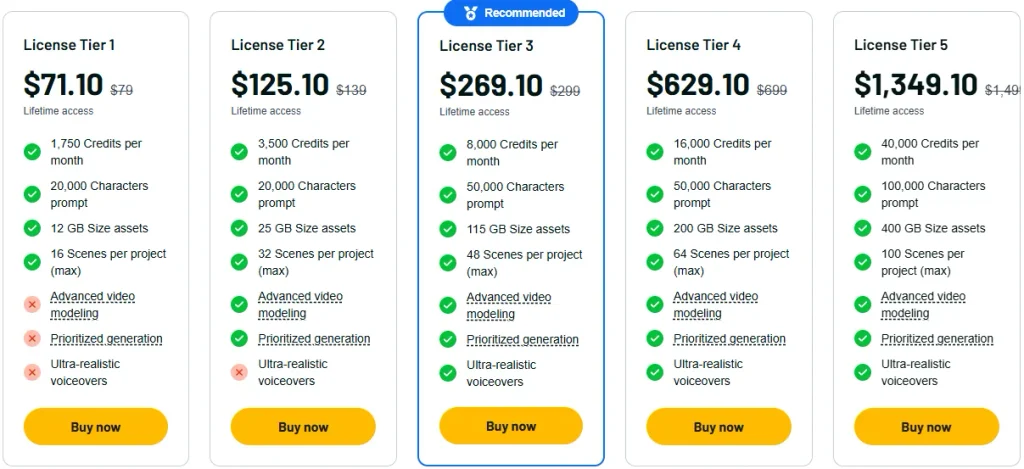
License Tier 1 – $71.10
- 1,750 monthly credits
- 20,000 characters per prompt
- 12 GB storage
- 16 scenes per project
- 1080p video quality
- Video clip creation
- Commercial use
- Multiple input types
- All visual styles
- No watermarks
- Realistic voiceovers
- AI image editing
License Tier 2 – $125.10
- Includes License Tier 1
- 3,500 monthly credits
- 25 GB storage
- 32 scenes per project
- Advanced AI video models
- Priority video generation
License Tier 3 – $269.10
- Includes License Tier 2
- 8,000 monthly credits
- 50,000 characters per prompt
- 115 GB storage
- 48 scenes per project
- Ultra-realistic voiceovers
License Tier 4 – $629.10
- Includes License Tier 3
- 16,000 monthly credits
- 200 GB storage
- 64 scenes per project
License Tier 5 – $1,349.10
- Includes License Tier 4
- 40,000 monthly credits
- 100,000 characters per prompt
- 400 GB storage
- 100 scenes per project
5 Best Mootion Alternatives 2026
1. InVideo AI
InVideo AI turns ideas and scripts into full videos. It adds images, music, voiceovers, and subtitles.
- Free Plan: Available
- Starting Price: $20/month
- Pros: Text-based editing, stock media, AI voices, auto subtitles, timeline editing
- Cons: Limited free credits, no credit rollover
- Key Difference: InVideo AI focuses on text-based editing and stock footage. Mootion focuses more on animated stories and characters.
2. Vadoo AI
Vadoo AI helps you make faceless videos and animated stories. You can also create short videos for social media.
- Free Plan: Available
- Starting Price: $89/lifetime
- Pros: Auto-posting, AI captions, multiple AI models, background music, faceless videos
- Cons: Monthly credit limits, plan restrictions
- Key Difference: Vadoo AI helps you make and post short videos automatically. Mootion gives you more control over scenes and stories.
3. Fliki
Fliki turns scripts, blog posts, and slides into videos. It adds AI voices and subtitles to your content.
- Free Plan: Available
- Starting Price: $28/month
- Pros: 80+ languages, voice cloning, AI voices, stock media, content reuse
- Cons: Free video watermarks, video length limits
- Key Difference: Fliki focuses on AI voices and videos in different languages. Mootion focuses more on moving characters and visual stories.
4. LTX Studio
LTX Studio turns ideas and scripts into films. You can control scenes, characters, and camera angles.
- Free Plan: Available
- Starting Price: $15/month
- Pros: Camera controls, AI storyboards, consistent characters, scene editing, shot control
- Cons: Limited free credits, limited commercial use on lower plans
- Key Difference: LTX Studio gives filmmakers more control over each shot. Mootion makes it easier to turn ideas into full videos.
5. Pictory
Pictory turns articles, scripts, and slides into videos. It also turns long videos into short clips.
- Free Trial: 14 days
- Starting Price: $29/month
- Pros: Content reuse, stock footage, auto captions, AI voices, short video clips
- Cons: No permanent free plan, limited video minutes
- Key Difference: Pictory focuses on turning old content into new videos. Mootion focuses more on creating new scenes and animated stories.
Final Thoughts – Mootion Review 2026
What I like about Mootion is its simple approach to video creation. You can turn an idea into a full video. It adds animated scenes, AI voices, and subtitles. You can also reuse characters and edit each scene.
The AppSumo Lifetime Deal adds even more value. You pay once and get new credits each month. If you want to create videos, save time, and avoid monthly fees, you might want to take a look at Mootion.