Klasio Lifetime Deal: Courses, Coaching and Communities
Klasio helps you create and sell online courses. It is made for teachers, coaches, and course creators. You can teach live classes, share recorded lessons, sell digital products, and manage student groups in one place.
It also has an AI assistant, a website builder, quizzes, certificates, and payment tools. You can run your own online academy without coding or managing web hosting.
Klasio has a free plan to get started. For Black Friday 2026, its AppSumo Lifetime Deal starts at just $79 as a one-time payment. AppSumo Plus members also get a special 19% early-access discount until November 16.
KEY Features of Klasio
Klasio helps you build courses, teach students, and sell online. Here are its main features and how to use them.
Create Courses with Quizzes and Certificates
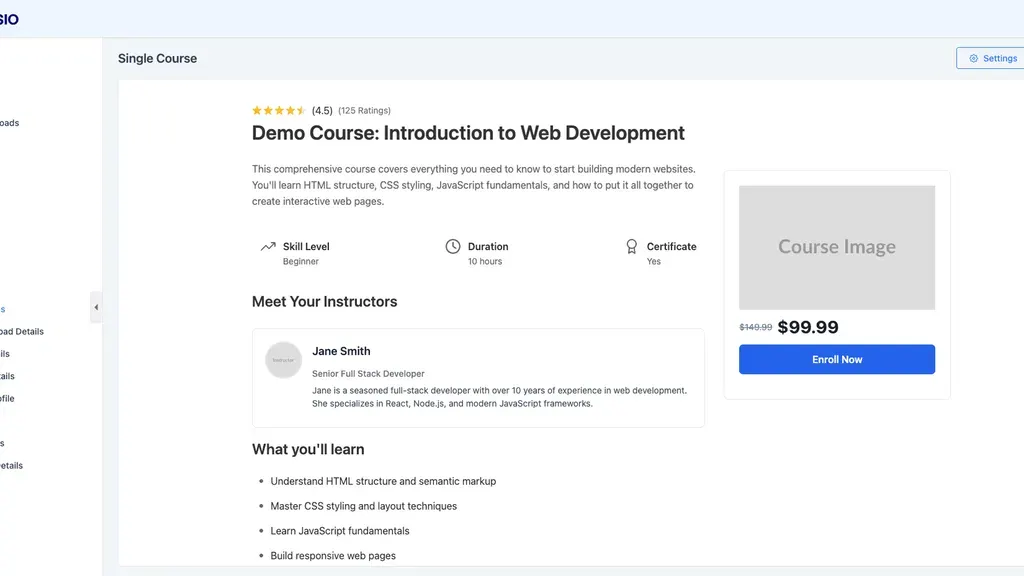
Klasio lets you make live or recorded courses. Add videos, audio, PDF files, and text. You can also add quizzes, homework, and certificates.
To start, open Products → Courses → New Course. Pick a course type and give it a name. Next, add chapters and lessons. For each quiz, set a time limit and pass mark. You can also let students try again.
Klasio checks quiz answers and shows the scores. You can review homework and share your feedback. You can also make your own certificates for students who finish.
Build and Manage Student Communities
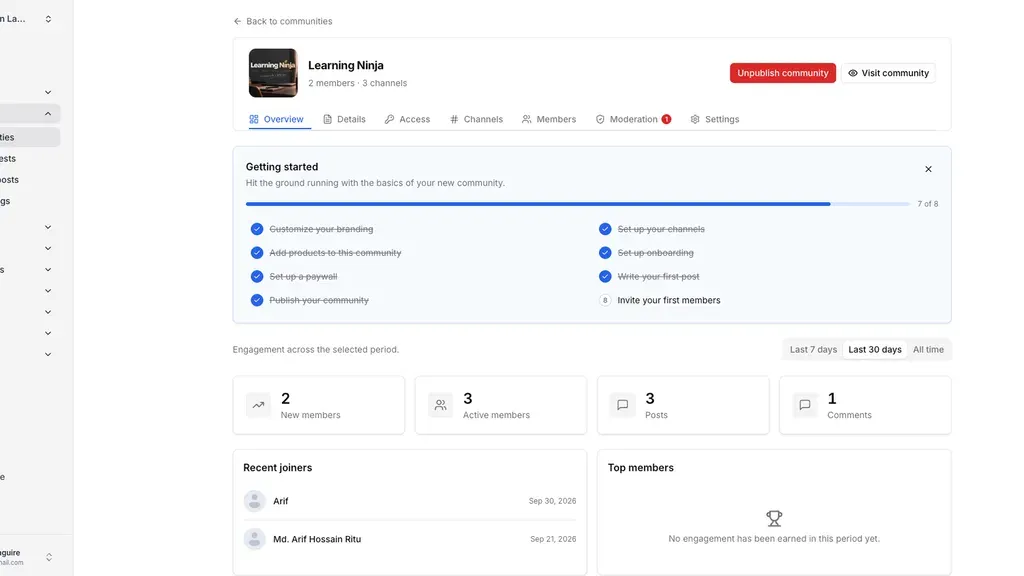
Klasio lets you make a group for your students. They can share posts, ask for help, and chat. You can use channels to sort posts by topic.
To start, open Community → Communities → New Community. Name the group and choose who can join. Set it as free, paid, or invite-only. Then add channels and link your courses or products.
You can set rules and approve posts before they appear. Members can earn points for taking part. A leaderboard shows who is most active. This can help students stay in touch.
Create and Sell Coaching Programs
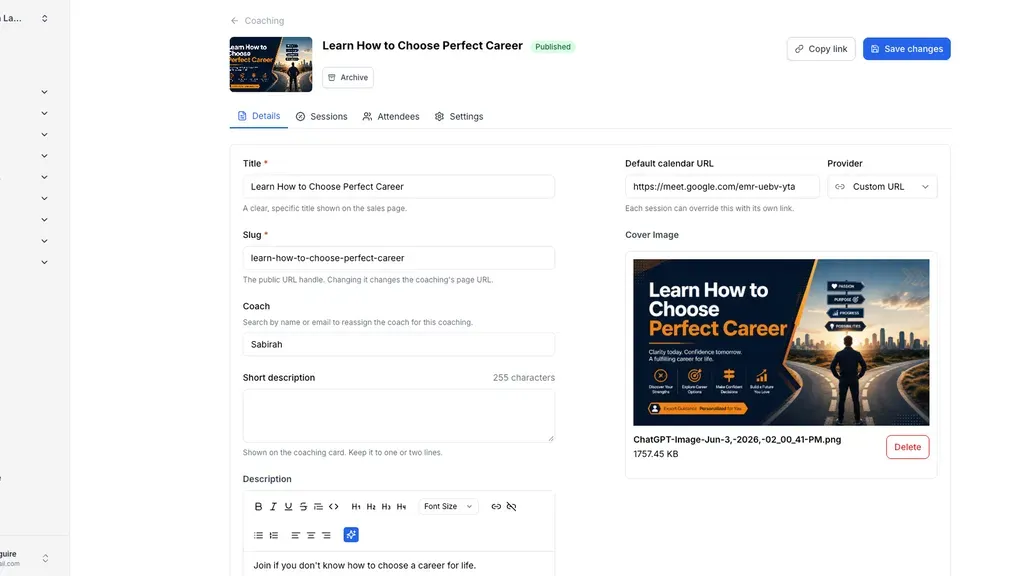
Klasio lets you sell coaching sessions on your site. You can offer one-on-one coaching or add it to courses. You can also group a few sessions in one offer.
To start, make a coaching offer and name it. Add the sessions, pick a coach, and set the price. Then link Calendly, Cal.com, or Google Calendar for bookings.
Show the offer on your site. Students can book a time with you. You can see bookings on your dashboard.
Sell Courses and Products with Subscriptions
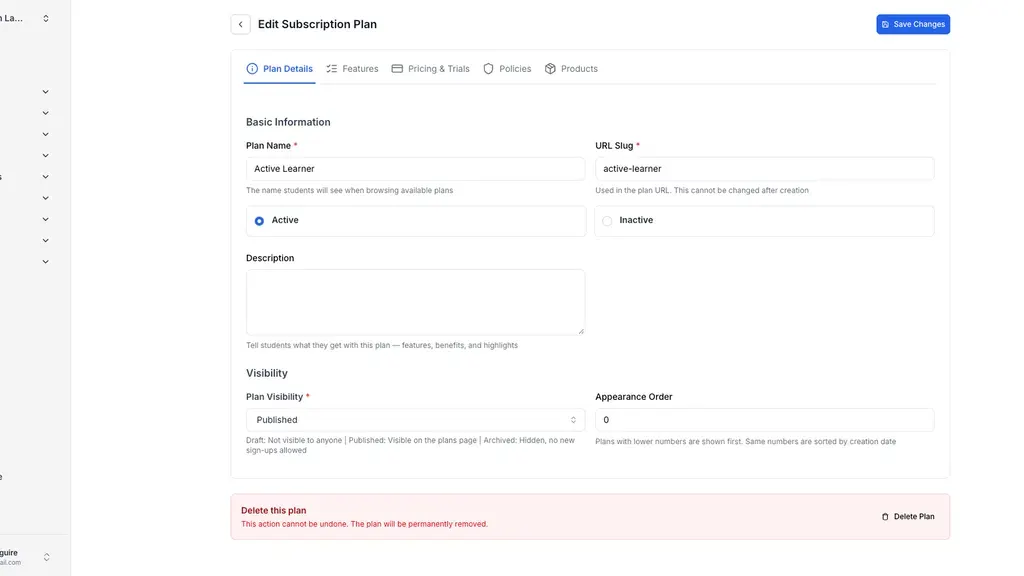
Klasio lets you sell courses, digital files, and webinars through subscriptions. Students can pay each month, every three months, or each year to get access.
To start, go to Subscriptions → Plans → New Plan. Name your plan, set a price, and choose when students pay. Then add the courses or products you want to include. You can also set rules for when a plan ends.
Use the page builder to show your plans on your site. Students can choose a plan and sign up. You can check payments and manage members from your dashboard.
Klasio Pros and Cons
Klasio has some useful benefits, but it also has a few limits. Here are the main pros and cons to help you decide.
Pros
- Less Tech Work.
- Lower Costs.
- Faster Course Setup.
- More Active Students.
- More Ways to Earn.
- Easy Business Management.
- Learn Anytime, Anywhere.
Cons
- Sales Commission on Lifetime Plans.
- Limited Courses and Storage.
- Stripe-Only Subscription Payments.
- Extra Cost for Branded Mobile App.
- Limited Email Marketing Tools.
Who Is Klasio Best For?
- Course Creators: Create and sell video courses, live classes, and learning materials in one place.
- Teachers and Educators: Share lessons, give quizzes, check homework, and track student progress.
- Online Coaches: Sell coaching sessions, take bookings, and guide students through their courses.
- Online Academy Owners: Run courses, manage teachers and students, and build their own brand.
- Community Creators: Build free or paid groups where members can chat, ask questions, and learn together.
Klasio AppSumo Pricing Plan
Klasio has four lifetime plans, starting at $79. Pay once for lifetime use, with a 1%–3% fee on sales.
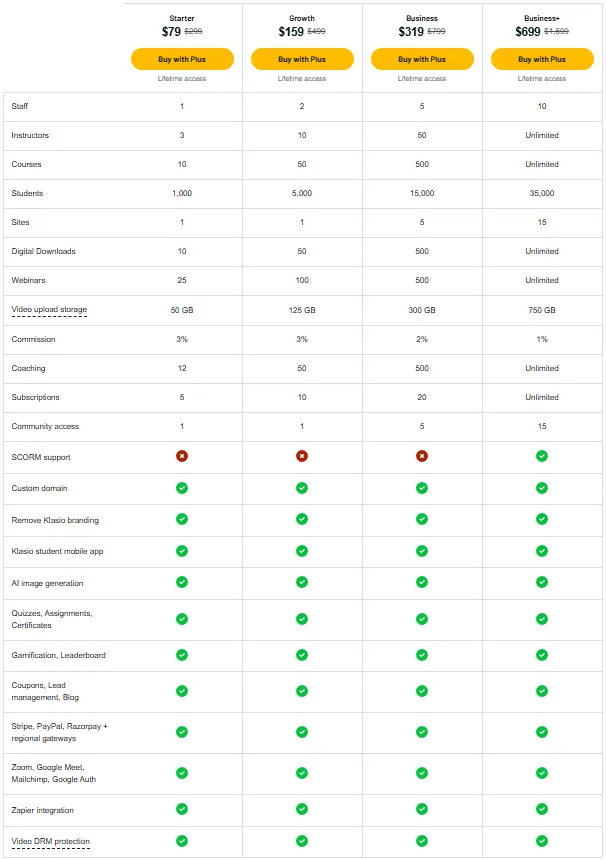
License Tier 1 – Starter: $79
Features:
- 1 website
- 1 staff member
- 3 instructors
- 10 courses
- 1,000 students
- 10 digital downloads
- 25 webinars
- 50 GB video storage
- 12 coaching offers
- 5 subscription plans
- 1 community
- 3% sales fee
- Custom domain
- No Klasio branding
- Free student mobile app
- AI image generator
- Quizzes, homework, and certificates
- Badges and leaderboards
- Coupons and lead tracking
- Built-in blog
- Stripe, PayPal, Razorpay, and local payments
- Zoom and Google Meet
- Mailchimp and Google login
- Zapier integration
- Video DRM protection
License Tier 2 – Growth: $159
Features:
- Everything in License Tier 1
- 2 staff members
- 10 instructors
- 50 courses
- 5,000 students
- 50 digital downloads
- 100 webinars
- 125 GB video storage
- 50 coaching offers
- 10 subscription plans
License Tier 3 – Business: $319
Features:
- Everything in License Tier 2
- 5 websites
- 5 staff members
- 50 instructors
- 500 courses
- 15,000 students
- 500 digital downloads
- 500 webinars
- 300 GB video storage
- 500 coaching offers
- 20 subscription plans
- 5 communities
- 2% sales fee
License Tier 4 – Business+: $699
Features:
- Everything in License Tier 3
- 15 websites
- 10 staff members
- Unlimited instructors
- Unlimited courses
- 35,000 students
- Unlimited digital downloads
- Unlimited webinars
- 750 GB video storage
- Unlimited coaching offers
- Unlimited subscription plans
- 15 communities
- 1% sales fee
- SCORM support
BEST 5 Klasio Alternatives 2026
If Klasio is not right for you, try these five tools. Each helps you sell online courses, but prices and features vary.
1. Kajabi
Kajabi helps you sell courses, coaching, and memberships. You can also run communities and manage email campaigns.
- Starting Price: $179/month (14-day free trial).
- Pros: Email tools, sales funnels, and communities.
- Cons: The Basic plan allows only 5 products.
- Key Difference: More marketing tools, but no lifetime deal.
2. Teachable
Teachable helps teachers create and sell online courses. You can also sell coaching and digital files.
- Starting Price: $39/month (7-day free trial).
- Pros: AI course tools, mobile apps, and tax tools.
- Cons: The Starter plan allows 5 products and charges 7.5% per sale.
- Key Difference: Focuses on course sales, while Klasio has a lifetime deal.
3. Podia
Podia lets you sell courses, digital files, and coaching. You can also build a website and run paid groups.
- Starting Price: $49/month (14-day free trial).
- Pros: Email tools, website builder, and communities.
- Cons: The Mover plan has a 5% sales fee and a 50-product limit.
- Key Difference: More focus on email marketing, while Klasio has more learning tools.
4. Graphy
Graphy helps teachers sell courses and teach live classes. It also has AI tools for websites, sales, and support.
- Starting Price: $49/month (14-day free trial).
- Pros: Unlimited products, AI website tools, and live classes.
- Cons: Branded mobile apps need the higher Rise plan.
- Key Difference: No product limit on its entry plan, but no listed lifetime deal.
5. Thinkific
Thinkific helps you make courses and teach students online. You can also run groups, offer coaching, and sell memberships.
- Starting Price: $109/month (30-day free trial).
- Pros: Unlimited courses, quizzes, coaching, and memberships.
- Cons: You need the Grow plan to remove Thinkific branding.
- Key Difference: Unlimited courses from the start, while Klasio limits courses on lower lifetime plans.
Final Thoughts – Klasio Review 2026
Klasio makes online teaching and course sales easier. You can manage courses, sales, and students in one place. No coding or complex setup is needed. Its AI assistant helps you plan courses. You can also build lessons and run student groups with ease.
The AppSumo Lifetime Deal starts at just $79, paid once. This makes Klasio worth a look for long-term use. If you want to grow your own online academy, this deal is worth checking out.