GetTerms Lifetime Deal: Cookie Consent and Privacy Policies
GetTerms is a simple tool for creating legal policies and managing cookie consent. It helps your website or app meet privacy rules like GDPR, CCPA, and PIPEDA.
You can create privacy policies, terms of service, and cookie banners in a few steps. It also scans your site for cookies and saves visitors’ consent choices.
The best part is that you can manage everything from one dashboard. You don’t need to use separate tools.
How Does GetTerms Work?
First, add your website URL, business name, location, and language. GetTerms then scans your site for cookies.
Next, select the legal policies you need. Answer a few questions to create them. You can also change the look of your cookie banner.
Finally, add the policies and banner to your site. Use an embed code or WordPress plugin. You can then track cookie consent and update policies from one dashboard.
KEY Features of GetTerms
GetTerms helps you create legal policies, manage cookies, and track visitor consent. Here are its main features and how to use them.
Manage Cookie Consent
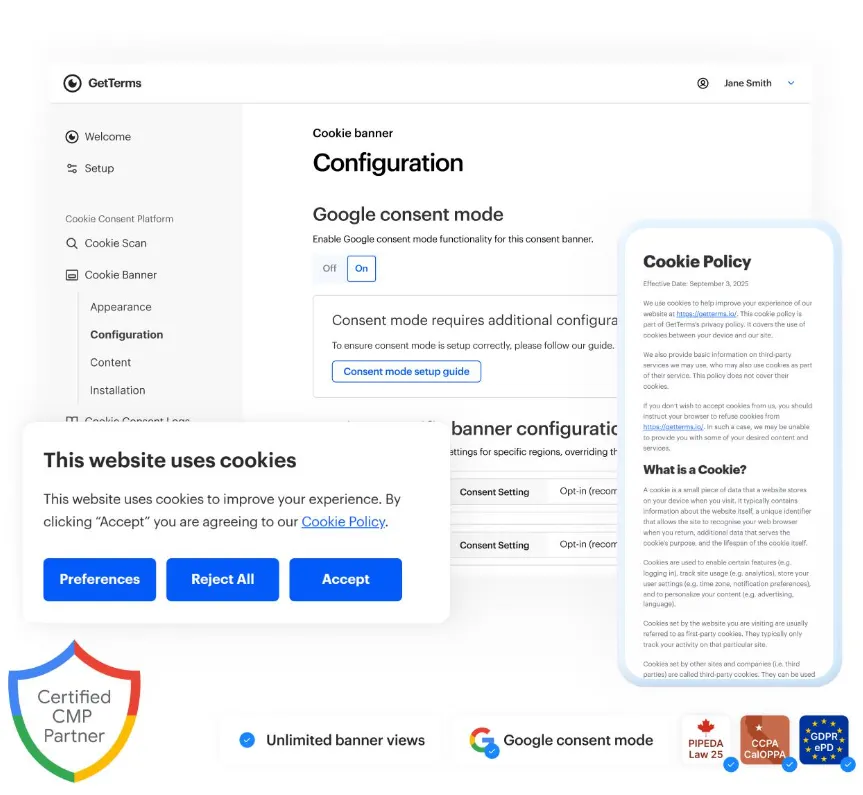
GetTerms makes it easy to manage cookies on your site. It scans your site, sorts cookies into groups, and blocks non-essential cookies until users give consent.
To use it, open the Cookie Consent section and scan your site. Then, pick a banner design, change its colors, and set rules for each region.
You can also turn on Google Consent Mode v2, show banners in different languages, and track consent records from your dashboard.
Generate Website Policies
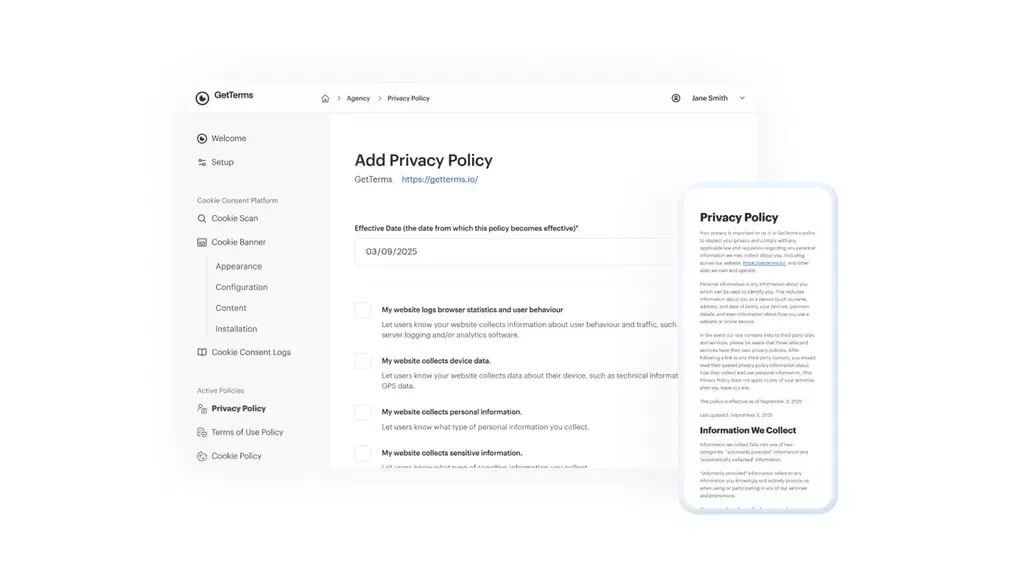
GetTerms helps you create legal policies for your site or app. You can make privacy policies, terms of service, cookie policies, return policies, and more.
To start, open your dashboard and pick the policy you need. Answer a few questions about your business. GetTerms then creates the policy for you.
You can edit the text, save it as a PDF, or add it to your site. You can also update it at any time.
Integrate With Any Website or App
GetTerms works with WordPress, Shopify, Wix, Squarespace, and custom sites. You can add legal policies and cookie banners with ease.
To start, open your GetTerms dashboard and copy the embed code. Paste it into your site’s code. If you use WordPress, you can install the GetTerms plugin instead.
Once set up, you can edit your policies in GetTerms. The changes will then show on your site.
Manage Client Compliance
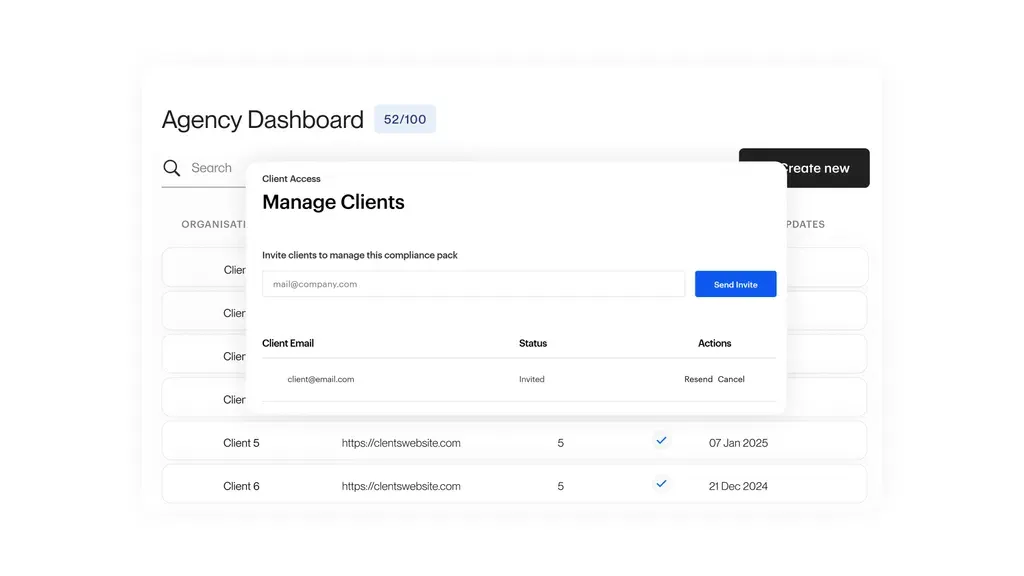
GetTerms lets you manage legal policies and cookie consent for many clients from one dashboard. You don’t need a separate tool for each client.
To start, add your client’s site and create their policies and cookie banner. Then, go to Client Access and invite them by email.
Your clients can log in and edit their own policies. You can also manage their settings when needed.
GetTerms Pros and Cons
GetTerms has some useful benefits, but it also has a few limits. Here is a brief overview of its main advantages and disadvantages.
Pros
- Fast Setup Without Coding.
- Less Manual Work.
- Lower Long-Term Costs.
- No Traffic Limits.
- Easy Client Management.
- Region-Based Privacy Support.
Cons
- Limited Built-in Languages.
- Some Poor Policy Translations.
- Tricky Google Tag Manager Setup.
- Missing Country-Specific Legal Docs.
- Some Reported Cookie Blocking Issues.
Who Is GetTerms Best For?
- Website Owners: Great for bloggers who need privacy policies and cookie banners without a hard setup.
- Online Store Owners: Useful for sellers who need clear terms, return policies, and cookie consent.
- SaaS Businesses: Good for software firms that need rules for user accounts, plans, and data use.
- Web Design Agencies: Helpful for teams that manage legal policies and cookie consent for client sites.
- Mobile App Developers: Great for app makers who need privacy policies, terms, and legal notices.
GetTerms AppSumo Pricing Plan
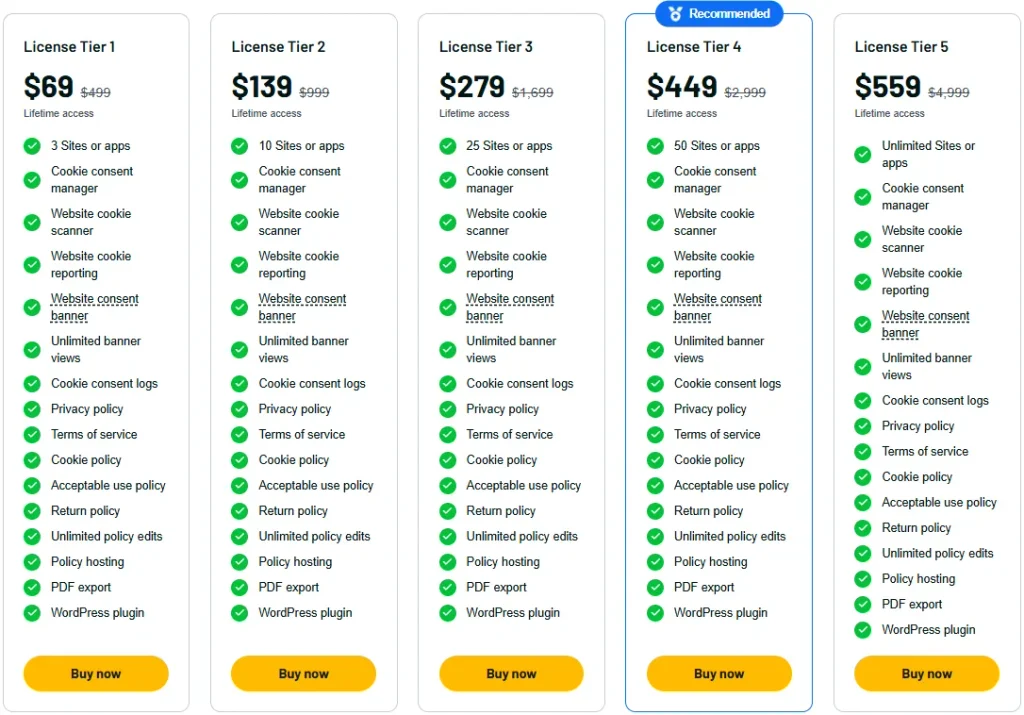
License Tier 1 — $69 (One-Time)
Features:
- 3 websites or apps
- Manage cookie consent
- Automatic cookie scanning
- Website cookie reports
- Custom cookie banners
- Unlimited banner views
- Save consent records
- Privacy policy generator
- Terms of service generator
- Cookie policy generator
- Acceptable use policy
- Return policy generator
- Unlimited policy edits
- Online policy hosting
- Download policies as PDFs
- WordPress plugin
License Tier 2 — $139 (One-Time)
Features:
- All Tier 1 features
- 10 websites or apps
License Tier 3 — $279 (One-Time)
Features:
- All Tier 2 features
- 25 websites or apps
License Tier 4 — $449 (One-Time)
Features:
- All Tier 3 features
- 50 websites or apps
License Tier 5 — $559 (One-Time)
Features:
- All Tier 4 features
- Unlimited websites or apps
5 Best GetTerms Alternatives 2026
If GetTerms isn’t right for you, try these five tools. Each helps manage website privacy in its own way.
1. Termly
Termly helps you create legal policies and manage cookie consent. It also scans your site for cookies.
- Pricing: Free plan; paid plans start at $14/month.
- Pros: Easy policy setup, cookie scans, and consent banners.
- Cons: The Starter plan limits you to 2 legal policies and 50,000 banner views per month.
- KEY Difference: GetTerms has a lifetime deal, while Termly’s paid plans use subscriptions.
2. iubenda
iubenda helps you create legal documents and manage cookie consent. It also updates policies when privacy laws change.
- Pricing: Free plan; paid plans start at $6.99/month per site.
- Pros: Legal policy tools, cookie scans, and policy updates.
- Cons: The Essentials plan allows 25,000 pageviews per month, with extra fees for more views.
- KEY Difference: GetTerms has more policy types and unlimited banner views with its lifetime deal.
3. Cookiebot
Cookiebot helps you manage cookie consent on your site. It scans cookies, controls tracking, and saves visitor choices.
- Pricing: Free plan; paid plans start at €7/month.
- Pros: Auto cookie scans, Google Consent Mode, and no traffic limits.
- Cons: The free and Premium Lite plans allow only 50 subpages on one domain.
- KEY Difference: GetTerms lets you create more types of legal policies.
4. CookieYes
CookieYes helps you manage cookie consent and create privacy policies. You can also change the look of your cookie banner.
- Pricing: Free plan; paid plans start at $10/month per domain.
- Pros: Cookie scans, custom banners, and Google Consent Mode.
- Cons: The free plan allows only 5,000 pageviews per month.
- KEY Difference: GetTerms has no banner view limits on its AppSumo plans.
5. Usercentrics
Usercentrics helps websites and apps manage visitor consent. It supports cookie scans, consent banners, and rules for different regions.
- Pricing: Free plan; paid Web CMP plans start at €7/month.
- Pros: Cookie scans, Google Consent Mode, and regional consent rules.
- Cons: The Essential plan allows 1,500 sessions per month and one privacy law.
- KEY Difference: GetTerms puts consent tools and several legal policy generators in one lifetime plan.
Final Thoughts – GetTerms Review 2026
GetTerms makes it easy to create legal policies and manage cookie consent from one dashboard. With unlimited banner views, simple policy updates, and Google Consent Mode support, it covers the key privacy tasks in one place.
The GetTerms Lifetime Deal starts at just $69, making it worth considering if you want to avoid monthly fees.