AdaptlyPost Lifetime Deal – Post to 9 Networks at Once
Posting on social media sounds easy. Then you try to do it everywhere. You write one post. Then you fix it for LinkedIn. Then you cut it for X. Then you resize the photo for Instagram. An hour is gone. TikTok is still empty.
AdaptlyPost fixes this. You write once. You pick your platforms. It shapes the post for each one. It works with nine apps: Instagram, TikTok, YouTube, X, Facebook, LinkedIn, Pinterest, Threads, and Bluesky. All from one calendar.
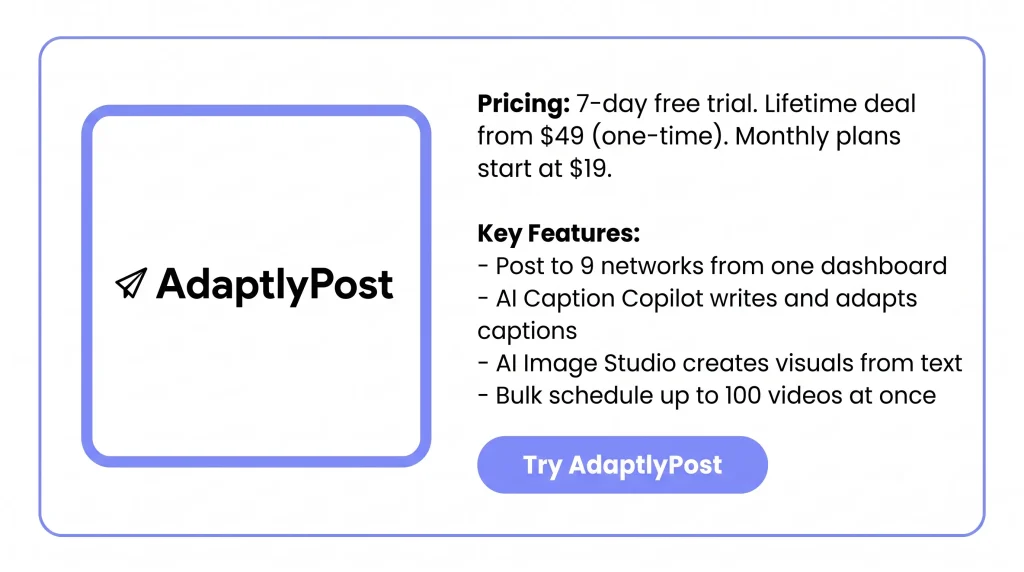
It writes your captions too. It can also make images from a few words. The normal price is $19 to $89 a month. The AdaptlyPost Lifetime Deal on AppSumo starts at $49. You pay once.
Features of the AdaptlyPost Lifetime Deal
Multi-Platform Posting
You write one post. Then you pick which of the nine networks get it. The post is changed to fit each one. It handles things like word limits and photo sizes.
Content Calendar
Your posts sit on a monthly calendar, day by day. Drafts, planned posts, and live posts all show up. Drag a post to move it to a new day.
Smart Scheduling
You pick a date and time. The post goes out on its own. You can plan weeks or months ahead. You can also pick a different time for each network.
Bulk Scheduling
You upload many videos or photos at once. No adding them one by one. The limit is 100 videos or 30 photo posts each time. You set the start date, how many go out per day, and the gaps.
AI Caption Copilot
You say what your post is about. It writes the caption for you. It can redo that caption for each network. It can add hashtags or change the tone.
AI Image Studio
You type what you want. It makes the image from your words. You can resize it or make a new one. Then export it in the size each network needs.
Social Media Analytics
Views, likes, comments, shares, and follower counts land in one place. They come from all your linked accounts. It pulls the last 180 days of posts. It updates on its own every few hours.
AI Agents & MCP
You link an AI helper to AdaptlyPost. Use MCP, an agent skill, or the REST API. The helper can write posts and pick networks. It can plan them and tell you which ones went out.
Pros of AdaptlyPost
- Fewer Tools To Pay For: You make captions and images right where you post. So you may not need a writing tool or a design tool.
- Less Rewriting Per Platform: One post goes out to all your networks. It lands in the right shape each time. You stop writing the same thing five ways.
- Posting Runs Without You: Line up a week or a month in one sitting. Your posts still go live on busy days. They go live when you are away too.
- Clearer View Of Results: All your numbers sit in one place. You can see which posts did well. No need to open each app.
- Hands-Off Posting With AI: Ask an AI helper to write and plan your posts. Just use plain words. You never open the dashboard.
- Lower Long-Term Cost: You pay once instead of every month. The cost stops growing the longer you use it.
Cons of AdaptlyPost
- No Mobile App: AdaptlyPost runs in a web browser only. You cannot plan or fix a post from your phone. Buffer and Later both let you do that.
- No Social Inbox: Comments, replies, and messages do not come into AdaptlyPost. You still open each app to answer the people who write back.
- Blank Analytics on X: Analytics skip X completely. LinkedIn analytics are still waiting for LinkedIn to say yes. So two of your biggest accounts may show nothing.
- One Account Per Platform Per Post: You cannot send one post to two Instagram accounts at once. The same goes for two X accounts. If you run more than one account on a network, you do the work twice.
Who is AdaptlyPost best for?
- Solo Creators: You run your own accounts on four or five networks. Writing the same post again for each one eats your time. That time could go into making the content.
- Social Media Managers: You post for other people. You need a calendar that shows what goes live and when. You also need workspaces that keep each brand apart.
- Small Business Owners: You run the shop and do the posting too. You need to set up a week of posts in one sitting. Then you can leave it alone.
- Developers and Automation Builders: You want posting to run from your own code. Or from an AI agent. So a REST API, MCP, and an OpenClaw skill matter more to you than a nice dashboard.
- High-Volume Video Posters: You make a lot of short videos. You can upload 100 at once and spread them over a date range. That beats adding them one by one.
AdaptlyPost AppSumo Pricing Plan
Tier 1 — $49
- 25 social accounts
- 200 AI credits a month
- 1 seat
- 3 workspaces
- Post as often as you want
- AI captions and AI images
- API, MCP, and OpenClaw
- Photos, videos, and carousels
Tier 2 — $119 (Recommended)
Same as Tier 1, plus:
- 50 social accounts
- 600 AI credits a month
- 5 seats
- 15 workspaces
Tier 3 — $279
Same as Tier 2, plus:
- 100 social accounts
- 1,400 AI credits a month
- 20 seats
- 50 workspaces
5 BEST AdaptlyPost Alternatives (Comparison)
AdaptlyPost vs Buffer
Buffer fills AdaptlyPost’s two biggest gaps. It has real phone apps. It also pulls comments from every network into one inbox. The catch is the bill. Buffer charges per channel, so the price climbs as you add accounts.
- Price: Free plan, then $6 per channel a month ($5 if you pay yearly)
- Free plan limits: 3 channels, 10 posts waiting per channel
- Networks: 11, including Threads, Bluesky, and Mastodon
- Key strengths: Apps for iPhone and Android · One inbox for all comments · A free plan with no time limit · The simplest screen here · 14 years in business
- Best for: People who post from their phone and answer comments daily
AdaptlyPost vs Postiz
Postiz is the closest match to AdaptlyPost. It is open source. You can run it on your own server and pay only the server cost. It has an API and an MCP server on every plan. It also reaches far more networks.
- Price: Free if you host it yourself, or from $29 a month for the cloud version
- Entry plan limits: 5 channels and 400 posts a month
- Networks: 30 or more
- Key strengths: Free when self-hosted · Reaches Discord, Reddit, Slack and Telegram · API and webhooks on every plan · Open code you can read and change · No cap on team members
- Best for: Coders who want control, or anyone posting to Discord and Reddit
One warning. Hosting it yourself means you keep the server running. You also apply for your own API approval with Meta and YouTube. That can take over a month.
AdaptlyPost vs SocialBee
SocialBee does one thing no other tool here does well. You mark a post as evergreen. It then puts that post back in the queue on its own, again and again. So your feed stays busy in weeks when you write nothing new.
- Price: From $29 a month
- Entry plan limits: 5 profiles, 1 user
- Bigger plans: $49 for 10 profiles, $99 for 25 profiles and 3 users
- Key strengths: Old posts get used again on their own · Posts sorted into groups for a mixed feed · One inbox · Canva built in · 14-day trial with no card · 30-day money back
- Best for: People who want old posts to keep working with no extra effort
AdaptlyPost vs Later
Later was built around Instagram, and it shows. You can see how your grid will look before you post. That matters if your feed is part of your brand.
- Price: From $25 a month
- Trial: 14 days
- Networks: 7; Bluesky and Threads are not there
- Key strengths: See your Instagram grid first · Linkin.bio page that sends people to your site · Best-time-to-post tips · Tools for finding creator posts · Deep Instagram and TikTok numbers
- Best for: Creators whose whole business runs on Instagram and TikTok
AdaptlyPost vs Hootsuite
Hootsuite is the big, old, costly one. You get deep reports. It watches the web for your brand name. It adds approval steps for large teams. It is heavy for one person, and the price shows that.
- Price: From $99 a month
- Trial: 30 days
- Key strengths: Reports far past basic post numbers · Watches for your brand name · Approval steps before a post goes live · Over 100 other tools link up to it · A name clients trust
- Best for: Bigger teams that need reports and brand watching, not just posting
Final Thoughts – AdaptlyPost Review 2026
Type the post once. Tick your platforms. Done. Nine networks in the time one used to take. The AI writes your captions and makes your images too, so that is two other tools you can drop. Your whole month sits on one calendar, and you drag the posts around until it looks right.
Then there is the price. $49, once. Not every month. Tools that do less charge that much every thirty days, forever. You get sixty days to change your mind, so it is worth a try at that price.