Decloak Lifetime Deal: AI Pentesting and Website Security
Your website may look safe, but hidden risks can still exist. Leaked API keys, old scripts, and open databases can put your site at risk.
Decloak is an AI-powered web security tool. It scans your site, finds security issues, and explains how to fix them in simple words.
In this Decloak review, I’ll cover its key features, pros and cons, and AppSumo Lifetime Deal pricing. You’ll learn how it works and whether it’s the right tool for your needs.
KEY Features of Decloak
Decloak helps you find security problems on your website and shows you how to fix them. Here are its key features and how they work.
Scan Websites for Security RISKS
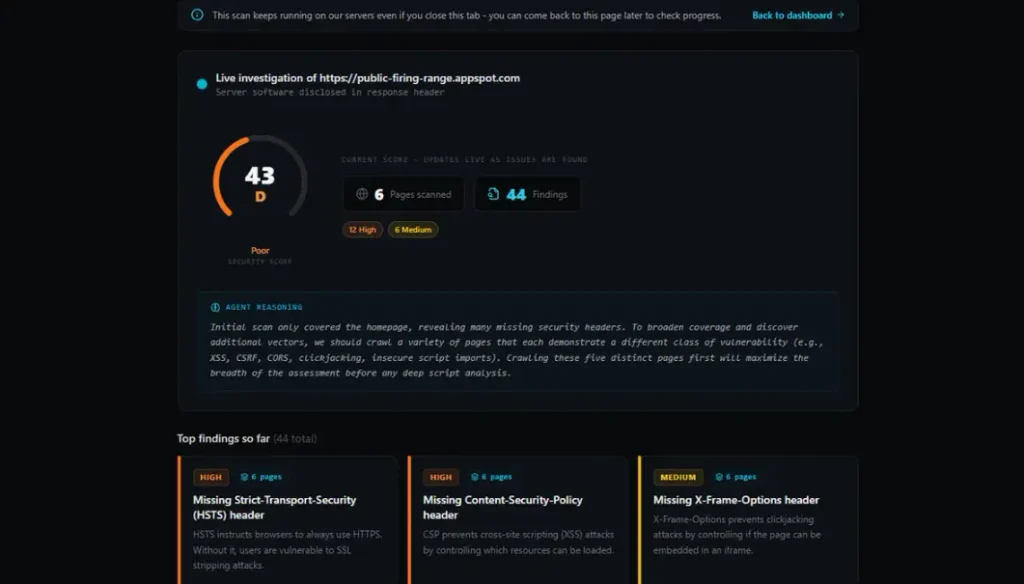
Decloak checks your website across eight security layers. It finds leaked API keys, weak settings, old scripts, and risky third-party scripts. It also checks for open databases in Lovable, Supabase, Base44, Bubble, and Next.js apps.
Each scan gives you a score from 0 to 100 and an A–F grade. The AI report explains each risk in simple words. Paid plans also show you how to fix each issue.
How to use it: Enter your website URL and start the scan. Check your score and review the results. You can scan one page for free in about 15 seconds without signing up.
Investigate Security Issues with AI
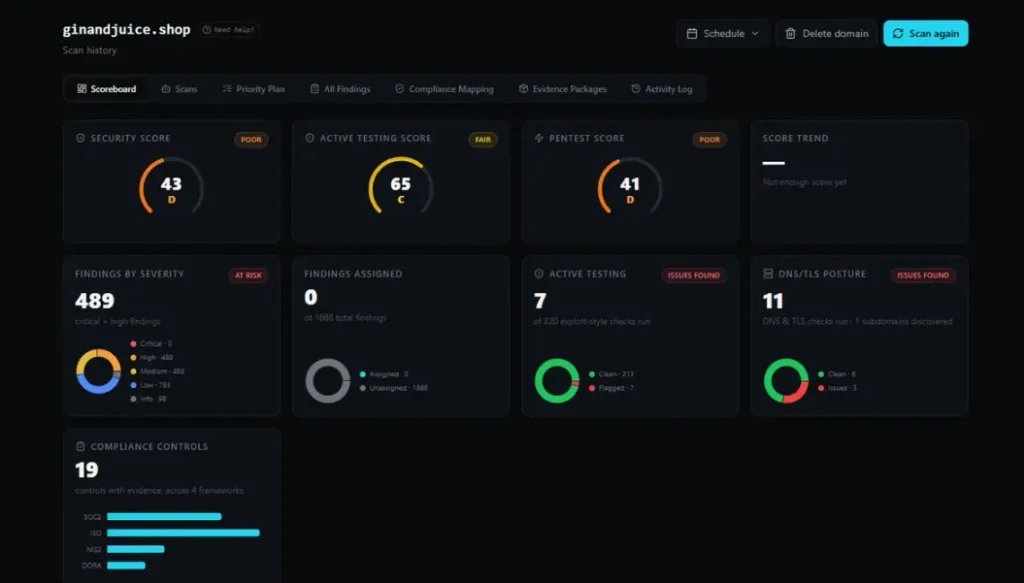
Decloak uses an AI agent to scan your site in more detail. It checks web pages, scripts, source maps, and third-party domains. This helps find leaked API keys, hidden secrets, and other risks.
The AI agent uses its findings to decide what to check next. You can watch each step in real time. It also lists the top 25 issues to fix first.
How to use it: Enter your website URL and start the AI scan. Check the results and follow the suggested fixes. Starter scans up to 50 pages. Pro and Enterprise scan up to 200 pages.
Test and Confirm Security Vulnerabilities
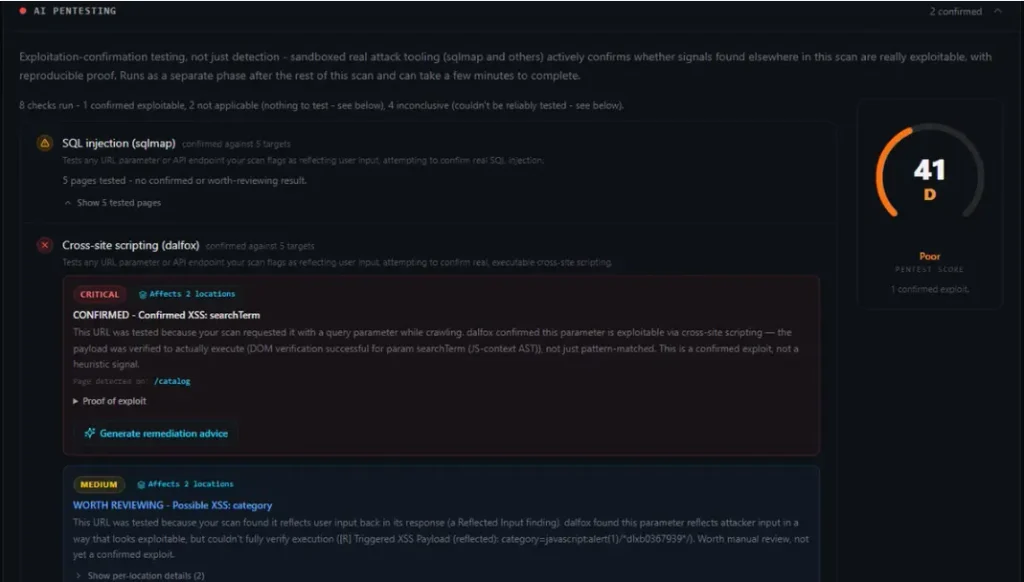
Decloak has two tools to test security flaws. Active Testing (DAST) finds possible risks. AI Pentesting checks if those flaws can lead to attacks.
It also tests REST, GraphQL, and SOAP APIs. You can scan pages that need a login. Each test gives you its own score, proof, and steps to fix issues. These tools come with the Enterprise plan.
How to use it: Enter a website you have permission to test. Turn on Active Testing or AI Pentesting and give your consent. After the test, check the results and follow the steps to fix the issues.
Generate Security and Compliance Reports
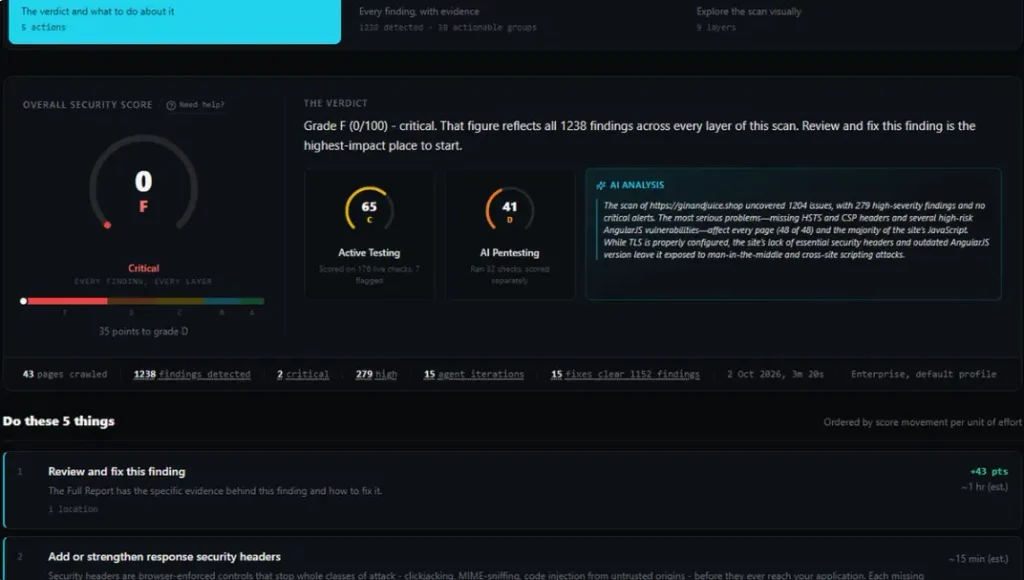
Decloak creates reports that show your website’s security risks. It explains why each risk matters and how to fix it. You can save reports as PDFs and share them with clients or developers.
Pro and Enterprise plans support eight compliance frameworks, including SOC 2, ISO 27001, and PCI DSS. You can add your own logo, get reports in 11 languages, and track each security issue.
How to use it: Open your scan report and check the results. Save the report as a PDF. With Pro or Enterprise, you can also download audit evidence and assign tasks to your team.
Automate Scans, Monitoring, and Integrations
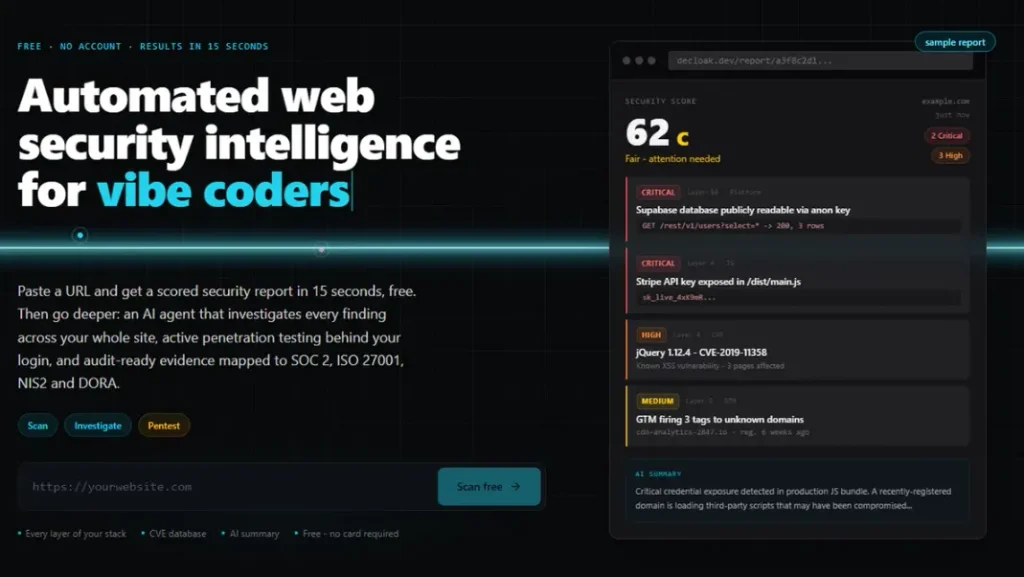
Decloak lets you set weekly, monthly, or quarterly scans. You can compare past scans and get email alerts about new risks. It also checks around 250 lookalike domain names each day.
Pro and Enterprise plans support Slack, webhooks, REST API, and MCP. You can also connect AI tools like Claude and Cursor to run scans and check results.
How to use it: Set a scan schedule from your dashboard and turn on alerts. Connect other tools if needed. Decloak runs scans on its own and alerts you to new security risks.
Decloak Pros and Cons
Below, I have listed the main pros and cons of Decloak to help you make the right choice.
Pros
- Spot security risks early.
- Save time on security checks.
- Understand risks without great skills.
- Know which security issues to fix first.
- Reduce the risk of data leaks.
- Track security changes over time.
- Simplify security audit preparation.
- Improve teamwork on security fixes.
Cons
- Possible false positive results.
- Maximum 200 pages per scan.
- Only one AI pentest per domain daily.
- Firewalls may block security scans.
- No expert-reviewed pentest reports.
Who Is Decloak Best For?
- AI App Builders: Great for users who build apps with Lovable, Supabase, or Base44. It helps them find leaked keys, open databases, and hidden risks.
- Small Business Owners: Helpful for owners who want to check their website for security risks. They can understand what needs fixing without great technical skills.
- Web Developers: Useful for developers who want to find website security flaws. They get clear steps to help fix each issue.
- Digital Agencies: Suitable for agencies that manage several client websites. They can run regular scans and share reports with their own branding.
- Security and Compliance Teams: Helpful for teams that test websites and track security fixes. They can also collect evidence for security audits.
Decloak AppSumo Pricing Plan
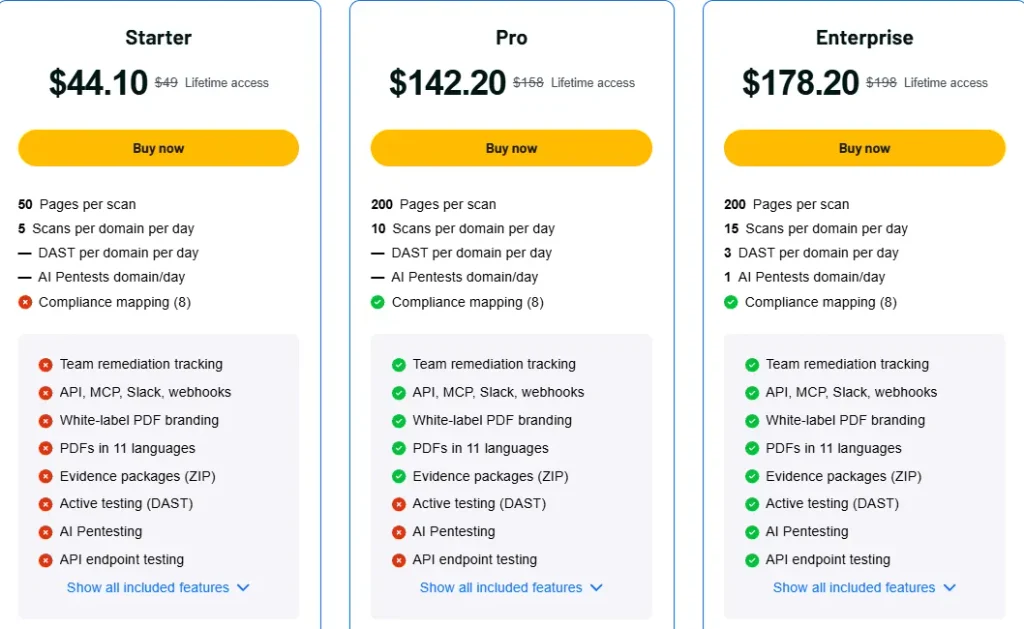
License Tier 1 – Starter ($49)
- 50 pages per scan
- 5 daily scans per domain
- AI site investigation
- Subdomain takeover checks
- DNS, TLS, and subdomain checks
- Third-party domain checks
- Lookalike domain alerts
- Scan comparison
- Priority fix list
- PDF report export
- Automatic scan scheduling
- Critical risk alerts
License Tier 2 – Pro ($158)
- Everything in License Tier 1
- 200 pages per scan
- 10 daily scans per domain
- 8 compliance frameworks
- Team fix tracking
- REST API and MCP
- Slack and webhooks
- Branded PDF reports
- PDFs in 11 languages
- ZIP audit reports
License Tier 3 – Enterprise ($198)
- Everything in License Tier 2
- 15 daily scans per domain
- 3 daily DAST runs per domain
- 1 daily AI pentest per domain
- Active security testing
- AI pentesting
- API security testing
- Logged-in page scanning
- Expert Mode and scan profiles
Final Thoughts – Decloak Review 2026
What I like most about Decloak is its ease of use. It finds hidden risks and tests security flaws. It also shows you how to fix them. You can set up regular scans and track changes over time.
The AppSumo Lifetime Deal starts at $49. Pay once and use Decloak without monthly fees. If you want to keep your website safe with less work, Decloak is worth a look.