MagicCanvas Lifetime Deal: Veo, Seedance and Wan AI Tools
MagicCanvas is an AI tool for creating images, videos, and audio. It has 30+ AI tools and 16+ AI models, including Google Veo, Seedance, Wan, and Nano Banana.
You can make images and videos from text, bring photos to life, edit visuals, and create audio. It works in your browser, so you don’t need to install anything.
The MagicCanvas Lifetime Deal starts at $49, with access to its AI tools and monthly credits.
KEY Features of MagicCanvas
MagicCanvas offers tools for creating and editing content. The important features are highlighted below.
Multiple AI Models
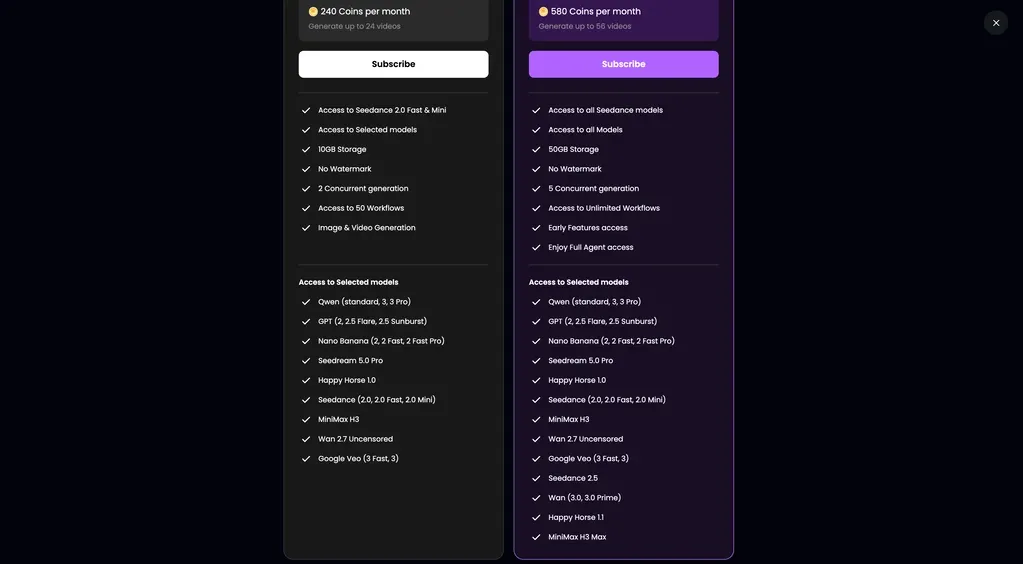
MagicCanvas has 16+ AI models in one place. These include Google Veo, Seedance, Wan, Qwen, and Nano Banana. You can switch between models to create images, videos, or audio.
To start, open Create and choose Image, Video, or Audio. Pick a model and enter your prompt. Check the credit cost, then click Generate.
AI Image, Video, and Audio Creation
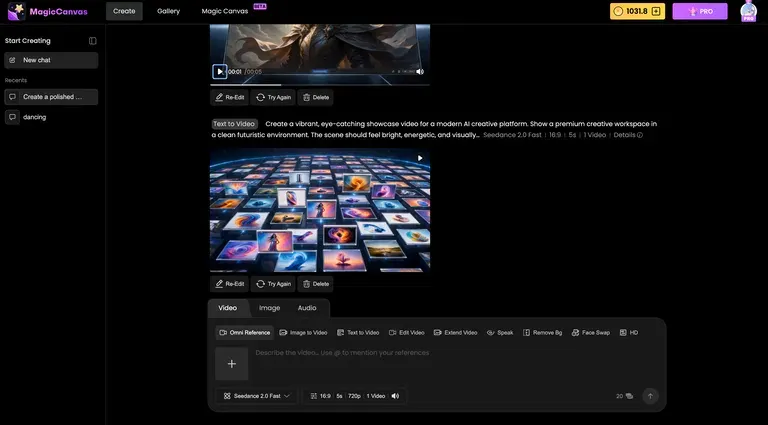
MagicCanvas lets you make images and videos from text or photos. You can also create voiceovers, music, and other audio in one place.
To start, open Create and choose Image, Video, or Audio. Pick a tool and AI model. Then, type your prompt or upload a file if needed. Check the settings and credit cost, then click Generate.
AI Editing and Enhancement
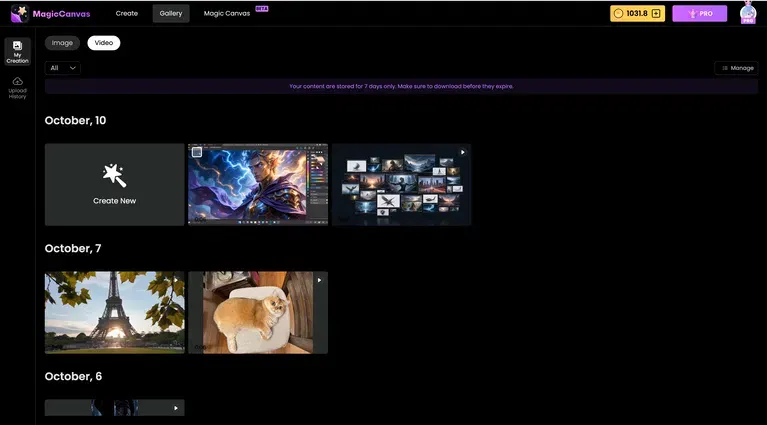
MagicCanvas lets you edit images and videos with AI. You can remove backgrounds, erase or replace objects, swap faces, and make images or videos clearer.
To start, open Create and choose Image or Video. Pick a tool and upload your file. Make your edits, check the credit cost, and click Generate.
Visual Canvas and Workflows
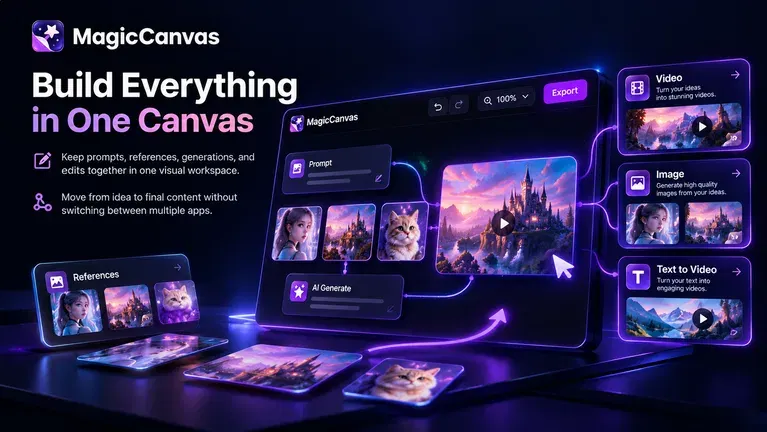
MagicCanvas keeps your prompts, images, videos, and edits in one place. You can also link AI tools and save your workflows for later use.
To start, open the workflow canvas and add your tools. Link them in the order you want. Then, save the workflow as a template. You can use it again with new images or videos.
MagicCanvas Pros and Con
Pros
- Save Time.
- Easy Content Creation.
- Less Manual Editing.
- More Creative Options.
- Reusable Workflows.
- No Watermarks.
- Commercial Use Rights.
Cons
- Limited Monthly Credits.
- Seedance 2.5 Not Included.
- MovieStudio Only on Tier 4.
- Model Settings Vary.
- AI Output Errors.
Who Is MagicCanvas Best For?
- Content Creators: Make social media posts, short videos, and other content without switching between different AI tools.
- Online Store Owners: Create product photos, remove backgrounds, and turn product images into short videos for online stores.
- Marketing Teams: Create social ads, try new campaign ideas, and make branded visuals for different projects.
- Video Editors: Edit video scenes, swap faces, remove backgrounds, and extend clips with less manual work.
- Teachers and Trainers: Make talking characters, short lessons, and video guides using photos, videos, and recorded audio.
MagicCanvas AppSumo Pricing Plan
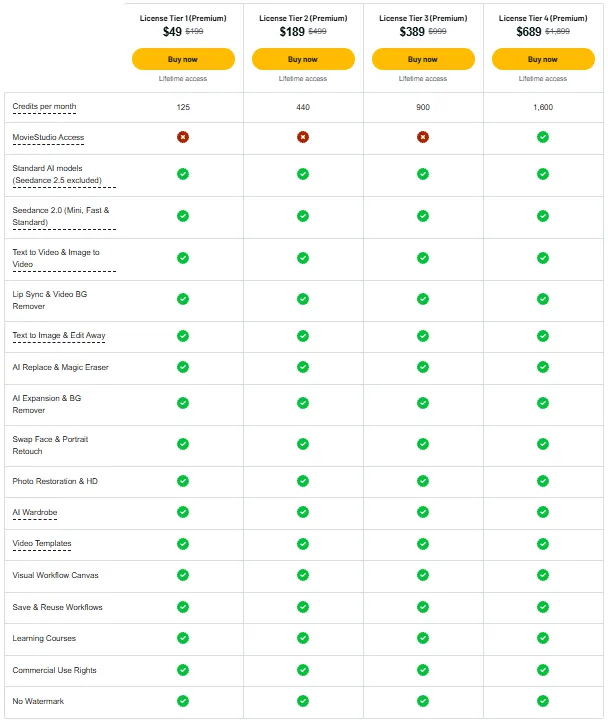
License Tier 1 (Premium) – $49
Features:
- 125 monthly credits
- Standard AI models (except Seedance 2.5)
- Seedance 2.0 Mini, Fast & Standard
- Text and Image to Video
- Lip Sync and Video BG Remover
- Text to Image and Edit Away
- AI Replace and Magic Eraser
- AI Expansion and BG Remover
- Face Swap and Portrait Retouch
- Photo Restoration & HD
- AI Wardrobe
- Video Templates
- Visual Workflow Canvas
- Save and reuse workflows
- Learning courses
- Commercial use rights
- No watermarks
License Tier 2 (Premium) – $189
Features:
- Everything in License Tier 1
- 440 monthly credits
License Tier 3 (Premium) – $389
Features:
- Everything in License Tier 2
- 900 monthly credits
License Tier 4 (Premium) – $689
Features:
- Everything in License Tier 3
- 1,600 monthly credits
- MovieStudio access
5 Best MagicCanvas Alternatives 2026
1. Higgsfield AI
Higgsfield AI helps you make and edit images and videos. It focuses on video effects, camera controls, and short clips.
- Free Plan: Available with limited use.
- Starting Price: $19/month.
- Pros: Many AI models, video effects, and camera controls.
- Cons: Free use is limited, and some models need higher plans.
- KEY Difference: Higgsfield focuses more on AI video effects and creation.
2. Freepik AI (Magnific)
Freepik AI, now called Magnific, helps you create images, videos, and audio. It also has stock photos, design assets, and AI editing tools.
- Free Plan: Limited daily use.
- Starting Price: $20/month.
- Pros: AI tools, stock media, photo editing, and workflows.
- Cons: Free use only covers basic tools and personal projects.
- KEY Difference: Magnific also has a large stock media library.
3. OpenArt
OpenArt lets you make AI images, videos, and audio. You can also create characters and build stories with them.
- Free Trial: 40 credits for 7 days.
- Starting Price: $14/month.
- Pros: 100+ AI models, character tools, and video creation.
- Cons: Unused monthly credits do not roll over.
- KEY Difference: OpenArt focuses more on characters and story-based videos.
4. Krea AI
Krea AI helps you create and edit images and videos. You can also see image changes as you type or draw.
- Free Plan: 100 units per day.
- Starting Price: $9/month.
- Pros: Live image creation, AI upscaling, and visual workflows.
- Cons: The Basic plan only supports certain video models.
- KEY Difference: Krea focuses more on live image creation and editing.
5. Kapwing
Kapwing is an online video editor with AI tools. You can edit clips, add captions, make voiceovers, and create social videos.
- Free Plan: 10 credits with watermarked exports.
- Starting Price: $24/month.
- Pros: Video editing, auto captions, voiceovers, and team tools.
- Cons: Free exports are limited to 4 minutes and 720p.
- KEY Difference: Kapwing focuses more on video editing and team projects.
Final Thoughts – MagicCanvas Review 2026
MagicCanvas brings 30+ AI tools and many AI models into one place. You can create images, videos, and audio, edit your work, and reuse workflows without switching apps.
The visual canvas keeps your work in one place. With the MagicCanvas Lifetime Deal starting at $49, it’s worth a look for its AI tools and one-time price.