
Vois Studio Lifetime Deal – Voiceovers Without Usage Fees
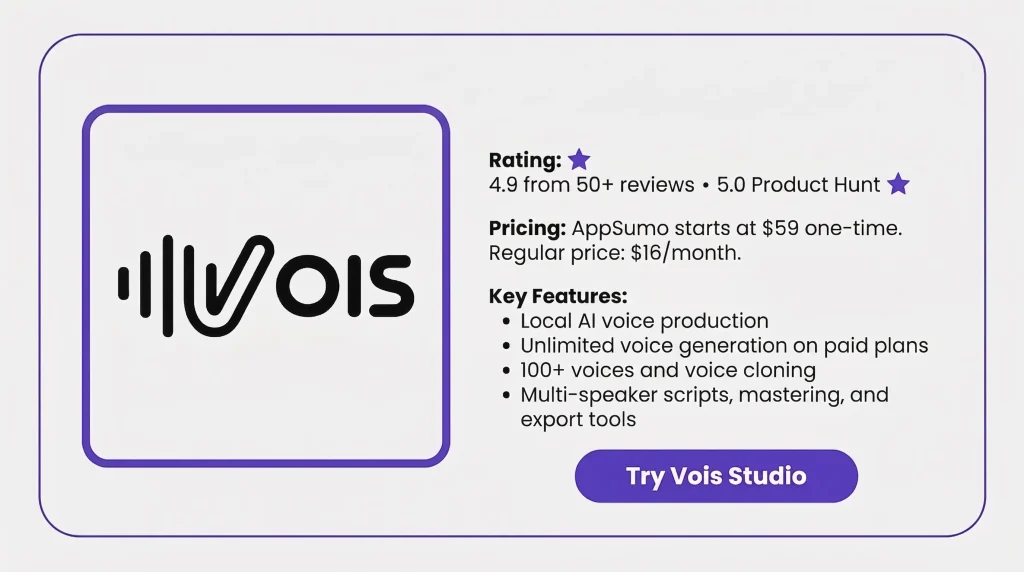
Vois Studio Lifetime Deal is an AI voice app for desktop. It lets you make as many local voiceovers as you need. You do not pay by character. The app has 100+ voices in 21 categories. It also supports 23 languages. You can write scripts for many speakers. You can edit audio, master it, and export it.
The AppSumo deal starts at $59 for lifetime access. Higher tiers add voice cloning, CLI tools, and commercial use rights. Most voice work runs on your Mac or Windows PC. Your scripts and audio can stay on your own device.
Features of the Vois Studio Lifetime Deal
Unlimited local generation
Vois Studio creates voiceovers on your Mac or Windows PC. There is no usage meter for local generation. All AppSumo tiers also include three local voice engines.
100+ voice library
Vois Studio includes 106 core voices across 21 categories. You can find voices for narration, audiobooks, apps, games, and more.
23 languages
The AppSumo version supports 23 languages. You can also switch languages within the same project.
Multi-speaker script editor
You can add several speakers to one script. Each speaker can use a different voice. Vois then generates the dialogue within the same project.
Voice Cloning
Voice Cloning creates a reusable voice from a 10- to 15-second sample. You must use your own voice or one you have permission to clone. Tier 2 allows up to 5 saved cloned voices, while Tier 3 allows 15. Tier 1 does not include this feature.
Voice, music, and SFX timeline
Vois Studio lets you place voice, music, and sound effects on separate tracks. The AppSumo deal also includes 500+ royalty-free audio assets.
Mastering Tools
Vois Studio includes built-in tools for audio mastering. These include EQ, LUFS normalization, de-essing, and limiting.
Platform export presets
Vois Studio includes export presets for YouTube, Spotify, and Apple Podcasts. It also has an ACX technical-audio preset. Each platform’s current publishing rules still apply.
Local, private processing
Speech generation, editing, mastering, and export run on your computer. Your scripts and generated audio stay on your device during this work. Internet access is still needed for setup, model downloads, activation, and license checks.
Pros of the Vois Studio
- Predictable Costs: Unlimited local use means no extra per-character fees.
- Private Workflow: Your scripts and audio can stay on your computer.
- Easier Revisions: You can re-render only the parts you change.
- All-in-One Production: You can write, edit, master, and export in one app.
- More Voice Choice: The voice library gives you many options for different projects.
- Multi-Language Content: Support for 23 languages helps you create content in more languages.
- Consistent Audio Output: Built-in mastering and export presets help keep audio settings consistent.
Cons of the Vois Studio
- No Omni Access: The AppSumo deal has no Omni or Voice Design. It supports 23 languages.
- Voice Cloning Limits: Tier 1 has no voice cloning. Tier 2 allows 5 saved voices, and Tier 3 allows 15.
- Commercial Use Limits: Only Tier 3 includes commercial use rights. Lower tiers do not include them.
- Limited Mac Support: Vois Studio supports Apple Silicon Macs only. Intel Macs are not supported.
Who is Vois Studio best for?
- Audiobook Authors: It helps authors turn books into narrated chapters with different voices.
- Podcasters: It suits scripted shows, interviews, and episodes with several speakers.
- YouTube Creators: It works well for tutorials, reviews, explainers, and faceless videos.
- Documentary Makers: It fits filmmakers who need narration for videos in different languages.
- Game Developers: It suits games that need voices for characters, NPCs, and dialogue.
Vois Studio AppSump Pricing Plan
License Tier 1 — $59
Features:
- 1 device
- Unlimited local voice generation
- 106 core voices
- 3 local voice engines
- Support for 23 languages
- Multi-speaker scripts
- Vocal reactions in scripts
- Custom pronunciation rules
- 500+ royalty-free audio assets
- Separate tracks for voice, music, and SFX
- Built-in audio mastering
- Loudness control
- Platform-ready export presets
- Local script and audio processing
- 1 device
- No saved cloned voices
- No Full Voice CLI
- No commercial use rights
License Tier 2 — $119
Features:
- Everything in Tier 1
- 2 devices
- Up to 5 saved cloned voices
- Extra 100+ voice packs
- Full Vois CLI
- No commercial use rights
License Tier 3 — $239
Features:
- Everything in Tier 2
- 5 devices
- Up to 15 saved cloned voices
- Commercial usage license
5 Best Vois Studio Alternatives (Comparison)
If Vois Studio cannot meet your needs, there are some better alternatives. ElevenLabs, Murf AI, Speechify Studio, Descript, and Vocallab AI are five tools worth checking.
Vois Studio vs ElevenLabs
ElevenLabs is a close alternative to Vois Studio. It supports AI voice generation, voice cloning, dubbing, sound effects, music, and long-form Studio projects.
- Best for: Audiobooks, narration, dubbing, and regular voice content
- Starting price: $6/month
Vois Studio vs Murf AI
Murf AI combines AI voice generation with media editing tools. You can work with voiceovers, videos, images, and presentations in one online workspace.
- Best for: YouTube videos, courses, podcasts, presentations, and business voiceovers
- Starting price: $29/month, or about $19/month with annual billing
Vois Studio vs Speechify Studio
Speechify Studio is useful for more than basic text-to-speech. It supports AI voiceovers, dubbing, voice changing, voice cloning, and 1,000+ voices.
- Best for: Voiceovers, dubbing, multilingual content, and regular content creation
- Starting price: $100/year
Vois Studio vs Descript
Descript is a good choice when you also need audio and video editing. It supports AI Speech, custom voice clones, text-based editing, audio cleanup, and video tools.
- Best for: Podcasts, YouTube videos, interviews, tutorials, and edited voice content
- Starting price: $24/month, or $16/month with annual billing
Vois Studio vs Vocallab AI
Vocallab AI is another option for AI voice creation. It supports 260 AI voices, voice cloning, voice design, audiobook tools, and audio exports.
- Best for: YouTube voiceovers, podcasts, audiobooks, and browser-based voice work
- Starting price: $49 lifetime on AppSumo
Final Thoughts – Vois Studio Review 2026
Vois Studio is a good choice for regular voice creators. It keeps the full voice process in one desktop app. You can create, edit, master, and export audio easily. The local setup also makes projects simple to manage.
The AppSumo lifetime deal gives good long-term value. For regular voice work, Vois Studio is worth considering.


