Yoya Lifetime Deal: AI Meeting Booking and Call BRIEFS
Booking meetings is easy. But knowing what guests want to discuss can be hard. Yoya helps by letting guests share their needs through chat or voice.
It finds open time slots and books the meeting. You also get a short brief about each guest. This helps you prepare for the call without extra messages.
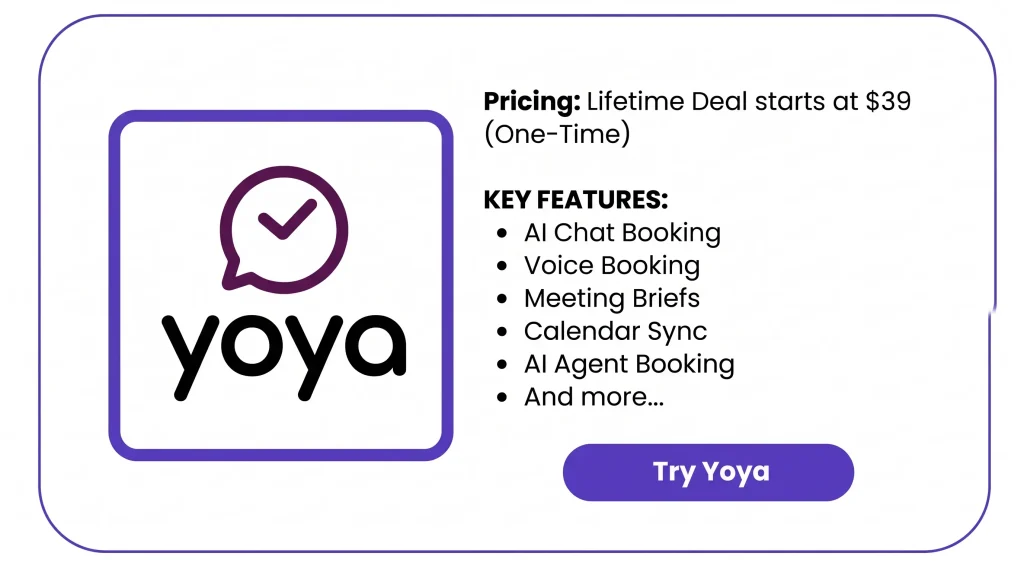
The Yoya Lifetime Deal starts at just $39 as a one-time payment. It’s a useful choice for coaches, consultants, and anyone who books client calls often.
KEY Features of Yoya
Conversational booking (text)
Guests chat with Yoya about why they want to meet. Yoya shows open slots, gets their details, and asks them to confirm.
Voice booking (guest)
Guests can talk to Yoya instead of typing. It shows open slots and books within the plan’s voice limit.
Meeting briefs
Yoya makes a short brief from the booking chat. It sums up the guest’s background, topic, and questions.
Multiple meeting types
You can set up more than one meeting type. Each one can have its own hours and length.
LinkedIn profile summary
Yoya can add a LinkedIn profile summary when guests share a link. This is part of AppSumo Tiers 2 and 3.
AI assistant booking
Guests can book with AI assistants that support MCP. Those tools find open times and book the call.
Run your own Yoya from your agent
You can link your own AI assistant to Yoya. Once you grant access, it can manage pages, hours, and bookings.
Google Calendar, Meet and Zoom
Yoya checks your Google Calendar for busy times. It can make Meet or Zoom links, with both on one page in AppSumo Tiers 2 and 3.
Yoya Pros and Cons
Pros
- Less back-and-forth to book.
- Better prepared for every call.
- Fewer calendar conflicts.
- Easier booking across time zones.
- Less work managing bookings.
Cons
- Monthly booking and voice limits.
- AI meeting briefs may contain errors.
- No built-in payment collection.
- No native CRM sync.
- No meeting recording.
Who is Yoya best for?
- Consultants: Learn what a new client needs and what the project involves. Use that detail to plan questions for the call.
- Sales Professionals: See what a lead needs and what problems they face. Plan your demo around those points.
- Coaches and Mentors: Learn what a client wants to work on. Plan each session around that goal.
- Recruiters and Hiring Teams: Book job interviews and check each person’s role and past work. Know the basics before the call.
- Customer Researchers: Book interviews with people in other time zones. Learn about their daily work before you meet.
AppSumo Yoya Pricing Plan
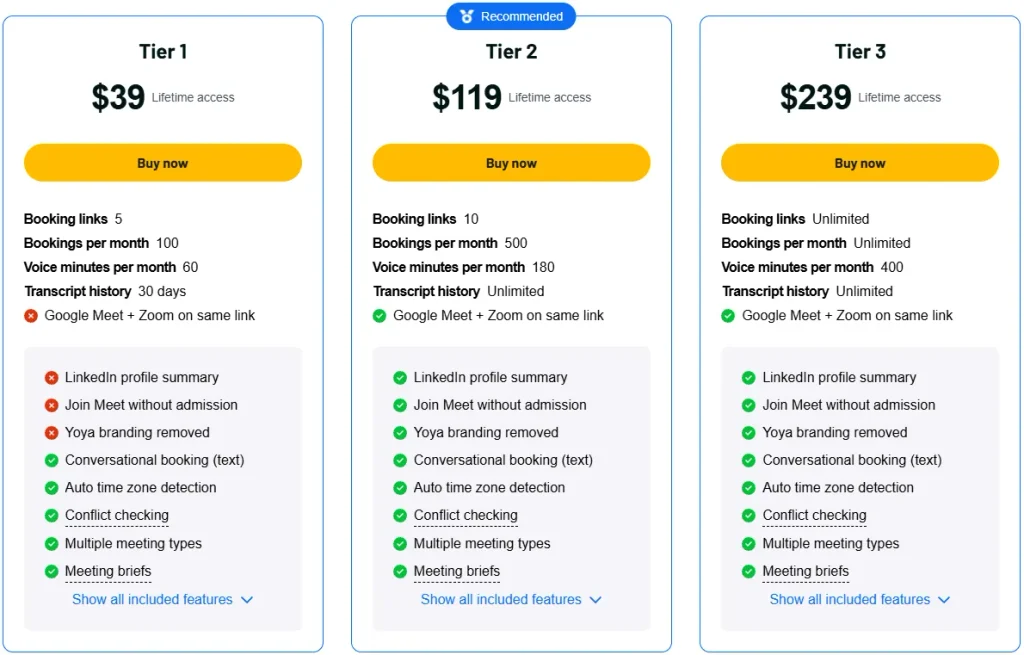
License Tier 1 – $39 (One-Time)
Features:
- 5 booking links
- 100 bookings/month
- 60 voice minutes/month
- 30-day chat history
- Text and voice booking
- Multiple meeting types
- Google Calendar conflict checks
- Auto time zone detection
- AI meeting briefs
- Google Meet or Zoom
- Email invites and reminders
- Reschedule and cancel links
- AI assistant booking via MCP
- AI-powered booking management
License Tier 2 – $119 (One-Time)
Features:
- Everything in License Tier 1
- 10 booking links
- 500 bookings/month
- 180 voice minutes/month
- Unlimited chat history
- Google Meet + Zoom on one link
- LinkedIn profile summaries
- Google Meet join without approval
- No Yoya branding
License Tier 3 – $239 (One-Time)
Features:
- Everything in License Tier 2
- Unlimited booking links
- Unlimited monthly bookings
- 400 voice minutes/month
5 Best Yoya Alternatives 2026
If Yoya doesn’t meet your needs, you might want to consider these five tools. Each tool handles bookings in a different way.
1. Calendly
Calendly is a simple tool for booking client calls, interviews, and team meetings.
- Starting Price: $10/seat/month (billed yearly).
- Benefits: Booking links, calendar sync, and reminders.
- Limitations: Free plan allows only one event type and calendar.
- Yoya Difference: Yoya chats with guests and prepares meeting briefs.
2. Cal.com
Cal.com helps you manage meeting links, available hours, and team bookings.
- Starting Price: $12/user/month (billed yearly).
- Benefits: Flexible scheduling, calendar sync, and team booking.
- Limitations: Team scheduling requires a paid plan.
- Yoya Difference: Yoya focuses on guest conversations and pre-call briefs.
3. Acuity Scheduling
Acuity is built for service businesses that book paid client appointments.
- Starting Price: $16/month (billed yearly).
- Benefits: Online payments, intake forms, and client bookings.
- Limitations: No free plan, only a 7-day trial.
- Yoya Difference: Acuity handles payments, while Yoya focuses on booking conversations.
4. TidyCal
TidyCal handles meeting bookings, calendar sync, and paid appointments.
- Starting Price: $29 lifetime (one-time).
- Benefits: Unlimited bookings, payment options, and AI booking tools.
- Limitations: A 1% fee applies to Stripe payments on lifetime plans.
- Yoya Difference: Yoya collects guest context through chat or voice and prepares briefs.
5. Chili Piper
Chili Piper helps sales teams book meetings and send leads to the right person.
- Starting Price: $1,250/month (billed yearly).
- Benefits: Lead routing, CRM updates, and meeting scheduling.
- Limitations: AI chat booking requires the higher-priced Scale plan.
- Yoya Difference: Chili Piper focuses on sales lead routing, while Yoya focuses on booking conversations.
Final Thoughts – Yoya Review 2026
Yoya makes it easy to book meetings through AI chat or voice. Guests can pick a time and confirm the call. You also get a short brief to help you prepare.
The Yoya Lifetime Deal starts at just $39, paid once. With voice booking, AI assistant support, and meeting briefs, it’s worth a look if you want more than a basic booking link.