IvyForms Lifetime Deal – AI WordPress Form Builder
Building forms in WordPress can get hard fast. You may need smart fields, multi-step forms, better entry tools, or an easier way to manage data. That is where the IvyForms Lifetime Deal stands out.
IvyForms lets you build forms with drag and drop. You can use templates, change the design, add smart rules, and manage replies inside WordPress. It also supports AI form creation, chat-style forms, integrations, and wpDataTables.
The AppSumo deal starts at $49 for lifetime access. It may suit WordPress users who prefer a one-time payment.
Features of the IvyForms Lifetime Deal
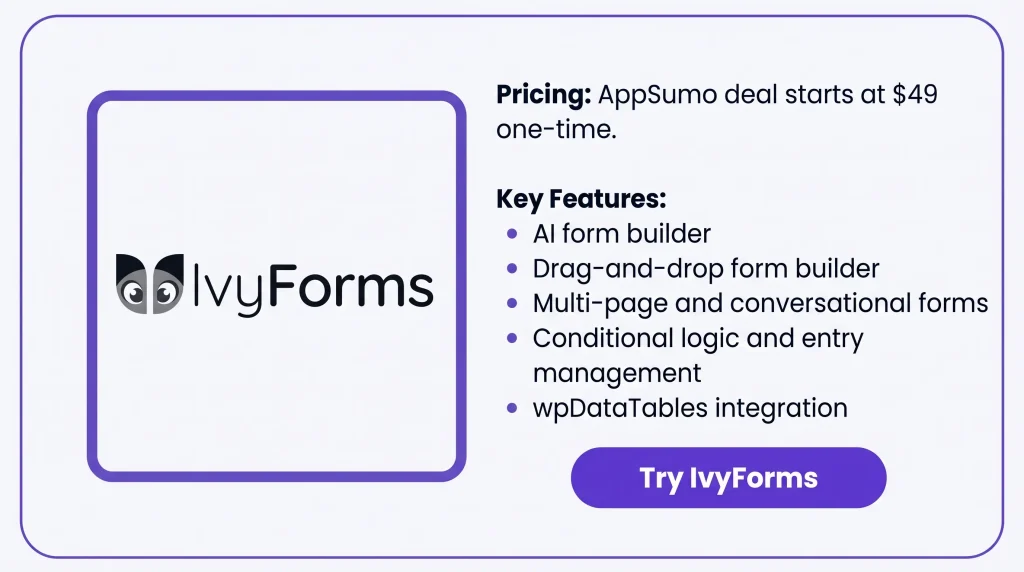
AI form builder
Describe the form you want in simple words. IvyForms builds it, then lets you edit the fields and settings.
Drag & drop form builder
Add, move, resize, and reorder fields without code. You can place up to five fields in one row.
Ready-to-use form templates
Start with a ready-made form template. You can then change its fields, layout, and settings.
Conditional logic
Show or hide fields based on earlier answers. You can set these rules for each field with Smart Logic.
Multi-step forms
Split a long form into several pages. Users can move through each page with navigation buttons.
Conversational forms
Show users one question at a time. You can also add a welcome page before the questions.
Form customization
Change the form layout, colors, spacing, fields, and buttons. You can manage these changes from the styling options.
Entry management
Manage form replies inside your WordPress dashboard. You can search, filter, star, and open each entry.
wpDataTables Integration
Connect IvyForms entries with wpDataTables. You can use the form data in connected tables and charts.
Spam protection
IvyForms supports reCAPTCHA, hCaptcha, and Cloudflare Turnstile. You can use these tools to check form submissions.
Pros of IvyForms
- Easier Form Building: Users can create and manage forms without code. This makes form work easier for non-developers.
- Simpler Form Experience: Forms can show only the questions each visitor needs. Long forms can also be split into smaller steps.
- Better Data Organization: Form replies stay organized inside WordPress. Users can search, filter, star, and review entries in one place.
- Cleaner Form Data: Spam tools help block fake and unwanted entries. This keeps form data cleaner and easier to manage.
- Better Data Reporting: IvyForms can send form data to wpDataTables. Users can then view the data in tables and charts.
- Consistent Form Design: Users can change colors, spacing, layouts, and styles. This helps forms match the rest of the website.
- Easier Team Access: Site owners can control who can access forms and entries. Teams can share work without giving full site access.
Cons of IvyForms
- Dual Plugin Requirement: IvyForms Pro needs both Lite and Pro plugins installed and active.
- External AI Dependency: AI form creation needs a supported AI provider. API use may also cost extra.
- Pro Deactivation Risk: Turning off Pro changes multi-page forms to one page. Saving them then can remove the old multi-page setup.
- One Spam Method: Each form can use only one spam tool at a time, such as reCAPTCHA, hCaptcha, or Turnstile.
Who is Ivyforms best for?
- Marketing Agencies: Agencies can use it for leads, client intake, and campaign forms across different projects.
- Small Business Owners: Small businesses can handle contact forms, orders, sign-ups, and customer requests.
- Event Organizers: Event teams can collect sign-ups, guest details, and feedback through WordPress.
- Real Estate Teams: Real estate teams can collect client details, property questions, and rental or purchase forms.
- Designers and Developers: They can build and manage custom WordPress forms without using a separate form tool.
IvyForms AppSumo Pricing Plan

1 Code — $49
Sites: 1
Features:
- Drag-and-drop form builder
- Standard form fields
- Ready-made form templates
- Form design controls
- Multi-page forms
- Multiple email alerts
- Submission confirmation messages
- Built-in spam protection
- GDPR support
- User and role permissions
- MCP support for AI agents
- wpDataTables integration
- Amelia integration
- Google Sheets integration
- Zapier integration
- Webhooks
- Square support
- Survey fields
- REST API
- Future Essentials (Tier 1) updates
2 Codes — $98
Sites: 5
Recommended
Includes everything in 1 Code, plus:
- Use IvyForms on up to 5 sites
- Future Growth (Tier 2) updates
3 Codes — $147
Sites: Unlimited
Includes everything in 2 Codes, plus:
- Use IvyForms on unlimited sites
- Future Elite (Tier 3) updates
5 Best IvyForms Alternatives 2026
The best IvyForms alternatives are WPForms, Fluent Forms, Gravity Forms, Formidable Forms, and WS Form. They are discussed below.
IvyForms vs WPForms
WPForms is a simple WordPress form builder. It supports templates, conditional logic, multi-page forms, payments, and entry management.
- Starting price: $49.50/year during the current offer
- Best for: Small businesses and marketers
- Advantages: Easy builder, many templates, payments, and integrations
- Limitations: Some tools need higher plans
- Difference from IvyForms: WPForms has more templates and add-ons, while IvyForms focuses more on data work with wpDataTables
IvyForms vs Fluent Forms
Fluent Forms combines forms, payments, reports, and integrations. It also supports multi-step forms, chat-style forms, and form entries.
- Starting price: $63/year during the current offer
- Lifetime option: Starts at $279
- Best for: Businesses and agencies
- Advantages: Many fields, payment tools, reports, and integrations
- Limitations: Its lifetime plan costs more upfront than IvyForms
- Difference from IvyForms: Fluent Forms has more payment and integration options, while IvyForms has closer wpDataTables support
IvyForms vs Gravity Forms
Gravity Forms is made for more complex WordPress form tasks. It supports conditional logic, multi-page forms, alerts, Save & Continue, and many add-ons.
- Starting price: $59/year
- Best for: Developers, agencies, and complex form needs
- Advantages: Flexible logic, many add-ons, and payment tools
- Limitations: Some tools need higher plans
- Difference from IvyForms: Gravity Forms has more add-ons, while IvyForms links forms, data reports, and AI tools more closely
IvyForms vs Formidable Forms
Formidable Forms is useful when you want to do more with form data. It can turn entries into tables, charts, reports, and front-end views.
- Starting price: $39.50/year during the current offer
- Best for: Data-heavy WordPress sites
- Advantages: Charts, reports, views, and calculations
- Limitations: Some data tools need higher plans
- Difference from IvyForms: Formidable Forms has more front-end data tools, while IvyForms uses wpDataTables for reporting
IvyForms vs WS Form
WS Form gives users more control over complex forms. It supports logic, calculations, many field types, integrations, and MCP-based AI tools.
- Starting price: $47.20/year during the current offer
- Best for: Developers and agencies
- Advantages: Detailed form control, calculations, debugging, and AI tools
- Limitations: Some integrations need higher plans or extra add-ons
- Difference from IvyForms: WS Form is more technical, while IvyForms keeps form and data work simpler
Final Thoughts – IvyForms Review 2026
IvyForms brings form building, form data, and daily form work into one WordPress setup. You can build forms with ease, use smart logic and multi-step layouts, manage replies, work with AI, and view form data through wpDataTables.
The IvyForms Lifetime Deal starts at $49 on AppSumo. For me, the mix of forms, data tools, AI support, and lifetime access makes this deal easy to consider if you want to avoid another yearly fee.