PresEngage Lifetime Deal – AI Q&A for Presentations 2026
Most slide tools help you make slides look good. PresEngage has a different job. It helps people ask questions during your talk. Add your deck, and it builds an AI Co-Presenter from it.
People join in a web browser. They do not need an app. They can ask questions in private. The AI can reply in 100+ languages. It also shows the source slide for each answer.
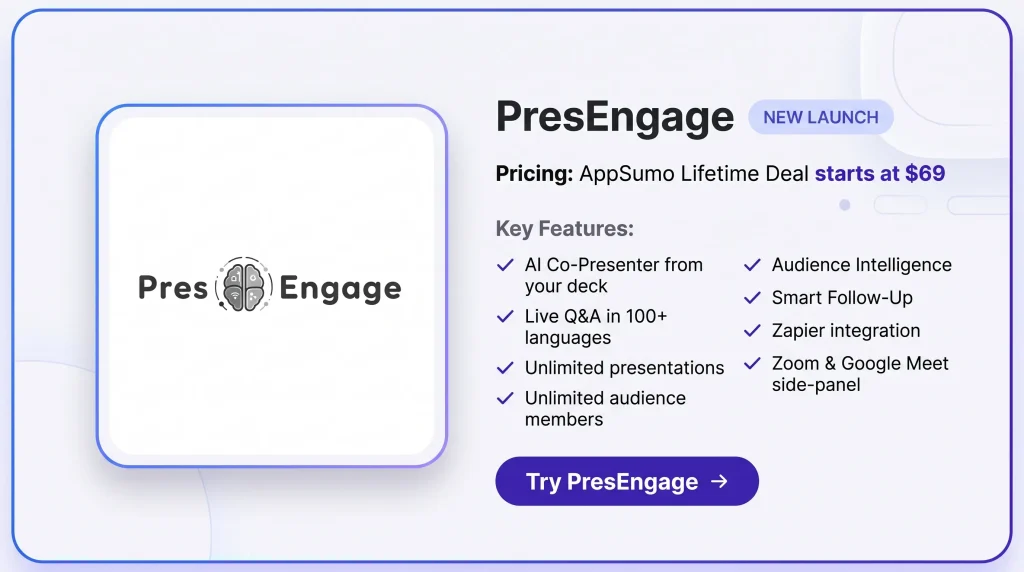
The PresEngage Lifetime Deal starts at $69. It gives you unlimited talks and audience members. You also get live AI Q&A and audience data. It works well for webinars, sales talks, training, and client demos.
Features of the PresEngage Lifetime Deal
AI-Powered Q&A
PresEngage creates an AI Co-Presenter from your content. It answers live questions in 100+ languages. Each answer can also show its source slide.
Multi-Channel Engagement
People can join in several ways. They can use a web link, QR code, Zoom, or Google Meet. Available options depend on your plan.
Audience Intelligence
PresEngage tracks questions and audience activity. It shows key topics, engagement data, and audience sentiment.
Smart Prompt
You can send a prompt to quiet attendees. PresEngage sends it after the delay you choose.
Smart Follow-Up
PresEngage can follow up after your presentation. Messages can be based on what each person asked. You can also add your call to action.
Calls to Action
You can add links for the next step. These can lead to a demo, list, or resource.
Zapier Integration
PresEngage works with other apps through Zapier. It can send contacts, questions, and audience data to connected tools.
Pros of PresEngage
- More Audience Participation: Private Q&A makes it easier for shy people to join. They can ask without speaking to the whole room.
- Fewer Missed Questions: The AI can answer many questions at once. This helps more people get answers during busy sessions.
- Better Presentation Flow: Presenters can keep talking while the AI handles questions. It uses the slides and content already provided.
- Easier Global Communication: People can ask questions in their own language. They can also get answers in the same language.
- Clearer Audience Insights: PresEngage shows what people asked and cared about. It also helps reveal topics that may need more detail.
- Stronger Lead Context: Presenters can see who asked each question. This gives sales teams more context for later follow-up.
- Longer Audience Engagement: People can still ask questions after the talk ends. The AI Co-Presenter keeps answering from the shared content.
- More Relevant Follow-Up: Follow-up messages can match what each person asked. They can also point people toward the next step.
Cons of PresEngage
- Harder Deck Updates: Changing a presentation after upload may feel less smooth if you update your slides often.
- Needs Complete Content: The AI only uses the content you provide, so missing details may leave some questions unanswered.
- No Polls or Quizzes: PresEngage focuses on AI Q&A, so it does not include polls, quizzes, or leaderboards.
- Messaging Costs Extra: SMS and WhatsApp Q&A cost extra because they use pay-per-use pricing.
Who is PresEngage best for?
- Sales Managers: It suits sales teams that present to leads and want to learn what prospects ask or care about.
- Public Speakers: It fits speakers and coaches who want questions handled while they stay focused on the talk.
- Educators & Trainers: It helps teachers and trainers give learners a private way to ask questions during lessons.
- Event Organizers: It suits event teams that need to handle questions from large groups during live sessions.
- HR & Internal Comms: It works well for teams that run town halls, staff meetings, and training with private Q&A.
PresEngage AppSumo Pricing Plan
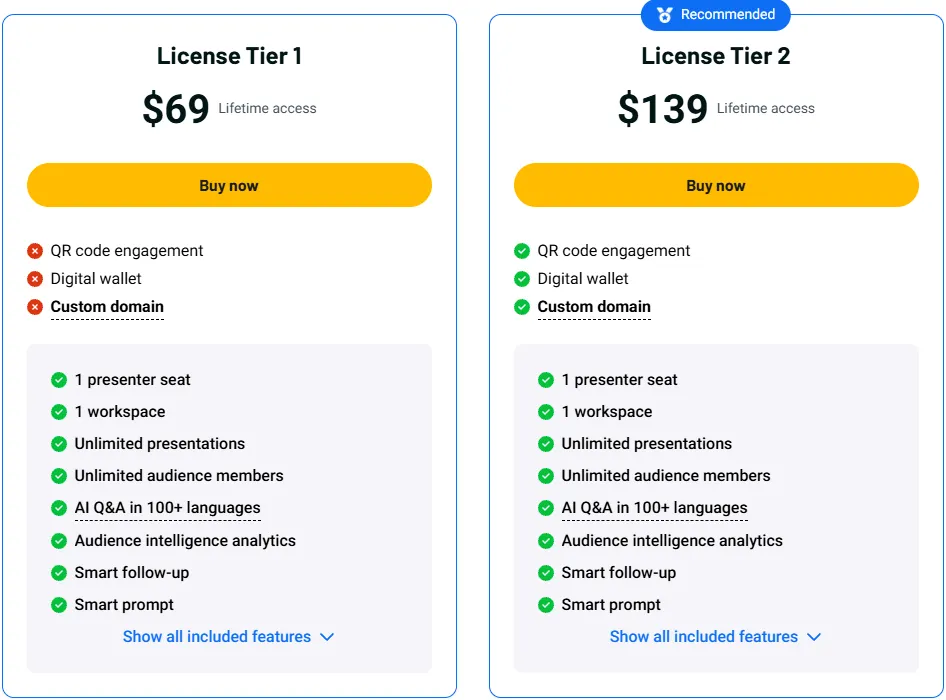
License Tier 1 — $69
- 1 presenter seat
- 1 workspace
- Unlimited presentations
- Unlimited audience members
- AI Q&A in 100+ languages
- Audience Intelligence
- Smart Follow-Up
- Smart Prompt
- Smart Calls to Action
- 24/7 AI Co-Presenter
- Zapier integration
- Google Meet side-panel
- Zoom side-panel
- Join by web or link
- Direct link sharing
- White-label branding
License Tier 2 — $139
- Includes License Tier 1
- QR code engagement
- Audience Connect slide
- Digital Wallet
- Custom domain
5 Best PresEngage Alternatives 2026
If PresEngage is not the right fit, these five tools are strong options. Each one focuses on live audience engagement, but in a different way.
PresEngage vs Slido
Slido works well for meetings, webinars, and live events. It focuses on Q&A, polls, quizzes, voting, and question moderation.
- Starting price: Free; paid plans start at $17.50/month, billed yearly.
- Main strengths: Live Q&A, upvoting, polls, quizzes, and moderation.
- Limitation: Its AI can help create polls and quizzes, but it does not answer live questions from your uploaded content.
- Key difference: Slido focuses more on polls and moderated Q&A, while PresEngage focuses on AI answers, lead capture, and follow-up.
PresEngage vs Mentimeter
Mentimeter is a good choice if you want to build the full interactive presentation in one tool. It supports polls, word clouds, quizzes, Q&A, surveys, and interactive slides.
- Starting price: Free; the Basic plan is billed yearly.
- Main strengths: Slide builder, polls, quizzes, word clouds, Q&A, and AI help for slide creation.
- Limitation: Audience questions still go to the presenter instead of being answered from the presentation content.
- Key difference: Mentimeter helps you build interactive slides, while PresEngage adds AI Q&A to an existing deck.
PresEngage vs Poll Everywhere
Poll Everywhere fits training, education, meetings, and live presentations. It gives presenters several ways to collect answers and feedback from the audience.
- Starting price: Free; Present starts at $10/month, billed yearly.
- Main strengths: Polls, surveys, competitions, open responses, and reports.
- Limitation: Its AI helps create poll questions, not answer audience questions from your slides.
- Key difference: Poll Everywhere is built more for polls and classroom activities, while PresEngage centers on AI Q&A and follow-up.
PresEngage vs Vevox
Vevox is a good fit for companies, schools, and teams that need anonymous Q&A and polling. It also supports quizzes, surveys, moderation, and audience data.
- Starting price: Free; Business Starter begins at $11.95/month, billed yearly.
- Main strengths: Anonymous Q&A, polls, quizzes, surveys, PowerPoint support, and Microsoft Teams integration.
- Limitation: Its AI can create questions, but it does not answer live audience questions from your content.
- Key difference: Vevox focuses more on anonymous polling and managed Q&A, while PresEngage focuses on AI answers and lead tracking.
PresEngage vs AhaSlides
AhaSlides is a simple choice for interactive presentations. It supports polls, quizzes, word clouds, Q&A, surveys, and audience joining by QR code or link.
- Starting price: Free; Essential starts at $7.95/month, billed yearly.
- Main strengths: Polls, quizzes, Q&A, word clouds, surveys, and interactive slides.
- Limitation: Its AI helps create slides and activities, but it does not answer live questions from your source content.
- Key difference: AhaSlides focuses on all-in-one interaction, while PresEngage focuses more on AI Q&A, lead capture, and follow-up.
Final Thoughts – PresEngage Review 2026
PresEngage makes live Q&A simple. Its AI Co-Presenter answers from your own content and supports 100+ languages. It also keeps audience questions, contacts, and follow-up in one place. With unlimited presentations and audience members, the PresEngage Lifetime Deal gives strong value for a one-time payment.