ConnectSafely Lifetime Deal – Inbound LinkedIn Lead Tool
Let me be honest. I used to spend hours on LinkedIn trying to leave good comments. Most days, time ran out before I found the right people. And my cold messages mostly got ignored.
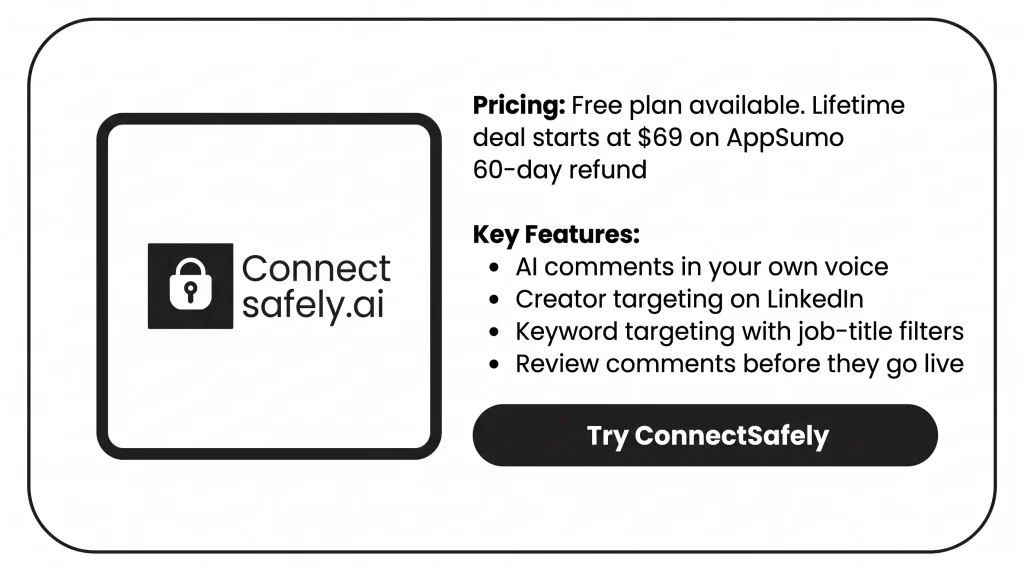
That’s why ConnectSafely caught my eye. You pick the topics you care about and the creators your buyers follow. Its AI then finds the right posts and comments on them in your own voice. The best part? Nothing goes live until I approve it.
So instead of chasing people, you show up where your buyers already talk.
Right now, AppSumo has a ConnectSafely Lifetime Deal from $69. In this review, I’ll cover its features, benefits, pricing, and who it’s best for.
Features of the ConnectSafely Lifetime Deal
Boost Your Posts
Pick one of your LinkedIn posts and hit boost. Real people from the ConnectSafely community then like and comment on it. You can boost it right when it goes live. Or you can set a later time. You can also make private pods for your team.
Auto-Commenting
The AI reads each post. It writes a comment in your voice. Then it posts the comment from your account. You set the tone, style, and background with personas. You can also check each comment before it goes live.
Creator Targeting
Add the creators your ideal buyers follow. The AI then comments on their new posts for you. It keeps an eye on them all day and night. It comments within about 15 minutes after they post.
Keyword Targeting
Pick your keywords. The AI finds posts on those topics and comments on them. You can filter posts by the author’s job title, like CEO or CTO. You can also use negative keywords to skip posts you don’t want.
Analytics
The dashboard shows how many comments went out. It splits them by keyword and by creator. It also shows your post activity. You can filter by account and save the data as a CSV file.
LinkedIn MCP for Claude
This links your LinkedIn account to AI tools like Claude Desktop, Cursor, and n8n. You just add one server link. Then you can ask the AI in plain words to find leads, check profiles, write comments, or schedule posts.
LinkedIn CLI
The CLI lets you run your account by typing commands. You set it up with one install. It works in scheduled jobs and with AI coding tools like Claude Code and Cursor. It also adds random pauses between actions.
Lead Database (Coming Soon)
ConnectSafely is building a database of over 590 million B2B leads. Unlimited plans will start at $99 per month. It will work in the app, Claude, the API, and the CLI. For now, you can only join the waitlist.
Pros of ConnectSafely
- Less Time Scrolling: You stay active on LinkedIn. But you don’t spend hours each day scrolling and typing replies.
- Buyers Reach Out First: You stop chasing people with cold messages. Buyers who care can find your profile and message you first.
- Seen by the Right People: Your comments show up where your ideal buyers spend time. They don’t go to random people.
- Comments That Sound Like You: Your comments read as you wrote them. You can also check them first. So nothing goes out that feels off.
- More Reach for Your Posts: Your own posts get early likes and comments. So LinkedIn shows them to more people, not just a few.
- Safer Account Activity: Actions go out at a natural pace, as a real person would. This helps keep your account in good shape.
- Works With Your Tools: Your data can flow into tools like HubSpot or n8n. So you don’t have to copy it by hand.
Cons of ConnectSafely
- Commenting-Only Lifetime Deal: The lifetime deal only covers auto-comments. Boost Your Posts needs its own monthly plan. So do API, MCP, and CLI access.
- Lower Limits Than Monthly Pro: Even the top tiers stop at 20 creators and 5 keywords. Monthly Pro users get 50 creators and 10 keywords.
- Basic Activity Analytics: The dashboard only counts what the tool did, like comments sent. You can’t see profile views or leads. You also can’t see which comments worked best.
- Possible Extra AI Costs: The deal terms say new AI models may need an add-on. Or they may come at a lower, but still paid, price. So you could pay more later to use newer AI.
Who is ConnectSafely best for?
- Busy B2B Founders: You sell to other firms, but you have no time to comment each day. This tool keeps you in front of buyers. You stay free to run your company.
- Consultants and Coaches: You win clients through trust. Good comments on topics your clients care about show what you know. So people see your skills before they reach out.
- Agencies Managing Clients: You run LinkedIn for a few clients. You can manage all their profiles and company pages in one place. No more logging in and out of each one.
- Recruiters Sharing Job Posts: You want the right people to see your job posts. More real people will notice them and react to them.
- Sales Teams Avoiding Cold Outreach: Your cold messages keep getting ignored. Now you can show up where your buyers already talk. Then warm leads reach out to you first.
ConnectSafely AppSumo Pricing Plan
You pay once for each tier. You can get a refund within 60 days.
License Tier 1 – $69
- Use it for life on 1 LinkedIn account.
- Up to 150 comments a month, with 10 a day.
- AI writes comments in your own style.
- Target 20 creators and 5 keywords.
- All the targeting and safety tools.
License Tier 2 – $149
Includes License Tier 1, plus:
- 2 accounts, with 300 comments a month each.
- Comment as your company page.
License Tier 3 – $299 (Recommended)
Includes License Tier 2, plus:
- 3 accounts.
License Tier 4 – $399
Includes License Tier 3, plus:
- 5 accounts.
- Priority support for faster help.
License Tier 5 – $549
Includes License Tier 4, plus:
- 10 accounts.
5 BEST ConnectSafely Alternatives 2026
The best ConnectSafely alternatives in 2026 are PowerIn, Commentify, HyperClapper, Podawaa, and Linkboost. The first two comment on other people’s posts for you, and the last three boost your own. All prices were checked on official sites in September 2026.
1. PowerIn: Closest Match for Auto-Commenting
PowerIn works the most like ConnectSafely. You pick creators and keyword searches, and its AI replies to their posts from your account.
- Starting price: $19 a month. Pro costs $39 a month.
- Pros: Up to 200 comments a day on Pro. You can also comment as a company page and tag the author.
- Cons: No post boosting. Starter gives you just 1 keyword search and 25 comments a day.
- Difference: ConnectSafely adds job title filters and lets you check each reply first.
2. Commentify: Best for Commenting Beyond LinkedIn
Commentify replies to posts for you on LinkedIn, X, and Reddit. It learns how you write and can target people by city, region, or country.
- Starting price: $19 a month. Full cost: $39 a month.
- Pros: Separate modes for your brand and for sales.
- Cons: No post boosting.
- Difference: ConnectSafely stays on LinkedIn and targets by job title, not place.
3. HyperClapper: Best for Boosting Your Own Posts
With HyperClapper, real members like and comment on your post in its first hour. You check each AI comment first, and higher plans reply to new comments for you.
- Starting price: Free for 3 posts a month. Paid plans start at $39 a month.
- Pros: Every plan can boost company pages too.
- Cons:
- It needs a Chrome extension.
- Auto-replies start at $59 a month.
- Your profile engages with other members’ posts unless you pay $99 a month to turn it off.
- Difference: It boosts your own posts. The ConnectSafely deal replies to other people’s posts.
4. Podawaa: Best if You Don’t Want Your Account Engaging for Others
Podawaa boosts each new post with likes and AI comments. In Community mode, your account engages with others in return. In Private mode, it never does.
- Starting price: Free for 5 boosts a month. Paid plans start at €29 a month, or €59 for Private (excl. VAT).
- Pros: Unlimited boosts on paid plans. Private mode needs no extension or LinkedIn login.
- Cons:
- Community mode can’t be paused, and you can’t check its comments.
- Likes and comments can take up to two days to land.
- Podawaa says LinkedIn may still limit reach.
- Difference: ConnectSafely’s boosts always come from its own member group.
5. Linkboost: Best Budget Option for Boosting Plus Comment Help
Linkboost boosts your posts through niche pods. It also finds hot posts and drafts comments you can edit and send yourself.
- Starting price: Free for 3 posts a month. Paid plans start at $31 a month (billed yearly).
- Pros: No browser extension, unlimited AI drafts on paid plans, and stats for each post and pod.
- Cons: AI comments only on paid plans. Premium allows just 30 posts a month.
- Difference: ConnectSafely posts comments for you, so you don’t send them yourself.
Final Thoughts – ConnectSafely Review 2026
ConnectSafely changed how I use LinkedIn. I no longer spend my mornings scrolling and typing replies. The AI does that part in my own voice. I just focus on real work.
What I like most is how fast it shows up. A creator my buyers follow posts something new. Within about 15 minutes, the tool leaves a reply. So my name lands near the top. Job title filters send those replies to the people who make buying calls. I can even see how my persona would reply before it goes live.
The ConnectSafely Lifetime Deal starts at a one-time price of $69. It keeps my LinkedIn active every day. And AppSumo gives you 60 days to get your money back. So trying it feels easy.