NextCRM Lifetime Deal: WP Email Marketing, CRM and Automation
NextCRM is a CRM and email marketing plugin for WordPress. It helps you manage contacts, send email campaigns, and set up follow-ups in one place.
You can sort leads, create emails, and set up tasks that run on their own. You don’t need to write code. Its OmniReach tool also helps you track website visitors and reach them with pop-ups and push alerts.
The best part is that you can do all this right from your WordPress dashboard. You don’t need to switch between different tools.
KEY Features of NextCRM
NextCRM helps you manage contacts, send emails, and save time. Here are its KEY features and how they work.
Manage Contacts and Segments
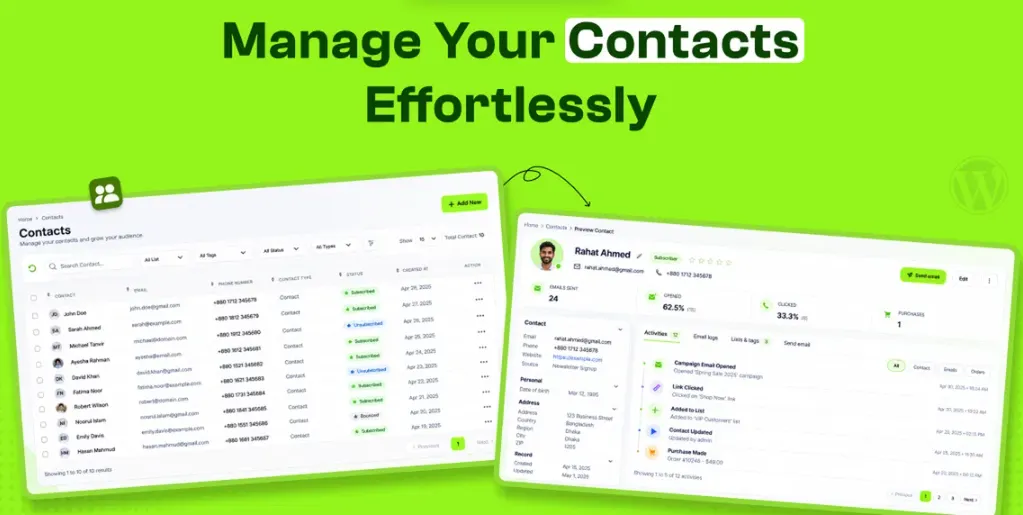
NextCRM keeps all your contacts in one place. You can save their details, track email activity, and group them by interest or action.
To get started, go to NextCRM → Contacts in WordPress. Click Add New and enter the person’s details. Then, add them to a list or give them a tag. You can also upload contacts from a CSV file.
You can filter contacts by type, status, tags, or past orders. For example, you can find people who bought a product. Then, send an email just to that group. This saves time and helps you reach the right people.
Automate Customer Journeys
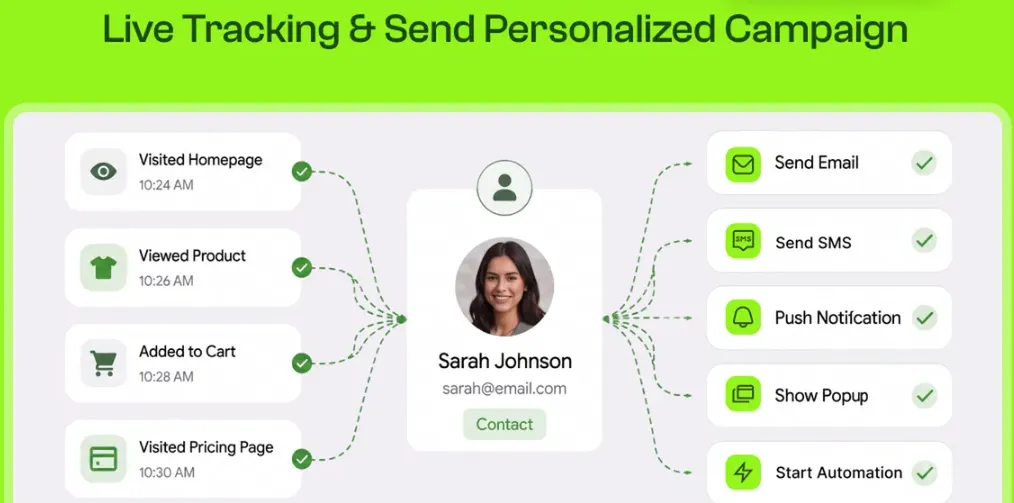
NextCRM helps you send emails based on what customers do. You can set up welcome emails, follow-ups, and cart reminders. These tasks run on their own, so you save time.
To start, go to NextCRM → Automation in WordPress. Create a new workflow and pick a trigger. This could be a new signup or a WooCommerce order. Then, add steps to send emails, set wait times, or check customer actions.
For example, you can send a welcome email after signup. Two days later, NextCRM can send another email. Once you turn on the workflow, it runs on its own.
Create and Send Email Campaigns
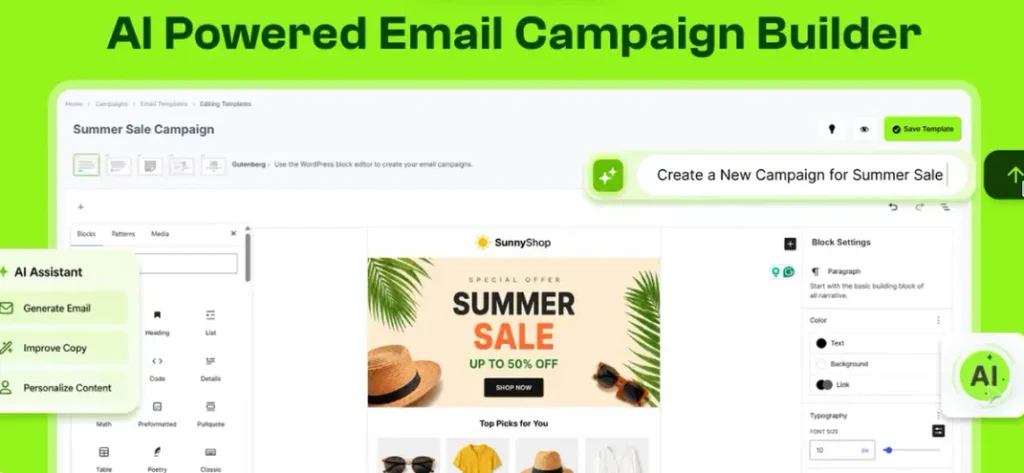
NextCRM lets you create and send emails from WordPress. You can use ready-made templates or make your own. Add text, images, and buttons without writing code.
To start, go to NextCRM → Campaigns and click Add New. Name your campaign and pick a template. Then, add your text, write a subject line, and choose who gets the email.
You can preview your email on a phone or computer. If everything looks good, send it now or schedule it to be sent later. This helps you easily plan your emails.
Track Marketing Performance
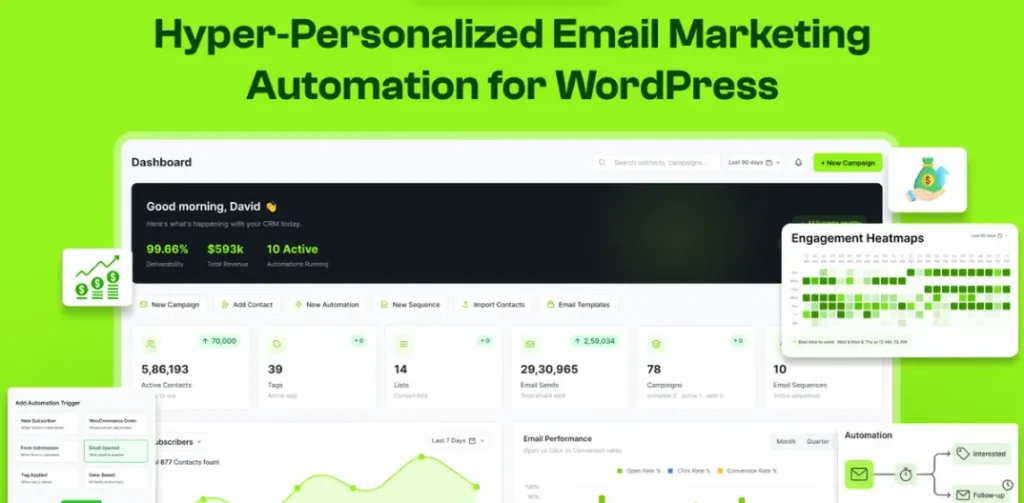
NextCRM helps you see how your emails are doing. You can track email opens, clicks, new contacts, and sales from one dashboard.
To see your results, go to NextCRM → Reports in WordPress. Pick a date range and check your reports. You can also use OmniReach to see where visitors come from and where they leave your site.
For example, many people may open your email but not click. You can use this data to find what needs work. This helps you make better plans for your next campaign.
NextCRM Pros and Cons
NextCRM has some useful benefits, but it also has a few limits. Here are the main pros and cons to help you decide.
Pros
- Less Manual Work.
- Better Contact Organization.
- More Relevant Emails.
- Clearer Marketing Results.
- Full Control of Your Data.
- Fewer Tools to Manage.
Cons
- WordPress Only.
- Contact Limits on Lower Plans.
- Extra SMS Setup Required.
- Limited Migration Options.
- Reported Support Issues.
Who Is NextCRM Best For?
- Small Business Owners: Good for those who want to manage leads, send emails, and keep in touch with customers.
- WooCommerce Store Owners: Useful for store owners who want to track orders, follow up with buyers, and remind shoppers about items left in their carts.
- Email Marketers: Good for those who send newsletters, manage email lists, and send emails to different groups.
- Course Creators: Helpful for those who run online courses and want to send welcome emails, lesson updates, and follow-ups.
- WordPress Agencies: Good for teams that manage many WordPress sites and handle email marketing for each one.
NextCRM AppSumo Pricing Plan
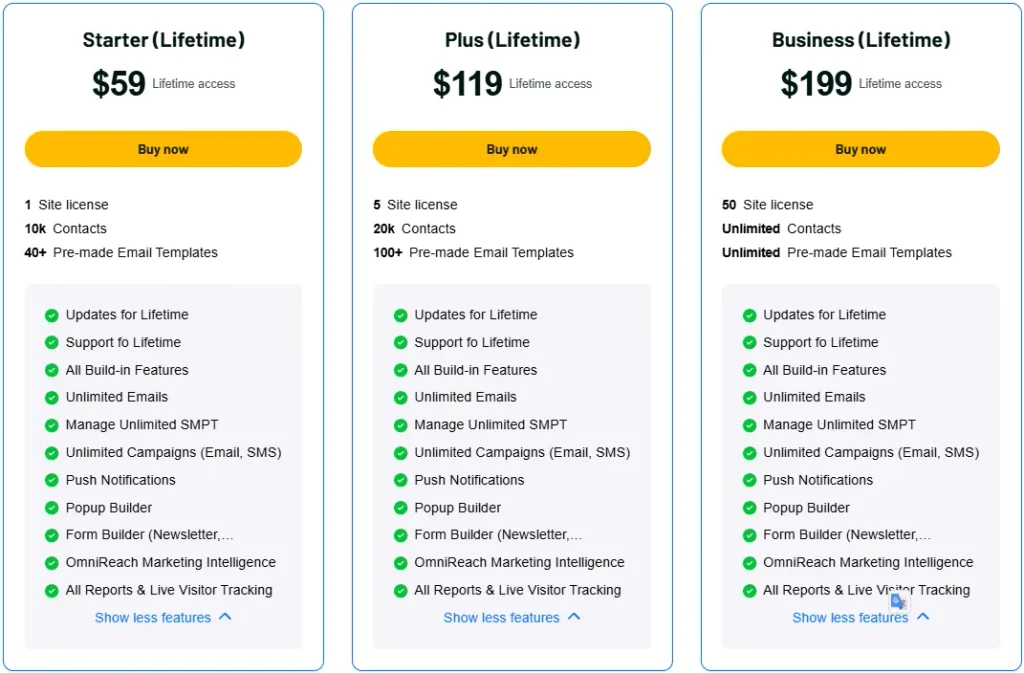
License Tier 1 – $59 (Starter)
Features:
- 1 website license
- 10,000 contacts
- 40+ email templates
- Lifetime updates and support
- All built-in features
- Unlimited emails
- Unlimited SMTP connections
- Unlimited email and SMS campaigns
- Push notifications
- Popup builder
- Newsletter and signup forms
- OmniReach marketing insights
- All reports and live visitor tracking.
License Tier 2 – $119 (Plus)
Features:
- Everything in License Tier 1
- 5 website licenses
- 20,000 contacts
- 100+ email templates.
License Tier 3 – $199 (Business)
Features:
- Everything in License Tier 2
- 50 website licenses
- Unlimited contacts
- Unlimited email templates.
Final Thoughts – NextCRM Review 2026
What I like about NextCRM is how it keeps emails, contacts, and marketing tasks in one place. This makes daily work easier and saves time.
OmniReach helps you track site visitors and show pop-ups. You can also use ChatGPT and Claude to manage CRM tasks. With a one-time AppSumo lifetime deal, NextCRM is worth a look.