Contral Lifetime Deal – Turn Your AI Agent into a Tutor
AI tools can write code fast. But knowing what the code does is harder. Contral helps with that.
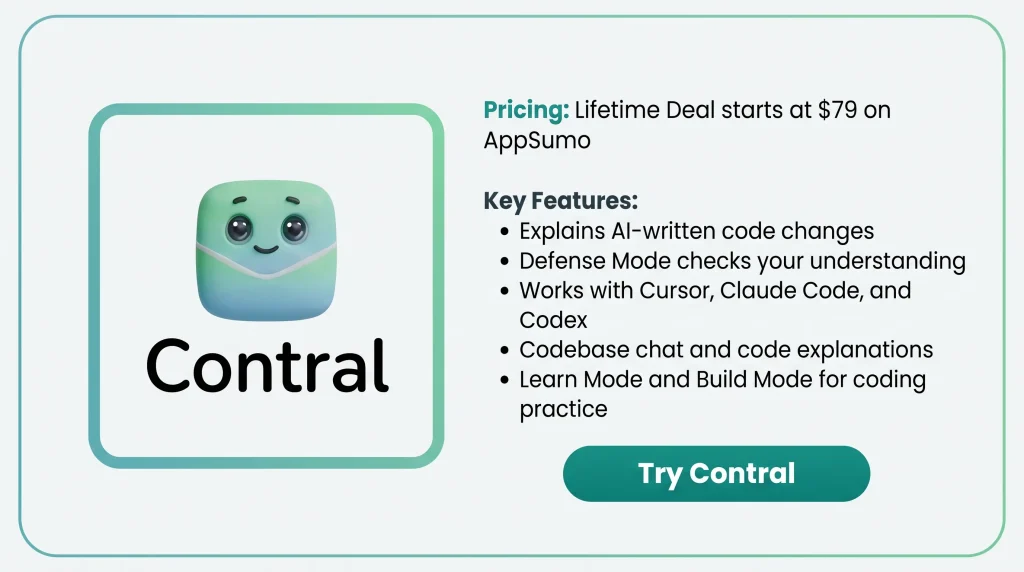
What I like is how Contral shows each change and explains why it was made. It also works with Cursor, Claude Code, and Codex. So you can use the AI tool you already like.
Defense Mode takes it a step further. It asks questions to see how much you understand.
In this Contral Lifetime Deal review, I’ll cover its key features, benefits, price, and limits. This will help you decide if it’s worth buying.
Contral KEY Features
Build mode
Open your project and tell Contral what to build. It reads your files and shows code changes. You can then approve or skip each change.
Learning cards
Contral shows a learning card when AI changes your code. It explains what changed, why, and how each line works.
Teaching on AI edits from other agents
Contral tracks code changes from Cursor, Claude Code, and Codex. Keep the extension open to see cards that explain those changes.
Learn mode
Open the roadmap and pick a Java topic. Each lesson has code examples, tasks, hints, and tests to check your work.
Defense mode
Contral asks you to explain code in your own words. It uses questions, quizzes, and checkpoints to check your answers.
Codebase tours & codebase chat
Click Learn this codebase to scan your project. Contral shows a guided tour of your files. You can also ask questions about how the code works.
Pros fo Contral
- Clearer Code Understanding: You can see what AI changed and why. This helps you know how your code works before you use it.
- Better Coding Skills: You can learn Java through coding tasks and practice. Quizzes and feedback help you check what you’ve learned.
- More Control Over Code: You can check each AI edit before adding it to your project. You choose which changes to keep or skip.
- Easier Project Learning: You can get a guided tour of a new project. You can also ask how its files work together.
- Keep Your Favorite Tools: You can still use Cursor, Claude Code, or Codex. Contral helps you understand the code these tools write.
Cons of Contral
- Java-Only Learn Mode: Learn Mode only teaches Java right now. You can’t take guided lessons in Python, JavaScript, or other languages.
- Missed Small AI Edits: Contral may miss AI code changes under eight lines. These edits may not get teaching cards.
- Limited Lifetime Usage: All three AppSumo tiers have limits on deep dives, codebase scans, and web searches, even with lifetime access.
- Desktop IDE Still in Beta: Contral’s desktop app is still in public beta. It also doesn’t work on Intel Macs.
Who is Contral best for?
- Beginner Java Learners: New students can learn Java step by step through lessons, coding tasks, and tests.
- AI-Assisted Developers: Developers who use Cursor, Claude Code, or Codex can learn what AI changed and why.
- New Team Developers: Developers who join a new project can explore its files, see how they work together, and ask questions.
- Career Changers: People learning to code for a new career can build projects and test their skills through practice.
- Coding Educators: Teachers can use Java lessons, coding tasks, and checkpoints to guide students and check their work.
AppSumo Contral Pricing Plan
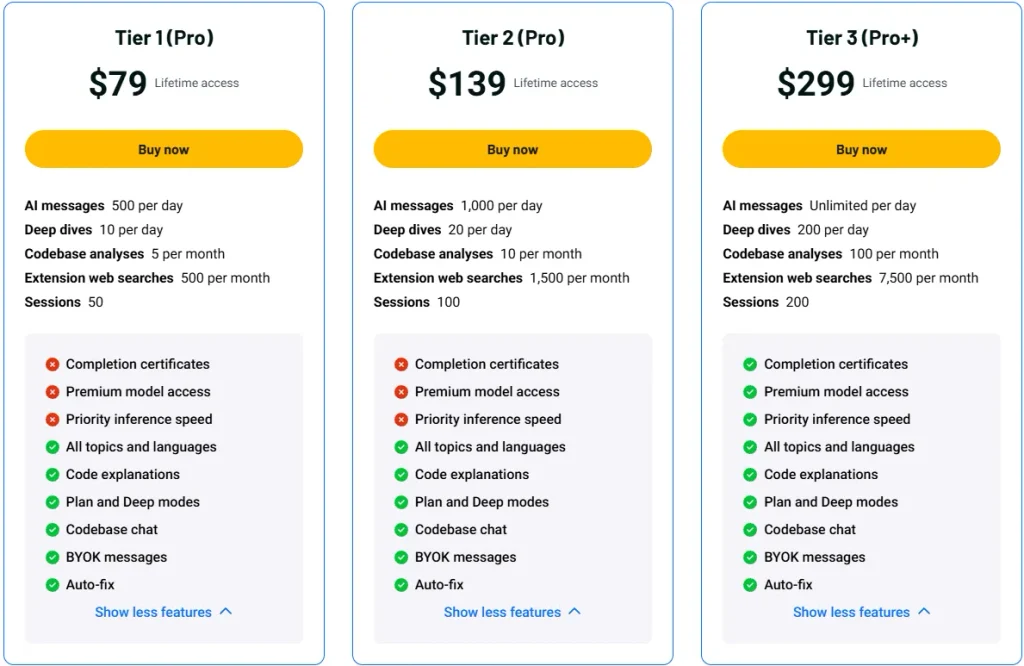
License Tier 1 (Pro) — $79
Features:
- 500 AI messages/day
- 10 deep dives/day
- 5 codebase scans/month
- 500 web searches/month
- 50 chat sessions
- 500 auto-teach cards/day
- All Java learning topics
- Unlimited code explanations
- All 4 agent modes
- Unlimited Recursive runs
- Unlimited codebase chat
- Unlimited BYOK messages
- Auto-fix
License Tier 2 (Pro) — $139
Features:
- All License Tier 1 features
- 1,000 AI messages/day
- 20 deep dives/day
- 10 codebase scans/month
- 1,500 web searches/month
- 100 chat sessions
- 1,000 auto-teach cards/day
License Tier 3 (Pro+) — $299
Features:
- All License Tier 2 features
- Unlimited AI messages
- 200 deep dives/day
- 100 codebase scans/month
- 7,500 web searches/month
- 200 chat sessions
- Unlimited auto-teach cards
- Completion certificates
- Premium AI models
- Priority response speed
5 Best Contral Alternatives in 2026
Here are five Contral alternatives for AI coding, learning, and app building.
1. Cursor
Cursor is an AI code editor that helps you write, edit, and fix code in your projects.
- Starting Price: Free, paid from $8/month
- Pros: AI coding, code tips, multi-file editing
- Cons: Limited free use, extra AI model costs
- Key Difference: Focuses on fast coding, not guided lessons.
2. Devin Desktop (Formerly Windsurf)
Devin Desktop helps you work with AI coding agents, edit code, and fix errors.
- Starting Price: Free, Pro from $20/month
- Pros: Multiple AI agents, code editing, bug fixes
- Cons: No guided coding lessons
- Key Difference: Focuses on AI coding tasks, not learning.
3. GitHub Copilot
GitHub Copilot helps you write code, find bugs, and explain code in your editor.
- Starting Price: Free, Pro from $10/month
- Pros: Code tips, AI chat, bug fixes, code help
- Cons: Limited free use, monthly AI credit limits
- Key Difference: Explains code when asked, without guided learning tests.
4. Codecademy
Codecademy helps you learn Java, Python, JavaScript, and more through online lessons and tasks.
- Starting Price: Free, Plus from $14.99/month (billed yearly)
- Pros: Many languages, guided lessons, coding projects
- Cons: Limited free courses, paid learning tools
- Key Difference: Uses online lessons instead of live AI code teaching.
5. Replit
Replit lets you build, edit, and publish apps online with AI help.
- Starting Price: Free, Core from $18/month (billed yearly)
- Pros: AI app building, browser coding, app publishing, team projects
- Cons: Limited free use, extra AI usage costs
- Key Difference: Focuses on building apps, not guided coding lessons.
Final Thoughts – Contral Review 2026
What I like most about Contral is how it teaches while you code. It shows what AI changed and why, so you can understand your work.
The teaching cards and Defense Mode are what make it stand out. It also works with Cursor, Claude Code, and Codex, so you can keep using your favorite tools.
The Contral Lifetime Deal starts at just $79. I think it’s worth a look if you want to build with AI and learn as you go.