Supergrow Lifetime Deal: Create LinkedIn Posts in Your Voice
Supergrow is an AI tool for LinkedIn. It helps you write posts, plan when to share them, and track how well they do.
One useful feature is its AI interviewer, Alex. You can share your ideas in a 10–15-minute chat and get 3–5 post drafts. Its Content DNA tool learns your writing style, so posts sound more like you.
You can also turn videos, articles, and PDFs into LinkedIn posts. Supergrow helps you manage posts, engage with people, and track your results in one place.
KEY Features of Supergrow
Supergrow has tools to create and manage LinkedIn posts. Below are its main features and how they work.
Create LinkedIn Posts with AI Interviews
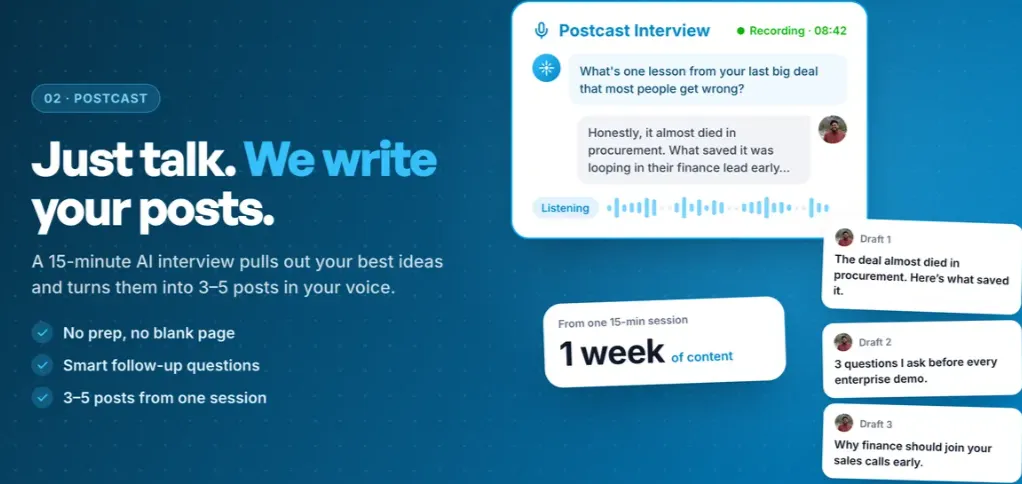
Supergrow has an AI interviewer named Alex. You can talk about your ideas, work stories, or lessons. Alex asks more questions to learn about your topic.
In just 10–15 minutes, you can get 3–5 LinkedIn post drafts. You can read and edit each post before sharing it.
How to use it: Open PostCast and enter your topic. Answer Alex’s questions. Then check your drafts and save or schedule them.
Write Posts in Your Own Voice
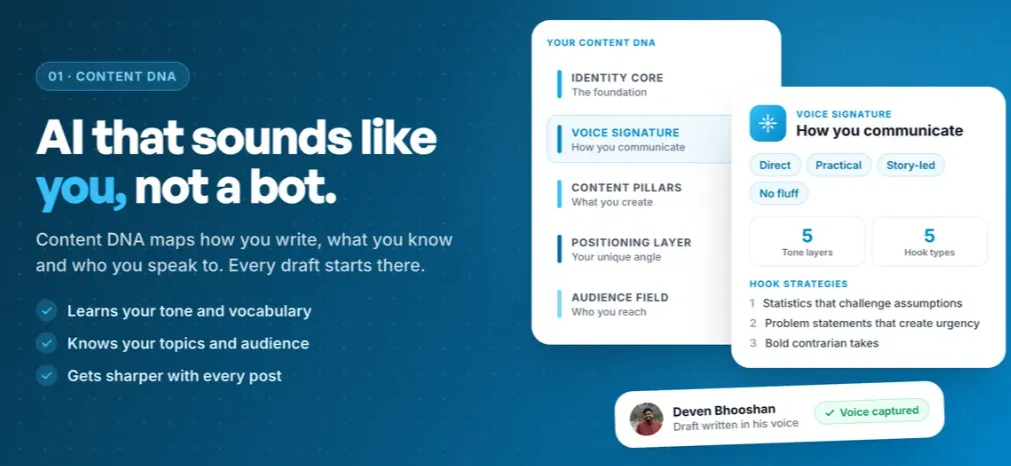
Supergrow’s Content DNA helps you write posts in your own style. It learns how you write from your past LinkedIn posts. This includes your tone, word choices, and favorite topics.
The AI then uses your style to write new posts. You can still edit each draft to make it sound right.
How to use it: Go to Settings and open Content Writing Style. Add at least 10 of your posts and save your style. Then choose it in Post Generator when you write a new post.
Manage and Schedule LinkedIn Posts
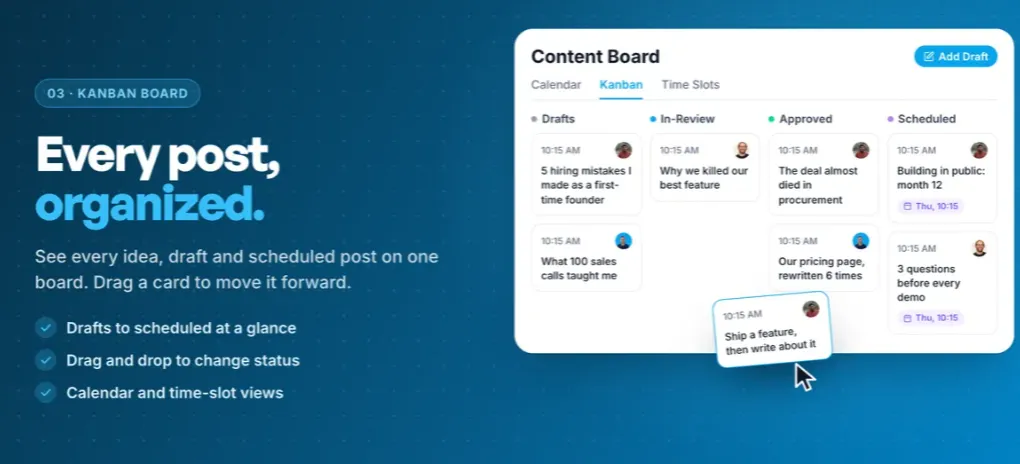
Supergrow helps you keep all your LinkedIn posts in one place. Its Kanban board shows your drafts, posts under review, approved posts, and scheduled posts.
You can also use a weekly or monthly calendar to plan your posts. Just set a date and time, and Supergrow will share them on LinkedIn for you.
How to use it: Open the Kanban board and add your drafts. Move posts through review and approval. Then use the calendar to set when each post goes live.
Track Your Team’s LinkedIn Performance
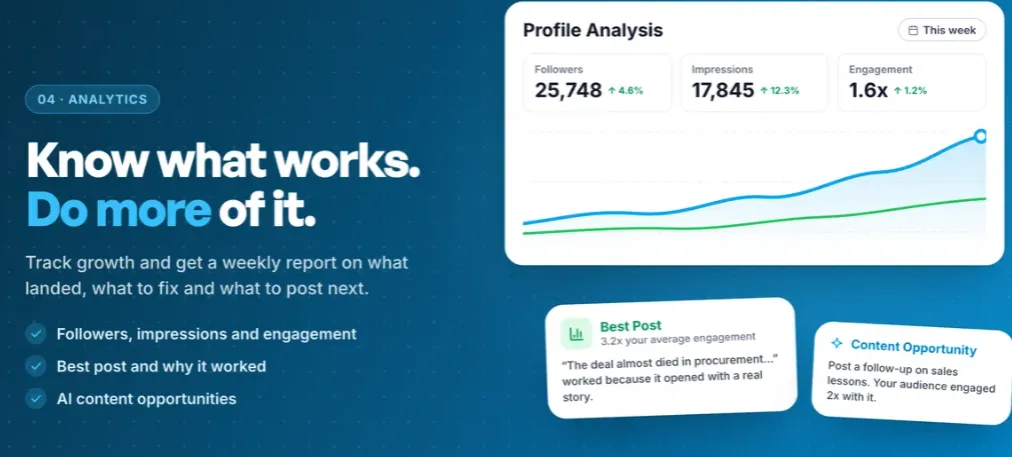
Supergrow helps you see how your team is doing on LinkedIn. You can track each member’s post views, likes, comments, and posting activity in one place.
The team dashboard shows who gets the most views and which posts do well. You can also get weekly reports and share them with your team.
How to use it: Open Team Analytics and pick a date range. Check each member’s results and see which posts work best. You can also share reports to show your team’s progress.
Supergrow Pros and Cons
Supergrow has both good points and some limits. Below are its main pros and cons to help you decide.
Pros
- Save Time Creating Posts.
- Keep Your Own Writing Style.
- Post More Consistently.
- Reuse Your Existing Content.
- Focus on the Right People.
- Manage Teamwork Easily.
- See Which Posts Work Best.
Cons
- LinkedIn-Only Platform.
- AI Drafts Need Review.
- Limited Analytics Depth.
- Team Features Cost More.
- Maximum 10 Accounts.
Who Is Supergrow Best For?
- Founders: Share business news, lessons, and stories without spending too much time writing.
- Consultants and Coaches: Share helpful tips and client stories to earn trust and find new clients.
- Sales Leaders: Share sales tips, connect with buyers, and stay active on LinkedIn.
- Marketing and Comms Teams: Create posts for team members, review them, and track their results.
- Agencies and Ghostwriters: Write posts for clients, manage their accounts, and get their posts approved.
Supergrow AppSumo Pricing Plan
Supergrow has three lifetime plans on AppSumo, starting at $80.10 with a one-time payment.
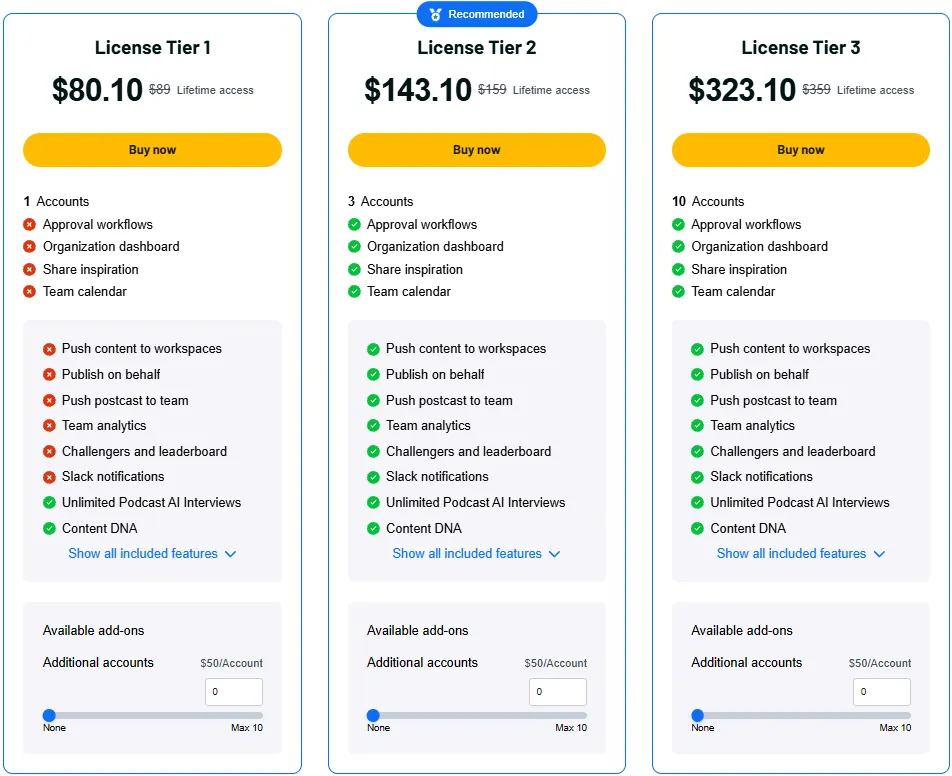
License Tier 1 – $80.10
Features:
- 1 LinkedIn account
- Unlimited AI interviews
- Content DNA
- Content repurposing
- Kanban and post scheduling
- Auto-first comment
- AI infographic maker
- Supergrow MCP
- Profile analytics
- Weekly reports
License Tier 2 – $143.10
License Tier 1 included, plus:
- 3 LinkedIn accounts
- Post approval workflows
- Team dashboard
- Share content ideas
- Team calendar
- Send posts to workspaces
- Publish for team members
- Team PostCast interviews
- Team analytics
- Challenges and leaderboards
- Slack notifications
License Tier 3 – $323.10
License Tier 2 included, plus:
- 10 LinkedIn accounts
Additional Details: You can add extra accounts for $50 each, up to 10 total. Activate your license within 60 days, and you get a 60-day refund period. Tier 1 gets future Pro updates, while Tiers 2 and 3 get Team updates. Future AI models may cost extra.
Final Thoughts – Supergrow Review 2026
Supergrow brings useful LinkedIn tools into one place. Its AI interviews help turn your ideas into posts. Content DNA helps each post sound more like you. You don’t need to write everything from scratch.
I also like how easy it is to create, plan, and track posts in one place. The AppSumo lifetime deal starts at $80.10. With one payment, you get tools to stay active and track your LinkedIn growth.