Coursebox Lifetime Deal: AI Course Creator and LMS ($79)
Coursebox is an AI tool that helps you create, manage, and sell online courses. It also works as a learning management system (LMS).
Getting started is simple. Just enter a topic or upload a PDF, Word file, or PowerPoint. Coursebox then creates lessons with quizzes, videos, and images. You can review and edit everything before sharing.
Coursebox also has an AI tutor to help learners. It can grade their work and track their progress. You can even sell courses under your own brand.
KEY Features of Coursebox
Coursebox has useful AI tools that make it easier to create and manage online courses. Here are its main features and what they do.
Create Complete Courses with AI
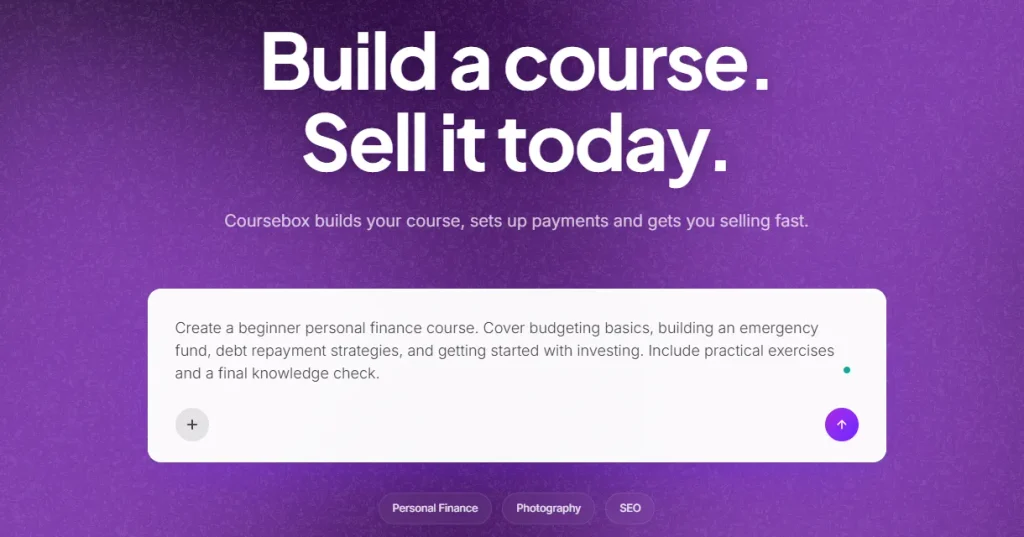
Coursebox helps you build a full online course with AI. Just enter your topic, goals, and target audience, or upload your files. The AI creates an outline with lessons, quizzes, images, and learning tasks.
You don’t need to write each lesson by hand. You can check the outline, move lessons around, and ask AI to improve the content before you publish.
How to use: Click + Create and enter your topic. You can also upload a PDF, Word file, or PowerPoint. Check the course outline, make changes, and click Generate course. Then review and edit your lessons before publishing.
Edit, Brand, and Sell Your Courses
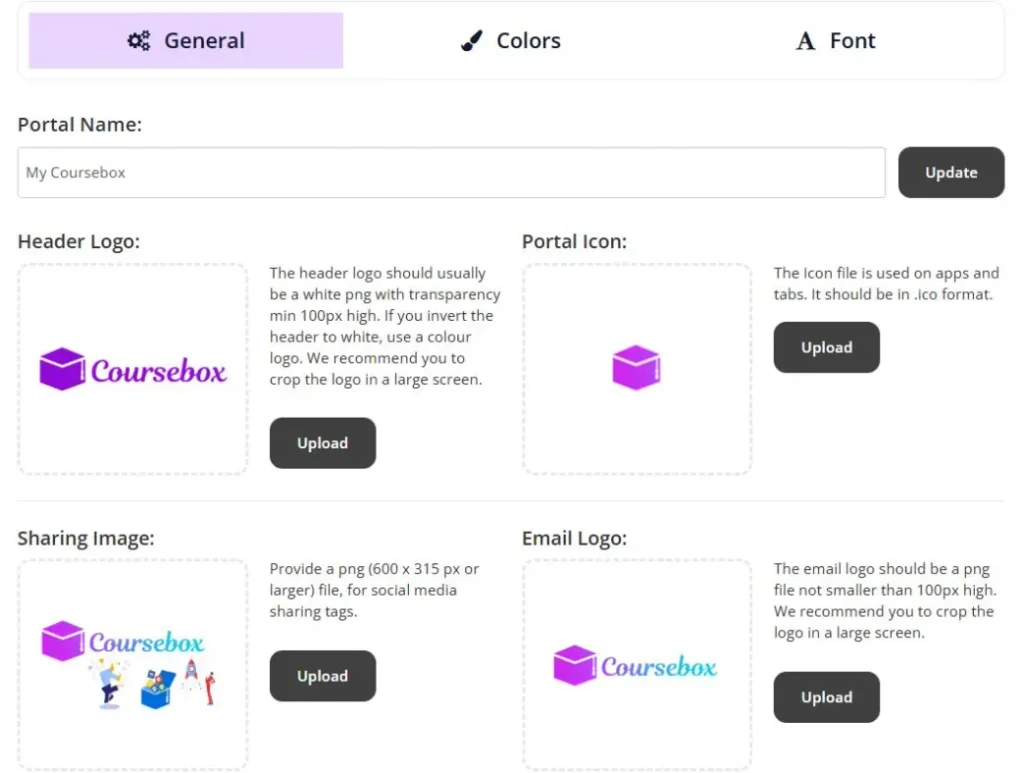
Coursebox lets you edit courses and sell them under your own brand. You can use AI chat to rewrite text, change lessons, or improve your course. You can also edit everything by hand.
You can add your logo, brand colors, and fonts. Tier 2 gives you a branded portal. Tier 3 and above let you use your own domain. You can also sell courses through Stripe or PayPal with no Coursebox sales fee.
How to use: Open your course and make changes with the AI Editor. Then add your logo and brand colors. Connect Stripe or PayPal, set your price, and publish your course for sale.
Create Training Videos with AI
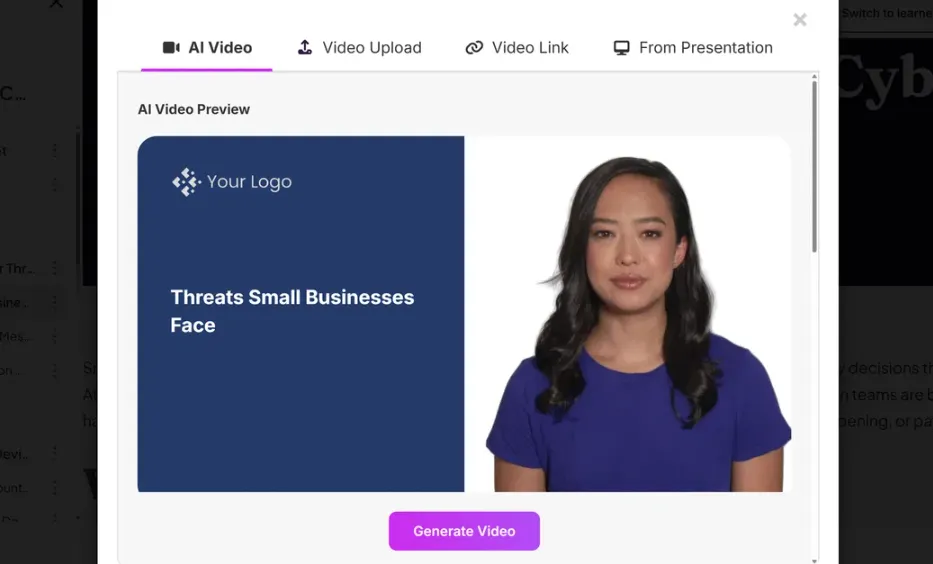
Coursebox helps you make training videos without a camera. You can choose from 500+ AI avatars or create your own from a photo. It also offers 300+ voices and supports over 100 languages.
You can turn a script or slides into a video. Coursebox can also write the script for you. You can edit the text, change the avatar, add your logo, and pick a background.
How to use: Open your course and click Add block > Videos > Create with AI. Choose from slides or Presenter video. Add your script, pick an avatar and voice, and create your video. Then click Add to page.
Create Quizzes and Grade Learners
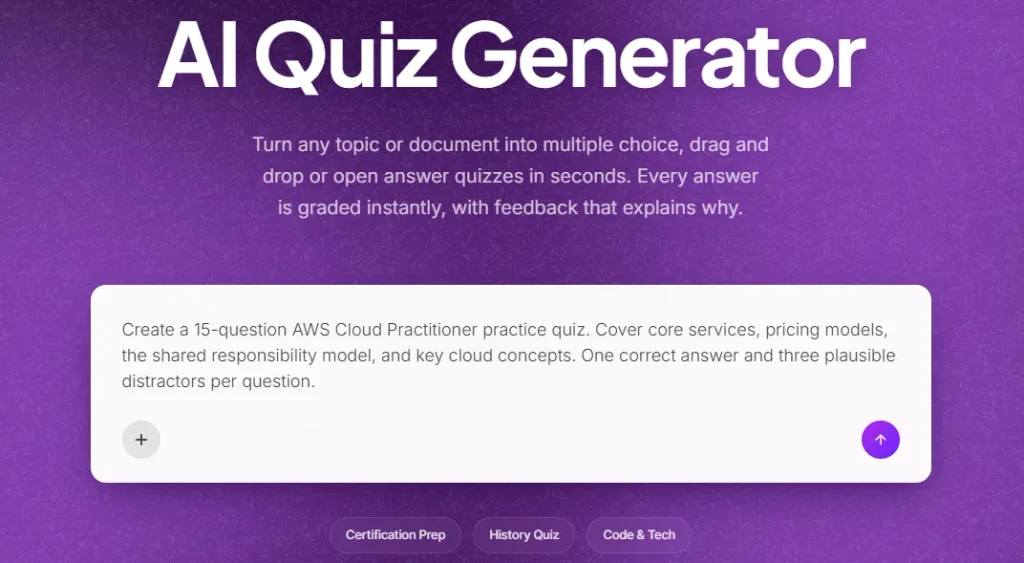
Coursebox lets you create quizzes and grade learners with AI. You can make multiple-choice, drag-and-drop, and written questions. You can also edit questions and change their difficulty.
The AI checks answers and gives instant feedback. It can also grade written work using your rules. This saves you time on manual grading.
How to use: Open your course and select AI Editor. Ask it to create a quiz, check the questions, and set a passing score. For written work, add an assignment and set your grading rules. The AI then checks the work and gives feedback.
Coursebox Pros and Cons
Coursebox has both good points and some limits to know about. Here are the main pros and cons to help you decide.
Pros
- Faster Course Creation.
- Easy Course Updates.
- Less Manual Grading.
- 24/7 Learner Support.
- Unlimited Learners.
- No Coursebox Sales Fees.
- Easy Progress Tracking.
Cons
- AI Content Needs Editing.
- Limited Design Control.
- One-Time AI Credits.
- Higher-Tier LMS Features.
Who Is Coursebox Best For?
- Online Course Creators: Turn your ideas or content into online courses that you can edit, share, and sell.
- Teachers and Educators: Create lessons, quizzes, and tests while checking how well students are learning.
- Company Trainers: Turn company guides and work documents into online training courses for staff.
- Coaches and Consultants: Create courses for your clients and share them under your own brand.
- Training Agencies: Build courses for different clients and manage their training in separate branded spaces.
Coursebox AppSumo Pricing Plan
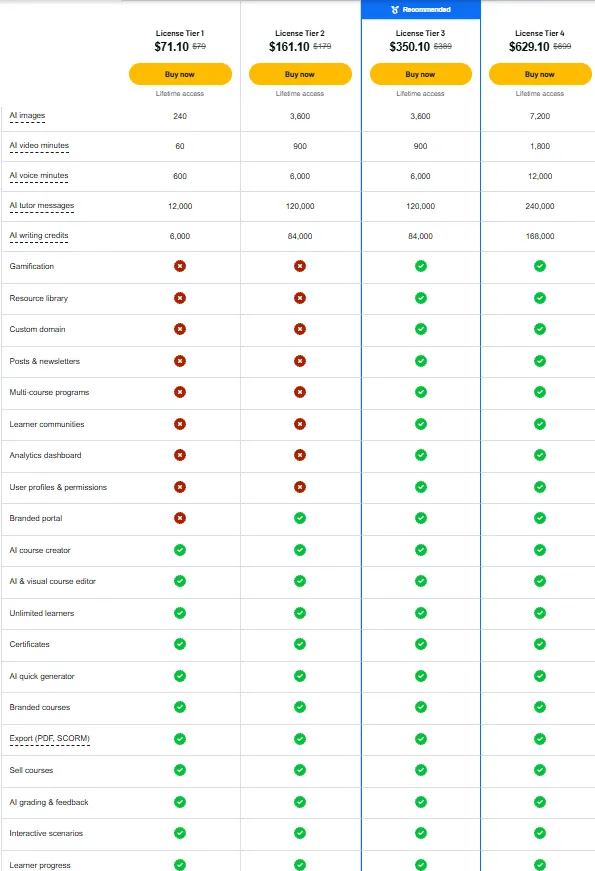
License Tier 1 – $71.10
Features:
- 240 AI images
- 60 AI video minutes
- 600 AI voice minutes
- 12,000 AI tutor messages
- 6,000 AI writing credits
- 1 admin seat
- 5 GB storage
- AI course creation
- AI and manual course editing
- AI quiz generator
- AI grading and feedback
- Interactive learning activities
- Learner progress tracking
- Course certificates
- Custom course branding
- PDF and SCORM exports
- Sell courses with 0% Coursebox fees
- Unlimited learners
License Tier 2 – $161.10
All Tier 1 features, plus:
- 3,600 AI images
- 900 AI video minutes
- 6,000 AI voice minutes
- 120,000 AI tutor messages
- 84,000 AI writing credits
- 2 admin seats
- 20 GB storage
- Branded learning portal
License Tier 3 – $350.10
All Tier 2 features, plus:
- 5 admin seats
- 50 GB storage
- Your own domain
- Points, badges, and leaderboards
- Learning resource library
- Posts and newsletters
- Multi-course programs
- Learner communities
- Detailed reports
- User profiles and permissions
License Tier 4 – $629.10
Regular Price: $699 (One-time)
All Tier 3 features
- 7,200 AI images
- 1,800 AI video minutes
- 12,000 AI voice minutes
- 240,000 AI tutor messages
- 168,000 AI writing credits
- 10 admin seats
- 100 GB storage
Final Thoughts – Coursebox Review 2026
Coursebox makes it easy to create and sell online courses. You can turn your ideas or files into lessons, quizzes, and AI videos. The best part is that you can do it all in one place.
What I like most is how Coursebox brings everything together. You can create and edit courses, track learner progress, and use your own brand. With the AppSumo Lifetime Deal, you pay once for lifetime access.