BookZero Lifetime Deal: AI Receipt Scanner for Tax Prep
Sorting receipts and checking bank records takes time. That’s why the BookZero Lifetime Deal caught my eye.
Just upload your receipts, and AI reads the key details. It also matches receipts with bank records and sorts expenses for tax time. You can then export your data without typing it all by hand.
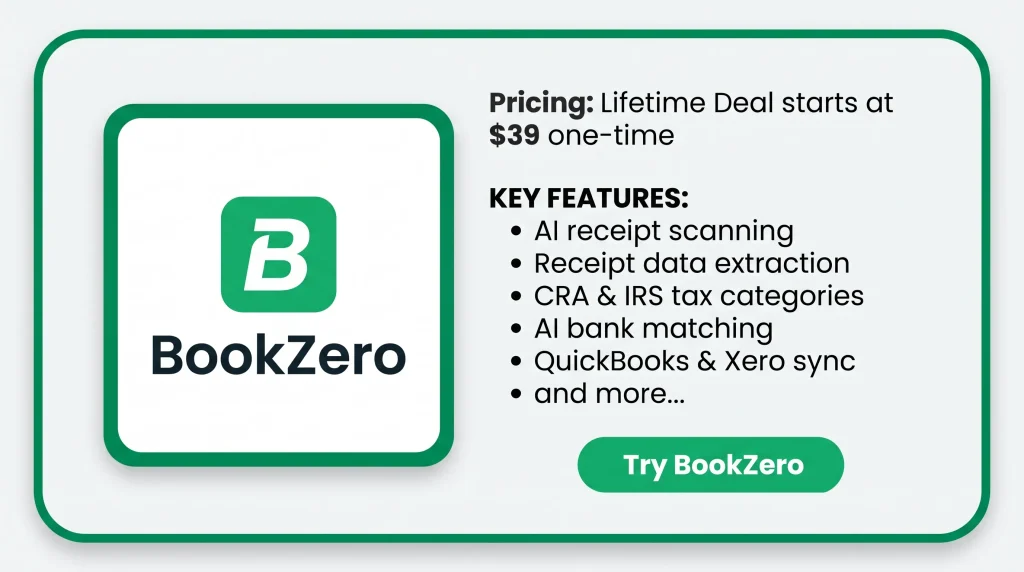
KEY Features of BookZero
BookZero helps you keep your business documents organized in one place. Below are its key features and an explanation of how they work.
Scan & extract
Take a receipt photo or upload a file. AI reads the vendor, date, amount, tax, and payment method.
AI CRA + IRS categories
BookZero uses AI to sort expenses into tax categories. It follows CRA T2125 for Canada and IRS Schedule C for the US.
Match & export
BookZero matches your receipts with bank transactions. You can also export CSV files and CRA or IRS tax reports.
AI agents
Ask AI agents questions about your business records. On Tier 3, they can show monthly spending and top expenses.
Sync to QuickBooks & Xero
BookZero sends matched receipts to QuickBooks or Xero as expenses. It also adds receipt files, starting with Tier 2.
Snap from Telegram
Send a receipt photo to the BookZero Telegram bot. The photo then shows up in your dashboard on its own.
Import from Google Drive
Connect a Google Drive folder with your saved receipts. From Tier 2, BookZero pulls these files in to scan.
Pros of BookZero
- Less Manual Work: You don’t need to type each receipt by hand. AI reads the key details, so there’s less work for you.
- Easier Tax Preparation: BookZero sorts your expenses into US or Canadian tax groups. This makes it easier to check your records and get ready for tax time.
- Better Expense Tracking: You can see which receipts match your bank records. You can also spot those that still need a closer look.
- No Double Data Entry: You don’t need to add the same expenses twice. From Tier 2, BookZero sends them to QuickBooks or Xero with receipts attached.
- Clear Spending Insights: You can check how much you spend each month. With Tier 3, you can also ask AI about your spending and see your top expenses.
Cons of BookZero
- Manual Review Needed: AI may miss details or fail to match some receipts. You still need to check those records by hand.
- Monthly Scan Limits: Lifetime plans offer 125, 400, or 1,000 scans per month. This may be too few for businesses with many receipts.
- Limited Lower Tiers: Tier 1 lacks Google Drive and QuickBooks or Xero exports. The AI financial analyzer is only on Tier 3.
- Not Full Accounting Software: BookZero handles receipts and expenses, but it can’t replace full accounting software or file your taxes.
Who is BookZero best for?
- Freelance Consultants: If you handle your own taxes, BookZero helps keep your receipts and tax records in order.
- Small Shop Owners: If you deal with many receipts daily, BookZero helps match them with bank records and spot missing ones.
- Accountants and CPAs: If you manage client accounts, BookZero helps you review expenses and send them to QuickBooks or Xero.
- Gig Workers: If you collect receipts while working, you can send them through Telegram and track your expenses.
- E-commerce Store Owners: If you make many business purchases, BookZero helps track costs and match receipts with bank records.
AppSumo BookZero Pricing Plan
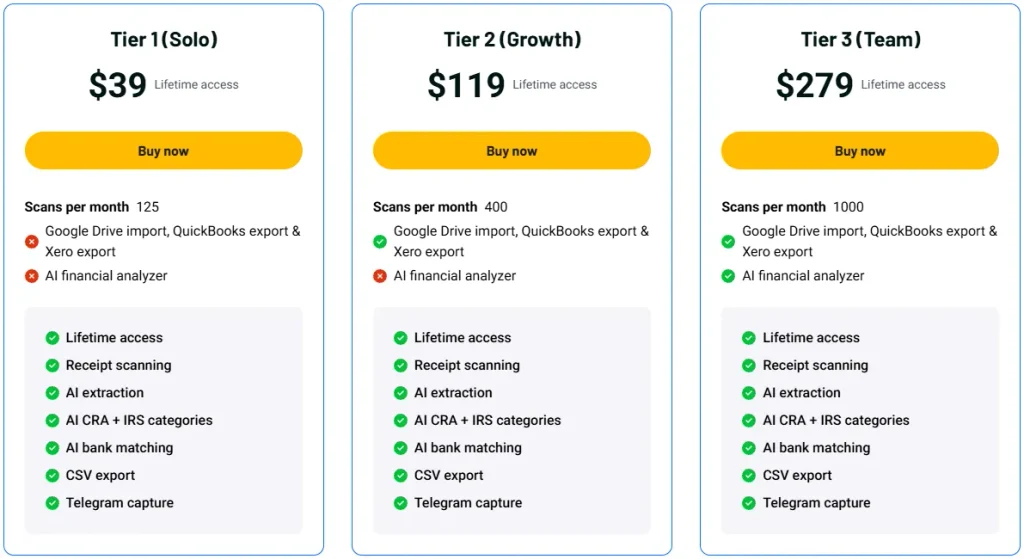
License Tier 1 (Solo) – $39
Features:
- 125 scans/month
- AI receipt scanning
- Receipt data extraction
- CRA & IRS tax categories
- AI bank matching
- CSV export
- Telegram capture
License Tier 2 (Growth) – $119
Features:
- Everything in License Tier 1
- 400 scans/month
- Google Drive import
- QuickBooks & Xero sync
- Receipt file attachments
License Tier 3 (Team) – $279
Features:
- Everything in License Tier 2
- 1,000 scans/month
- AI financial analyzer
- Monthly spending insights
- AI financial Q&A
Final Thoughts – BookZero Review 2026
What I like most about BookZero is how it keeps bookkeeping simple. It scans receipts, matches bank records, and helps prepare tax reports. You can manage it all in one place.
I also like how it works with Telegram, Google Drive, QuickBooks, and Xero. AI handles much of the work for you. Plus, the lifetime deal lets you pay once instead of paying each month.