ImageDino Lifetime Deal – One Design, Many Images
If you make lots of images for your business, you know the drill. You open the same file. You change the name, photo, and price. Then you save it and do it all again.
I started using ImageDino to fix that. You design one template. Then you add your data, like a Google Sheet or a product list. ImageDino creates every image for you. The layout stays the same. Only the content changes.
It works for more than product images, too. You can make ad variations and personalized email images. It also makes link previews, real estate listings, and YouTube thumbnails.
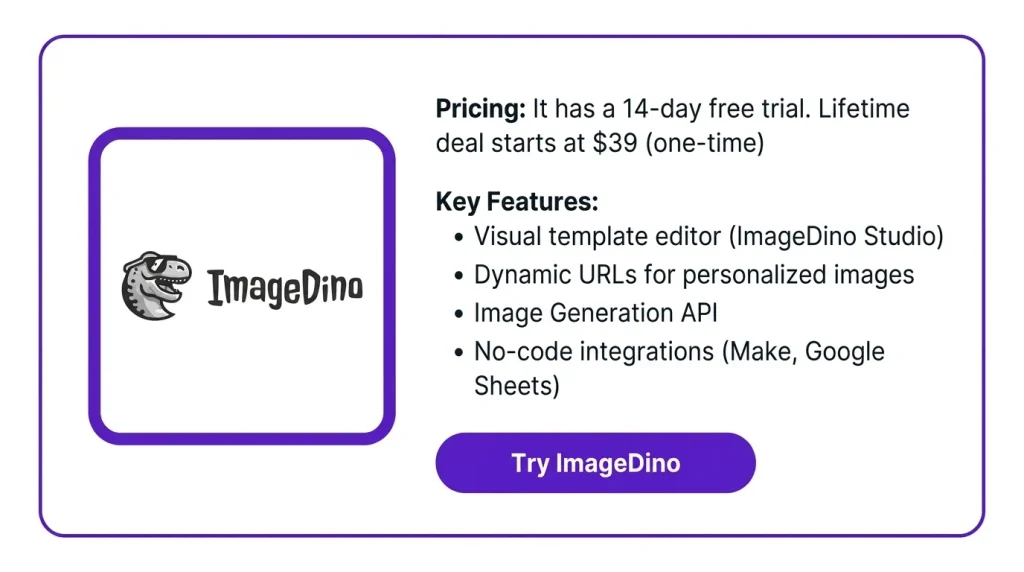
The ImageDino Lifetime Deal is on AppSumo. It starts at $39, and you pay once. In this review, I will cover its features and pricing. I will also show who it suits best and if it is worth it.
Features of the ImageDino Lifetime Deal
ImageDino Studio
This is ImageDino’s visual editor. You build your template on a canvas. It has layers, groups, and auto layout. Text sizes can flex too. Add your own images, fonts, and colors. Then publish the template when it’s ready.
Dynamic fields
These are the parts of your template that change. Think of the headline, price, product name, or photo. You give each field a name. Then ImageDino swaps in new text, images, or colors.
Image Generation API
Developers send a request with a published design. They add the content they want to change. ImageDino makes the image and sends back a link.
Dynamic URLs
You put details like a name or offer into an image link. ImageDino makes the image only when someone opens it. This works in emails or shared pages.
No-code integrations
You can link Make or Google Sheets to your template. ImageDino uses that data to make images in bulk. You don’t need to write any code.
ImageDino MCP
This links ImageDino to ChatGPT or Claude. You can make images right from a chat. Just ask the AI to pick a published template. Then tell it what to change, like text or colors. This feature is still in beta.
Quick Render
This tool lives in your dashboard. You pick layers and changes, like new text or fonts. Then you test them. After that, you get the matching API request to copy.
Multi-format export
You can save your images as PNG, JPG, or WebP files. You can also scale them up to 4x for bigger images.
Pros of ImageDino
- Less repeat design work: You don’t have to edit each product image by hand. No more opening the same file again and again.
- Consistent brand look: Every image uses the same layout, fonts, and colors. Your products, ads, and emails all match.
- Personal touch for customers: Each person on your email list gets their own image. It can show their name or an offer.
- Credits used only when needed: Images are made only when someone asks for them. So you don’t spend credits on every email up front.
- Simpler ad testing: You can try new headlines, offers, and images. Then see which ad works best.
- Clearer link previews: Each product link can show its own photo. It can also show a headline and price when shared.
- Works for coders and non-coders: Marketers can design and add data with no code. Developers can add image-making to their own apps.
Cons of ImageDino
- Not a Full Design Tool: The tester found it works best for bulk images. It won’t replace a full design tool for one-off work.
- Limited Export Formats: You can only save images as PNG, JPG, or WebP. This may feel limiting if you need other file types.
- Still an Early-Stage Product: ImageDino launched in 2026. Team members and webhooks are still marked as coming soon. The ChatGPT and Claude link is also in beta.
- Credits Used by Email Previews: Some email apps load images before anyone opens the email. So Dynamic URL images may use credits. This can happen even if no one sees them.
Who is ImageDino best for?
- Online Store Owners: You keep adding new products, prices, and sales. ImageDino gives each item a matching image. You don’t have to design each one by hand.
- Email Marketers: You send emails to a big list. Each person can see an image with their own name. It can also show a special offer.
- Ad Campaign Managers: You run ads with many products, headlines, and prices. You can make every version from one layout. Then you can test which ones work.
- Real Estate Agents: You post new homes for sale often. You can turn beds, size, price, and photos into images. Every listing will look the same.
- App Developers: You want your app or site to make images on its own. You send the content through the API. Then you get a finished image link back.
ImageDino Pricing (AppSumo)
Pay once and use it for life. You can get a refund within 60 days.
License Tier 1: $39 $199
- 500 image credits a month
- 5 GB bandwidth
- 3 projects
- Canvas editor and templates
- Link tools with no code
- Quick render
- Save in many file types
- API access and developer guides
License Tier 2: $79 $389
Includes License Tier 1, plus:
- 2,000 image credits a month
- 25 GB bandwidth
- 100 projects
- ChatGPT and Claude link (MCP)
- Simple URLs and Signed URLs
- Dynamic URLs builder
License Tier 3: $149 $569 (Recommended)
Includes License Tier 2, plus:
- 5,000 image credits a month
License Tier 4: $299 $819
Includes License Tier 3, plus:
- 10,000 image credits a month
- 50 GB bandwidth
- 500 projects
5 Best ImageDino alternatives in 2026
The best ImageDino alternatives are Bannerbear, DynaPictures, Abyssale, Orshot, and Placid. All five turn one template into many images. But they differ in price, file types, and how they charge you.
ImageDino vs Bannerbear
Bannerbear makes images, videos, animations, and PDFs from templates. It works like ImageDino. But it does more than just images.
- Starting price: The Automate plan is $49 a month. You get 1,000 credits and 10 GB of bandwidth.
- Pros: Its first plan works with Zapier, Make, Airtable, and forms. The free trial gives you 30 credits. No card is needed.
- Cons: You can only pay monthly. There is no yearly plan. You can’t buy extra credits. So you must upgrade or wait for the reset.
- Difference from ImageDino: Bannerbear makes videos and PDFs. ImageDino only saves PNG, JPG, or WebP images.
ImageDino vs DynaPictures
DynaPictures gives you many ways to make images without code. You can use URL links, spreadsheets, and online forms. It also has an API.
- Starting price: The Lite plan starts at $29 a month. VAT is not included.
- Pros: It can find faces and crop photos for you. You can upload your own fonts. It also has an API and webhooks.
- Cons: The Lite plan allows only 1 user. It keeps images for 3 months. AI images cost extra.
- Difference from ImageDino: DynaPictures can also save AVIF images. It already has webhooks. ImageDino says webhooks are coming soon.
ImageDino vs Abyssale
Abyssale is made for ad and design teams. It makes banners, social posts, and HTML5 ads. It also makes videos, GIFs, and print PDFs from one main template.
- Starting price: The Start plan is $15 per seat per month.
- Pros: Teams can leave comments. They can also move work from request to approval.
- Cons: The API, integrations, spreadsheets, and Dynamic Images need Pro. Pro costs $45 per seat each month. The trial lets you download only 3 files.
- Difference from ImageDino: Abyssale charges for each team member. ImageDino charges by image credits.
ImageDino vs Orshot
Orshot makes images, PDFs, and videos from templates. You can design in Orshot Studio. Or you can bring in designs from Canva and Figma.
- Starting price: $39 a month gets you 1,500 credits. Templates and team members are unlimited.
- Pros: It works with Zapier, Make, n8n, Airtable, and Slack. It also has its own MCP server.
- Cons: Credits reset each month. Unused ones don’t carry over.
- Difference from ImageDino: Orshot lets you bring in designs from Canva and Figma. With ImageDino, you build templates in its own Studio.
ImageDino vs Placid
Placid turns templates into images, PDFs, and videos. You can use its app, API, or no-code tools.
- Starting price: A $19 plan gives you 500 credits. Pro costs $39 a month for 2,500 credits.
- Pros: Unused credits roll over. A 500-credit plan can build up to 1,000 credits.
- Cons: Images over 4,000 px cost 8, 16, or 32 credits each. When credits run out, you can only make previews.
- Difference from ImageDino: Placid rolls over unused credits. ImageDino credits refresh each month.
Final Thoughts – ImageDino Review 2026
What I liked most about ImageDino is its simplicity. One design becomes a full set of clean images. They all match my brand. I stopped fixing the same file again and again. My email images also felt more personal. Each one showed the person’s own name.
The ImageDino Lifetime Deal starts at just $39. You pay once, and AppSumo gives you a 60-day refund. It takes so much image work off my plate. That made the price an easy choice.