Consently Lifetime Deal – Cookie Compliance Made Easy
I remember the day I found a big problem on my website. It was leaking data — and I had no idea.
I had a cookie banner. I thought that was enough. Then I ran a scan with Consently and found 32 cookies firing on my pages. Ad scripts, analytics tags, embedded widgets — most of them loading before anyone clicked “Accept.”
That moment changed everything. A cookie banner is not the same as being compliant.
I got the Consently Lifetime Deal on AppSumo shortly after. I ran the scanner, built the banner, generated three legal policies, and checked the consent logs with real visitors coming through.
This review comes from hands-on use. No demos. No stock screenshots. Just what I actually saw on a live site.
Features of the Consently Lifetime Deal
Cookie Banner
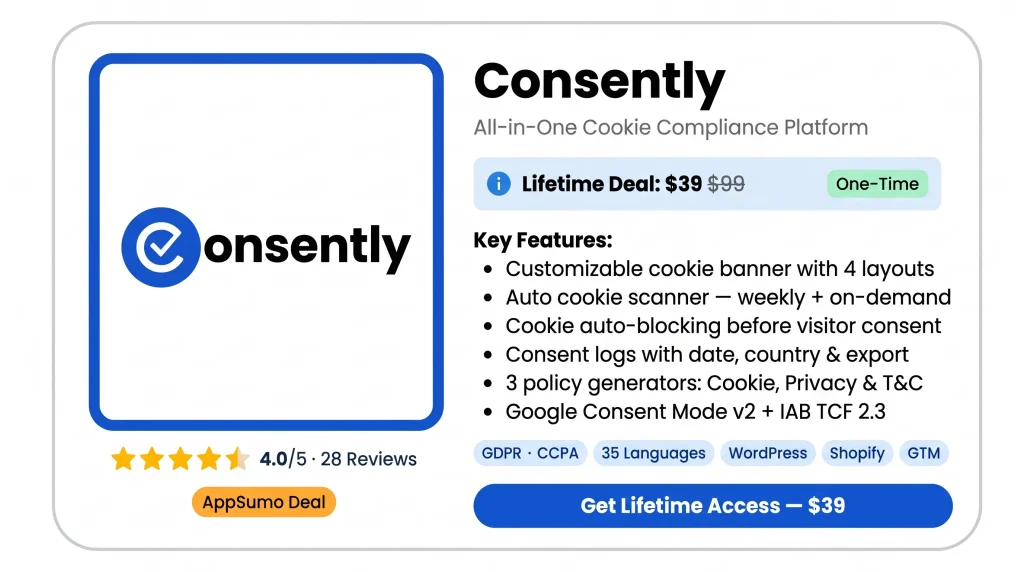
Consently shows a banner to your website visitors. They can accept, reject, or manage cookies from it. You can pick from four layouts — bar, box, popup, or full-screen. You can also change the colors, fonts, and buttons to match your site.
Cookie Scanner
The scanner checks your whole website for cookies, scripts, and iframes. It runs when you first set up Consently. Then it runs again every week. You can also run it manually at any time.
Cookie Auto-Blocking
This feature stops all non-essential cookies before a visitor gives consent. It also blocks scripts and iframes. It works from your scan results. You do not need to block each script by hand.
Consent Logs
Consently records every consent choice a visitor makes. Each record shows the status, date, time, and country. You can export the full log at any time. This helps during compliance audits.
Policy Generator
This feature creates three legal documents from one place. You get a Cookie Policy, a Privacy Policy, and Terms and Conditions. You answer simple questions about your website. Then you can edit and publish the documents.
Google Consent Mode v2
Consently sets four Google consent signals. These are ad_storage, analytics_storage, ad_user_data, and ad_personalization. It sets them based on what each visitor chooses. Your Google tags only get consent data after a visitor decides.
IAB TCF 2.3
Consently is a registered CMP under IAB TCF 2.3. It has a live CMP ID. When a visitor makes a choice, Consently creates a TC String. It then sends that string to ad partners on the Global Vendor List.
Geo-targeting
Consently reads each visitor’s location by IP address. It then shows the right banner for their region. EU and UK visitors see a GDPR opt-in banner. US visitors see a CCPA opt-out banner. One banner setup handles it all.
Multi-language Banner
The banner works in 35 languages. It detects the right language from your site’s HTML lang tag. You can choose which languages to show. You can also edit the banner text for each language.
Preference Center
The preference center lets visitors control cookies by category. They can turn each category on or off. They can reopen the panel at any time. A floating button or a footer link gives them quick access.
Pros of Consently
- Always Audit-Ready: If someone asks for proof of consent, you are ready. Consently keeps a full log with dates, countries, and decisions. You can export it any time.
- No Hidden Tracking: The scanner shows every cookie, script, and iframe on your site. You can even find ones you never meant to add.
- Compliance Without a Developer: You can have a live cookie banner in under 30 minutes. Just paste one script into your site. No coding needed.
- Legal Policies in One Place: You do not need three different tools. One dashboard gives you your Cookie Policy, Privacy Policy, and Terms and Conditions.
- Right Rules for Every Visitor: A visitor from Germany sees an opt-in banner. A visitor from California sees an opt-out banner. You do not need to set this up twice.
- Google Ads Stay Intact: Consently sends consent signals to Google before any tags fire. So your ad tracking stays accurate after each visitor makes their choice.
- Flat Cost at Any Scale: The price does not change as you add more sites. One flat fee covers all your domains.
Cons of Consently
- Scanner Gets Stuck: Several users said the cookie scan got stuck. It sat in a queue for hours. Some scans never finished at all. Until the scan works, your cookies cannot be found or blocked.
- No Bulk Cookie Management: The scanner often finds many cookies it cannot name. You have to sort each one by hand. You do it one at a time inside the dashboard. This takes a long time if you have many cookies.
- Banner Keeps Reappearing: One user said the banner kept showing up on every page. This happened even after a visitor had already accepted cookies. The tool was not saving the consent choice.
- Heavy Script Size: The Consently script is about 99.9 KiB in size. One user saw their page speed score drop from 100 to 73 after adding it. If your site needs to load fast, this is worth checking first.
- Too Complex for Beginners: Some users found the setup hard to follow. The policy questions were confusing without technical knowledge. It is not a simple plug-and-play tool for everyone.
Who is Consently best for?
- Small Business Owners: You run a small website. You need a cookie banner, consent logs, and legal policies. You do not want to write any code. This tool puts it all in one place.
- Digital Agencies: You manage more than one client website. You want to handle compliance for all of them from one dashboard. You pay one flat yearly price. Consently is built for that.
- SaaS Founders: You run a web app. You use Google Ads or Analytics. You need consent signals to fire before any tags load. This tool sets that up for you with no manual work.
- eCommerce Store Owners: Your store serves customers in the EU and the US. Each group needs a different type of banner. You do not want to build two setups. Consently shows the right banner to each visitor on its own.
- Content Publishers: You run a blog or content site with ads. You need to send consent signals to your ad partners. Consently supports IAB TCF 2.3 on every plan. You do not need to upgrade to access it.
Consently AppSumo Pricing Plan
License Tier 1 — $39 (reg. $99)
- 1 domain
- 100,000 pageviews per month
- Branding removed
- Full banner design control
- Built-in layouts, custom colors, live preview
- Cookie, Privacy & Terms generator
- GDPR opt-in template
- Cookie auto-blocking
- Consent logs
- Google Consent Mode v2
- Script install + GTM supported
- Weekly scan + scan reports
License Tier 2 — $129 (reg. $199)
- Everything in License Tier 1
- 5 domains
- Unlimited pageviews per month
License Tier 3 — $249 (reg. $499)
- Everything in License Tier 2
- 10 domains
License Tier 4 — $449 (reg. $1,099) ⭐ Recommended
- Everything in License Tier 3
- 25 domains
License Tier 5 — $699 (reg. $2,499)
- Everything in License Tier 4
- 50 domains
License Tier 6 — $999 (reg. $4,499)
- Everything in License Tier 5
- Unlimited domains
5 Best Consently Alternatives (Comparison)
Consently vs Cookiebot
Made by Usercentrics, Cookiebot is known for its accurate cookie scanner. It checks over 13,000 known cookies automatically and holds Google Gold Tier status.
- Scores 4.0 out of 5
- Charges per domain — subdomains bill separately
- No policy generator included
- Starts at $8/month per domain
Best for: Single-site owners who want the most accurate cookie scanner.
Consently vs CookieYes
Used by over 1.5 million websites. Easy to set up with no technical skills needed. Google Consent Mode v2 works on every plan, including the free one.
- Scores 3.8 out of 5
- Five domains on the top plan cost around $2,750/year
- No Terms and Conditions generator
- Starts at $10/month per domain
Best for: Single-site owners who want quick setup and a free starting plan.
Consently vs Complianz
A WordPress-only plugin with over one million installs. All consent data stays on your own server — nothing goes to a third party.
- Scores 3.9 out of 5
- Free plan excludes consent logs and Consent Mode v2
- No pageview limits on any plan
- Paid plans start at $59/year
Best for: WordPress users who want a self-hosted plugin with no pageview caps.
Consently vs Termly
Started as a policy tool, later added a cookie banner. Comes with ten attorney-written legal documents. Google Gold Tier certified.
- Scores 3.8 out of 5
- Free plan has a watermark and quarterly scans only
- Consent logs and multi-language need Pro+ at $15/month per site
- Starts at $10/month per site
Best for: Single-site owners who need lawyer-written policies with a cookie banner.
Consently vs iubenda
Covers cookie consent, privacy policies, terms, accessibility, and data requests in one place. Used by over 150,000 businesses. Rated 4.7 out of 5 on Capterra.
- Supports IAB TCF 2.2 only — not 2.3
- Terms and Conditions locked to Advanced plan at $299/year per domain
- Starts at around €5/month per site
Best for: EU-focused businesses that need a full legal compliance suite.
Final Thoughts – Consently Review 2026
Before I used Consently, I had no idea what was on my website. The first scan changed that. It found scripts I never added. It found trackers I forgot about. It found embeds loading before anyone clicked anything. That one scan was worth the price alone.
Consently keeps it simple. One script does it all. It scans, blocks, logs, and builds three legal documents. Everything runs from one dashboard. No developer needed. No lawyer. No extra tools.
You pay once. You get what others charge hundreds of dollars a year for. Every feature is open from day one. Nothing is locked. Nothing needs an upgrade.
The 60-day money-back guarantee lets you test it on your live site first. If it does not work for you, you get your money back.