BannerBoo Lifetime Deal – Animated Ads With No Code
Making ads for your business takes a lot of time. Paying a designer for each new one costs too much. And then your plain, still ads get scrolled past. No clicks at all.
BannerBoo fixes this for you. It helps you make moving ads in minutes. Use them on your website, Google, or social media. You need no design skills and no code.
If you’re looking for information on the BannerBoo Lifetime deal and BannerBoo Review, you’ve come to the right place. The BannerBoo Lifetime deal was launched on AppSumo with a significant discount, and in this post, we’ll share all the details of the deal.
In this post, you’ll see the main features of BannerBoo. You’ll find out if it’s worth your money. You’ll also learn who BannerBoo is best for. Then you can tell if it fits your work.
By the end, you’ll know all you need to know about the BannerBoo Lifetime Deal. The deal starts at just $59. It won’t stay on AppSumo forever.
Features of the BannerBoo Lifetime Deal
HTML5 Banner Maker
This is the main editor. It runs in your browser. You drag text, images, shapes, and buttons onto the canvas. No code is needed.
AI Banner Generator
You type a few keywords about your ad. It makes several banner designs. Each one comes with ad text and a call-to-action. You can add your logo, colors, fonts, and product photos first. Then you edit any result in the editor.
Multi-size Banner Generator
You pick the banner sizes you need. You can also type a custom size in pixels. The tool builds all sizes at once from one design. You edit text, logo, background, button, and animation in one place. The changes apply to every size.
Banner Templates
BannerBoo has 12,000+ ready-made banner designs. They are sorted by business type, format, and size. You pick one. Then you swap the text, images, colors, and logo to fit your brand.
Backgrounds for banners
This is a library of stock background images. You drop one into any banner. You can also upload your own image as a background. Or remove its background in one click.
SVG Animator
This is a separate tool for animating vector (SVG) files. You can move objects. You can change colors over time. You can also morph one shape into another on a timeline.
Smart animator
This adds animation to a banner in one click. It sets the motion and timing for each element. You can adjust the result on the timeline.
Fast resizing
This takes a banner you already made. It fits the banner to a new size. The elements move and scale to match the new format. It works for display ads, social media, or mobile.
Change a color in one click
You pick a new color. The banner updates right away. Use it to match your brand colors. Or test a new look.
Huge Object libraries
BannerBoo has 1 million+ stock photos. It also has icons, clip art, buttons, shapes, and stickers. You search the library. Then you drag any item onto your banner.
Collaboration
You invite team members or clients into a shared workspace. Everyone works on the same banners in real time. Each person can get a different role.
Export to all formats (networks)
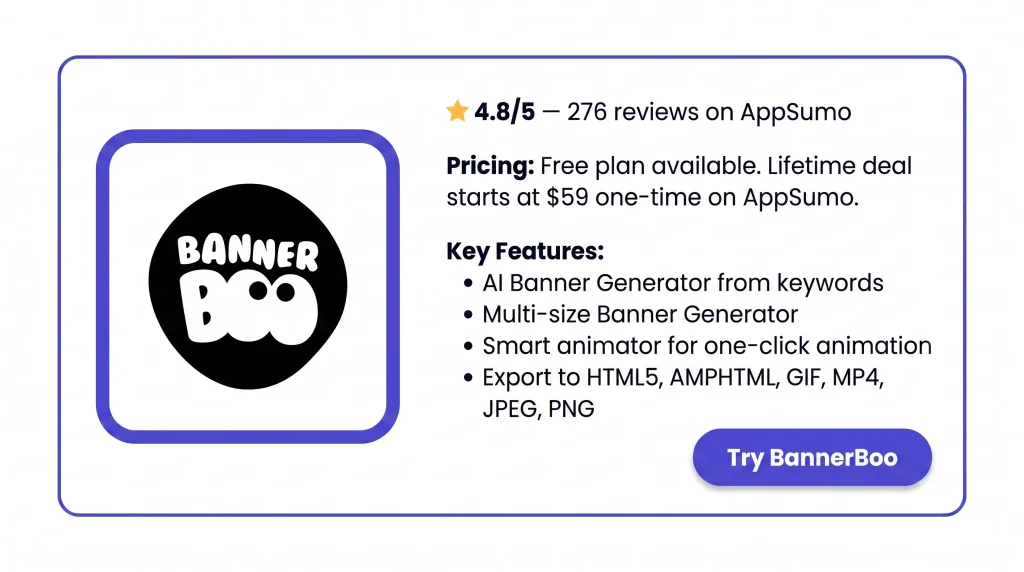
You save your banner as HTML5, AMPHTML, GIF, MP4, JPEG, or PNG. The file is sized for the ad network or social site you choose. You can also copy the embed code. Then you place the banner on a website.
Benefits of the BannerBoo Lifetime Deal
- No Designer Needed: You can build a good-looking banner ad yourself. No need to pay a designer. No need to buy a heavy design program for each campaign.
- Ads Ready in Minutes: Forget days of back-and-forth. You can go from idea to finished ad in about 10 to 15 minutes.
- Less Resizing Work: You make one banner. All the other sizes are done for you. So you never rebuild the same ad again.
- Ads That Get Noticed: Moving ads catch the eye in a feed or on a page. Plain, still images often don’t.
- Fits Every Ad Platform: Your files come out in the right size and format. That covers Google, Facebook, Instagram, LinkedIn, and other networks. So they pass moderation the first time.
- Faster Client Approvals: You send a client one preview link. They leave comments on it. No more long email chains.
- Consistent Brand Look: You save your logo, colors, and fonts once. Every new ad matches your brand with no extra setup.
- Works in Any Browser: There is nothing to install. You can open your work from any computer with internet.
- Lighter Website Banners: Heavy GIF or video files can slow your website. Swap them for HTML5 banners made here, and it can load faster.
- One Payment: You pay once on AppSumo. Then you keep using the tool with no monthly bill. If it doesn’t fit, you get a 60-day refund window.
Cons of the BannerBoo Lifetime Deal
- Occasional Editor Bugs: Some users saw the save button freeze or an MP4 export come out wrong. A few found the published banner looked different from the editor.
- Slow Loading at Times: Folders, workspaces, and the image library can lag. It gets worse on projects with many animated layers.
- Limited Text Styling: There is no text shadow effect, and the founders confirm it is missing. So styled text has fewer options here.
- Template Library Gaps: Templates are sorted by industry only, not by animation style. Some users want more choices and more room to customize.
Who is BannerBoo best for?
- Marketing Agencies: Teams with many clients can keep each brand in its own workspace and share preview links for comments instead of email attachments.
- Freelance Ad Designers: Solo designers can start from a template, swap in client details, and deliver a full ad set in several sizes within minutes.
- Small Business Owners: Owners can build their own Facebook, Instagram, or Google ads without hiring anyone or learning design first.
- E-commerce Store Owners: Shops can make sale and product banners for display and social, then resize one design for every placement at once.
- Website Owners: People who want moving banners on their site can build HTML5 versions that load faster than GIFs and paste the embed code straight in.
BannerBoo AppSumo Pricing Plan
License Tier 1 — $59
- 10 workspaces and 3 editors
- Unlimited guest users
- 100 video exports per month
- 15 background removals per month
- 5 GB storage
- 30,000 embedded ad views per month
- Unlimited banners and exports
- Resize one design into all banner sizes
- Video ads with audio
- Client preview link on your own domain (CNAME)
- Magic animator and magic resizer
- Animated and custom templates
- PSD import, color palettes, and vector masks
- Photo filters and effects
- Teamwork tools
License Tier 2 — $149
Includes License Tier 1, plus:
- 20 workspaces and 10 editors
- 250 video exports per month
- 50 background removals per month
- 20 GB storage
- 150,000 embedded ad views per month
License Tier 3 — $249
Includes License Tier 2, plus:
- Unlimited workspaces and 25 editors
- Unlimited video exports
- 150 background removals per month
- 75 GB storage
- 350,000 embedded ad views per month
License Tier 4 — $399
Includes License Tier 3, plus:
- Unlimited editors
- 300 background removals per month
- 200 GB storage
- 700,000 embedded ad views per month
License Tier 5 — $599 (Recommended)
Includes License Tier 4, plus:
- 600 background removals per month
- 400 GB storage
- 1,500,000 embedded ad views per month
BannerBoo Alternative
BannerBoo vs The Brief (formerly Creatopy)
This is the closest match to BannerBoo. It is an ad-only design tool. You get a timeline, a magic animator, and auto-resize. It exports to HTML5, GIF, MP4, and AMP. In 2026, it changed its name from Creatopy to The Brief. It now adds AI copy, image, and video tools. Higher plans can publish straight to Meta and Google Ads.
- Price: Pro $29/month billed yearly ($348/year), Ultra $79/month, Team $49 per seat/month. 7-day free trial. No free plan.
- Limits: Pro is one seat only. Ad serving and direct publishing start at Ultra.
- Best for: Solo marketers or teams who want a subscription ad tool with more AI and publishing built in.
BannerBoo vs Canva
Canva is a general design tool, not an ad-only one. You can still make static and animated banners. You can resize them and remove backgrounds. But it also covers social posts, slides, videos, and print. Several AppSumo reviewers moved from Canva to BannerBoo. They wanted a tool that focuses only on ads.
- Price: Free plan available. Pro is about $15/month yearly, or $18 month-to-month. Business is $25 per user/month.
- Limits: No HTML5 or AMP export. So it doesn’t fit Google Display or programmatic networks.
- Best for: People who need one tool for all design work and mostly run social media ads.
BannerBoo vs Abyssale
Abyssale is built for bulk work. You set up one master template. Then you generate hundreds of versions from a spreadsheet, a feed, or its API. It supports images, GIFs, MP4, and HTML5 ads.
- Price: Start $15 per seat/month, Pro $45, Suite $75. 14-day free trial. No free plan.
- Limits: It runs on credits. Animated formats cost one credit per second. HTML5 ads are only in the Suite plan.
- Best for: E-commerce brands and agencies that need many ad versions from one design.
BannerBoo vs Bannerflow
Bannerflow is a creative management platform for large marketing teams. It handles display, social, video, and even digital out-of-home ads. Brand controls, approvals, and live data feeds are all in one place.
- Price: Not listed publicly. You have to contact sales for a quote.
- Limits: Priced for mid-size and enterprise teams. G2 reviewers note the cost is high.
- Best for: In-house teams at bigger brands running campaigns across many markets.
BannerBoo vs Google Web Designer
This is Google’s own free desktop app for HTML5 ads. It has a visual editor, an animation timeline, and a code view. Ads publish straight to Google Ads, Campaign Manager, and Display & Video 360.
- Price: Free.
- Limits: Desktop install only. No template library like BannerBoo. Reviewers say it takes time to learn.
- Best for: People who mainly run Google display ads and don’t mind a steeper learning curve to save money.
Final Thoughts – BannerBoo Review 2026
Do ads keep eating your time or your budget? BannerBoo is a practical fix. You build moving HTML5, GIF, and MP4 ads in minutes. No design skills needed. You resize one design for every platform. You share a preview link with clients. It costs $59 one-time, with a 60-day refund. So grab the BannerBoo Lifetime Deal before it’s gone.