Unmixr AI Lifetime Deal – AI Voice, Dubbing & Transcripts
You spend hours on voiceovers, subtitles, and dubbed videos. You also pay for three or four tools every month. You want to turn a script or video into finished content. You don’t want to hire a voice actor or learn new tools.
Unmixr AI turns your script, slides, or video into a voiceover. You also get subtitles and versions in other languages. You type or upload your content. Then you pick a voice. Unmixr AI does the rest in one place.
If you’re looking for information on the Unmixr AI Lifetime deal and Unmixr AI Review, you’ve come to the right place. The Unmixr AI Lifetime deal was launched on AppSumo with a significant discount, and in this post, we’ll share all the details of the deal.
In this post, you’ll see what Unmixr AI can do. You’ll learn if the deal is worth it. You’ll also see who it fits best.
You’ll also see every plan and price. Then you can pick the right Unmixr AI plan for you. By the end, you’ll know if Unmixr AI is right for you. Plans start at just $79 one-time. The Unmixr AI Lifetime deal won’t stay on AppSumo forever.
Features of the Unmixr AI Lifetime Deal
Text-to-Speech
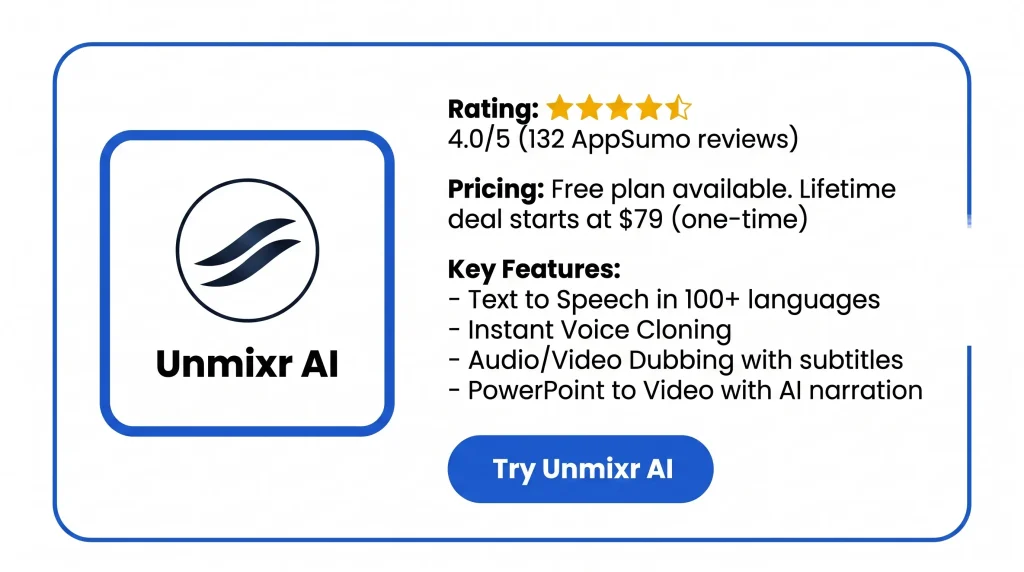
You paste or type a script and pick a voice. Unmixr AI turns it into spoken audio. It works in 100+ languages and 150+ accents. You can use one voice or give each speaker their own. Long scripts can be split into blocks. You can set speed, pitch, volume, pauses, emotion, and how words are said on each line.
Voice Cloning
You record or upload about 30 seconds of clean audio. It should be one speaker only. Unmixr AI then builds a copy of that voice. The cloned voice can read any new script in 80+ languages. Use it only with the speaker’s permission.
AI Voice Design
You type a short description of a voice. You can set age, accent, tone, and energy. Unmixr AI creates a few sample takes. You pick one and hear it read a line. Then you save it to your library for any project.
PowerPoint to Video
You upload a PPT, PPTX, or PDF file. Each slide becomes a scene with its own script and AI voice. The script comes from your slide text and speaker notes. The finished video exports as an MP4 with captions and a transcript.
Read Aloud
You upload a PDF, EPUB, DOCX, TXT, Markdown, or HTML file. Unmixr AI reads it out loud in a voice you choose. It keeps the chapters and highlights the line being read. It remembers where you stopped. You can set the speed from 0.5× to 2×.
Speech to Text
You upload audio or video. It comes back as text with a timestamp on every line. Each speaker gets a label. You can click any line to hear that moment. You can fix words and rename speakers. Then you export SRT, VTT, TXT, or DOCX files.
Audio/Video Dubbing
You upload a video. Unmixr AI transcribes the speech and translates it. Then it voices the new language. Each speaker gets their own voice. You can edit every translated line before it is spoken. The dubbed video exports with matching subtitles.
Document Translation
You upload files such as PDF, DOCX, CSV, or TXT. Then you pick one or more target languages. The translated file keeps its original layout. You can also add a glossary for key terms.
AI Chatbot
You can chat with AI models inside Unmixr AI. You can also upload a document and ask questions about it. The models include GPT-4, Gemini-Pro, Claude-3, LLaMA-2, Mistral, and DocChat.
Copywriting Templates
Unmixr AI includes 50+ ready-made writing templates and an AI writing editor. You pick a template, such as ad copy, blog post, or email. You fill in the details. Then the tool writes a draft for you.
AI Image Generator
You type a description. Unmixr AI creates an image from it. Each plan includes a set number of images per month.
API Access
Developers can send text to Unmixr AI through a REST API. They get audio back as MP3 or WAV. Short requests can be up to 2,000 characters. Long jobs return audio one paragraph at a time. It also supports cloned voices and cost estimates before you run a request.
Benefits of the Unmixr AI Lifetime Deal
- Unmixr AI Removes Re-Recording: A slide or policy line changes. You edit the text and redo only that part. No new recording session needed.
- Consistent Voice With Unmixr AI: Your course, podcast, or video series keeps one voice. It sounds the same from the first lesson to the last.
- Unmixr AI Reaches Global Viewers: One video or lesson can become versions in 100+ languages. You don’t film again or hire a voice actor for each one.
- Fewer Subscriptions With Unmixr AI: Voice, transcripts, dubbing, and writing tools sit in one place. You stop paying for many apps. You stop switching between them too.
- Unmixr AI Keeps Captions Ready: Every export comes with subtitles and a transcript. Your videos are ready for access rules and your LMS. No extra step needed.
- Review Before Unmixr AI Dubs: You check and fix every translated line before it is voiced. A wrong product name never reaches viewers in a language you can’t read.
- Unmixr AI Clears Reading Backlogs: Long PDFs, reports, and ebooks become audio. You can listen on a walk or commute. It picks up where you left off.
- Unmixr AI Commercial Rights Included: You can sell the courses, audiobooks, and client videos you make. You don’t need to worry about usage rights.
- One-Time Payment For Unmixr AI: The AppSumo deal swaps a monthly fee for one payment. A 60-day refund window lets you test it first.
Cons of the Unmixr AI Lifetime Deal
- Most Unmixr AI Voices Locked: Even with three codes, many voices stay locked, since Studio voices need Tier 4 and Persona and X voices aren’t in any tier.
- Unmixr AI Support Is Inconsistent: Some users get fast help, but one got no reply after a failed dubbing job used up all their credits.
- Unmixr AI Credits Don’t Roll Over: Credits and dubbing hours reset each month, so unused ones are lost.
- Unmixr AI Interface Feels Dated: Users call the design outdated, and a 2026 cleanup hid the AI Chatbot from view.
Who is Unmixr AI best for?
- L&D Teams: You build training that changes a lot. You upload a deck and voice it. Later, you fix one slide. No new recording needed.
- Course Creators: You sell or teach online courses. You can keep one teacher voice in every lesson. You get captions and a transcript for your LMS. You can also put out the course in other languages.
- YouTubers: You run a faceless channel or don’t want to record your voice. You paste a script and pick a voice. Then you export captions. You can also dub your top videos for viewers abroad.
- Podcasters: You script two-host shows. You give each host a voice. You can redo one line with no re-recording. You also get a transcript for show notes.
- Journalists: You record interviews in many languages. You upload the audio. You get a transcript with time marks and speaker names. You can search, quote, and export it.
Unmixr AI AppSumo Pricing Plan
Plan 1 — $79 one-time (1 code)
Features:
- 300K credits every month
- No limit on audio files, projects, or storage
- 300K words a month for writing tools
- Save as many documents as you want
- 2 hours of dubbing a month
- Make long audio in one go
- 1,000 AI voices in 104 languages
- Voices with emotion you can adjust
- AI ScriptBot to draft scripts
- Background music and MP3 export
- Full rights to use your work for business
- 50+ writing templates and an AI writing editor
- AI Chatbot with GPT-3.5, Gemma, Mistral, and DocChat
- Tools to translate and change text
- Sound effects and background audio in Voice Studio
- Import your own files into Voice Studio
- 10 AI images a month
Plan 2 — $158 one-time (2 codes)
Includes License Tier 1, plus:
- Credits rise to 600K a month
- Writing words rise to 600K a month
- Dubbing goes up to 5 hours a month
- Voice library grows to 1,300 AI voices
- Multi-language voices unlocked
- Chatbot adds GPT-4, GPT-4-Turbo, Gemini-Pro, LLaMA-2, and Perplexity
- 100K GPT-4 words a month
- Add-ons open up
- 25 AI images a month
Plan 3 — $237 one-time (3 codes)
Includes License Tier 2, plus:
- 1 million credits a month
- 1 million writing words a month
- GPT-4 words go up to 200K
- 8 hours of dubbing a month
- Voice cloning
- Upload your own sound effects
- Claude-3 joins the chatbot
- Buy extra credits when you run low
- 50 AI images a month
- Translate 2 files a month, each up to 30MB and 100 pages
Plan 4 — $316 one-time (4 codes)
Includes License Tier 3, plus:
- 2 million credits a month
- 2 million writing words a month
- 300K GPT-4 words a month
- 10 hours of dubbing a month
- Studio voice family unlocked
- 100 AI images a month
- Translate 5 files a month, same size limit
Unmixr AI Alternatives
The five best Unmixr AI alternatives are ElevenLabs, Murf AI, Rask AI, Descript, and Speechelo. ElevenLabs and Murf AI do voiceovers. Rask AI does dubbing. Descript edits video by text. Speechelo is a cheap, pay-once voice tool. None of them do all that Unmixr AI does in one place. So pick by the job you care about most.
Unmixr AI vs ElevenLabs
ElevenLabs is the tool people compare Unmixr AI to most. In side-by-side tests, it wins on how real the voices sound. But it only does voice. You still need other tools for video, captions, and translation.
- Price: Free is $0. Starter is $6 a month. Creator is $22. Pro is $99. Scale is $299. Business is $990. Enterprise is custom. Yearly billing adds two free months.
- Credits: Unused credits roll over for up to 2 months on paid plans.
- Free plan: 10,000 credits a month for personal use only.
- Best for: Creators who want the most real voice and are fine with a monthly bill.
Unmixr AI vs Murf AI
Murf AI is made for teams who work from slides. It is the only one that plugs into Canva, PowerPoint, and Google Slides. That makes it close to Unmixr AI’s PowerPoint to Video feature. The big miss is voice cloning.
- Price: Creator is $19 a month yearly or $29 monthly. Business is $66 a month yearly or $99 monthly. Enterprise is custom.
- Voices: 200+ voices in 35+ languages.
- Voice cloning: Only on the Enterprise plan, which costs $1,000 to $5,000+ a year.
- Free plan: About 10 minutes of audio, but you can’t download it.
- Best for: Trainers and marketers who build in Canva or PowerPoint and don’t need to clone a voice.
Unmixr AI vs Rask AI
Rask AI is a dubbing-first tool. It matches Unmixr AI’s Audio/Video Dubbing feature but not the rest. Its main edge is lip-sync, which Unmixr AI doesn’t have. Its main weakness is price.
- Languages: Dubs into 130+ languages. Voice cloning works in 32 of them. It also spots multiple speakers on its own.
- Price: Creator is $60 a month for 25 minutes. Creator Pro is $150 a month and adds lip-sync and API access. Business is $750 a month.
- Lip-sync cost: A 1-minute video with lip-sync uses 3 minutes of credit.
- Free plan: No free tier, just a one-time 3-minute trial.
- Best for: YouTubers and course makers who need dubbed video with matching lips and have the budget.
Unmixr AI vs Descript
Descript is a different kind of tool. It started with text-based video editing. You edit the text, and the video edits itself. It’s for people who record their own audio and video and want to cut it fast. It does not make voice from a script.
- Price: Free is $0. Hobbyist is $16 a month. Creator is $24. Business is $50. Those are yearly rates. Month-to-month is about $24, $35, and $65.
- Free plan: 1 hour of transcripts a month, 5 minutes of AI speech (Overdub), text-based editing, filler word removal, and 720p exports.
- AI limits: Overdub, Studio Sound, and filler word removal use credits that reset each month.
- Gap: Descript can’t make video from a script, find stock footage, or build faceless content.
- Best for: Podcasters and YouTubers who record themselves and need a quick editor.
Unmixr AI vs Speechelo
Speechelo is the cheapest and simplest option here. You paste your text. The engine adds punctuation so the speech sounds natural. You get a voiceover in seconds. It does one job only.
- Price: One-time $47 payment.
- Voices: 30+ voices. You can add breathing sounds and longer pauses. You can pick a tone: serious, joyful, or normal.
- Limit: No cap on how many voiceovers you make, but each one is capped at 700 words.
- Refund: 60-day money-back guarantee.
- Best for: Beginners who only need short, basic voiceovers and want to pay once.
Final Thoughts – Unmixr AI Review 2026
Tired of paying for separate voice, transcript, and dubbing tools? Unmixr AI puts all three in one place. Turn a script or slide deck into a voiced video. Fix one line with no re-recording. Dub it into 100+ languages. The Unmixr AI Lifetime Deal starts at $79 with a 60-day refund. It’s a low-risk pick for creators and course makers.