PlugThis AI Lifetime Deal – No-Code Extension Builder
You have a great idea for a Chrome extension. But you don’t know how to code. So that idea just sits in your notes. It goes nowhere.
PlugThis AI lets you build a real Chrome extension. Just type what you want it to do. No coding. No manifest files. No confusing Chrome rules to learn.
Looking for info on the PlugThis AI Lifetime deal? Want a real PlugThis AI Review? You’ve come to the right place. AppSumo launched the PlugThis AI Lifetime deal at a big discount. This post shares all the deal details.
This post covers PlugThis AI features. It covers real pricing too. You’ll learn if it’s worth your money. You’ll also see who PlugThis AI fits best. Then you’ll know if it suits your work.
By the end, you’ll know what PlugThis AI can do. You’ll also see where it falls short. This deal costs $29. It won’t stay this low for long.
Features of the PlugThis AI Lifetime Deal
Chat with AI
You type your idea into the chat. PlugThis builds a full Manifest V3 bundle from it. Reply with changes to update it.
AI Built-In
You add your own API key in Settings. Use OpenAI, Gemini, or Groq. That key powers AI features in your extension. This includes writing, summarizing, translating, and replying.
Real Backends. Not Toys.
You connect your own Supabase account. PlugThis writes the backend code for you. This covers user login, a database, and server logic.
Live Preview
Live Preview shows your popup before you install anything. It runs inside a safe browser frame. You can click and type inside it. It updates as PlugThis builds files or as you edit code.
Code Editor
The Code Editor lets you open every file PlugThis makes. This includes manifest.json, scripts, and styles. It has syntax highlighting and file tabs. It updates the live preview as you edit.
Export & Download
Export & Download packs your extension into a ZIP file. The ZIP holds the full Manifest V3 folder. Load it into Chrome or submit it to the Web Store.
Your Code. Forever.
Your Code. Forever. means the folder you download is yours. You can publish it, sell it, or change it. It keeps working without PlugThis.
GitHub sync
GitHub sync links your project to GitHub in one click. It keeps a version history with full diffs. You can restore an older version of your code anytime.
Benefits of the PlugThis AI Lifetime Deal
- No Coding Needed: You don’t need any coding skills. You still get a real, working Chrome extension.
- Faster Than Hiring A Developer: A developer can take weeks and cost thousands. This takes just a few minutes.
- Quick Changes, No Restarts: Want a new color or button? It updates your build. You don’t start over.
- Full Ownership of Code: Your extension keeps working on your computer. It works even if you stop using PlugThis.
- Lower Chance of Store Rejection: Your extension follows Chrome Web Store rules by default. This lowers your chance of rejection.
- Low-Cost AI Features: AI features run on your own API key. This keeps your AI costs small.
- Low-Risk Trial: The code might not work as expected. A refund keeps your risk low.
- Extra Income Opportunity: You can sell the code. You can also publish it or build it for clients.
Cons of the PlugThis AI Lifetime Deal
- Chrome-Only Extensions: Works on Chrome and Edge only. No Firefox yet, no Safari support.
- Monthly Generation Caps: Paid tiers still cap monthly generations, starting at just 20 on the lowest tier.
- AI Features Need Your Own Key: AI features inside your extension need your own OpenAI, Gemini, or Groq key to work.
- Developer Still Needed For Complex Builds: Complex or enterprise-level extensions may still need a developer and can take extra tries.
Who is PlugThis AI best for?
- Solopreneurs: You run your business alone. You can turn your idea into a working extension. You don’t need to hire a developer or spend weeks on it.
- Founders Testing Ideas: You want to test a new idea. You can get a working prototype in minutes. You don’t have to wait weeks for a developer.
- Marketers Automating Workflows: You repeat the same browser task every day. You can build a custom tool for it. It fits your workflow better than a generic tool.
- Freelancers and Agencies: You build tools for paying clients. You can create a working extension. You hand over the full code and charge for the project.
- Marketplace Sellers: You want to sell software on marketplaces like the Chrome Web Store. You can build and own your extension. Then publish and sell it under your own name.
PlugThis AI AppSumo Pricing Plan
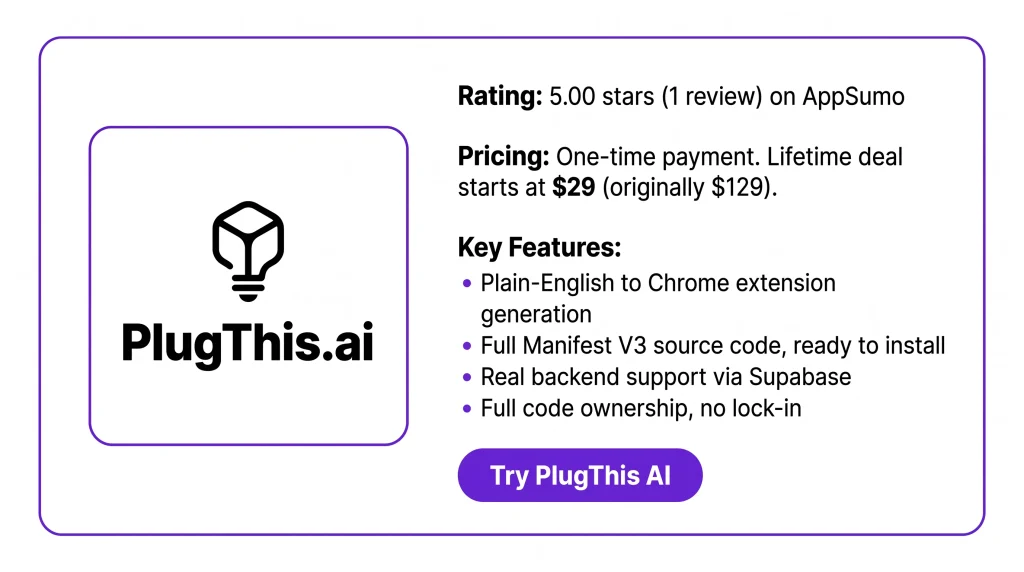
License Tier 1 — $29 (originally $129)
Features:
- 1 Chrome extension
- 20 generations per month
- 1 seat, 1 workspace
- Chrome Web Store readiness check
- Full backend support
- Store promo assets included
- Auto-generated privacy policy & terms
- GitHub sync + version history
- Public share links
- Own all your code
- Lifetime access, 60-day refund
License Tier 2 — $109 (originally $339) — Recommended
Includes License Tier 1, plus:
- 3 extensions
- 60 generations per month
- 3 seats, 3 workspaces
License Tier 3 — $229 (originally $649)
Includes License Tier 2, plus:
- 8 extensions
- 180 generations per month
- 5 seats, 5 workspaces
License Tier 4 — $349 (originally $929)
Includes License Tier 3, plus:
- Unlimited extensions
- 300 generations per month
- 15 seats, 15 workspaces
License Tier 5 — $499 (originally $1,579)
Includes License Tier 4, plus:
- 475 generations per month
- 25 seats, 25 workspaces
PlugThis AI Alternative
PlugThis AI vs Kromio.ai
Kromio.ai turns a text prompt or image into a working Chrome extension. It has a free tier with 20 credits a month. You get a community gallery to browse and fork other people’s extensions. It also has a “Revise Extension” option for unlimited edits.
PlugThis AI vs ChilledSites
ChilledSites is part of a bigger AI website and marketing platform. Its Chrome extension tool turns a plain description into a full Manifest V3 package. This includes a popup, background script, and content scripts. It builds this in under 60 seconds. It has a free tier. The full platform’s paid plans start around $9/month.
PlugThis AI vs Extendo
Extendo is a visual, no-code builder. You connect ready-made parts instead of typing a prompt. It includes built-in web scraping. You also get one-click publishing to the Chrome Web Store. Its pricing isn’t listed. You’d need to contact them directly for that.
PlugThis AI vs imagine.bo
imagine.bo builds full-stack apps, including Chrome extensions. You get a real backend: database, API endpoints, and UI. Its standout feature is “Hire a Human.” You can pay $25 to have a real engineer fix a stuck part. Individual plans start around $20/month.
PlugThis AI vs Robomonkey
Robomonkey is built on a userscript manager. It works like Tampermonkey or Greasemonkey. It can also run scripts you already have. You build extensions, automations, and scraping tools by chatting with its AI. It’s free to start.
Final Thoughts – PlugThis AI Review 2026
Have you had a Chrome extension idea stuck in your notes because you can’t code? PlugThis AI fixes that. You type your idea in plain English. It builds a real, working extension in minutes. You get backend support and full code ownership, with no lock-in. Solopreneurs, marketers, and freelancers can build and own their own tools fast. The PlugThis AI Lifetime Deal is worth a look.