Blip AI Lifetime Deal – Type 4x Faster With Voice
Typing emails all day is tiring. Slack messages and quick notes eat up your time too. Your fingers get tired. Your ideas slow down before you finish typing.
Blip AI fixes this problem. It turns your voice into clean, ready-to-send text in any app. Just press a key and speak. Your words show up polished and ready to send.
If you’re looking for information on the Blip AI Lifetime deal and Blip AI Review, you’ve come to the right place. The Blip AI Lifetime deal was launched on AppSumo with a significant discount, and in this post, we’ll share all the details of the deal.
You’ll find all the main features of Blip AI. You’ll see if it’s worth buying and who it’s best for. You’ll get a clear picture of what you’re paying for. You can decide with confidence.
You can read everything below and feel sure about your choice. But grab this Blip AI discount soon; deals like this don’t last long.
The Features of Blip AI Lifetime Deal
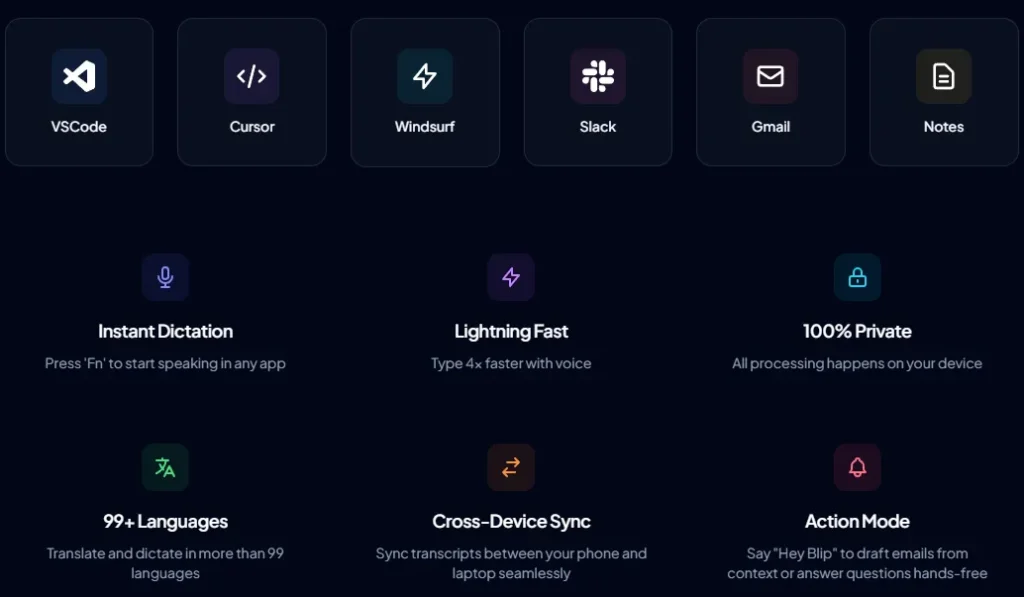
Instant Dictation
Press the Fn key to open Blip AI in any app. Start speaking, and your words turn into text right away.
100% Private
This feature keeps all voice processing on your device. Your speech and text never leave that device.
99+ Languages
Blip AI supports over 99 languages for dictation. It can also translate spoken words into text.
Cross-Device Sync
This feature links your transcripts across phone and laptop. Text you dictate on one device shows up on the other.
Action Mode
Hold a hotkey and say “Hey Blip” with what you want to write. Blip AI creates the message, email, or note for you.
Personalize Blip
Add your own words, so Blip AI recognizes them correctly. This helps with names, acronyms, or hard-to-spell terms.
Shortcut Links
Map a spoken keyword to a link or saved text. Say that keyword, and Blip AI types it out for you.
Context-Aware Style
Blip AI changes its tone based on the app you use. It sounds casual in chat apps and formal in work apps like email.
Smart Cleanup
This feature removes filler words like “um” and “uh.” It also fixes small mistakes so only your clear sentence remains.
Mid-sentence Edits
If you change your mind while speaking, Blip AI updates the sentence. Only your final version shows up in the text.
Smart Formatting
Spoken words turn into properly formatted text. This includes punctuation, capital letters, and things like phone numbers.
The Pros of Blip AI Lifetime Deal
- Faster Communication: You can reply to emails, messages, and notes in less time than typing takes.
- Clean Text Without Extra Effort: Your spoken words become clear, correctly formatted text right away.
- Works in Any App: You can dictate inside any app you already use, without switching tools.
- Voice Data Stays Private: Your voice and text stay on your device, so your data stays with you.
- Speak in Your Language: You can dictate or translate in any of the 99+ supported languages.
- Access Your Work Anywhere: Your dictated text follows you between your phone and laptop.
- Fewer Transcription Mistakes: Once you add your own names or terms, Blip AI recognizes them correctly going forward.
- Less Repetitive Typing: Saved links or phrases appear the moment you say the right keyword.
- Hands-Free Message Drafting: You can describe a message out loud and get a finished version, hands-free.
- Right Tone Every Time: Your message sounds casual or formal, based on the app you’re using.
The Cons of Blip AI Lifetime Deal
- Occasional Transcription Failures: Longer recordings, especially over 5 minutes, can sometimes fail and need to be redone.
- Repetitive Login Process: Some users need to re-validate their account through the website before using the desktop app.
- iPhone Experience Still Developing: Switching between apps on the iPhone version feels less smooth than on desktop.
Who is Blip AI best for?
- Content Creators: Writers and creators can speak their ideas out loud and turn them into drafts for posts, scripts, or notes.
- Software Developers: Developers using VS Code, Cursor, or Copilot can describe what they need out loud instead of typing full prompts.
- Marketers and Small Business Owners: Marketers and small business owners can use Action Mode to draft emails, Slack updates, or client messages just by speaking.
- Multilingual Users: People who speak more than one language can dictate and translate using the 99+ supported languages.
- Professionals Who Switch Devices: Anyone who moves between phone and laptop can pick up their notes and messages on either device.
Blip AI AppSumo Pricing Plan
Tier 1 — $59 (one-time, regularly $144)
Features:
- Works on 2 devices
- Runs on any operating system
- Cleans and formats your text automatically
- Connects to their API for custom builds
- Learns your personal words over time
- Adjusts its tone based on where you type
- Lets you dictate longer without cutting off
- Follows your own prompts to polish text
- Responds to your spoken commands
- Saves shortcuts so you skip retyping
- Keeps your transcripts synced across devices
- Covers 200,000 words each month
Tier 2 — $139 (one-time, regularly $432)
Features:
- Includes everything in Tier 1
- Now works on 6 devices
- Covers 600,000 words each month
Tier 3 — $249 (one-time, regularly $966)
Features:
- Includes everything in Tier 2
- Now works on 16 devices
- Covers 1,400,000 words each month
- Adds team management for 8 people
Tier 4 — $449 (one-time, regularly $2,898)
Features:
- Includes everything in Tier 3
- Works on unlimited devices
- Covers 3,200,000 words each month
- Team management now fits 16 people
Final Thoughts – Blip AI Review
If typing slows you down, Blip AI can help. It turns your voice into clean, ready-to-send text in any app, from Gmail to VS Code. It removes filler words and formats your sentences. It can even draft full messages through Action Mode. Blip AI supports 99+ languages and starts at a one-time price of $59. It works well for content creators, developers, and small business owners who want faster writing without a monthly bill. Try Blip AI if speed and simplicity matter to your daily work.