Leadpages Lifetime Deal: AI Landing Page Builder for $89
Building a landing page takes time. You need to write text and create a good design. Leadpages is an AI-powered landing page builder that makes this easy. Just tell AI what you need, and it builds a page in seconds.
You can edit pages, collect leads, and take Stripe payments without coding. You can also use your own domain and link your marketing tools.
Leadpages helps small businesses, marketers, and coaches create pages with less work. You can use it to promote products, grow email lists, and get webinar sign-ups.
KEY Features of Leadpages
Leadpages has tools to help you build and manage landing pages. Here are its key features you should know about.
Build Landing Pages with AI
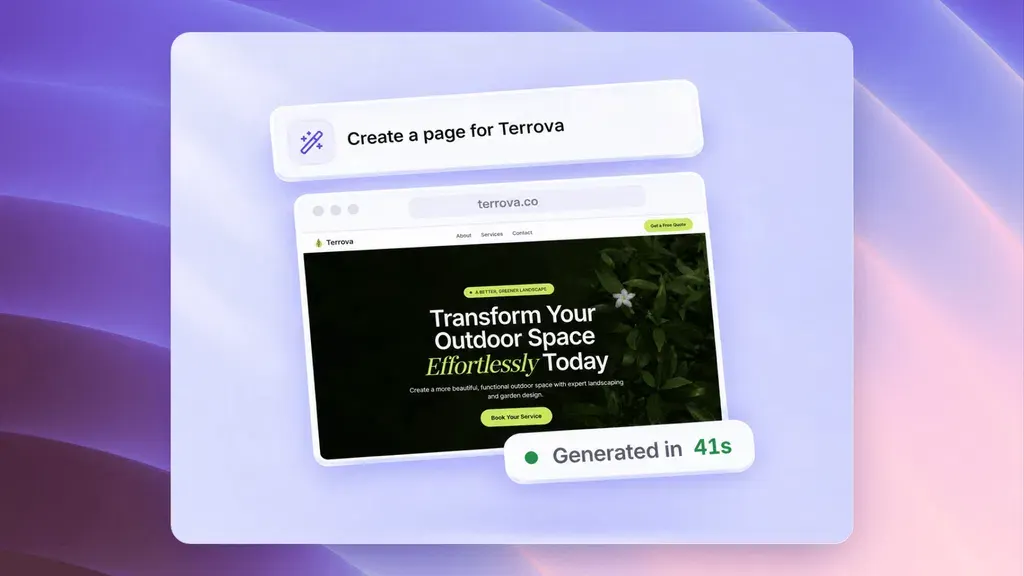
Leadpages helps you build landing pages with AI. Just tell AI what your page is about. It writes the headline, adds text and images, and sets up the layout. You don’t have to start from scratch.
For example, you can ask AI to make a webinar sign-up page. It can add key details, images, and a sign-up form. You can then check the page and make any changes you need.
How to use it: Open Leadpages and tell AI what you need. Let it build your page, then edit and publish it. The AppSumo deal gives you 2,000 AI credits per month to create or edit pages.
Capture Leads and Sales
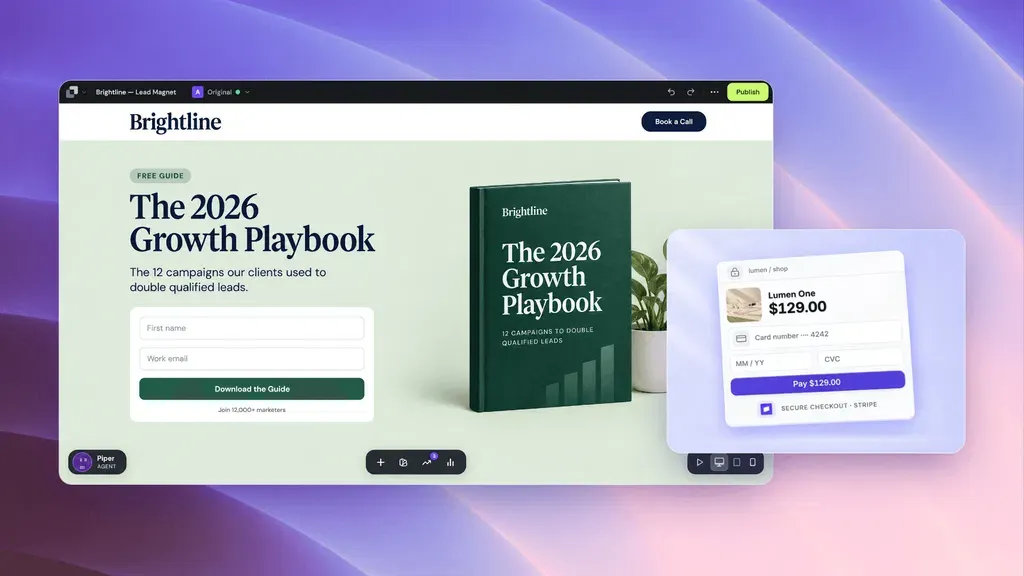
Leadpages helps you collect leads and take payments from your pages. You can add forms and pop-ups to get names and emails. You can also use Stripe to let buyers pay on your page.
For example, you can create a webinar sign-up form or sell digital products. Leadpages can send new leads to your email or CRM tools. This helps you keep track of leads and sales.
How to use it: Open your page and add a form or pop-up. Link your email or CRM tool to save leads. To sell products, connect Stripe and add a checkout. Then publish your page.
Publish Pages on Your Own Domain

Leadpages lets you publish landing pages on your own domain. This means visitors see your web address, not a Leadpages link. Each domain also gets free SSL to keep your pages secure.
The AppSumo Lifetime Deal lets you publish up to 15 pages on one custom domain. There is no limit on website traffic. You can get more visitors without paying extra traffic fees.
How to use it: Open Leadpages and add your domain. Follow the steps to link it. Next, select your page, check how it looks, and publish it. Your page will be live on your own web address.
Edit and Customize Your Pages
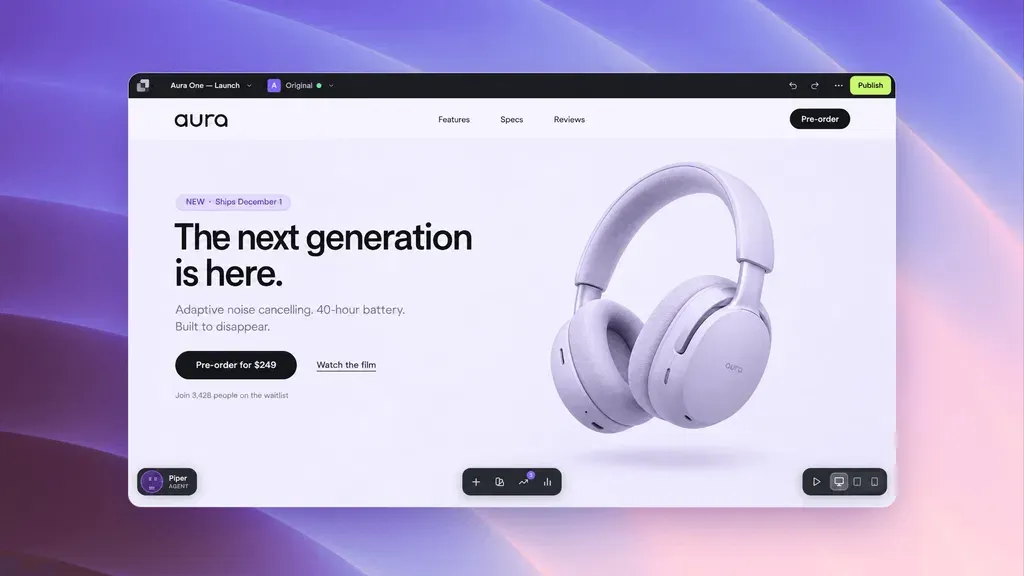
Leadpages lets you edit any part of your page. You can change text, images, and sections with its page editor. You don’t need to know how to code.
You can also ask AI to make changes for you. For example, ask it to shorten a headline or add customer reviews. You can check how your page looks on desktop and mobile.
How to use it: Open your page in the Leadpages editor. Click on any part you want to change. You can also tell AI what to fix. Check your page, then publish it when it’s ready.
Leadpages Pros and Cons
Leadpages has both good and bad points. Here are the main pros and cons to help you decide if it fits your needs.
Pros
- Faster Landing Page Creation.
- No Coding Skills Needed.
- Easy Lead Management.
- Simple Online Payments.
- Professional Branding.
- Unlimited Website Traffic.
Cons
- Limited AI Credits
- 15-Page Limit
- One Custom Domain
- No Advanced Testing
- Limited Design Flexibility
Who Is Leadpages Best For?
- Small Business Owners: Make pages to promote services, collect leads, and find new customers.
- Digital Marketing Professionals: Create pages for online ads, product launches, and lead campaigns.
- Coaches and Consultants: Build pages to promote coaching programs and get new client requests.
- Online Course Creators: Make course sales pages, get student sign-ups, and take Stripe payments.
- Webinar and Event Organizers: Build sign-up pages for webinars, workshops, and events to collect registrations.
Leadpages AppSumo Plan — $89.10
Features:
- 15 published landing pages
- 1 custom domain
- 3 GB storage
- 2,000 AI credits per month
5 Best Leadpages Alternatives 2026
Unbounce, Instapage, Landingi, ClickFunnels, and Carrd are five Leadpages alternatives. All five help you build web pages, but each has a different focus.
1. Unbounce
Unbounce helps marketers build landing pages for online ads. You can also test pages and track their results.
- Starting Price: $29/month (14-day free trial).
- Pros: AI page builder, forms, and A/B testing.
- Cons: Starter plan limits you to 5 pages and 500 visitors.
- KEY Difference: Unbounce has more tools to test and improve ad pages, but it limits website traffic.
2. Instapage
Instapage helps teams build pages for paid ads. Team members can also review and edit page designs together.
- Starting Price: $99/month (14-day free trial).
- Pros: AI writing tools and team features.
- Cons: A/B testing needs a higher plan.
- KEY Difference: Instapage focuses more on paid ads and team projects, while Leadpages is better suited to basic page-building tasks.
3. Landingi
Landingi helps businesses build landing pages and collect leads. You can use AI tools and a visual editor to create pages.
- Starting Price: $29/month (14-day free trial).
- Pros: AI tools, page templates, and lead forms.
- Cons: Build plan limits traffic to 2,000 visits per month.
- KEY Difference: Landingi has more design and testing options on higher plans, but it sets monthly visitor limits.
4. ClickFunnels
ClickFunnels helps businesses sell products and services online. You can build sales funnels that guide buyers from a landing page to checkout.
- Starting Price: $97/month (free trial).
- Pros: Sales funnels, checkout pages, and email tools.
- Cons: Launch plan allows only one workspace.
- KEY Difference: ClickFunnels helps manage the full sales process, while Leadpages focuses more on landing pages and lead capture.
5. Carrd
Carrd helps you build simple one-page websites. It works well for portfolios, personal sites, and basic landing pages.
- Starting Price: Free plan; Pro from $9/year.
- Pros: Easy editor, low cost, and mobile-friendly pages.
- Cons: Custom domains and forms need Pro Standard ($19/year).
- KEY Difference: Carrd is simpler and cheaper for one-page sites, while Leadpages has more tools to collect leads and take payments.
Final Thoughts: Is Leadpages Worth It?
Leadpages makes building landing pages quick and easy. What stands out most is its AI page builder. Just share your idea, and AI builds a page for you. You can then edit and publish it without coding.
Leadpages also puts lead forms, Stripe payments, and custom domains in one place. You can collect leads, take payments, and manage your pages with less work.
The Leadpages AppSumo Lifetime Deal at $89.10 is worth a look. You get 15 live pages, 2,000 AI credits each month, and unlimited traffic. It’s a simple way to launch landing pages with one payment instead of monthly fees.