Acumbamail Lifetime Deal: Grow With Email and Landing Pages
Acumbamail is an easy-to-use email marketing tool. It helps you send emails, manage contacts, and set up follow-ups. You can also send SMS, build landing pages, and track results.
It comes with 850+ email templates, a drag-and-drop editor, and an AI Assistant. Just pick a template, edit your content, and send your emails. No coding needed.
The Acumbamail Lifetime Deal is now back for Black Friday 2026, starting at just $109 with a one-time payment.
How to Use Acumbamail: Step-by-Step Guide
- Sign Up: Create an account and verify your email.
- Add Contacts: Import your email list using CSV or Google Sheets.
- Create a Campaign: Go to Campaigns and choose Newsletter.
- Design Your Email: Choose a template and edit the text and images.
- Send Your Email: Choose your contacts, test your email, and click Send.
- Check the results: Go to the report to see the number of emails opened and the number of clicks within them.
KEY Features of Acumbamail
Acumbamail makes email marketing easy. Its key features are listed below.
Drag-and-Drop Email Builder and Templates
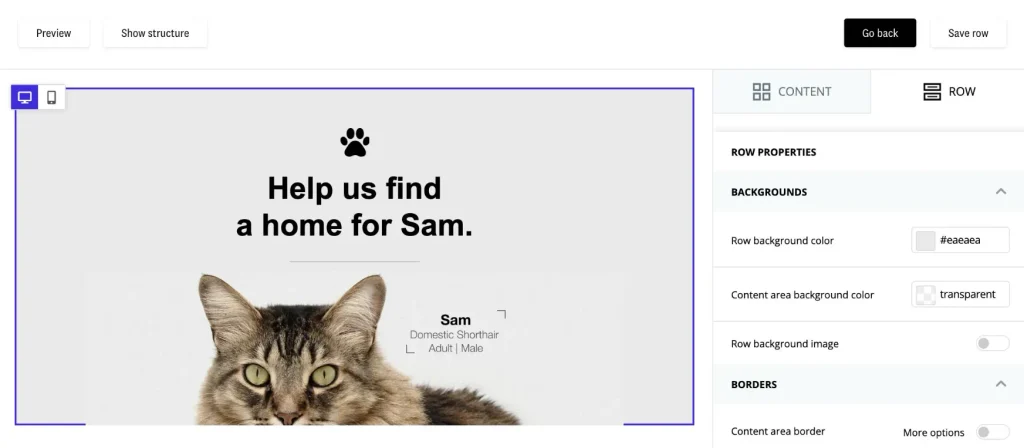
Acumbamail has 850+ ready-made email designs. You can add text, images, and buttons without coding.
To get started, go to Templates → New Template. Pick a design and make changes with drag-and-drop tools. Then check how it looks and save it.
Email Marketing Automation and Autoresponders
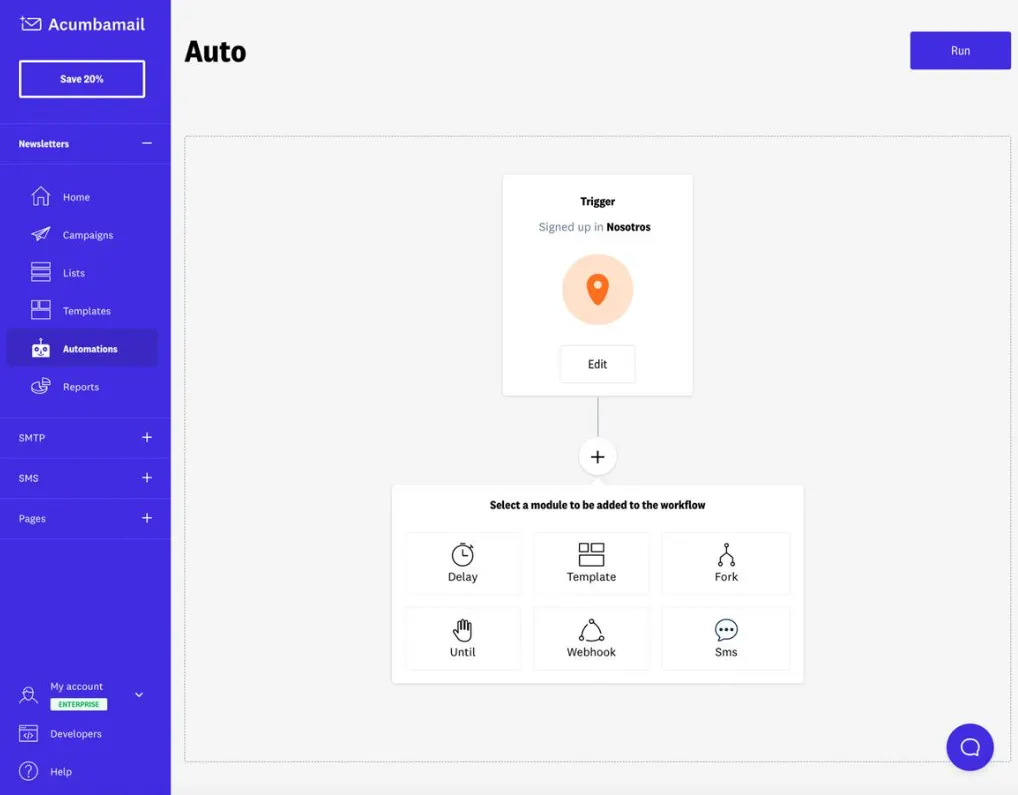
Acumbamail can send emails when someone takes an action. You can use it for welcome emails, follow-ups, and reminders.
To set it up, go to Automations → New Automation. Choose what starts the flow, add an email, and set a wait time. For a single auto-reply, go to Campaigns → New Campaign → Autoresponder.
Subscriber Management and List Segmentation
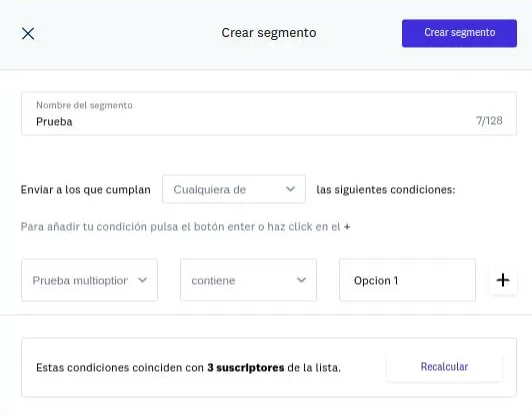
Acumbamail helps you manage contacts and sort them into groups. You can group them by interests or past actions. This helps you send emails to the right people.
To start, go to Lists → Create List and add your contacts. Then go to Segments → New Segment to make a group.
Signup Forms and Lead Generation
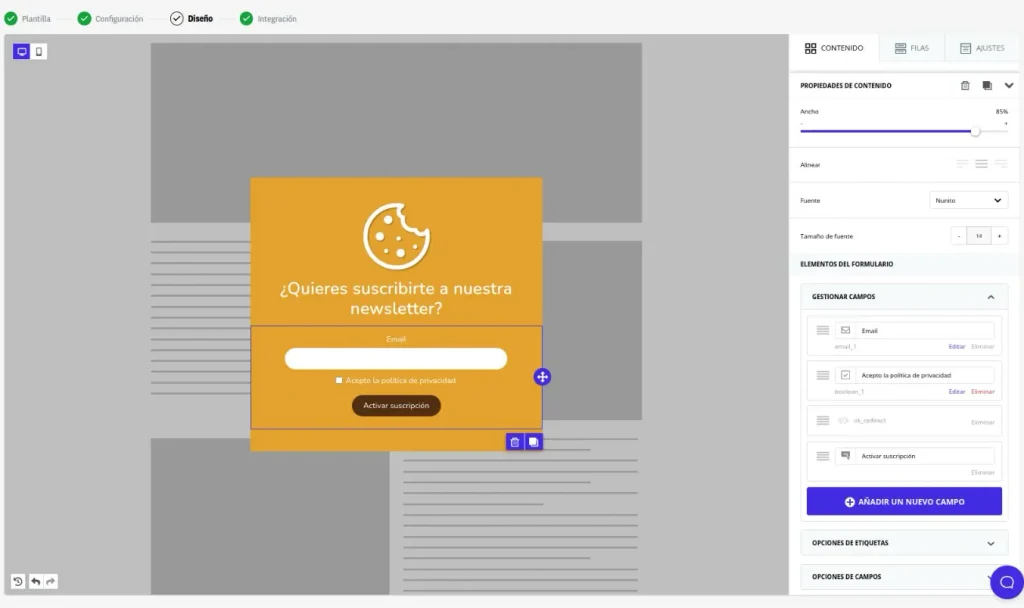
Acumbamail helps you grow your email list with signup forms. You can add forms, popups, or sidebars to your site.
To start, go to Lists → Forms → Create Form. Choose a design, make changes, and add it to your site. New contacts will be added to your selected list.
Landing Page and Website Builder
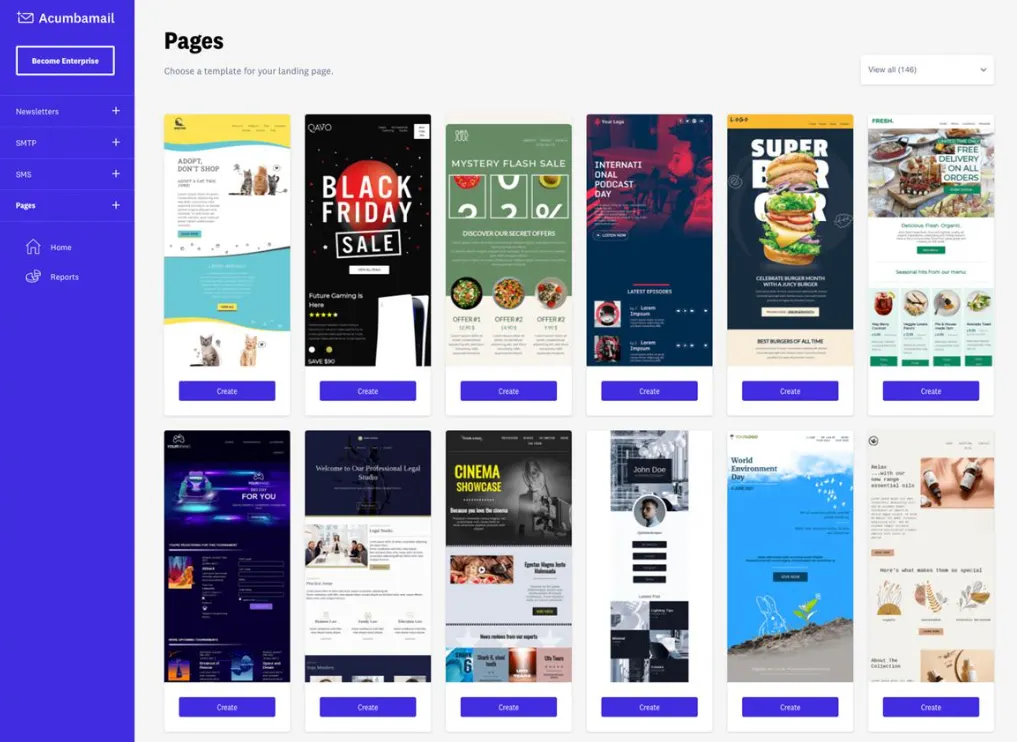
Acumbamail lets you build landing pages and websites without coding. You can use them to share offers and get new leads.
To start, go to Websites → New Website. Choose a page type and pick a design. Add your text and images, then publish it.
Email Analytics and Performance Tracking
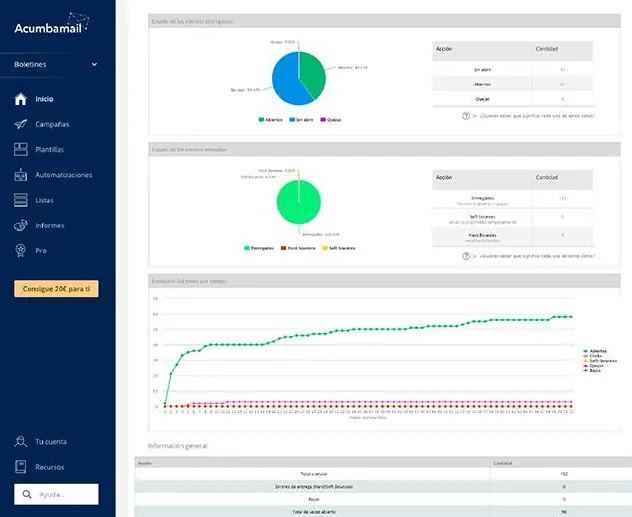
Acumbamail lets you track your email results in real time. You can see who opens your emails, clicks links, or fails to get them.
To check your results, go to Reports and choose a campaign. Review the data to see what works and make your next email better.
SMS marketing
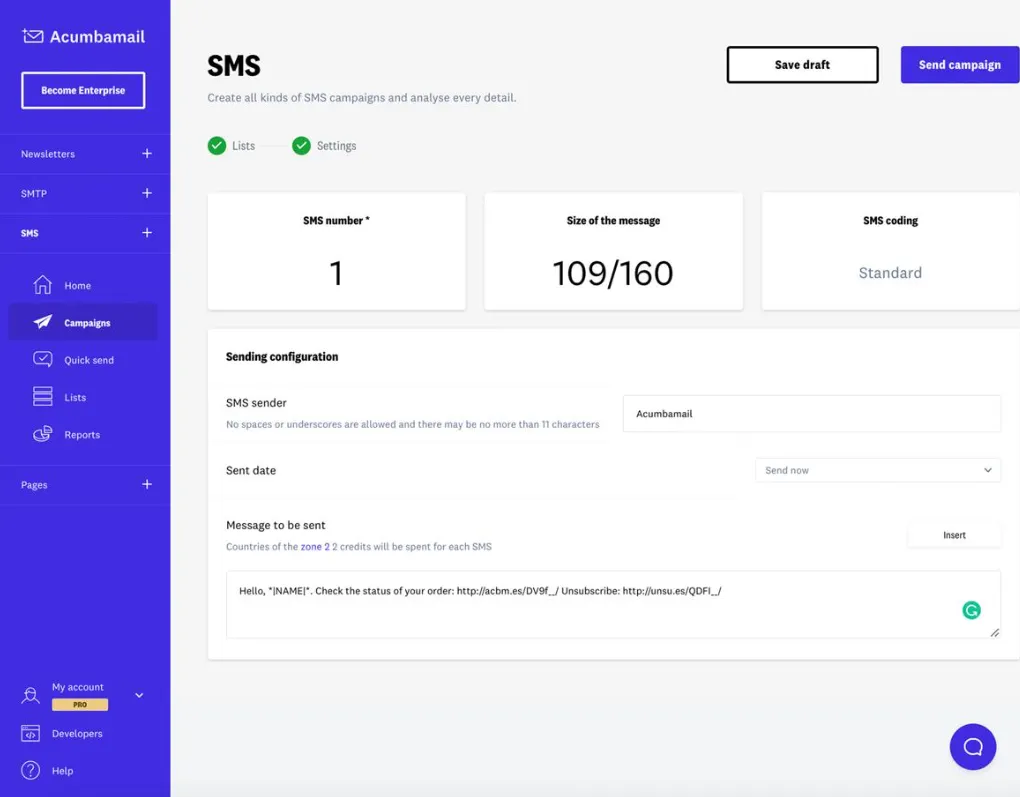
Acumbamail lets you send text messages to your contacts. You can share offers, news, and reminders on their phones.
To start, go to SMS → Campaigns → New Campaign. Choose your contacts, write your message, and send it now or later. SMS credits cost extra.
Acumbamail Pros and Cons
Acumbamail has both benefits and limits. Here are the main pros and cons.
Pros
- Save time sending emails.
- Create emails without coding.
- Reach people by email and SMS.
- Send emails to the right people.
- Grow your email list.
- Track results and improve emails.
- Cut monthly email costs.
Cons
- Some emails may land in spam.
- Limited advanced automation.
- Some pages still show Spanish.
- Slow support responses.
- SMS credits cost extra.
Who Is Acumbamail Best For?
- Small Business Owners: Send news, offers, and updates to your customers. You can do it all without a big team or too much work.
- Online Store Owners: Share new products, deals, and order updates. This helps keep buyers up to date and brings them back to your store.
- Email Marketers: Send newsletters and set up follow-up emails. You can also track how well your emails work.
- Marketing Agencies: Run email campaigns for many clients in one place. You can keep each client’s work separate and easy to manage.
- Content Creators: Grow your email list and share new blog posts. It’s a simple way to stay in touch with your readers.
Acumbamail AppSumo Pricing Plan
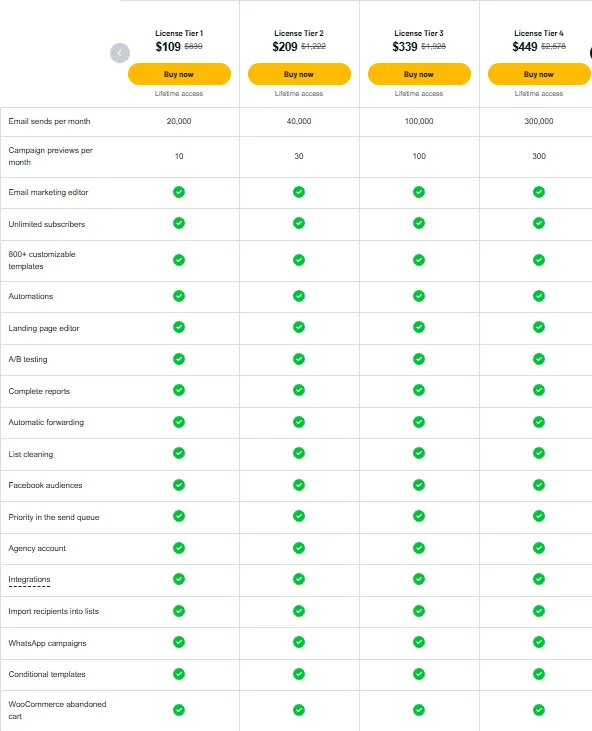
License Tier 1 – $109
Features:
- 20,000 emails/month
- 10 campaign previews/month
- Email campaign editor
- Unlimited subscribers
- 800+ editable templates
- Email automation
- Landing page builder
- A/B testing
- Detailed reports
- Auto email forwarding
- Email list cleaning
- Facebook audiences
- Priority email sending
- Agency account
- App integrations
- Contact list imports
- WhatsApp campaigns
- Conditional templates
- WooCommerce abandoned-cart emails
License Tiers 2–10
Acumbamail also has nine higher plans, from License Tier 2 to Tier 10. Prices range from $209 to $1,779 as a one-time payment. All plans have the same core features as Tier 1, but with higher limits. You can send 40,000 to 2,500,000 emails per month, with 30 to 2,500 campaign previews, based on your plan.
5 Best Acumbamail Alternatives 2026
If Acumbamail doesn’t fit your needs, these five tools are worth a look. Each offers useful ways to send emails and reach your customers.
1. Brevo
Brevo is a good choice for email and SMS marketing. It also helps you manage contacts and set up automatic emails.
- Free Plan: 300 emails per day.
- Starting Price: $9/month.
- Pros: Email, SMS, and automation in one place.
- Cons: SMS costs extra, and some tools need higher plans.
- KEY Difference: Also supports WhatsApp marketing.
2. Mailchimp
Mailchimp is a good fit for small businesses that send newsletters and offers. It also helps you grow your email list and check campaign results.
- Free Plan: 250 contacts and 500 emails/month.
- Starting Price: $13/month.
- Pros: Email templates, signup forms, and reports.
- Cons: Low sending limits on the free plan.
- KEY Difference: Pricing is mainly based on contact count.
3. GetResponse
GetResponse helps you send emails, grow your list, and build landing pages. It is useful for both small businesses and online marketers.
- Free Plan: 500 contacts and 2,500 emails/month.
- Starting Price: $19/month.
- Pros: Email marketing, landing pages, and signup forms.
- Cons: Starter allows only one custom automation flow.
- KEY Difference: Also offers webinars and sales funnels on higher plans.
4. ActiveCampaign
ActiveCampaign is a good option for businesses that need detailed email follow-ups. It helps you send emails based on customer actions.
- Free Plan: No free plan; 14-day trial.
- Starting Price: $19/month.
- Pros: Email automation, contact tracking, and reports.
- Cons: Starter limits each automation to five actions.
- KEY Difference: More focus on detailed email and sales flows.
5. MailerLite
MailerLite is a simple choice for bloggers and small businesses. You can send newsletters, build landing pages, and grow your email list.
- Free Plan: 250 subscribers and 2,500 emails/month.
- Starting Price: $12/month.
- Pros: Easy email editor, forms, and landing pages.
- Cons: Free plan has low subscriber and email limits.
- KEY Difference: Also lets you sell digital products and paid newsletters.
Final Thoughts – Acumbamail Review 2026
Acumbamail makes email marketing easy. It brings all the key tools into one place. You get 850+ email templates, a drag-and-drop editor, email automation, landing pages, and an AI Assistant.
These tools work together to save time and effort. The Acumbamail Lifetime Deal is back for Black Friday 2026. Plans start at just $109 with a one-time payment. It’s a great chance to get lifetime access and save on monthly email marketing costs.