
CaptionBolt Lifetime Deal – 338 Styles for Social Videos
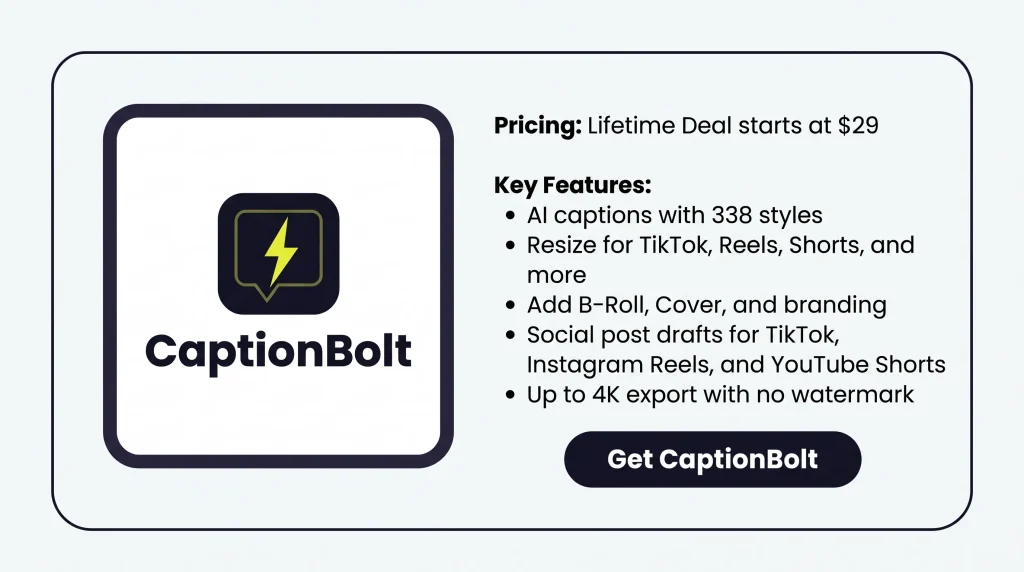
Adding captions sounds easy, but fixing words and timing takes work. That’s why CaptionBolt caught my eye. It adds AI captions, offers 338 styles, and lets you edit videos in one place.
What I like most is how easy it is to fix captions without changing the audio. You can also cut long pauses, resize clips, and add B-Roll. In this CaptionBolt Lifetime Deal review, I’ll cover its features, limits, and price to help you decide if it’s worth it.
CaptionBolt KEY Features
AI captions
CaptionBolt turns speech into captions that match your video. You can choose from 338 styles. You can also change the font, color, motion, and position.
Text Editor
You can fix wrong words, split lines, or hide captions. These edits do not change your video, audio, or speech timing.
Resize and crop
You can resize videos to 9:16, 1:1, 4:5, or 16:9. You can also crop the frame or add a blurred or solid background.
Edit clip
You can trim the start or end of your video. You can also remove unwanted parts. Captions still match the speech you keep.
Video Cover
CaptionBolt has 24 cover designs for your video’s opening. You can change the text, font, colors, background, and length.
Smart B-Roll
CaptionBolt suggests images and clips based on your video’s words. You can also search Pexels or upload your own files. Then, choose when and where they appear.
Logo and watermark
You can upload a logo and add it to your video. You can also change its size, position, and how clear it looks.
AI social post generator
CaptionBolt uses your video transcript to draft social posts. It supports TikTok, Instagram Reels, and YouTube Shorts. You can edit the text, tone, hashtags, titles, and descriptions.
Up to 4K export
You can export MP4 videos in up to 4K without watermarks. You can also save TXT, SRT, ASS, or VTT files. The file types depend on your AppSumo plan.
Pros of CaptionBolt
- Less Manual Caption Work: You don’t have to type every word or set caption times by hand. AI handles the first draft, so you only need to check and fix the text.
- Easier Viewing Without Sound: Viewers can follow what you’re saying even with the sound off. Captions also make spoken words easier to understand.
- Smoother Video Flow: Long pauses and unwanted parts can make a video feel slow. Removing them helps keep the story moving while keeping the parts that matter.
- Easy Social Media Sharing: You can make one video fit TikTok, Instagram Reels, and YouTube Shorts. There’s no need to start a new edit just to change the video size.
- Consistent Brand Look: Your videos can keep the same fonts, colors, and logo across posts. This helps viewers recognize your content without creating a new design each time.
- Easier Social Post Writing: You don’t have to write every social post from scratch. CaptionBolt gives you a draft for each platform that you can edit to match your own voice.
Cons of CaptionBolt
- Limited Video Editing: CaptionBolt can’t pick short clips from long videos or handle full video edits.
- No Translation or Dubbing: You can’t translate captions into other languages or add dubbed audio.
- No Direct Social Posting: CaptionBolt can’t post or schedule videos, so you must share them yourself.
- Monthly Usage Limits: AppSumo plans limit videos to 5, 10, or 20 minutes, and unused monthly minutes don’t carry over.
Who is CaptionBolt Best For?
- Content Creators: Ideal for those who make TikTok videos, Instagram Reels, and YouTube Shorts and need captions before posting.
- Social Media Marketers: Useful for those who create brand videos, write posts, and share content on different platforms.
- Marketing Agencies: Good for teams that edit client videos and keep logos, colors, and caption styles the same.
- Course Creators: Helpful for teachers who record lessons, guides, and demos and want students to follow along with captions.
- Podcasters: A good fit for those who turn podcast clips and interviews into captioned videos or check spoken words before sharing.
AppSumo CaptionBolt Pricing Plan
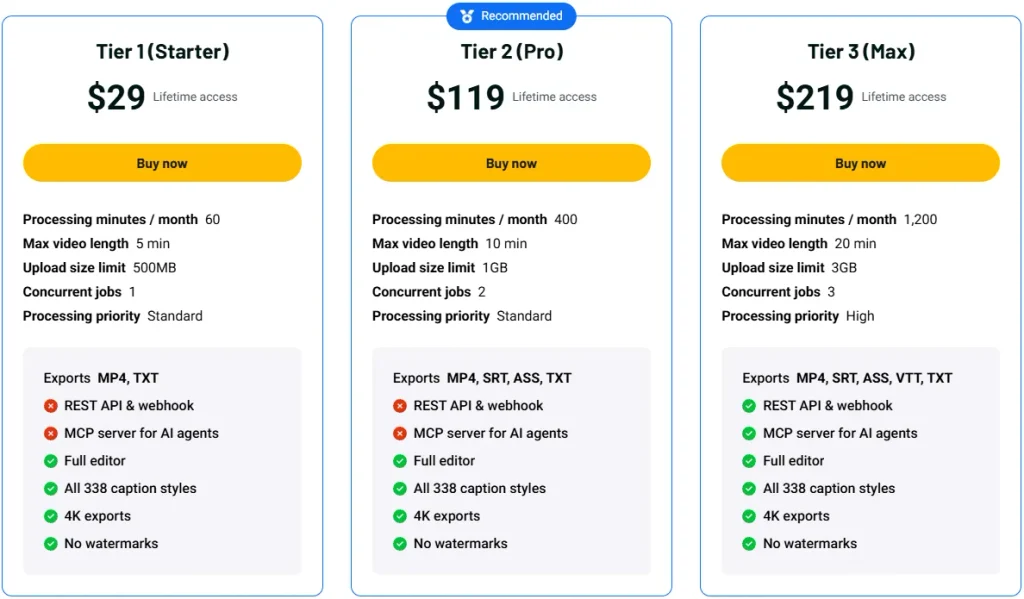
License Tier 1 (Starter) – $29
Features:
- 60 processing minutes/month
- 5-minute video limit
- 500 MB upload limit
- 1 video at a time
- Standard processing priority
- MP4 and TXT exports
- All 338 caption styles
- Full video editor
- Up to 4K, no watermark
License Tier 2 (Pro) – $119
Everything in License Tier 1, plus:
- 400 processing minutes/month
- 10-minute video limit
- 1 GB upload limit
- 2 videos at once
- SRT and ASS exports
License Tier 3 (Max) – $219
Everything in License Tier 2, plus:
- 1,200 processing minutes/month
- 20-minute video limit
- 3 GB upload limit
- 3 videos at once
- High processing priority
- VTT exports
- REST API and Webhooks
- MCP for AI agents
Final Thoughts
What I like most about CaptionBolt is how simple it makes video editing. You can fix captions without changing the audio, choose from 338 styles, and add B-Roll, all in one place.
I also like that you can check every edit before export. AI does the first part, but you control the final look. A lifetime deal for CaptionBolt is available on AppSumo for just $29, so I think it’s worth taking a look.


